Your computer is the center of your business world. You use it to conduct meetings, contact clients and associates, and keep data on all your operations. But sometimes you need to pull all of that together to run your business more efficiently.
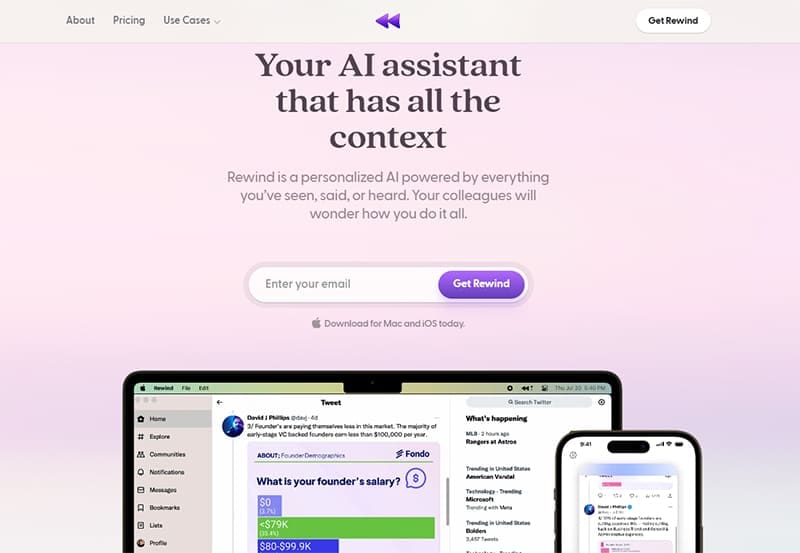
Rewind AI is a smart application based on artificial intelligence that can do just that. Billed as an application powered by “everything you’ve seen, said or heard,” its goal is to improve the way you work.
Targeted primarily at a professional user base, Rewind AI gathers data on everything you do on your device, allowing you to create a summary of your last team meeting, draft a confirmation email to a client based on a recent Zoom call, or even back up your data in event of a crash. And Rewind AI can do this within minutes, saving you significant time.
But how exactly does Rewind AI work?
How to Use Rewind AI
Rewind AI is an application (currently for Mac and iPhone only) that runs in the background. It then records everything you do: what you search for online, emails you write and receive, and documents you work on. It can even record and transcribe Zoom calls, no matter who is hosting.
All this data is held locally on your device – compressed up to 3,750 times to save space – and forms the basis of your personal search engine. For instance, you can:
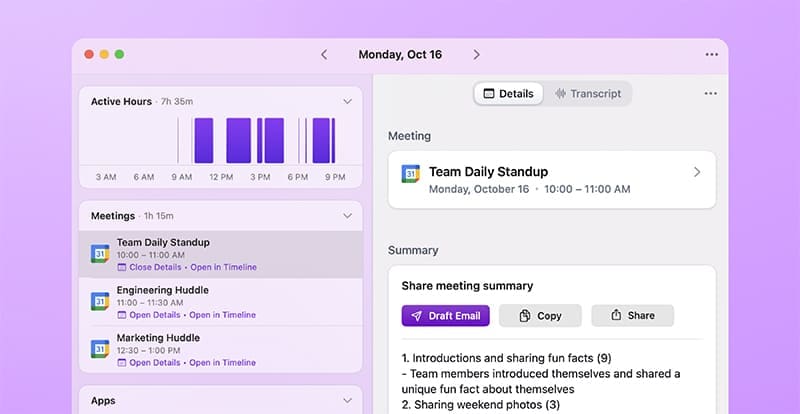
- Ask Rewind to summarize the key takeaways from the last team meeting and produce that from the meeting transcript.
- Ask Rewind to give you a list of your client’s product preferences based on information culled from recent emails.
- Ask Rewind to summarize how you spent your time in a given week and provide a detailed summary using the Recap feature.
This all happens locally on your device, so your data is kept private and safe. Rewind AI records directly from your device screen and microphone, using OCR technology to make the content machine-readable, so there is no need to integrate with cloud-based services like Dropbox and Google Docs.
It is also easy to pause recording whenever desired or specify which apps should not be recorded. Rewind AI can also act as a backup, so if your device crashes, you can rewind to where you left off.
Rewind AI also includes a ChatGPT feature called “ChatGPT For Me,” which allows you to leverage both your data and ChatGPT’s integration with the web to produce content that goes beyond what you have said and done.

What Devices Does Rewind AI Work On?
Rewind AI is currently only available for Mac users and most iPhone users, though apps for Windows and for wearables are currently in the works.
How Much Is Rewind AI?
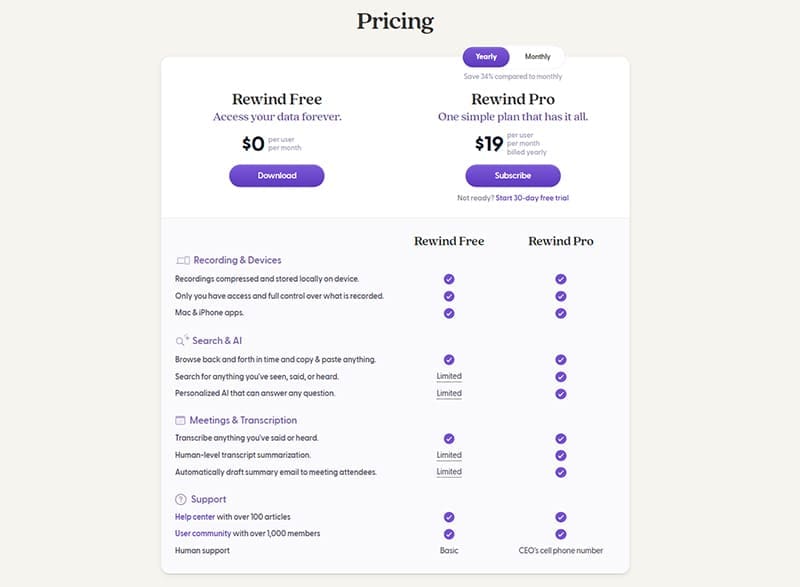
There is a free version of Rewind AI available, but while it records everything, the search functionality and AI applications are limited. To experience the full benefits of Rewind AI, you’ll need to upgrade to Pro. Subscriptions start from $19 per month with a 30-day free trial.
Rewind AI Reviews
Rewind AI currently has a rating of 3.8 stars in the Apple Store, with users praising it for how comprehensive its responses are. Complaints about the program cite battery usage and the limitations of the free version of the app.
Is Rewind AI Safe?
Rewind AI encrypts and stores your data locally on your device to protect your privacy. However, if you choose to use the ChatGPT for Me feature, this does require sharing some of your data to generate useful responses. Rewind AI does this in as limited and transparent a way as possible. Read their full privacy policy here.

Disclaimer: Some pages on this site may include an affiliate link. This does not effect our editorial in any way.