LinkedIn is practically a must-have if you want to engage with your audience, customers, and vital connections in the industry. However, the actual type of content that LinkedIn prefers is unlike that used by other platforms like X or YouTube, with a focus on information-heavy posts or presentation-like carousels. Luckily, you can save some time reformatting by putting your existing content in the 2PR LinkedIn carousel generator and get a post done in a minute. Here’s what you need to know.
How to Use 2PR LinkedIn Carousel Generator
The platform is highly streamlined to analyze existing content and reformat to generate the most engagement on LinkedIn.
Step 1. Gather your materials, such as notes, presentations, or links to tweets and posts from other social media.
Step 2. Go to 2PR’s carousel website.

Step 3. Use the “Upload files” button to share cliff notes or research that can be used for the carousel, then create a descriptive and thorough prompt in the text box. Hit on “Generate” (the up arrow) when you’re done.

Step 4. Make edits and change the background as needed (we recommend using simple color schemes rather than adding more colors.
Step 5. Click on “Download” then choose “PDF” to get the post ready for LinkedIn.
Step 6. Go to LinkedIn, start creating a post, then attach the PDF you created. Add a title and choose how the post will be presented, then click on “Done.”

That’s pretty much it. With the free version without a subscription, the tool will add a watermark. You can remove it if you use the advanced AI for analysis, which has a seven-day trial.
Using the Advanced AI to Make LinkedIn Carousels With AI
The process for making the carousel doesn’t meaningfully change, as the carousel creator is separate from the analysis tool.
Step 1. Go to the 2PR app website and select “Try for free.”

Step 2. Log into your LinkedIn account if you want direct integration, or use your Gmail or email to get a basic account which you can connect later.
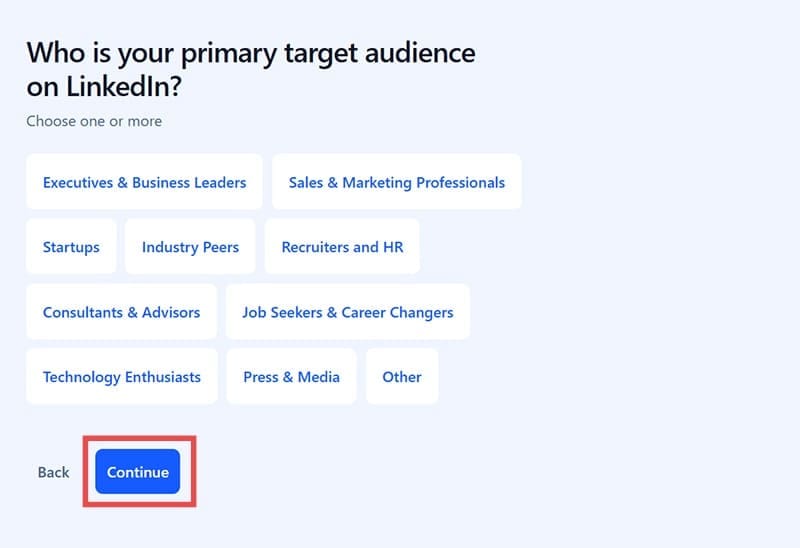
Step 3. Go through the questionnaire to allow the tool to curate the content based on your needs.
Step 4. Click “Start 7-day Free Trial,” enter your payment information, and finalize the subscription. The system won’t charge you for the first seven days.
Step 5. You can use the “Create a post” option to brainstorm posts based on your previous activity, but you can also ask AI for help to leverage existing data or social media you have or even viral posts concerning your industry.
Step 6. Use the “Upload” button to share cliff notes or research that can be used for the carousel, then create a descriptive and thorough prompt in the text box. Hit on “Generate” when you’re done.

Step 7. You will be redirected to the “Draft Post” section. Choose the version that looks best to you, add tweaks as needed in the separate textbox, then copy the content you created.

Step 8. Go to the Carousel Generator and paste that content into the box. Hit the “Confirm” button (the up arrow) to get the AI to create the carousel.

Step 9. Optional – You can also use the image generator to create the background and attach it after finishing the carousel text on the platform).
The app also allows you to schedule posts and automatically post them. However, it doesn’t generate carousels automatically, just regular posts.

It also comes with analytics to show how your posts align with branding and what kind of following you attained, helping you create more posts in the future.
What Works and What Doesn’t
One of the biggest draws of the 2PR LinkedIn carousel generator is that the basic tool is completely free and doesn’t require you to make an account. The AI you get inside is a bit simple, but if your content has a strong base, it can reliably transform it into a solid carousel that should improve engagement.
However, the analytical AI has a bit steeper learning curve. The seven-day trial here is key, as the price is relatively steep at $29/month for a tool that only creates LinkedIn posts and monitors their engagement. So if you think you can get good value from the tool, use the trial to test out the platform as much as possible then confirm or cancel the charge.
Ultimately, the base of the tool to make LinkedIn carousel posts with AI is strong enough to at least warrant a second look.




Disclaimer: Some pages on this site may include an affiliate link. This does not effect our editorial in any way.