AI assistants are all the rage and available everywhere. It seems that every app has dozens to choose from, and WhatsApp is no exception. While you might be familiar with the likes of Manychat and Botpress, sometimes you just need an assistant that does simpler tasks just as powerfully. In this article, we’ll be looking at MobileGPT, one such tool.
Join us for our MobileGPT review.
Our MobileGPT Review
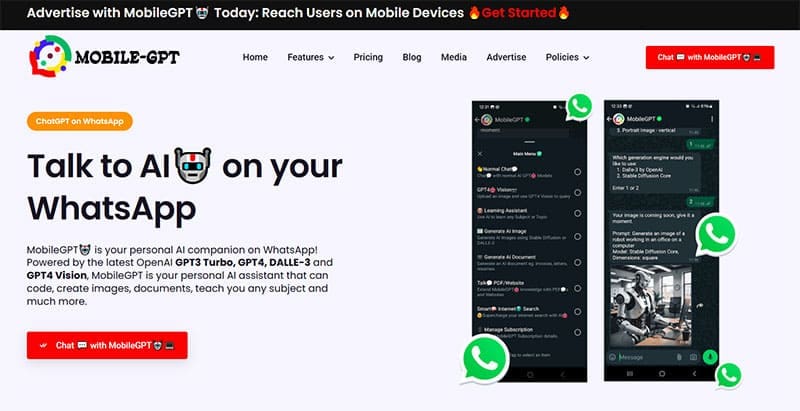
Let’s break things down into sections and see what this AI assistant can do for WhatsApp.
A Tool for Mobile Users
While most AI and software tools hail from Silicon Valley, MobileGPT hails from South Africa, a country where mobile use massively outstrips that of PCs. As such, the mobile market in South Africa is very advanced, as many use it for work and leisure. MobileGPT’s developer, Bertha Kgokong, sought to capitalize on this opportunity to create her WhatsApp assistant.
Many Features, Many Functions
MobileGPT isn’t the most advanced WhatsApp assistant out there. It can’t automate tasks, create and curate bots, or support large teams, but what it can do is help you out in a day-to-day context, a textbook definition of “assistant.” Once you’ve signed up, you have the tool as a chat bot in your WhatsApp that you can turn to when you need help.
Let’s take a look at the major features of MobileGPT:
- Powered by Top Models – Some AI assistants don’t like to reveal their AI models, but MobileGPT wears it with pride, and with good reason. The tool uses GPT-3.5 Turbo, GPT-4, DALLE-3, and GPT-4 Vision for high-quality text and image processing.
- Chatbot – The most obvious thing you’d expect from any assistant. MobileGPT is ready to code, answer, analyze, translate, and generate.
- Image Generation – MobileGPT uses Stable Diffusion 1.0 technology to generate solid AI images on the go.
- Learning – MobileGPT can also teach you a thing or two. This feature focuses on generating content that educates through links, quizzes, and evaluations. Tell it what you want to learn, and you’ve got a lesson.
- Image Analysis – Using GPT-4 Vision, MobileGPT can help analyze and explain any image that you upload, using sophisticated recognition technology.
- Document Creation and Analysis – While there may not be templates to use, Mobile GPT can turn business plans and ideas into full-blown, detailed Word documents and PDFs. You can also upload your own documents and PDFs, and ask MobileGPT to summarize, translate, or answer any questions you might have about them.
Pricing

Let’s talk pricing. MobileGPT has one tier only, which will cost you $20 and grant you access to all features. There’s a free trial, but this is extremely short, lasting only 24 hours. Compared to other offerings, like Manychat, it’s not the cheapest option, but its broad features and lack of a learning curve lessen the blow.
And, if you’re not keen on paying a subscription, why not sign up for life? That’s right, MobileGPT for WhatsApp can be yours forever for $149, less than you’d pay for an eight-month subscription.
All things considered, the features and price might not make MobileGPT the ultimate WhatsApp solution, but they still keep it a very strong option.






Disclaimer: Some pages on this site may include an affiliate link. This does not effect our editorial in any way.