If you’re not versed in PowerPoint or other presentation software, you might be missing out on some of the core design guidelines to make the slides truly pop. Luckily, you can offload some of that work by using tools like the HyperPresent AI presentation generator. With an AI presentation generation tool, you can strip the prep work to the bare essentials and rely on an AI’s extensive crawling and data collation abilities to get a ready-to-use presentation in minutes. Stick around to find out if it works and if it can deliver quality you need for professional use.
How to Use HyperPresent AI
Getting started with HyperPresent AI is straightforward due to its conversational interface that guides you through the presentation creation process.
Step 1. Visit HyperPresent.ai and click on “Create,” which will prompt you to make an account. You don’t really have to enter anything in the topic box as account creation might discard it. Activate the account via the email you receive.
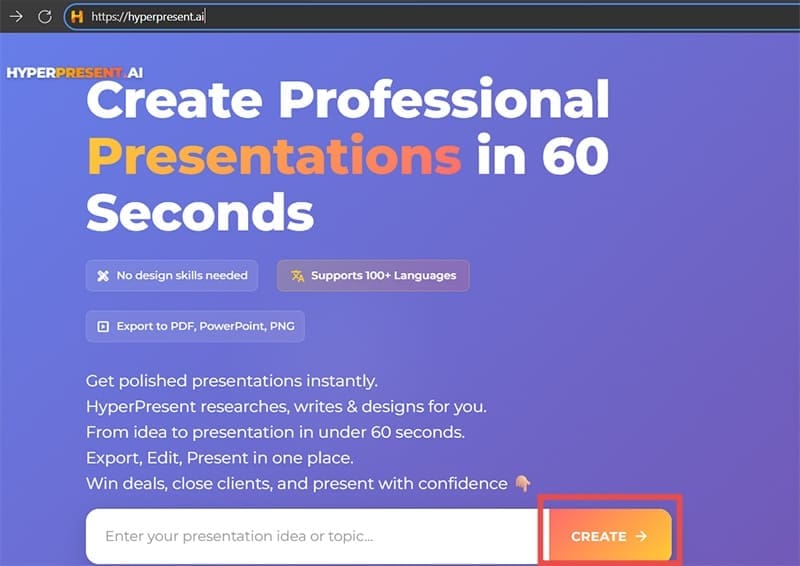
Step 2. Go to the “Create” page to enter the main creation dashboard.
Step 3. In the chat box, describe your presentation topic in natural language. Be as specific as possible about your audience, objectives, and key points you want to cover. Click on “Generate Presentation” to start.
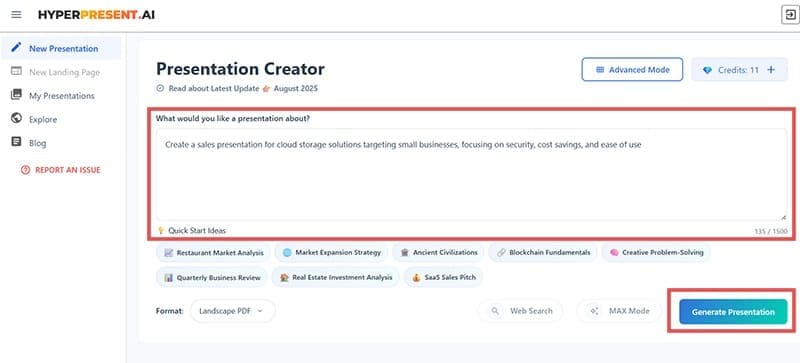
Step 4. You will be prompted to get a PRO account with a 3-day trial. However, you can click the small “I’ll stick to the basics” link on the bottom to use the trial version with limited options if you want to try out the AI tool’s data collation.
Step 5. Wait for the AI to conduct research and generate your presentation. This can take a few minutes depending on the complexity of your topic.
Step 6. Review the generated slides in the preview mode. The AI creates a complete presentation that is export-ready.
Step 7. If you’re a premium user, you can use the chat interface to request modifications, zeroing in on a specific slide if needed.
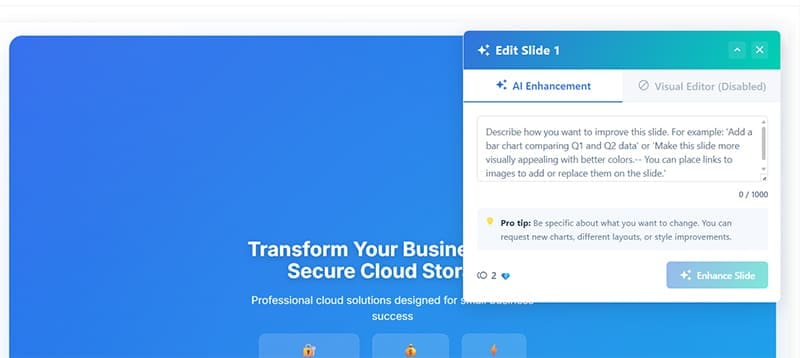
Step 8. Export the presentation and use it however you like.
The entire process is designed to feel like having a conversation with a skilled presentation designer who understands your needs and can instantly create professional results.
What Works and What Doesn’t
With a premium account, the platform includes intelligent web research that sources and cites current data for updated statistics and relevancy depending on your target industry. However, the same can’t be said for the basic trial features, which are minimal by design and only provide a glimpse of what the tool can accomplish, often using a boxy design that leaves a lot of room left and doesn’t properly align contents.

That being said, the conversational interface makes creating presentations feel natural and intuitive. Rather than struggling with complex menus and options, you simply describe what you want and refine your requests through ongoing dialogue with the AI.
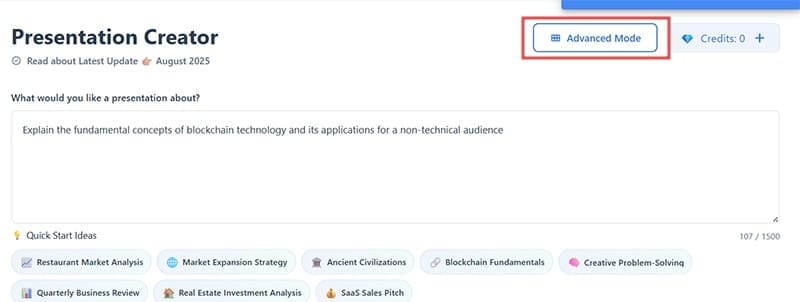
Additionally, you can use the “Advanced mode” to pinpoint the theme and color scheme you want to use from the start, and premium users can use the MAX mode for more modifications. The tool can also import existing files to draw information from, which can be useful if you need to create a presentation based on a lengthy subject you already covered or created.
With a pro account, the AI applies more advanced design principles, creating visually cohesive presentations with appropriate color schemes, typography, and layout. It can even become a solid AI tool for PowerPoint presentation if you need a lot of presentations or many smaller edits on a larger template.
Pricing and Plans
HyperPresent AI offers a Starter Plan at $12 per month or $108 per year, which includes 12 generations per month with standard templates.
The pricing structure is generation-based, meaning each time you create a new presentation, it counts toward your monthly limit. However, you can refine and modify existing presentations without using additional generations, making the limit more manageable for most users.
The Pro and Enterprise plans will likely work much better as they provide access to web search and advanced features, but Pro comes with a significant price uptick of $42 per month or $384 per year. It might be worth getting a trial to check it out before committing.



Disclaimer: Some pages on this site may include an affiliate link. This does not effect our editorial in any way.