If you’re trying to get your point across, you need to make sure it’s presented with the proper tone and structure or backed by sufficient research. But when trying to piece together an essay or a piece of content, it can be easy to get swallowed by trying to write fast and relying on myths or apocryphal evidence. That’s where AI tools can be invaluable to bolster your ideas or research. In our Criticly AI review, we’ll show the tool that can help you do just that.
In short, Criticly is an AI analysis tool that distills the essence of your arguments and rechecks them against publicly available information, all so you can ensure your writing is factual and on point.
How Does Criticly Work
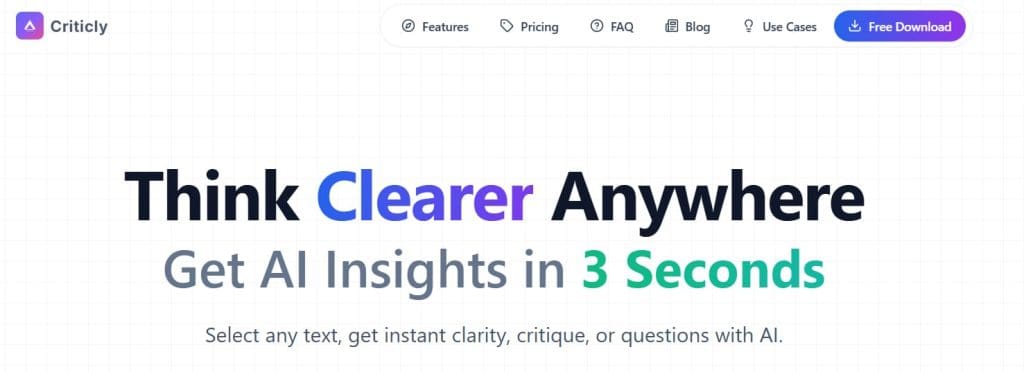
Criticly is built similarly to other real-time AI text editors and is most comparable to Grammarly or other in-line AI commenters.
- When you first install Criticly, you can choose an app to integrate it into, or enable it as a widget for any number of desktop apps.
- From then on, selecting text allows you to bring up the Criticly option bar and use the AI tools.
- Once chosen, each AI function displays the corresponding response practically in real-time.
Main Features
Distill or Summarize
The “Distill” feature is most useful when you have a lot to say about a subject but are worried you’re losing the big picture.
The AI breaks down your logic and arguments to its bare essentials. Even if you can write a full page on a topic, the AI can combine it into a few sentences that succinctly convey a similar notion.
Distill is also great at summarizing or simplifying concepts. It can be a great tool if you’re not sure how the general public will understand a particular subject (especially one that’s inherently complex or scientific in nature).
Evaluate
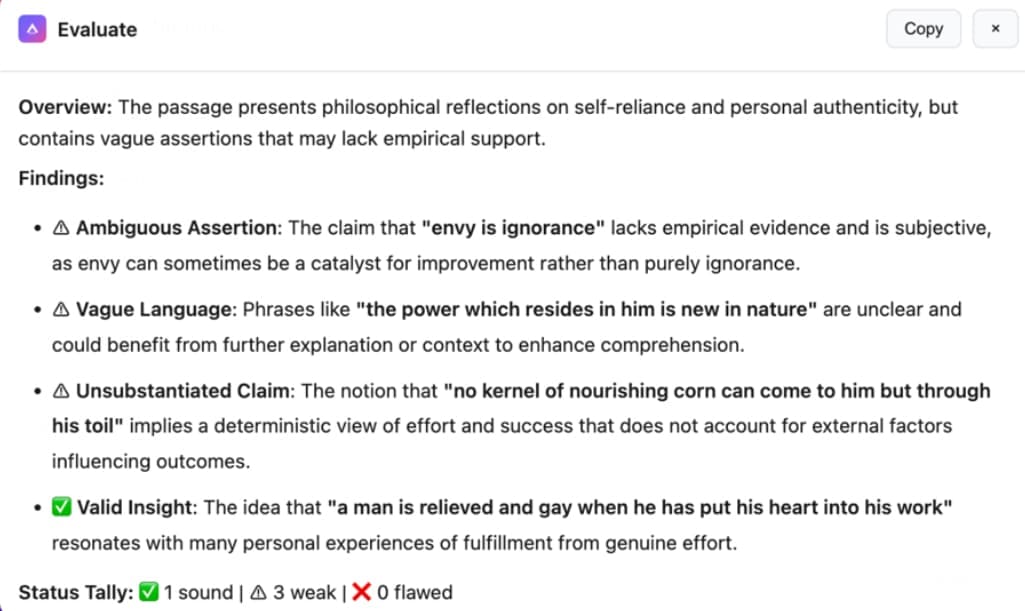
This will be your go-to fact-checking tool. The tool here works on both text and code input.
On the textual side, the tool uses its AI library to check against the facts it has and provide minor corrections or contextual cues, such as showing where your logic might start to break apart. Coding-wise, the tool mimics a simple code review bot that explains the main goal of the code it’s evaluating and provides suggestions on how to improve it.
Question
The “Question” tool generates clarifying questions on the selected topic that can be useful to more broadly cover it in your work. Alternatively, they can point you to areas that require more research.
Counter
This option can be useful if you’re writing an opinion piece and want to make sure that your point of view aligns with the general consensus. Alternatively, it can be useful if you want to immediately get a distilled view of the “other” argument and how to cover it in your content.

Quiz
This section generates short questions based on the context provided. The tool is pretty advanced in terms of evaluating answers, allowing you to answer with the distilled logic and boost your understanding of the subject.
What Works and What Doesn’t
The tool’s focus on privacy and response times is key here. Since it doesn’t store any of your text, it can’t be used to train other AI tools and it protects your information. At the same time, the near-instant response time means that it works snappily and can provide help whenever needed.
However, this also comes with the downside of not being able to adapt to changing context. The inability to store text means that the AI tool essentially regurgitates from its internal libraries and may occasionally miss cues for highly advanced topics.
Pricing-wise, the free tier is a solid showcase of what the tool can do, allowing you to run 10 operations per day. Additionally, with the $25 lifetime option, it’s a fairly inexpensive tool if you want to use it regularly and want a long-term commitment.
Related Posts
 Imagine Anything AI Review – Is This the Best AI Content Generator So Far?
 DiscMeet AI Review: How to Get Instant Transcriptions From Discord Meetings
 AI That Tests Your Apps – Our Momentic AI Review
 GlobalGPT Review: Too Good to Be True?
 ForumScout AI Review: What Do People Think About Your Brand?
 NotebookLM AI Review: Taking Notes to the Next Level With AI
 Spinach AI Review: Make Meetings and Note Taking a Breeze

Disclaimer: Some pages on this site may include an affiliate link. This does not effect our editorial in any way.