Small home services businesses usually don’t work 24/7, but their customers might experience a potentially devastating problem any time of day and night. To avoid having a real person on standby to answer calls and another to handle the actual on-call job, AI receptionists can be the ideal customer-facing solution to reduce overhead costs.
Tools like Wakeman AI also claim to integrate into your workflow and schedule jobs automatically. But how well does that actually work? Read our Wakeman AI review to find out.
What Is Wakeman AI and Getting Started
On the surface, Wakeman AI works much like a traditional AI receptionist. If set up correctly, it will pick up any calls you fail to answer on time or deliberately forward to it (via the provided phone shortcut).
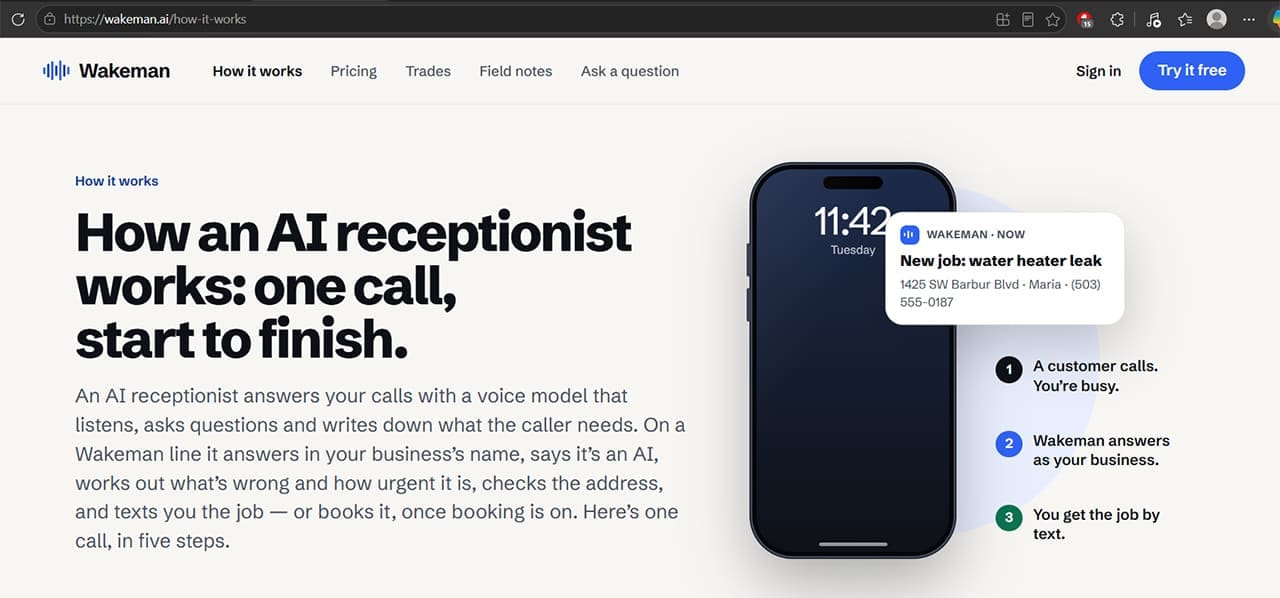
When it picks up, the AI behaves like a receptionist and dispatcher for your exact line of work, and your service areas and types of services you offer can all be set up on the platform.
Getting started in the app is fairly simple if you don’t want to use the Jobber integration. During setup, Wakeman asks for your phone number or website and attempts to find your business on Google and read your site.
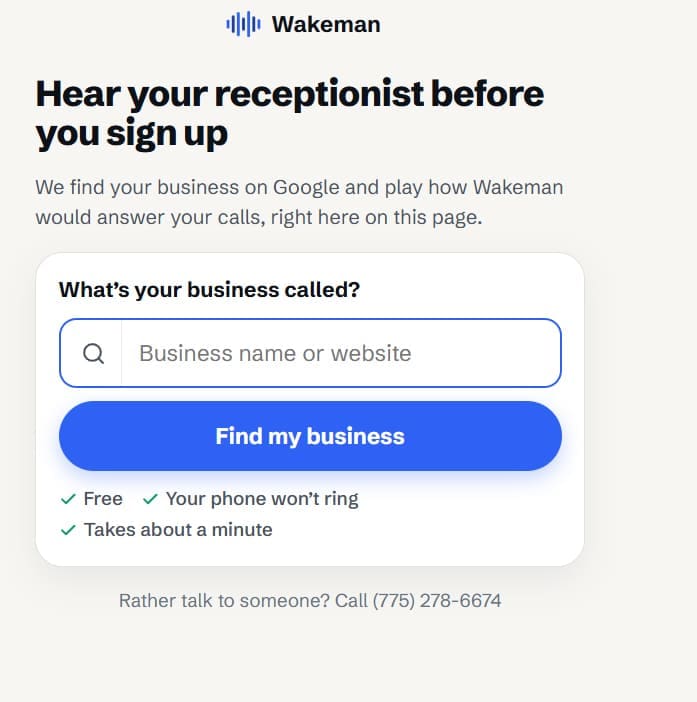
Your existing business number remains your main point of contact, while calls you don’t answer can be forwarded to Wakeman’s answering number.
After that, you can customize the voice of the receptionist (the AI currently has only one male and one female voice on offer).
At base, the AI will answer with your business name and a mandatory AI usage notice (that you can’t turn off). The AI tries to emulate a natural question-answer progression to determine the urgency or viability of the call, then looks through your available booking times to try and book the job.
Wakeman AI Review: Features
One of the most promising features of Wakeman is that the tool doesn’t answer with generic questions, but will try to pinpoint the exact problem and determine whether it’s something that warrants an immediate response.
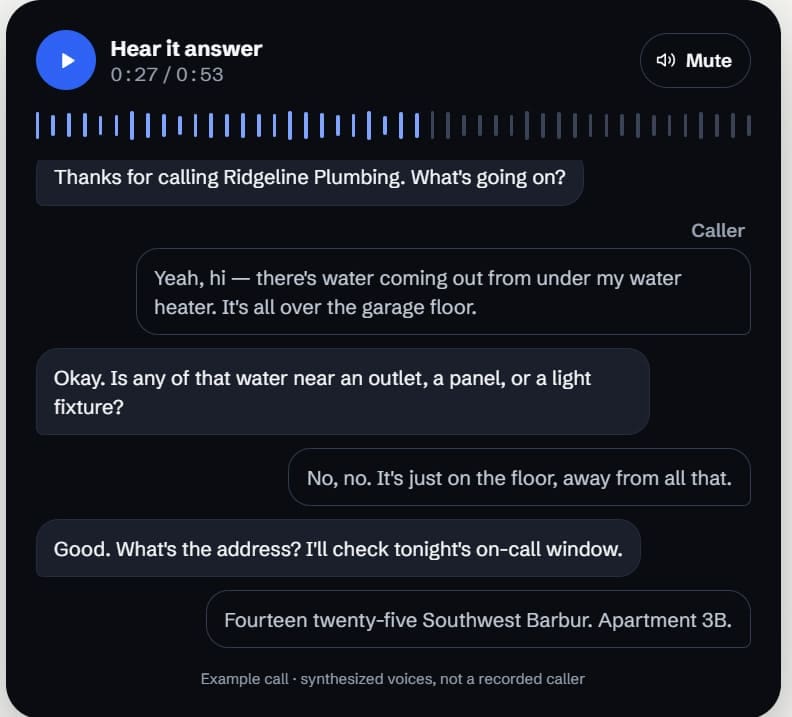
Alternatively, if a customer calls during busy hours with a routine question or request, Wakeman can capture the details and send you a notification so you can follow up when you’re available.
At base, the tool sends a notification about any calls you missed and what it achieved on those jobs. Wakeman also delineates between regular calls and spam, which won’t be counted against your call total.
Wakeman AI Pricing and Plans
The platform offers a 14-day free trial, subject to a limit of 500 minutes of answering, whichever comes first. Changing plans does not extend the trial.
However, all plans come with limitations on answering minutes before you start accruing additional costs.
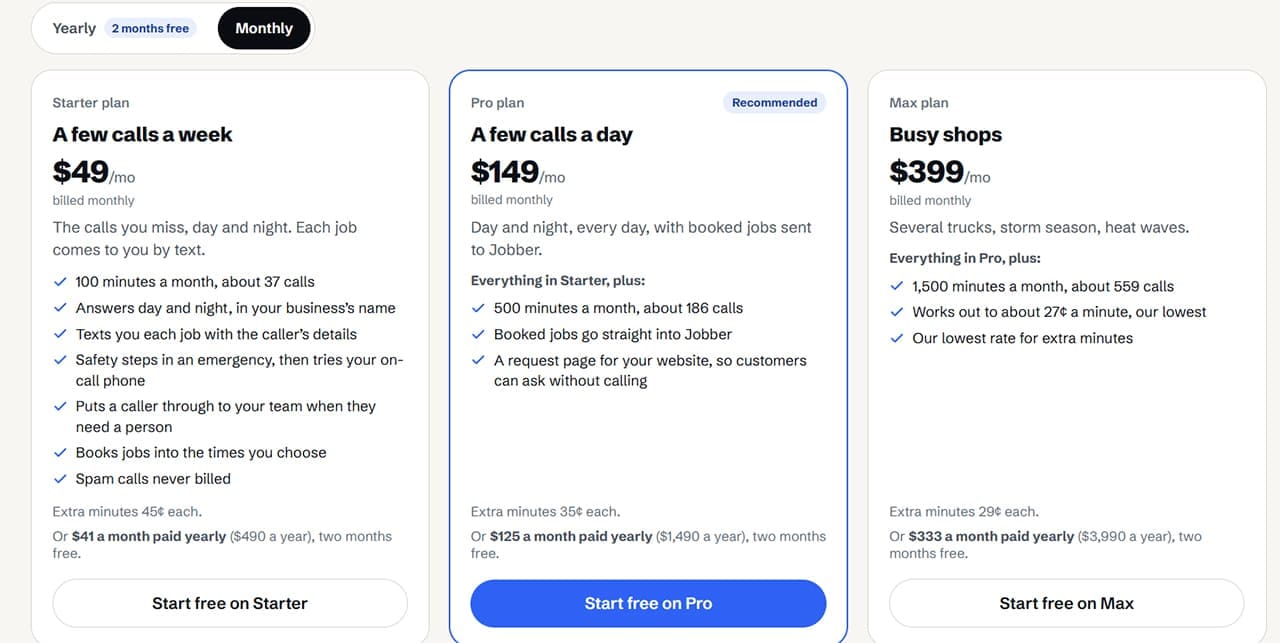
If you decide to use a plan that supports the integration, you can connect Wakeman to Jobber. Once you enable booking, confirmed jobs can be sent to Jobber automatically.
However, the integration has limitations. Wakeman doesn’t read Jobber’s complete live dispatch calendar, so the available booking times come from the windows you configure in Wakeman. This can create a risk of scheduling conflicts during a particularly busy season, so you should check that bookings have synced correctly and monitor your schedule.
Wakeman AI Review: Verdict
So is Wakeman AI useful for contractors?
This depends on how busy you are and the scale of your company. If your business doesn’t currently have a dedicated receptionist or administrative side that takes care of scheduling, but it also doesn’t have enough work or profit margins to set aside an entire person for that job, then it can make sense.
On the other hand, the AI’s performance in our tests may not reflect how well it handles real-world callers. The tool might not understand every accent or dialect, and it may have trouble sounding “real” to people calling when they need help.
Overall, if you’re planning to use the tool, make sure to use the two-week trial generously, and test it out on calls that customers traditionally make by having your employees call in rather than relying on the tool handling customers from day one. This allows you to set it up properly.
Related Posts
 Is Avatalks Worth It? Full AI Language‑Learning App Review
 Is Apple Intelligence Worth It?
 Is Purple Leaf AI Worth It for Your AEO/GEO and SEO Game?
 Is Browserbase AI Worth It? An Honest Look at Web Automation for AI Agents
 Apple iPhone 18 Pro: What’s New and Is It Worth the Upgrade?
 How to Boost LinkedIn Engagement With AI
 OpenAI Delays GPT-5 to Release GPT-4.5 – What’s New and Improved
 How to Create Seamless Illustrations With Illustro
 Imagine Anything AI Review – Is This the Best AI Content Generator So Far?

Disclaimer: Some pages on this site may include an affiliate link. This does not effect our editorial in any way.