If you want your video content to stand out on platforms like YouTube, TikTok, and Instagram, good video editing skills are essential.
This used to mean hours of cutting, splicing, and transitioning to line up video and audio to meet your vision. But today, AI video editing tools can significantly speed up the process and help you generate more professional-looking videos. Use your own content, or let AI generative technology create new content based on your prompts. Here are a few best AI tools for video editors.
Fliki – Best Overall
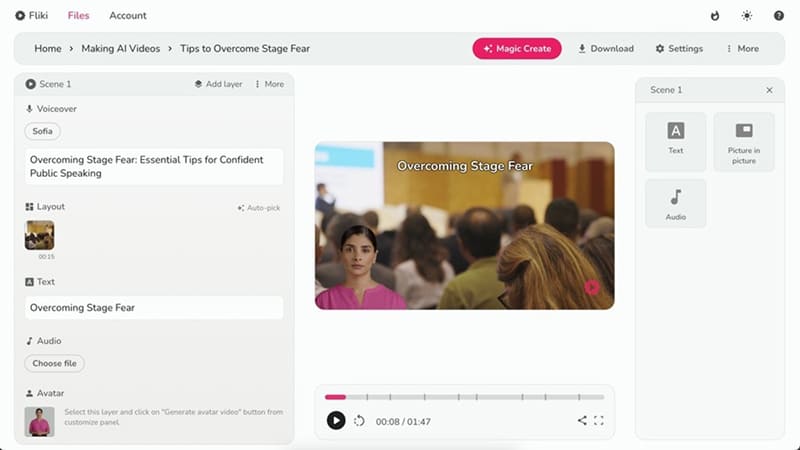
Fliki can turn your content into a video within minutes. You have a variety of input options, including:
- Idea to Video – just type in your prompt
- Blog to Video – submit your URL
- PPT to Video – upload your document
You tell Fliki if you want it to use your footage (which you can upload), stock footage, or AI-generated media. Choose the gender and nationality of your voiceover narrator and whether you want to use an avatar. However, avatars are only available on Premium Plans ($88 per month), and you can even make an AI avatar of yourself.
Fliki will send you a first draft, which you can edit. When you are happy, download your video in 1080p. Standard plans start from $28 per month.
Synthesia – Best Freemium
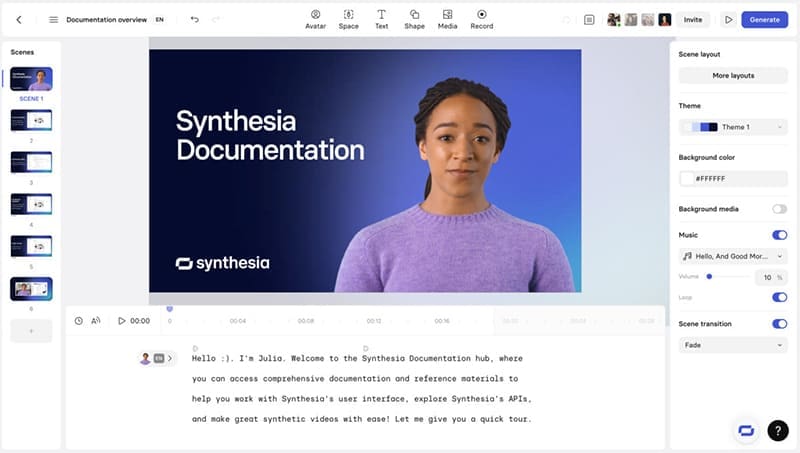
Synthesia works in a very similar way to Fliki, though the results can feel less polished. Start with your script, which you can generate from a link, document, PowerPoint presentation, or by using an AI prompt. You get an initial draft that you can then customize by replacing your avatar, colors, fonts, and more.
Synthesia stands out because you can get started even with their free plan, which provides 36 minutes of video production per year and access to six AI avatars, 60 templates, and 120 voices. However, if you want the help of the AI assistant, upgrade to a Starter Plan, which starts at $18 per month and gives you 10 minutes of video per month, plus access to Getty Images for stock footage.
Pictory – Best for Stitching
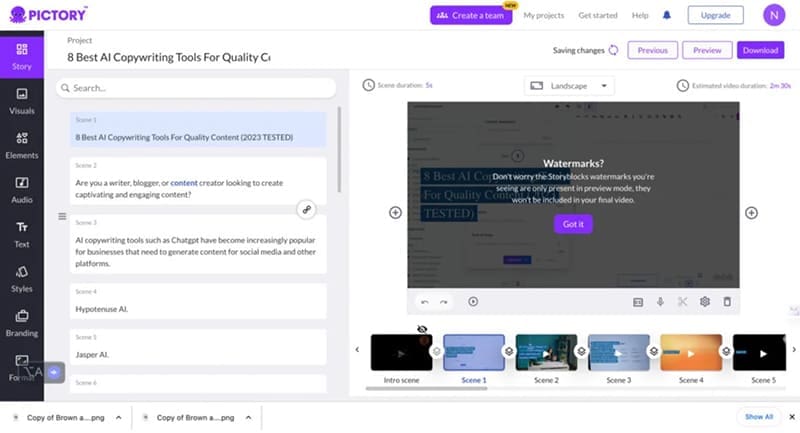
If what you want is a tool that helps you stitch your own content together into films, then Pictory is a great choice. It has more tools for stitching content – your content or stock footage – than AI generation. However, just as with Fliki and Synthesia, you can feed it websites or documents to automatically generate video. The Starter Plan, which begins at $19 per month, gives you 10 minutes of text-to-video per month, 34 digital voices, and 5,000 audio tracks. Pictory is user-friendly, and once you have generated a video, it is simple to update the script or swap out assets to get the video that you want.





Disclaimer: Some pages on this site may include an affiliate link. This does not effect our editorial in any way.