AI has undoubtedly become one of the most ubiquitous tools for researching, analyzing, and processing content, but it also has go-to options when it comes to image and design generation. If you combine these two aspects, you should seemingly get excellent presentations that could be used for school, work, pitching ideas, or general information.
But how well does it actually do? Today, we’re looking at a Piktochart AI infographic generator review to find out.
Getting Started With Piktochart
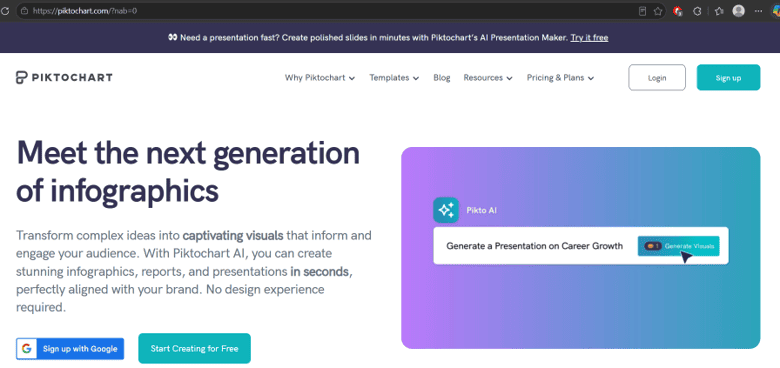
As with most “small-scale” AI tools, getting started with Piktochart is quite easy, especially if you’ve already got content pre-written or researched.
Step 1. Create an account or sign in to Piktochart.
Step 2. Choose the infographic type you need and its basic format and purpose.
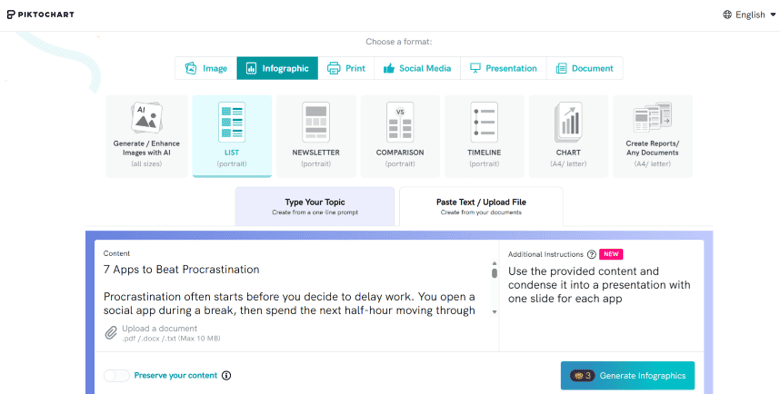
Step 3. Insert your content. You can choose between a short text prompt to let the AI expand on it or insert your own content with additional instructions.
Step 4. In the preview, select a template to arrange the text on the slides. Depending on the amount of text, some templates work better than others, and the selected layout carries over to the presentation.
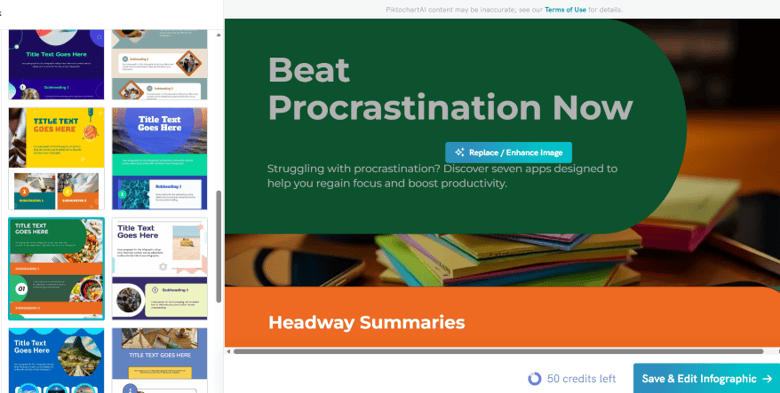
Step 5. Use the “Content” and “Images” tabs to refine the base topics of each slide and regenerate images. The Image tab in particular can be used to force the AI to regenerate images where text didn’t come out right.

However, this is where the AI credits can be drained extremely fast. If you can use a sample or stock image, it might be better.
Step 6. Click on “Save & Edit” to proceed to editing the presentation in earnest. In here, you have a full suite of editing tools, including the ability to edit the text on each page and change imagery, add images from your gallery, and even remove backgrounds.
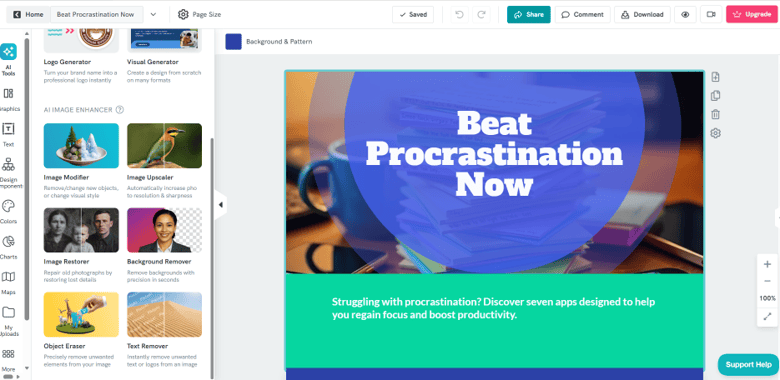
You can preview the presentation and download it in the formats available under your plan. Free accounts are limited to two PNG downloads, while PDF and PowerPoint downloads are available on eligible paid plans.
Piktochart AI Presentation Generator Review: Features
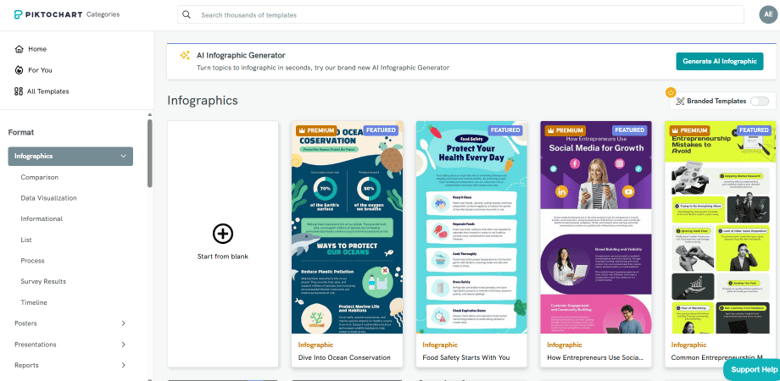
Beyond the basics, Piktochart has a few solid options that cover the most use cases:
- The tool can add various charts and graphs with fully customizable details.
- You can insert fairly accurate country maps (with region or county divisions), but you’ll have to manually enter what kind of data you want to show in it.
- AI Image Generation: Piktochart supports models including GPT Image, Imagen 4, and Nano Banana Pro, although availability varies by feature and subscription plan. Image generation can consume a substantial share of your AI credits, particularly when you need to generate or regenerate multiple images.
- Business designs: The platform also has various samples for cards, flyers, charts, menus, logos, deck pitches, resumes, certificates, tickets, and more.
Piktochart Pricing

As is standard, the platform has a freemium model where the 60 initial credits you get should be enough to preview a few presentation designs and see how the AI works with summarization.
Beyond that, the Pro plan costs $15 per member per month (billed monthly), or $10 per member per month (billed annually). The Business plan costs $20 per member per month (billed monthly), or $17 per member per month (billed annually). The higher-tier Enterprise plan offers more AI credits and additional branding features – such as custom brand colors, fonts, and logos – at a custom price.
Piktochart AI Infographic Generator Review Verdict
Overall, while the editing suite is solid, the actual AI running behind it leaves a bit to be desired. In most cases, the AI doesn’t have access to the latest information. When asked to source information from the internet, you’ll usually get bare-bones responses that distill the data so much that they don’t contain much at all.
In general, you really want to use the tool alongside a genuine research tool and only rely on Piktochart to create the graphics for it and set the text in an easy-to-overview template.
With that in mind, the relatively low cost of entry makes it a good option for testing if you already have a good amount of content that is presentation-ready and just needs that final design step to make it shine.
Related Posts
 Create Stunning Presentations With HyperPresent AI
 Create PowerPoint Presentations Effortlessly With Gamma AI
 Imagine Anything AI Review – Is This the Best AI Content Generator So Far?
 Best Minecraft Skin AI Generator
 Best AI Username Generator for Instagram
 How to Use AI Caption Generator for Instagram
 How to Use the Sora AI Video Generator
 How to Use Freepik AI Image Generator
 Freepik AI Image Generator: How to Use It to Create Custom Images

Disclaimer: Some pages on this site may include an affiliate link. This does not effect our editorial in any way.