

One of the major ways of staying productive at your many tasks is by having them all in the same place. Concierge AI has built its name on offering users this seamless integration. And that integration is extensive. From your Google Suite and working apps like Slack to social media platforms like X, Concierge AI offers you chatbot functionality with the convenience of everything else at your fingertips.
This article will show you how to connect and integrate your apps, making you more productive than ever.
Concierge AI in a Nutshell
So, what’s the deal with Concierge? In a market quickly becoming saturated with AI assistants and chatbots, you’ve got to have a unique selling point of your own to stand out. For Concierge, it’s bringing it all together.
Concierge AI offers users a free version (provided you create an account) in addition to its Pro and Team offerings, which are $20 and $30 per month respectively. Unlike other free chatbots, Concierge limits the number of messages on free mode to 10 per day.
While the model offers the standard functionality of other assistants – researching, writing code, summarizing, and so on – what sets Concierge apart is the customizability it offers its users. Two key features of Concierge are its ability to search and to “think” using different LLM models (both pro and free).
Current offerings include (but aren’t limited to):
- ChatGPT (GPT 4o and o3-mini)
- DeepSeek
- Gemini
- Grok
- Claude
- Meta AI
In addition to not having to shift tabs for different bots, Concierge does the same for your workflow, allowing a wide variety of apps to be integrated in one place. What’s more, you can upload files directly, and enable certain skills to cater to the task at hand.
An AI Tool for Social Media and More – How to Integrate
If you want to know how to integrate your various platforms and apps into Concierge AI, the process is quite simple. Here’s what to do:
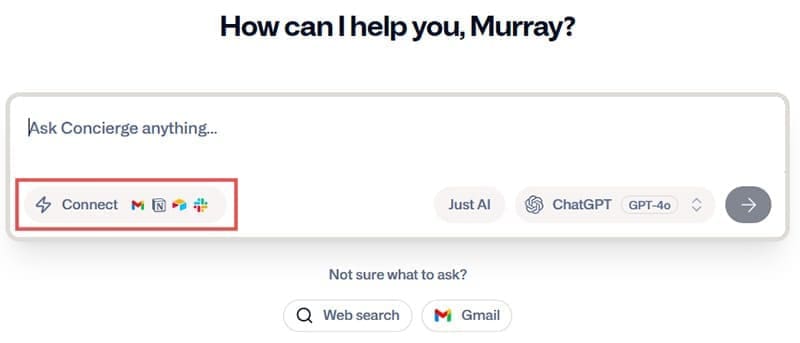
1. On your home screen, click the “Connect” button inside the Search Bar.
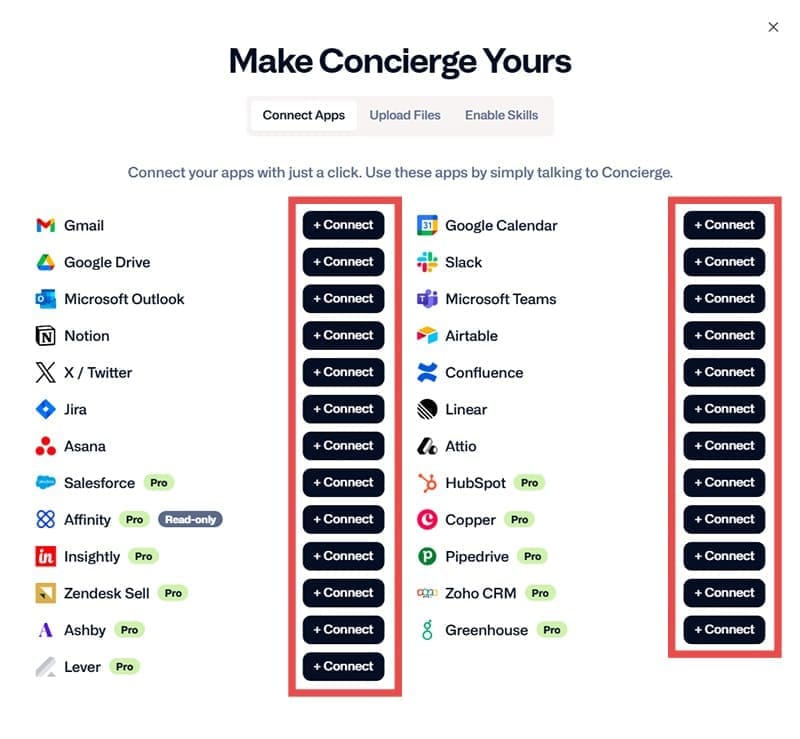
2. A window will pop up showing all your integration options. Choose which one you’d like to integrate by clicking the “+ Connect” button next to it.
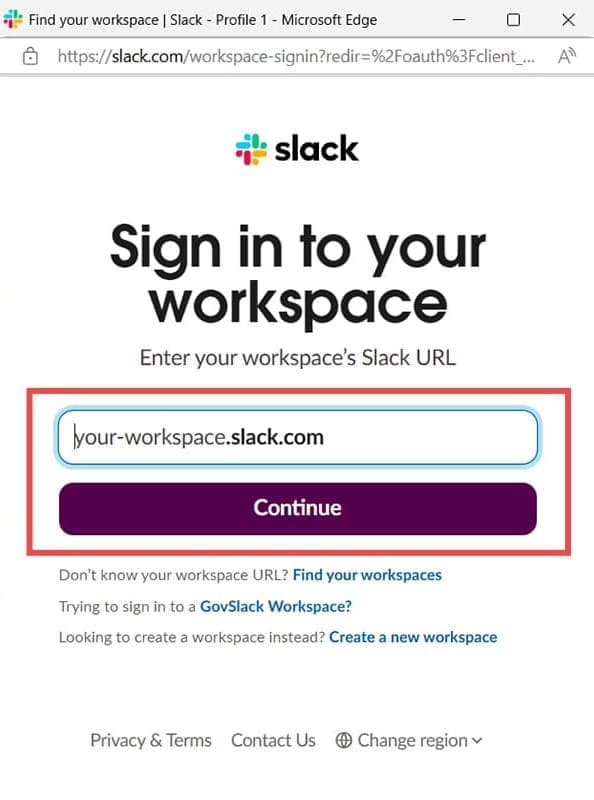
3. A popup window will appear, asking you to enter your login details for the app. Depending on which one you’re loading, you may require additional verification sent to your email address.
4. Choose additional permissions and what Concierge can access, should it apply.
5. Your app should be integrated. You can disconnect a service at any time by clicking on the “Manage” button which should now appear next to your app.
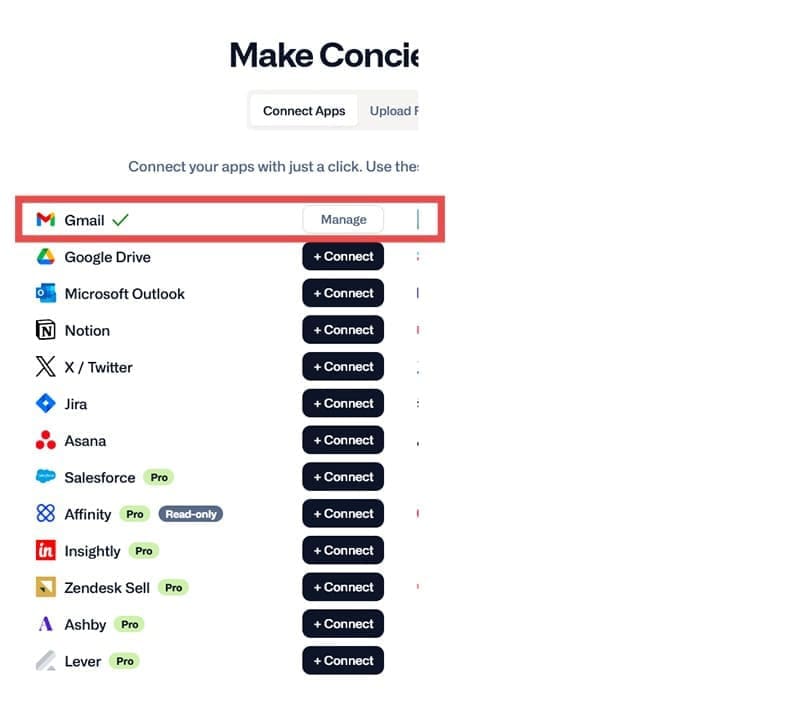
With your app set up, it’s simply a matter of asking the AI to do the rest. For example, if you’ve integrated Gmail, you can ask Concierge to “Check my emails” to see what’s new in your inbox.
Hone Your Productivity – Enabling Skills
If you want a particular tone and style for your next task, you can ask Concierge to do it for you. Here’s how:
1. Hit the “Connect” button in the Search bar.
2. In the pop-up window, switch the top tab to “Enable Skills.”
3. Drag the slider next to the tasks most relevant to you to enable.
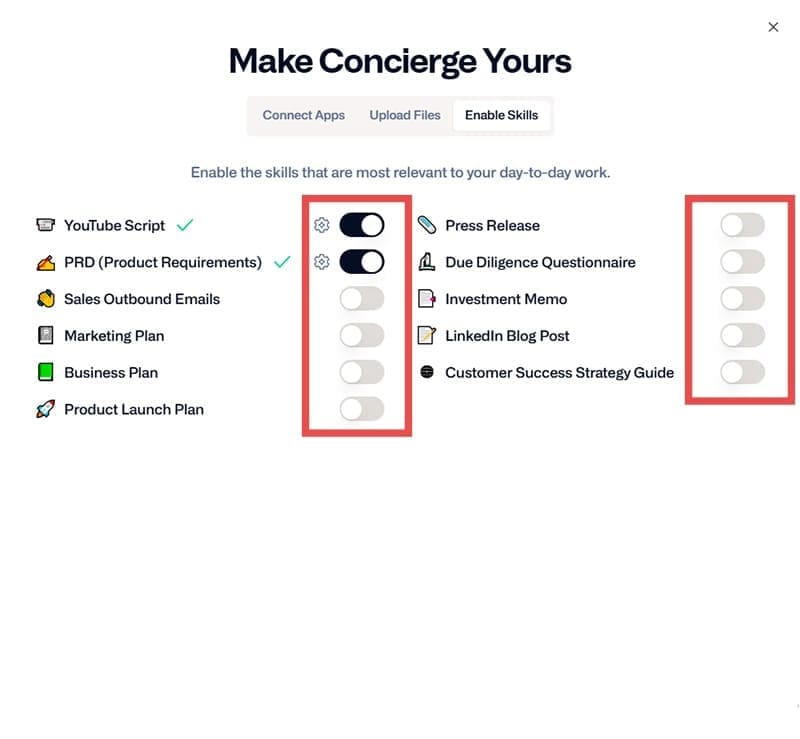
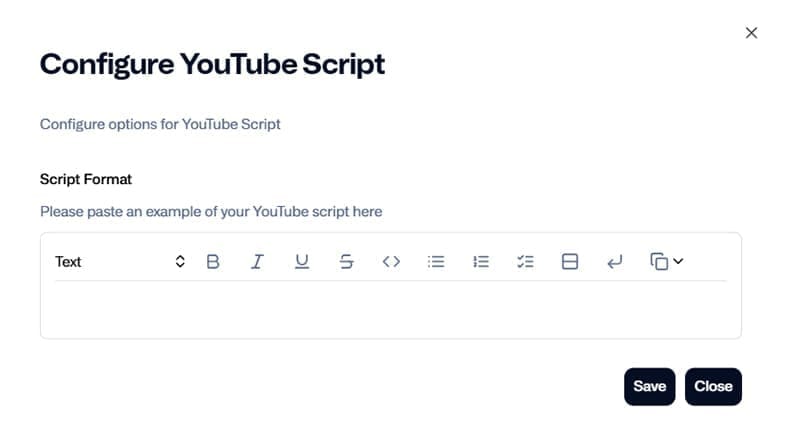
4. Click the gear icon next to each to paste a script and better configure Concierge’s response to your needs.



Disclaimer: Some pages on this site may include an affiliate link. This does not effect our editorial in any way.