A PowerPoint presentation is one of the most effective formats for conveying information to an audience, whether you’re showing off a new product or breaking down a complex concept. The only problem is that crafting sleek, engaging presentations typically takes a lot of time and effort. Gamma AI aims to change all that, introducing AI into the equation for faster, easier PowerPoint generation.
Read on through this Gamma AI review to see how it works.
Overview of Gamma AI

Gamma AI is an AI design tool that helps users make presentations, websites, documents, and other kinds of visual content. It aims to take the hassle out of making presentations and other kinds of content, letting users simply share their ideas while AI takes over the tedious tasks of actually bringing those concepts to life.
When creating a presentation with this tool, for example, you don’t have to waste your own time designing and fine-tuning each slide, one by one. You can import some content, paste in an outline, pick a template, or even just write a single sentence about what you want to make, and the AI will do the rest for you.
It runs on over 20 different AI models, ensuring varied, high-quality output every time, and offers more than 100 preset themes for you to choose from. Users are also free to edit their presentations after making them, swapping out visuals or adjusting text, before saving, exporting, or instantly sharing their files with friends, followers, and colleagues.
Gamma AI Review – How Does It Work?
Creating content with Gamma AI is remarkably easy. Here’s a step-by-step breakdown of how it works.
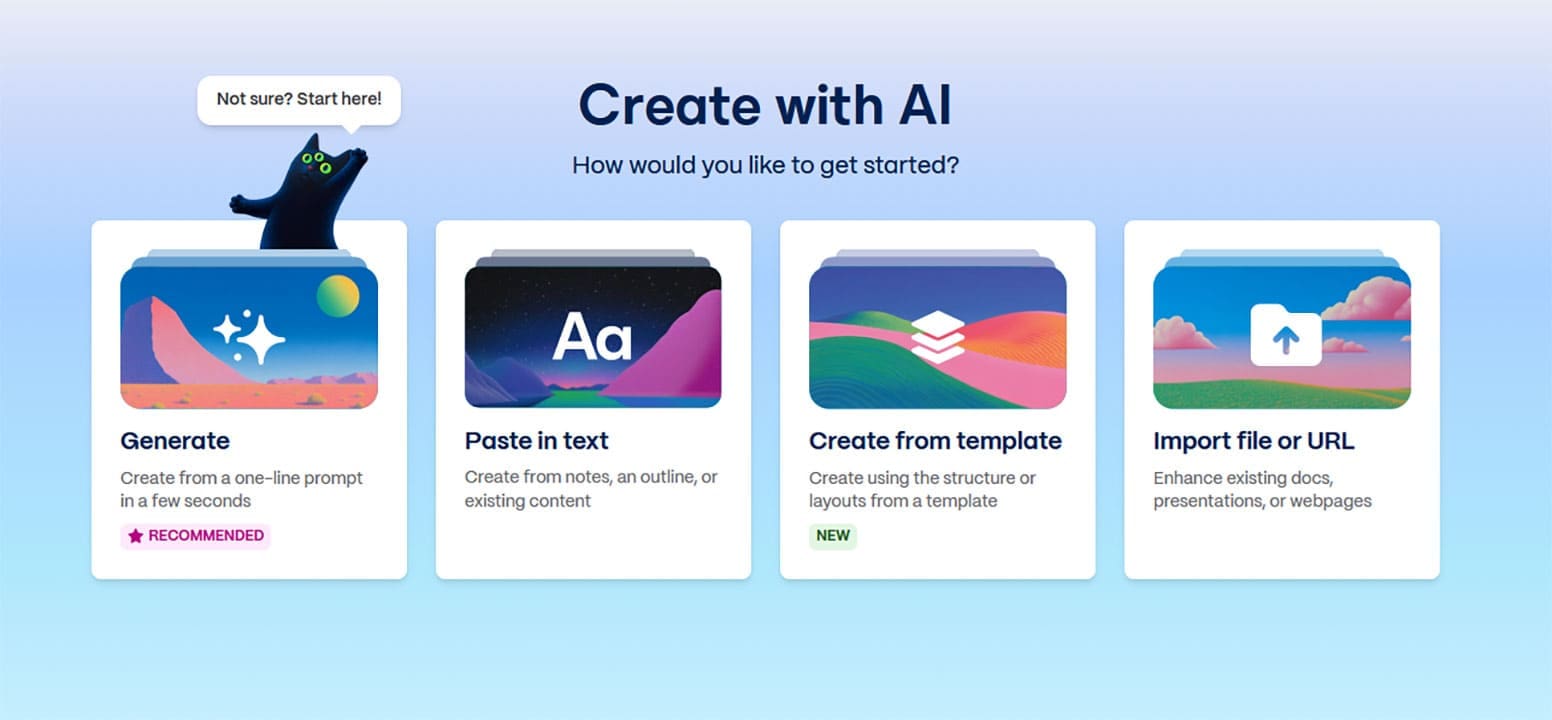
Step 1. Create your Gamma AI account if you haven’t already, and sign in to get started. You’ll be asked how you want to create, with options like “Generate,” “Paste in text,” and “Create from template.” This example will use the simplest option: “Generate.”
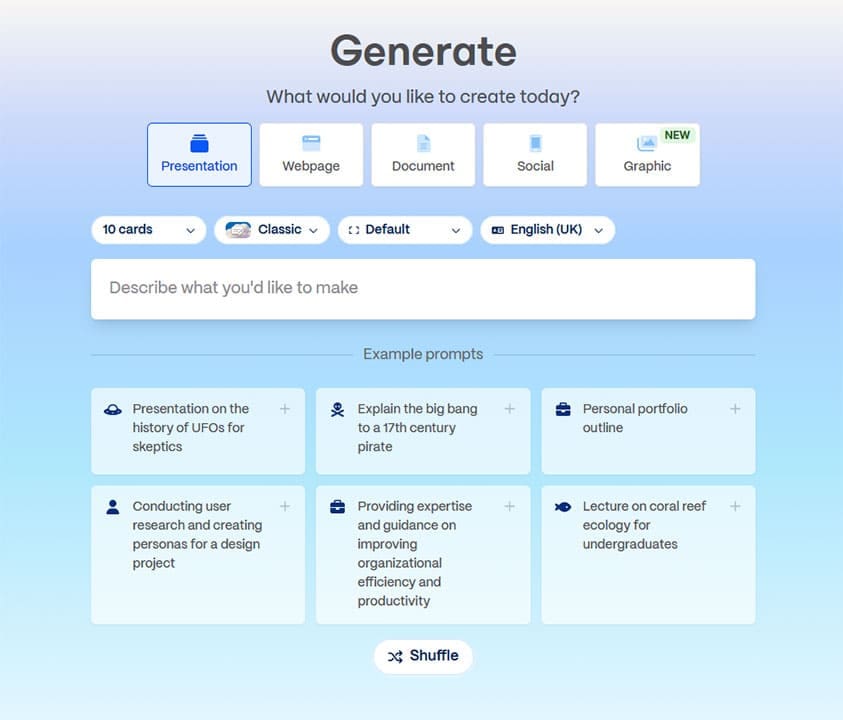
Step 2. On the “Generate” page, you can select which type of content you want to make (presentation, document, etc.) and set the desired size, language, and style. You can also type in a simple text prompt to explain what your presentation should be about, then click the “Generate Outline” button.
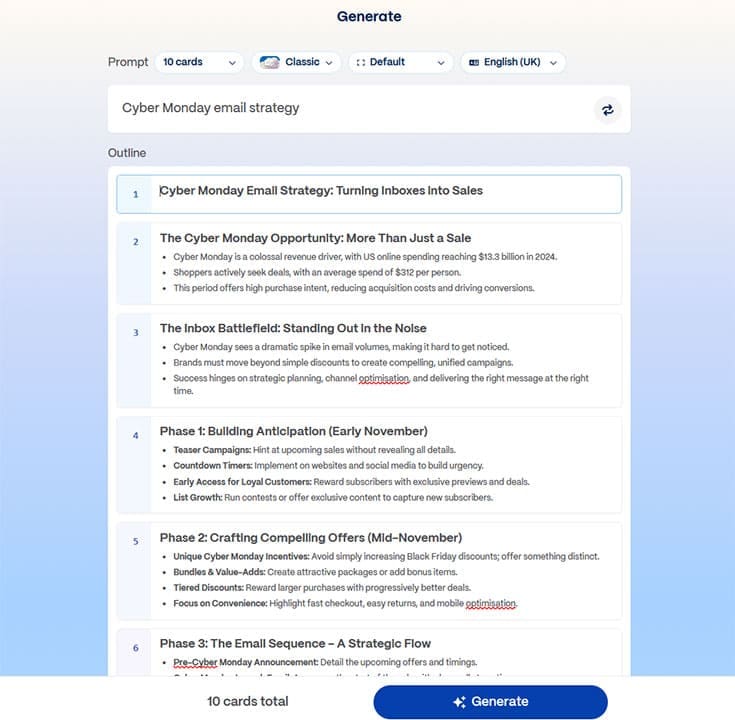
Step 3. The AI will create a simple outline for your presentation, with titles and key points for each slide. You can edit it, if desired, before clicking “Generate” to start work on the full presentation.
Step 4. In seconds, Gamma AI will create your presentation, formatting and filling out each slide, one by one. It will add visuals, headers, statistics, and more. Once it’s finished, you can admire your ready-to-publish content or make edits with ease, clicking on individual elements to change them or typing in your own text.

Gamma AI Pricing

Like many AI platforms, Gamma AI operates on a credit system, in which you use credits to carry out actions. You can get 400 credits absolutely for free just for signing up to the platform, which will allow you to test out its core functions and generate your first presentations or other kinds of content.
There are also three premium plans – Plus, Pro, and Ultra – which provide varying amounts of credits each month for prices ranging from $9 to $90 per month. The higher-tier plans also come with additional advantages, like access to more advanced AI models and even early access to new features before they’re available to everyone else.
Related Posts
 Create Stunning Presentations With HyperPresent AI
 3 Cool Apps You Can Use to Create Minecraft Avatars With AI
 7 AI Apps That Help You Create SEO-Ready Content for Google
 How to Create Seamless Illustrations With Illustro
 Create New Memories From Old Photos With NovaFlick AI
 How to Use AI to Create Automatic Reels on Instagram
 MemeGen – How to Use This AI App to Create Memes in Discord
 How to Create YouTube Shorts From Existing Video Using Reap.Video
 How Do I Create a Template in ManyChat

Disclaimer: Some pages on this site may include an affiliate link. This does not effect our editorial in any way.