If you’ve been online recently, you’ve probably seen an image of someone you know transformed into a fully posable doll and staring out at the world encased in a personalized blister pack. Yes, the ChatGPT action figure trend has got everyone scrambling to see just what they and their accessories would look like on store shelves.
In this article, we’ll show you how to create an AI action figure of yourself (or someone special) and perhaps even upload one for 3D printing.
The AI Action Figure Generator
ChatGPT’s latest iteration, GPT-4o, has brought enhanced capabilities to the AI tool. One of these is native image generation. No longer reliant on DALL-E for images, OpenAI has introduced innovations like the recent (and controversial) Studio Ghibli image generator. But the AI action figure has been a very popular addition.
But how do you turn yourself into an action figure? Let’s get started:
Download and Sign In
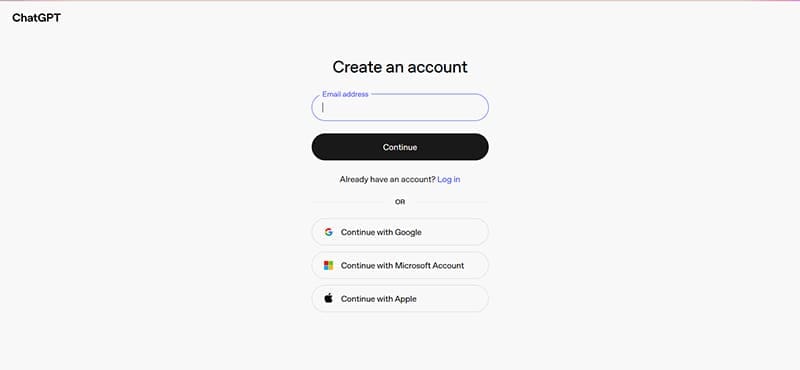
To use the latest version of ChatGPT, you’ll need to have the app installed on your smart device and create an account. The need to create an account also applies if you’re using ChatGPT on the web. Enter your details (phone number, email, and Microsoft, Google, or Apple account details and proceed.
Prompt and Sculpt
To design an action figure that looks like you, ChatGPT’s going to need some photographic assistance. Upload a few pictures of yourself in the chat box. If the right outfit and your specific body type are a must, it’s a good idea to upload a full-body photo for maximum accuracy.
Next, the prompt. More is better when it comes to AI and the AI action figure generator, and the more specificity you can provide ChatGPT with, the better the results are likely to be. You can describe the packaging, the accessories to include, and how realistic or cartoon-like you want your figure to be. Here’s an example:
Use your uploaded pictures and this description to create an action figure in a sealed plastic blister pack with a cardboard backing: “The figure is posed inside the plastic shell. It’s surrounded by three accessories. These accessories are [ACCESSORIES AND DESCRIPTION]. The character is designed in a playful 3D illustration style. The packaging features a [COLOR AND DESIGN] background with lettering at the top displaying the name “[FIGURE NAME].” Include the letters “Ages 7 and up” on the bottom right of the packaging. The visual style is [DETAIL LEVEL AND STYLE] that looks like real plastic.”
After you’ve entered all your information, you’ll have to wait a few minutes for your action figure to come off the production line.
Tweak Things
You might get lucky the first time and have a perfect action figure design. But if some things are a little off, you can always adjust them. Tweak the wording of the style or request a color change. Try to include as many changes as you need in one request if possible, as you can only make so many before the app asks you to take a break.
Image to Action Figure With AI

If you want to go that extra step and make your action figure image an actual 3D toy, you’ll need the help of some 3D design software and a 3D printer, of course.
Now, 3D design software can be a complex topic in itself, but thankfully, there are a few options that are more user-friendly to those just looking to generate a quick design. Case in point, Maker World.
Maker World is a 3D image hosting site, which has its own design tools – MakerLab – allowing you to turn custom designs into toys, keychains, and, in our case, 3D printouts. If you create a free account, you’ll be given some Maker World credits, which you’ll need to download the final design. Don’t worry, you can tinker for free until then.
When uploading the image of your action figure for design, remember these tips:
- Crop the image to show your action figure only to help the software get the details correct.
- You may need to upload multiple images before you find one that translates well to 3D.
You’ll need to have 3D viewing software downloaded to your PC to view the file.

Disclaimer: Some pages on this site may include an affiliate link. This does not effect our editorial in any way.