What We Love About This AI Notetaking Tool
NotebookLM was created using the latest Gemini language models. That means it’s got the same technology behind it that Google is using in its latest smart devices. It also means that organizations can use the app directly alongside their existing Google infrastructure, for example, Google Workspace, Google Cloud, and Google Workspace for Education for colleges and universities.

The Gemini technology also means that this AI notetaking tool works in approximately 180 regions, and can support 50 languages. That makes it ideal for international students or businesses.
Top reasons this AI notetaking tool is popular include:
- Accuracy: The likelihood of hallucinations (AI getting things factually wrong) is reduced because the app only uses sources you upload.
- Ease of use: Simply click upload to add sources, then choose options like “Study Guide,” “FAQ,” or “Briefing Doc” to use the content in the sources to create summaries, notes, and more.
- Price: Currently, this AI notetaking tool is free to download, with some upgrade options available.
Getting started with NotebookLM is really simple. You create a notebook and add one or more sources —up to 50. Source documents may include PDFs, Google Docs, YouTube videos, or text that you’ve copied from any document.

From here, you can “chat” with the app and get suggestions, citations, and more.

There’s also the option to create and join audio discussions on your chosen topic.
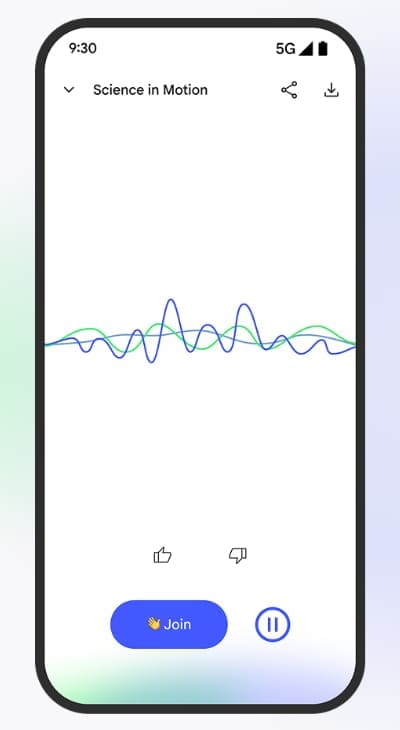
In other words, this AI notetaking tool gives you multiple ways to organize data, summarize large documents, and collaborate with colleagues and peers.
Downsides of the NotebookLM AI Notetaking Tool
While the app is easy to download on Android and iOS devices, there doesn’t yet appear to be a desktop version that you can download directly from the developer’s site. This may be a drawback for academic and business users who don’t want to do all their analysis on a mobile device.
You can download a desktop version of the app from third-party websites like Softonic. However, always approach third-party sites with caution, as they aren’t necessarily verified or supported by the developer.

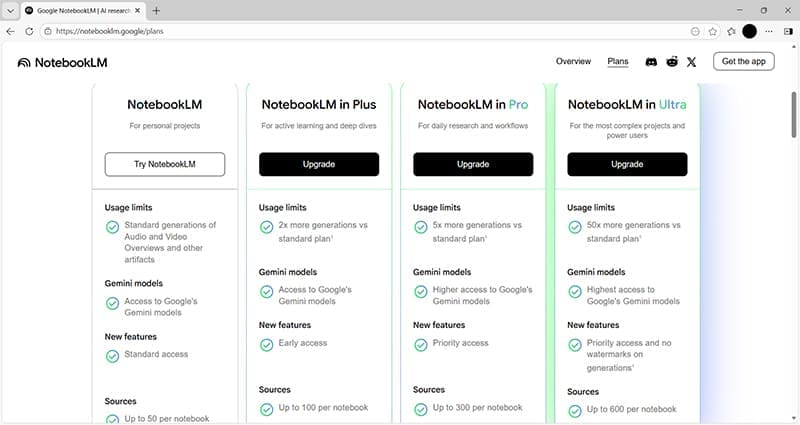
The other downside is that there aren’t any clear pricing options. You have to sign up to “Get the app” or “Try NotebookLM,” at which point you’re offered the option to upgrade. Whether or not there’s a charge for these upgrades is unclear, so make sure you read the terms and conditions of any upgrade before committing.
All in all, this app offers a simple solution to quickly summarize even complex sources and find connections between documents. It won’t look at external sources you haven’t added, so you know that the integrity of your source data hasn’t been compromised. Businesses, colleges, and students could find that using the capabilities of the app may enhance productivity and help them progress faster in their chosen projects.





Disclaimer: Some pages on this site may include an affiliate link. This does not effect our editorial in any way.