In the evolving landscape of digital art, InkDrop AI emerges as a revolutionary tool that bridges the gap between imagination and ink. InkDrop AI is not just another image generator; it’s a comprehensive platform designed specifically for tattoo enthusiasts and professionals alike. But is it any good? Let’s find out in the InkDrop AI review.
What Is InkDrop AI?
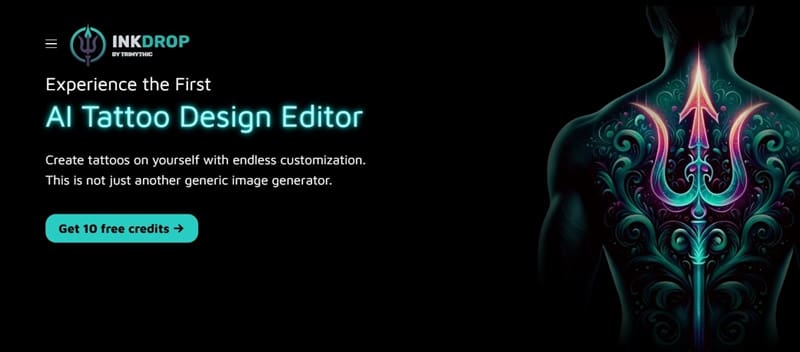
InkDrop AI is a web-based application that leverages artificial intelligence to create or modify personalized tattoo designs. Unlike generic image generators, InkDrop AI allows users to upload their own photos or select from virtual models to directly visualize how a tattoo would look on actual skin. The platform offers a suite of tools tailored for tattoo design, ensuring that the final output is not only aesthetically pleasing but also practical for real-world application.
Of course, the tool won’t make the actual tattoo, and it using generated imagery might mean that the designs are unfeasible for actual tattoo artists (given the limits that real ink colors impose), but they can be an excellent starting point for workshopping nonetheless.
How to Tattoo Design With AI Through InkDrop
Getting started with the app is generally simple.
Step 1. Go to InkDrop’s main page and click on “Get free 10 credits” to go to the register page.
Step 2. Select the “Register” option on the bottom of the login page.
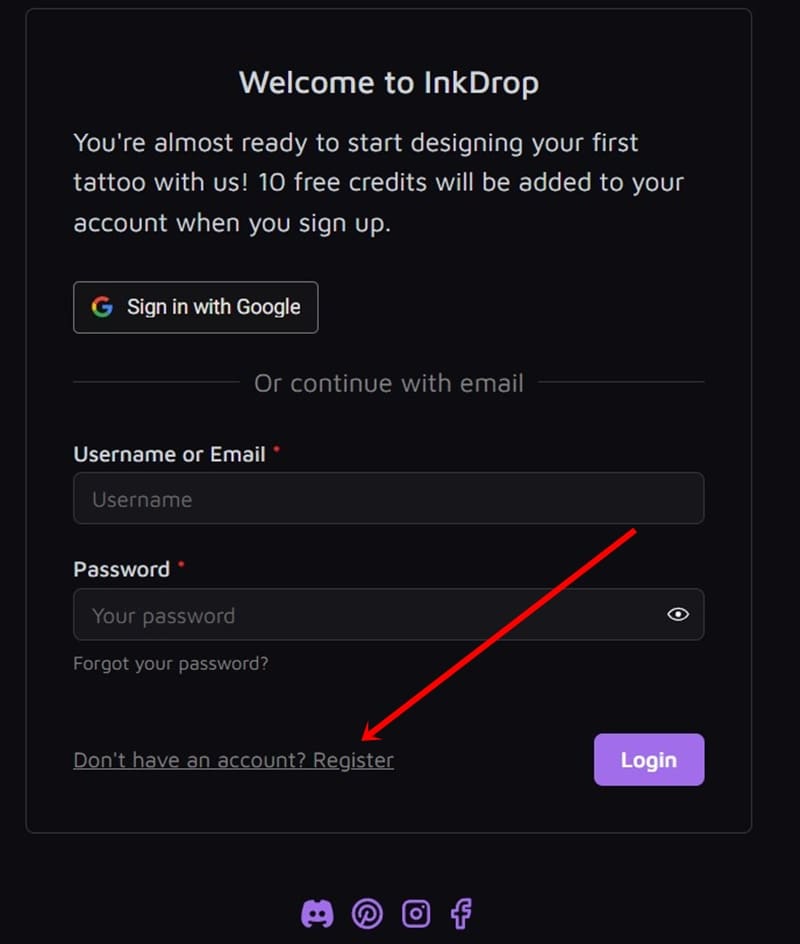
Step 3. Provide the login info, including an email and a password, to register.
Step 4. Go to your email and open the confirmation link to finish the registration.
After that, you can start using the app.
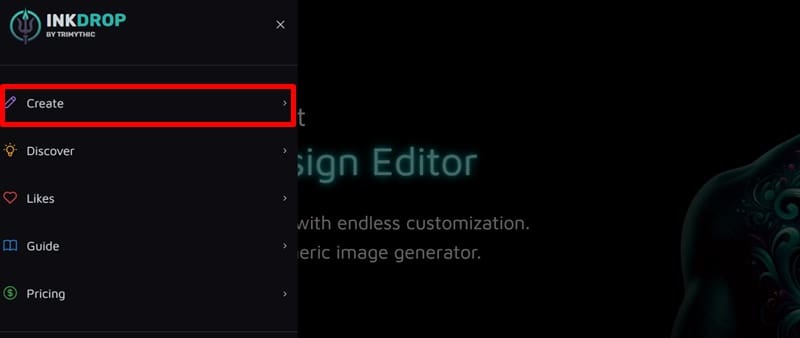
Step 5. Go back to the website, click on the three lines icon on the top-left, and select “Create.”
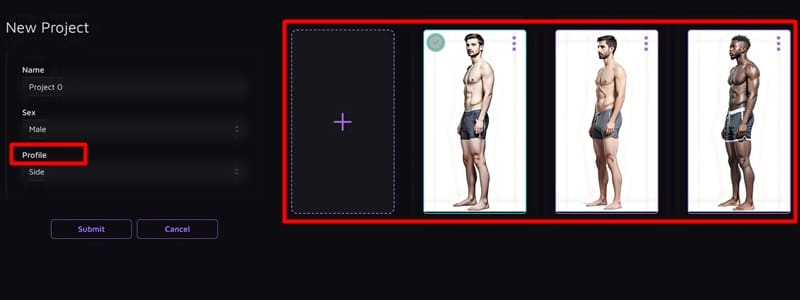
Step 6. Choose a model (depending on your skin tone) or press the blank profile picture to upload your own. In the “Profile” option, select how you want the model to be presented.
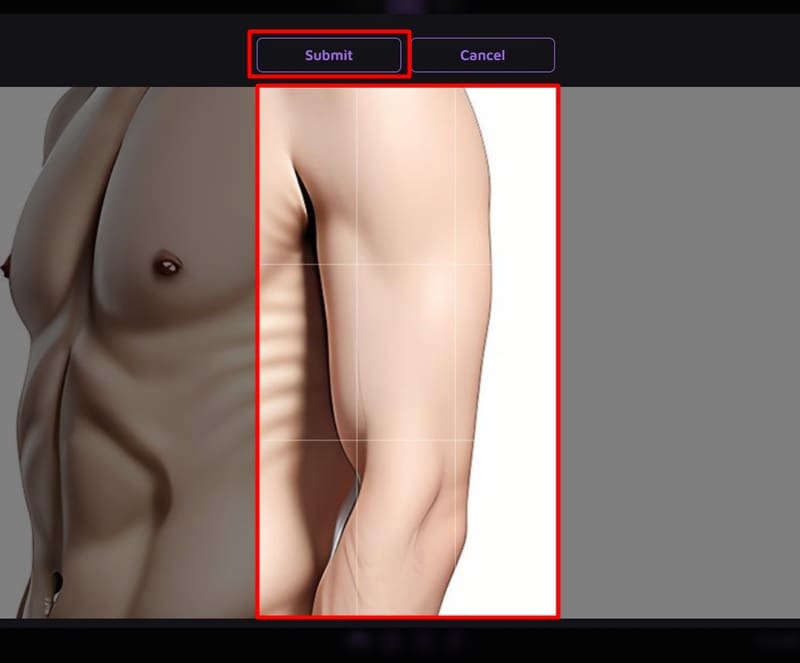
Step 7. Choose the “Mask” area carefully, and zoom into the area where you want the tattoo. Here’s an example of a design on the left shoulder on the stock profile. Click on “Submit” to finish.
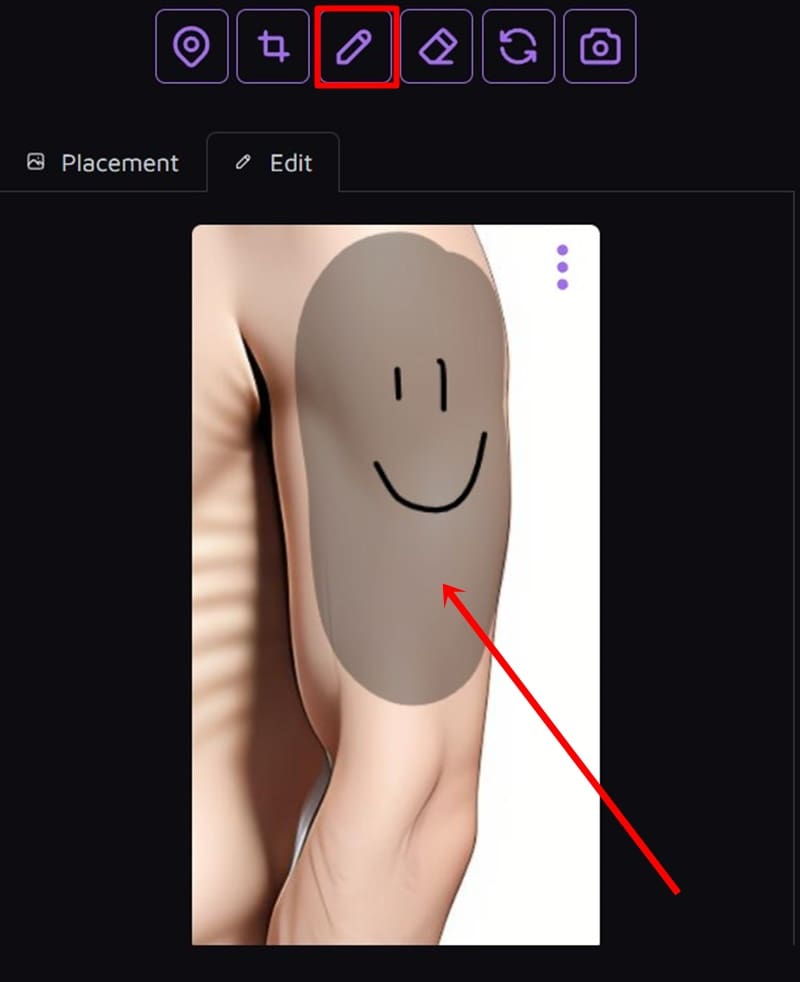
Step 8. Click on “Mask” on the bottom left (first icon in the row) and draw an empty area which will be generated on. Use the paint tools to make small corrections and click “Save” when done.

Step 9. You can use the “Sketch” option (third icon) to draw rough lines of what you want and where, which will be superimposed on the mask.
Step 10. Choose the “Subject” and style, the number of generated images, and click on “Generate.”

Step 11. Wait for the process to finish.
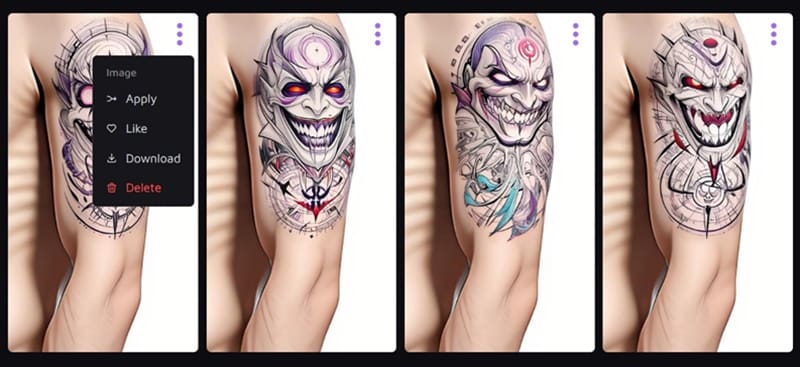
Step 12. You should receive a few different options for your tattoo. Then, use one of them as the base for future editing, apply it onto the model for more corrections, or download it as-is.
How It Works
InkDrop keeps things simple. You write a prompt like “black and grey skull with roses, fine line style,” pick a style tag (like “traditional,” “geometric,” or “surreal”), and hit generate. Within seconds, you get multiple variations that actually look like they could go straight into a stencil.
There’s also a “Refine” tool that lets you iterate on a design—tweak a detail, adjust the layout, or change the vibe entirely. No need to start from scratch every time. It’s fast, intuitive, and—most importantly—gives results that feel intentional, not random.
The website also has a “Discover” page with generated samples to give you an idea of what it can do.
What sets InkDrop apart from generic AI art tools is that it’s built for tattoos. That means:
- Designs are high-contrast and stencil-ready.
- There’s no weird anatomy or unusable noise.
- You get a sense of placement and flow.
Tattoo artists can use InkDrop to mock up ideas with clients. Tattoo collectors can explore concepts before committing. And if you’re just trying to visualize that half-sleeve idea you’ve had in your head for years? Tattoo design with AI to your heart’s content.
The Verdict
InkDrop AI doesn’t replace artists—but it absolutely empowers clients and speeds up the creative process. It’s not just another AI image generator; it’s a tool tuned for something specific, useful, and deeply human: body art.
If you’re looking to turn vague ideas into inkable art, this is probably the best starting point you can use right away.



Disclaimer: Some pages on this site may include an affiliate link. This does not effect our editorial in any way.