Useful tools are those that do what they should do and do it very well. And, as a bonus, they combine as many other tools as possible into one, or can perform two tasks at the same time. The AI tool we’re looking at today, Masonry, aims to combine some of the best image and video generator models out there into one easy package for its users, plus editing models. Does it succeed? We take a closer look in our Masonry AI Review.
Our Masonry AI Review
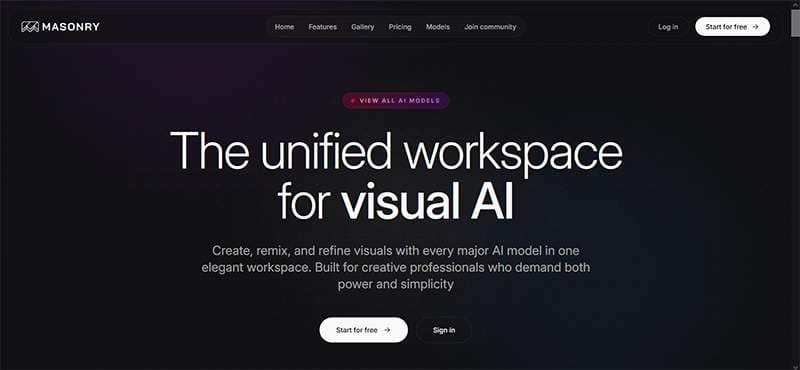
Let’s take a look at the different aspects of what makes Masonry tick and see how they measure up to similar tools.
All the Models, in One Place
The biggest selling point of Masonry is its comprehensive offering. There’s Masonry AI Image Generation, with 14 different models to choose from. These include:
- Flux 1.1 Pro
- Google Imagen 3.0
- GPT 4o Image
- Ideogram V3
In addition, Masonry comes with animation generators, editing models, and some limited analysis models. It’s a pretty impressive list of models, but on closer inspection, the absences are glaring. Some of the most popular image generator models, like Firefly, Leonardo, DALL-E, and Midjourney don’t feature in Masonry’s stable. This isn’t necessarily a deal breaker, but it’s important to know that this isn’t the be-all end-all of tools.
Paint on a Broad Canvas
Another area of focus with Masonry is how you view what you’ve generated. The Canvas view allows users to lay out images in a space akin to a mood board, and you can resize and rearrange to your heart’s content. It’s a great way to get inspiration and to compare and contrast. That said, navigating the Canvas might be harder than it needs to be, and you might struggle to navigate it. If that sounds a little too free range for your tastes, the standard Gallery view is also available.
Editing Models, Not Editing Tools
When it comes to editing images, Masonry offers five different models to help you touch up and tweak through text input. Where it lacks in comparison to other image generator tools, like Stable Diffusion, is its built-in customization tools, like a choice of styles. These can be leveraged through text input, no doubt, but it does make things less user-friendly.
Pricing and Content
Masonry works on a credit model, with each subscription tier giving you more credits to spend, plus some additional features, like image upscaling and Canvas sharing. All tiers support very generous BYOK (bring your own key) generation, but the two paid tiers are unlimited for those who bring their own keys.
The good news is that there’s a free tier, and the better news is that it requires no account or payment to use. That said, it will constantly encourage you through pop-ups to sign up. While the free tier might be limiting (only 10 credits per day), which can be a hindrance if you want to generate a video or two, Masonry is to be commended for not restricting access to the many bots. You have full freedom to pick and choose which image generators will handle your prompts.







Disclaimer: Some pages on this site may include an affiliate link. This does not effect our editorial in any way.