It may only weigh 220g, be dressed in sober black and have attracted a micro-fraction of the attention of the Apple iPad, but don’t be fooled: Dell’s pinning a lot of its hopes on this humble-looking device. While we haven’t been blown away by its powers, the Dell Streak has an undeniable charm all of its own.
The charm stems in large part from its physical design. A 5in screen dominates, with a thick black bezel on either side. If you were feeling unkind you might deride it as an overgrown phone, particularly when held in a vertical position, but for the majority of the time you’ll be holding the Streak in landscape mode, and in that orientation it starts to look quite neat.
Unlike the Apple iPad with its chic minimalism, Dell dots a number of buttons around the Streak’s edge. The three most important sit to the right of the screen: Home, Menu and Back. Menu is context-sensitive, showing commands like Wallpaper when on the home screen and Voice Dial when in the phone app.
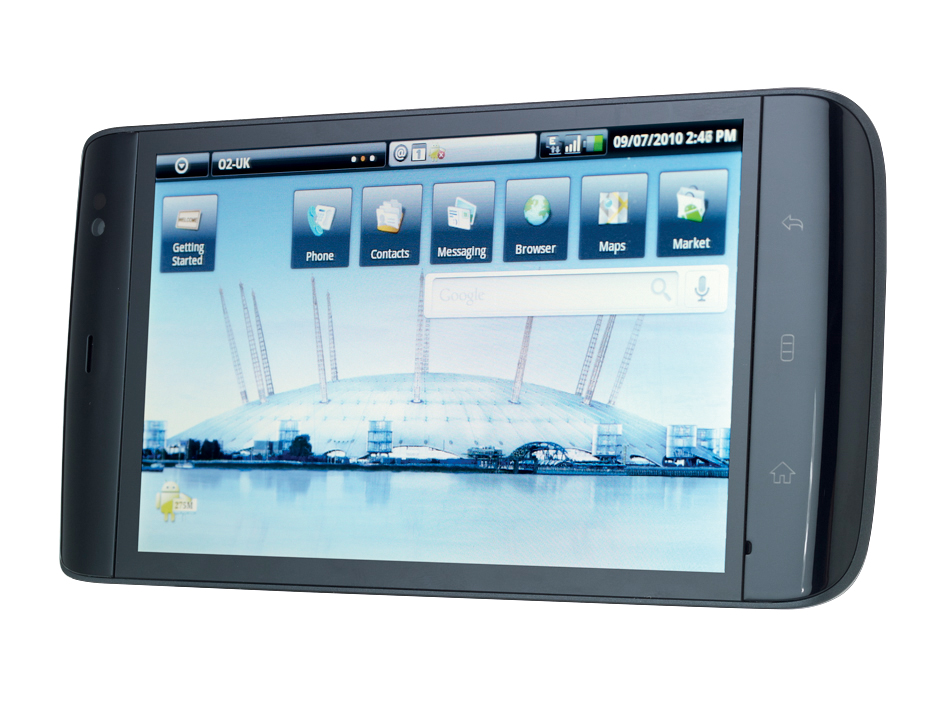
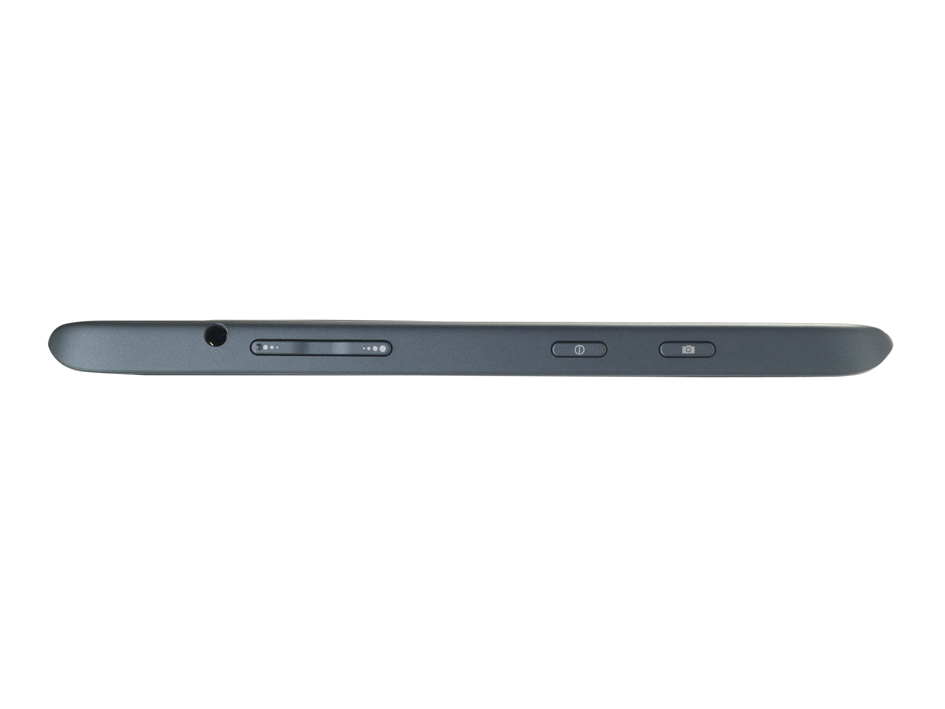
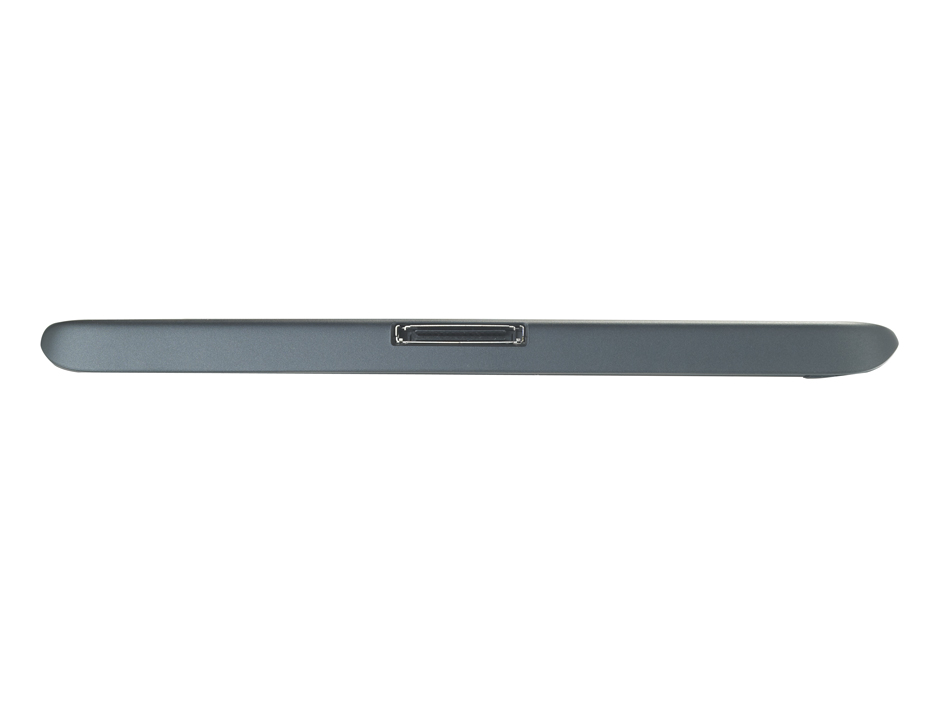
At the top (which becomes the right-hand side if you do decide to put the Streak to your ear and use it as a phone) you’ll find the volume up and down buttons, the power switch, a 3.5mm audio jack and the camera button. The bottom is home to the proprietary connector, which is how you link up with your PC and recharge the device.
The software
As has been well advertised, Google Android powers the Streak. But prepare yourself for disappointment: this isn’t Android 2.1 but 1.6. That means you lose out on native multitouch support and support for Adobe Flash.
Which you miss the most will depend on how you use the Streak. The lack of Flash means you can’t watch videos on PC Pro’s website, for instance, or the BBC’s videos for that matter. No native multitouch isn’t quite as bad as it sounds: most of the other key apps, most notably the web browser, do support it.
One app that doesn’t, however, is Google Maps, and that’s a much bigger limitation. Not being able to pinch to zoom means you have to double-tap to zoom, or rely on the on-screen zoom-in and zoom-out buttons, which slows things down.
Initially, it seems as if the Streak also omits turn-by-turn navigation. But that’s not true: download the voice synthesizer and activate GPS in the Security & location settings, and this feature will magically appear. That’s a huge relief: as Google’s free satnav offering is superb if you just need a fuss-free way to get from A to B.
To counter the lack of Exchange support, Dell bundles an app called TouchDown with the Streak. Or, more precisely, a 30-day trial. This does at least allow you to try before you buy, and at £14.70 to activate the licence the price isn’t too hideous. It’s a well designed app, as can be seen in our guide to the Dell Streak in screenshots.
For those mourning Flash and native multitouch support, there might be good news on the horizon. Dell assures us it will be releasing an over-the-air update for the Streak to Android 2.2 “this summer”. That sounds great, but as owners of the HTC Hero know such promises can be easily broken. Summer could become autumn, autumn could turn into winter.
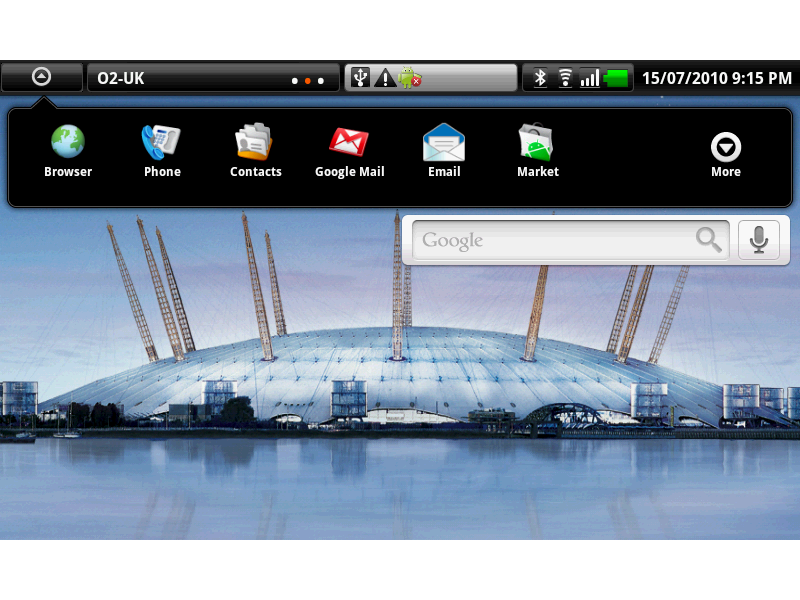
This aside, we’re impressed by the work Dell has put in to make Android scale to the Streak’s 800 x 480 screen. The home screen is neat, with a search bar and six on-screen shortcuts to key apps such as contacts, messaging and the web browser. Press the down arrow at the top left and you’ll see the installed apps spring into view.
Most of these are predictable partnerships (the Amazon MP3 store, for example), but we’re a little disappointed at the lack of a proper office suite. All you can do is view files thanks to the QuickOffice viewer; great for PDFs, annoying for everything else.
Then again, that’s when the strength of the Android Market comes into play. Most apps we downloaded adapted well to the larger screen, and you can download a third-party Office app in the form of DataViz Documents To Go for $14.99.
Dell also includes the Amazon Kindle app, which suggests it considers the Streak as being suitable for eBook reading. Whilst it’s never as comfortable to read a book on a backlit device as it is on a dedicated reader, it feels surprisingly natural to read a page on the Streak’s 5in screen.
And, if you’d prefer to read books away from the Kindle mainstream, numerous free readers already abound. We took a look at both Aldiko and WordPlayer 3, which both worked well on the Streak. Indeed, WordPlayer allows you to take a huge amount of control over font, font size and spacing.
We have mixed feelings about the Streak’s on-screen keyboard. One nice touch is the separate number pad if you’re typing in landscape mode – it makes it so much quicker to add numbers. It’s fiddly to enter text at any speed, though. We found mistakes kept creeping in, and the auto-correction is no match for that found on HTC’s Android handsets or the iPhone 4.
Strengths and weaknesses
The end result is we wouldn’t want to use the Streak as an email device, and for very obvious reasons neither would we want it be our main phone. While you don’t look ridiculous with the Streak clamped to your ear, you don’t look entirely sane either.
You can use the hands-free set to make and take calls, and call quality is fine (if no match for a Nokia), but the biggest hurdle of all is the size. Yes, you can just about squeeze it into a jeans pocket, and quite comfortably into a jacket pocket, but we suspect most people will carry the Streak in their bag.
That said, if the benefits of a 5in screen for web browsing, book reading and satnav are more important to you than a compact phone that slips painlessly in your pocket, the Streak may just persuade you to make it your main phone too.
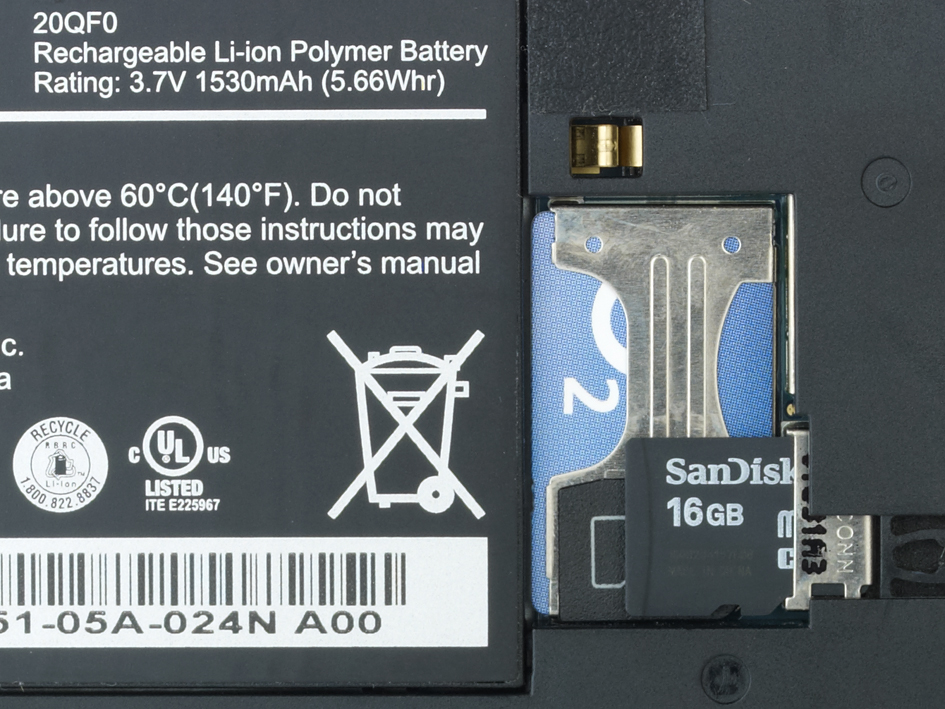
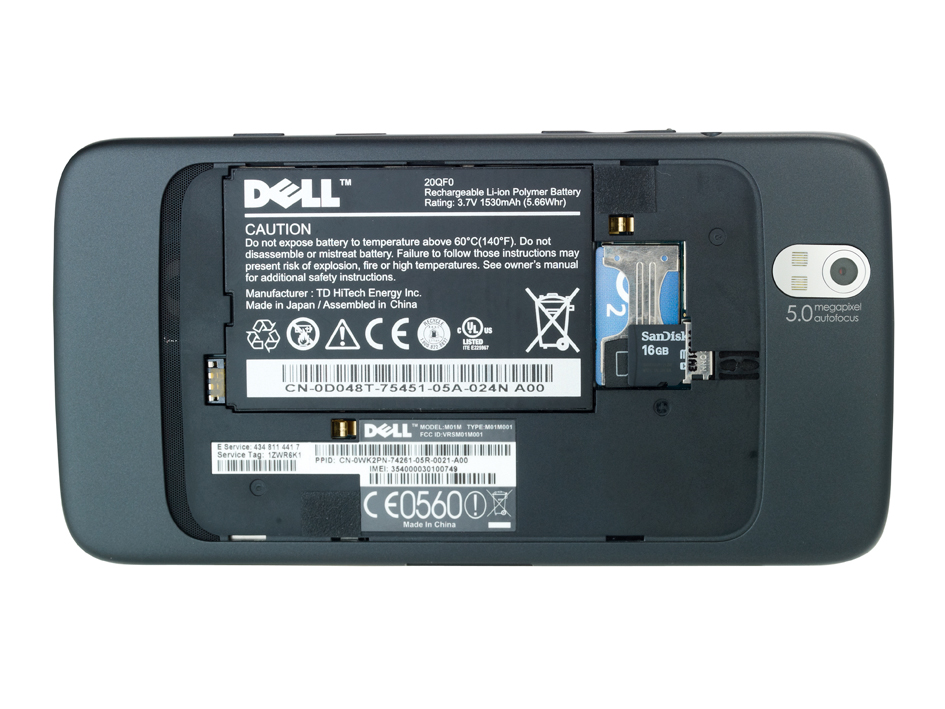
Where the Dell Streak excels, however, is as an entertainment device. The 5in screen makes video look fantastic, and viewing YouTube clips was beautifully smooth – the advantage of a 1GHz processor. There’s 16GB of storage as standard, but note this comes in the form of a microSD card rather than built-in flash memory. The only room for expansion is if you upgrade to a 32GB card at a later date.
The hands-free set includes a pair of high-quality earphones that slip into your ear canal, with the dual benefit of better sound quality and the fact they block out most background sounds. There’s no volume control, but a single button acts as a pause button and allows you to accept any incoming calls.
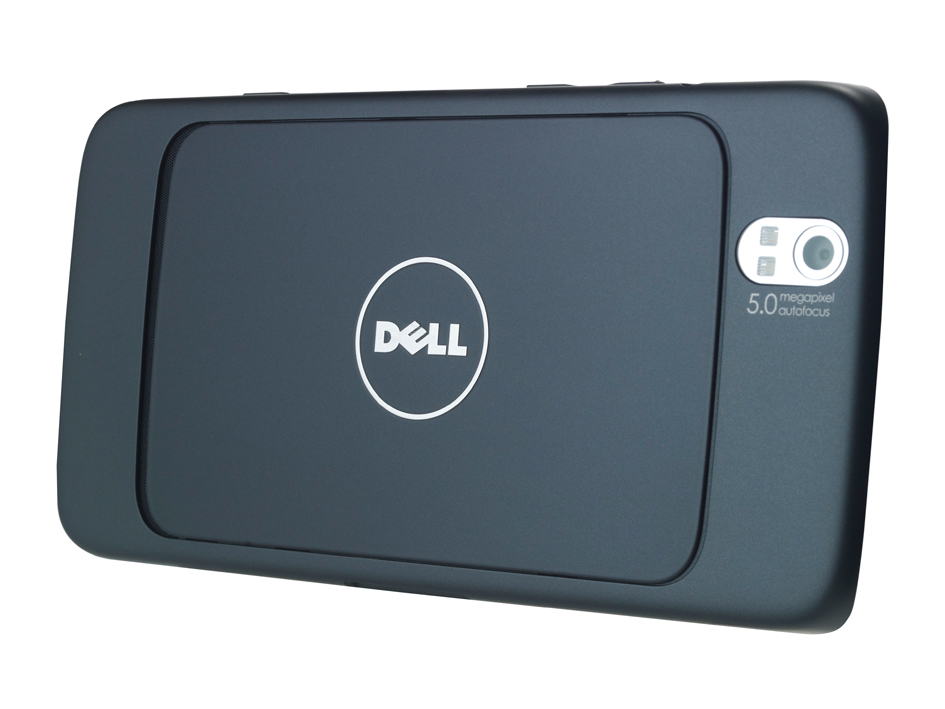
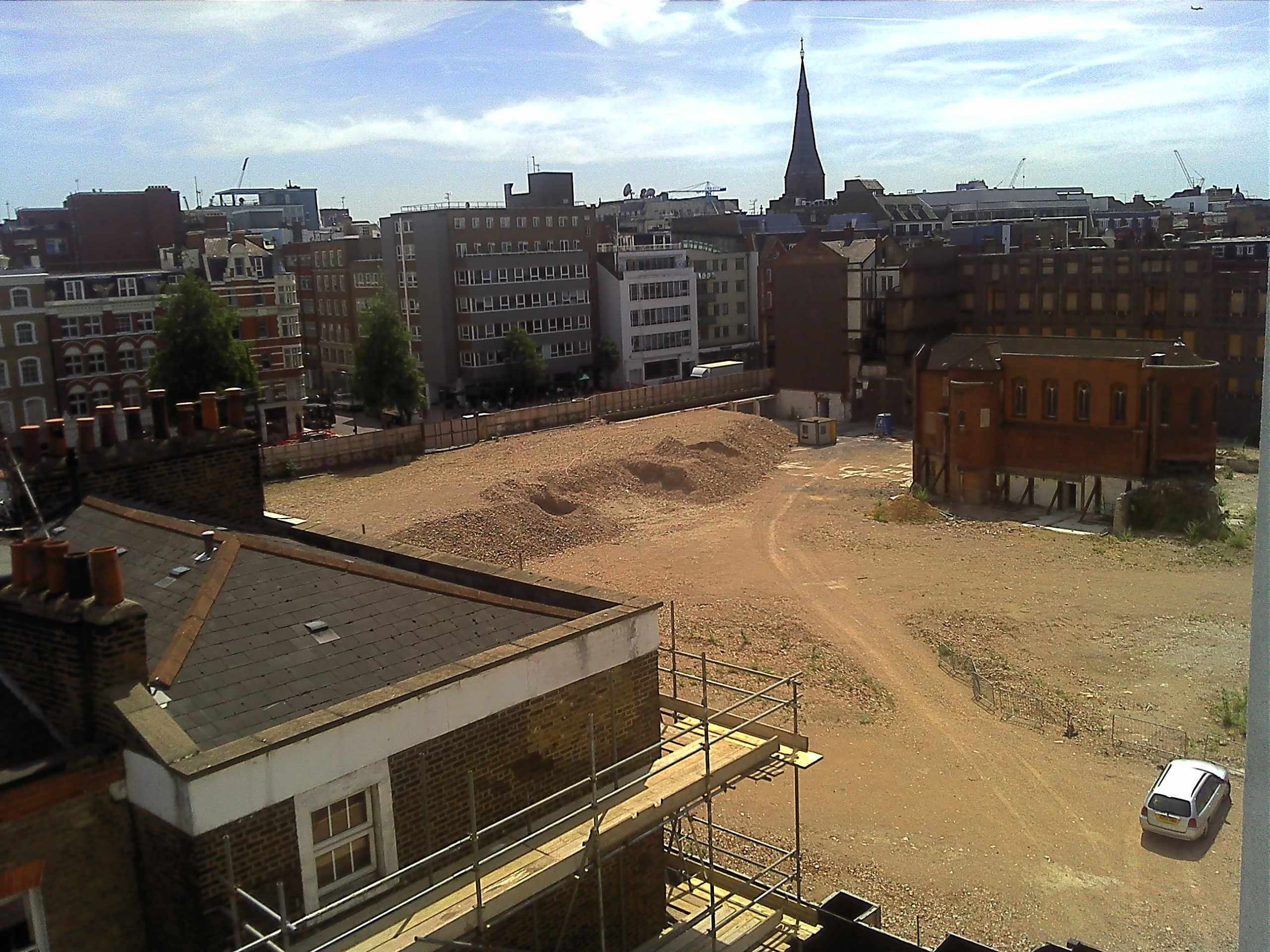
There’s a 5-megapixel camera on the rear of the Streak that takes decent photos in bright conditions (see a sample in the Gallery, above). Under more subdued lighting, the twin LEDs help to illuminate your subjects, but don’t expect miracles: the effect doesn’t come close to a proper flash. We’re also a bit disappointed by the video camera. It only shoots at 640 x 480 and at 20 frames per second.
Fortunately, the Dell Streak excels when browsing websites. So long as your connection is strong, even sites that aren’t optimised for mobile browsers load quickly. And over Wi-Fi it’s even quicker, with the BBC website displaying in under 11 seconds.
The Streak also completed the SunSpider benchmark in an average of 25 seconds – highly respectable – while a 91/100 score in the Acid3 standards test is acceptable if not outstanding. For now, of course, it’s hamstrung by the lack of Flash support, but once this does arrive we’d be very happy using the Streak as a way to view the web when on the move.
To fully take advantage of the Streak’s GPS capabilities, you need to use Dell’s car docking kit, which costs a not inconsiderable £55 inc VAT. We took the Streak out onto the streets without the kit but, as ever, were impressed by Google Maps Navigation.
The visual directions are clear and its mapping solid, even if you do need to revert to common sense once you get close to your destination (it got very confused as to the exact whereabouts of Macclesfield Station).
In some ways it’s not ideally set up for the 5in screen though. Yes, the road mapping is large, but if and when you do need to press a button you’ll find they’re uncomfortably small. And, because the touch-sensitive buttons on the side of the Streak are so sensitive, it’s all too easy to accidentally go back to the Android home screen when you’re trying to do something else entirely.
The other problem is the built-in speakers. To make sure you can hear what the synthesised voice just said over the background hum of the road, the volume needs to be set to three-quarters or above. And the speakers start to distort at that volume. It’s fine most of the time, but if the road name isn’t familiar then it’s easy to mis-hear.
Battery life
You’d be wise to invest in this kit if you want to regularly use the Streak as a satnav, because battery life with the GPS on will fall rapidly otherwise. However, in normal use, and coupled with a generously sized battery (1,530mAh) it retained 60% of its charge after our 24-hour test (this includes polling for email every 30 minutes, playing back audio for an hour, making a 30-minute phone call, and hooking up to the internet for an hour with the screen on). That puts it on a par with the iPhone 4 – pretty darned good for a device with a screen this large – although heavy users will certainly need to recharge it every day.
You can recharge either via the supplied USB-adapter plug or by plugging it into your computer. If you do the latter, you can also synchronise your Outlook contacts and calendar via Dell PC Suite (which you load direct from the Streak). While some people have reported problems with this, it worked fine with our setup (Windows 7, Office 2010), but there are signs Dell could have done a better job of quality control.
The English used, for instance, is poor. During setup, you have to click on Contacts under Categories and tick the checkbox “Synchronise this category”. As handy explanatory text, it says “Select this category to include your contact times to this synchronisation”. And, “Select the PC application for this category that you wish to synchronise your mobile phone with”. Plain English it ain’t.
Conclusion
We can’t recommend the Dell Streak yet. For it to become the natural choice for browsing the internet, it needs to support Flash. And for this, it needs Android 2.2. Dell can promise an upgrade all it wants, but until we see it for ourselves we can’t say when it will arrive.
There are other problems with the Streak as well. Its size is just too large to slip into most pockets, so – unless you’re willing to put up with a 15 x 8cm device sitting there – you’ll miss the always-there convenience of a phone. On the other hand, its screen isn’t as big or as beautiful as the Apple iPad’s, which rules out the much-heralded rebirth of digital magazines.
And it’s expensive. Dell sells the Streak for £449 inc VAT SIM-free, while O2 cuts the price to £399 inc VAT on a pay-as-you-go contract. Opt for its data-only £25 per month contract – which ties you down for 24 months on a 3GB limit and 500MB of Wi-Fi hotspot access – and the total cost is £600. If you want to use the Streak as a phone as well, prepare to pay £35 per month for a total cost of £840.
Nevertheless, there’s an awful lot to like. Considering its screen size, battery life is good. Dell also makes the most of Google Android, with a slick user interface married to the tens of thousands of apps – many of which are free. And the hardware is rather attractive too: we’d be happy to be seen with this on the train.
If Android 2.2 comes along, and Dell adapts it successfully to the Streak, we’ll be taking a fresh look – and we may well upgrade our star ratings. For now, it’s a proof of concept rather than something we suggest you rush out and buy.
Details | |
|---|---|
| Cheapest price on contract | Free |
| Contract monthly charge | £25.00 |
| Contract period | 24 months |
| Contract provider | www.o2.co.uk |
Physical | |
| Dimensions | 152 x 10 x 79mm (WDH) |
| Weight | 220g |
| Touchscreen | yes |
| Primary keyboard | On-screen |
Core Specifications | |
| RAM capacity | 512MB |
| ROM size | 1,600MB |
| Camera megapixel rating | 5.0mp |
| Front-facing camera? | yes |
| Video capture? | yes |
Display | |
| Screen size | 5.0in |
| Resolution | 800 x 480 |
| Landscape mode? | yes |
Other wireless standards | |
| Bluetooth support | yes |
| Integrated GPS | yes |
Software | |
| OS family | Android |

Disclaimer: Some pages on this site may include an affiliate link. This does not effect our editorial in any way.