If you have an app idea or simply need a working website for your small business, you usually have three options: make it yourself using an app or website builder, hire a developer to do it for you, or venture into vibecoding.
And if you decided on the third option, you likely hit a wall where the AI simply won’t work as you wanted, and you have to cycle through tools where each overpromises and underdelivers. Enter Floot AI, one of the first vibecoding tools that was built solely on an AI-based architecture. In our Floot AI review, we’ll let you know whether that’s a good thing.
Getting Started With Floot AI
Like most vibecoding tools, you interact with Floot AI through the simple prompt box to “tell” the AI what to build or change about the current project.
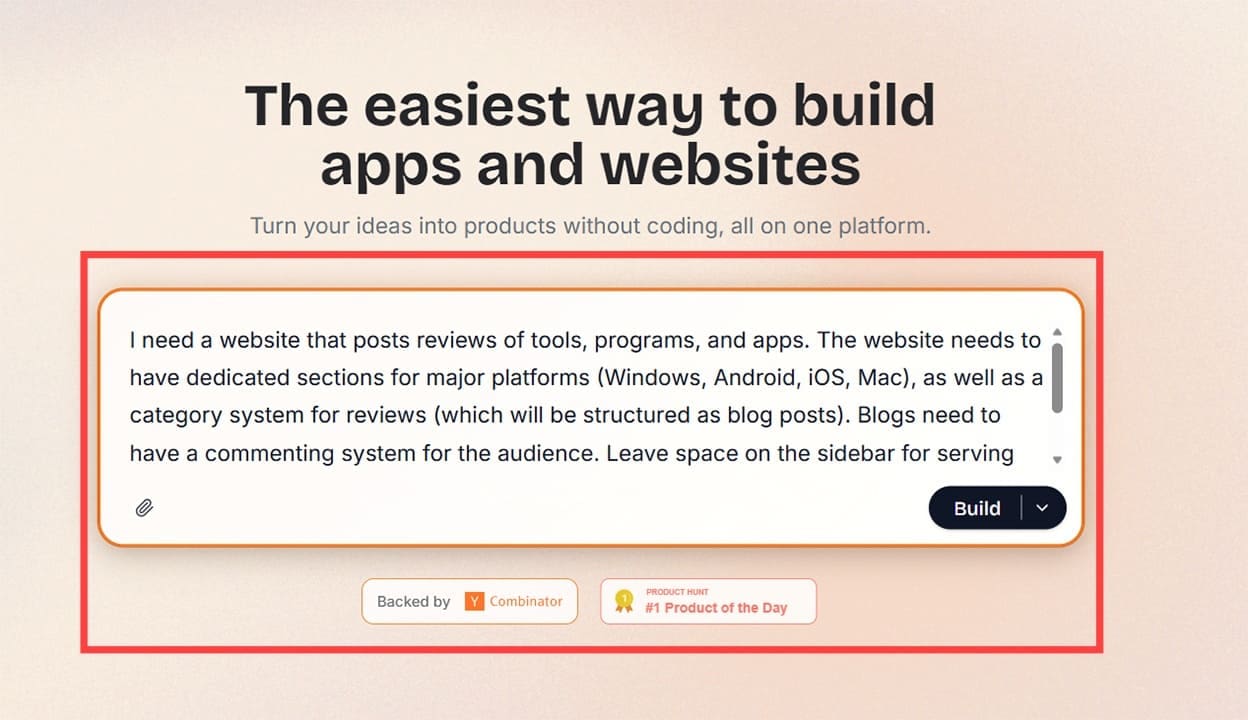
Apart from that, Floot also allows documentation import and can help you make that documentation based on text input. However, since the tool is primarily a coding bot, its planning tools are relatively rudimentary. In practice, you can either create your documentation or use another AI like ChatGPT or Claude to do it for you (with your input).
This essentially means you’re using AI to plan out your website and what you need from it, then using a different AI to create the underlying code for it. It’s vibecoding at its finest.
Where Floot shines is that it can build front-end and back-end architecture in one go, allowing you to create CRM and login systems directly alongside the app. This integration is where most other vibecoding tools fail, and one area where you can’t really fill in the gaps if you don’t have any coding experience.
After building the initial design, Floot allows you to modify it in three different ways:
- You can use the textbox to make additional suggestions or add more documentation.
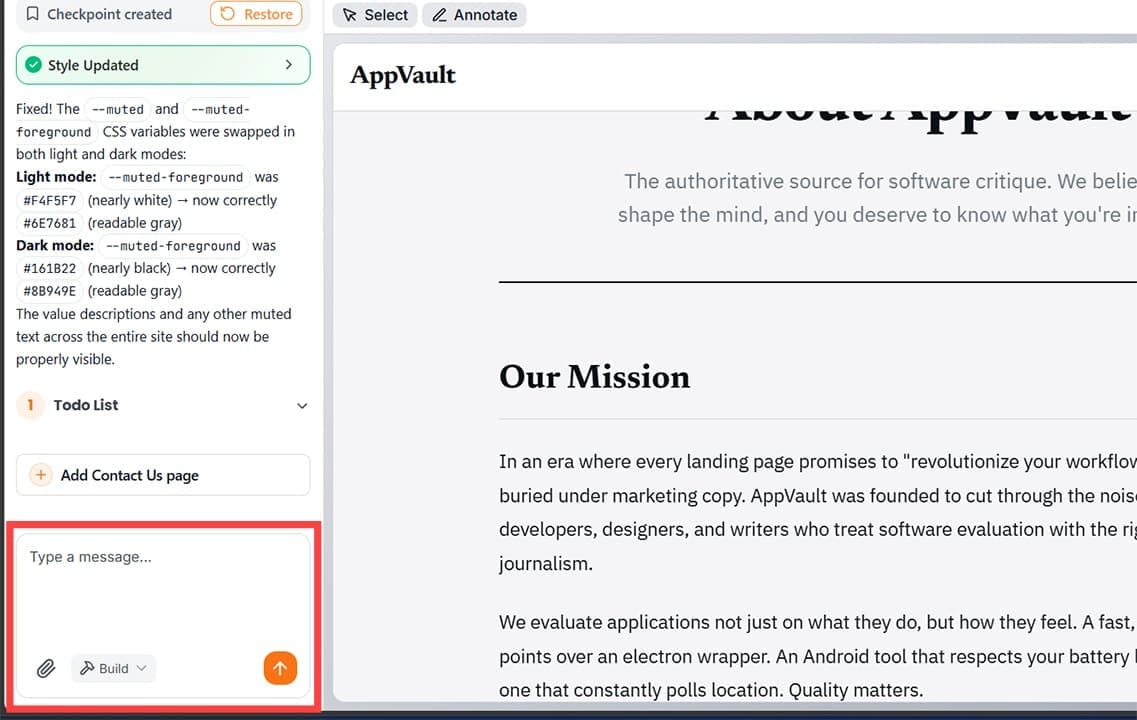
- Use the “Select” button at the top and click on a specific page element to bring it into focus, then type out a problem for the AI to fix.
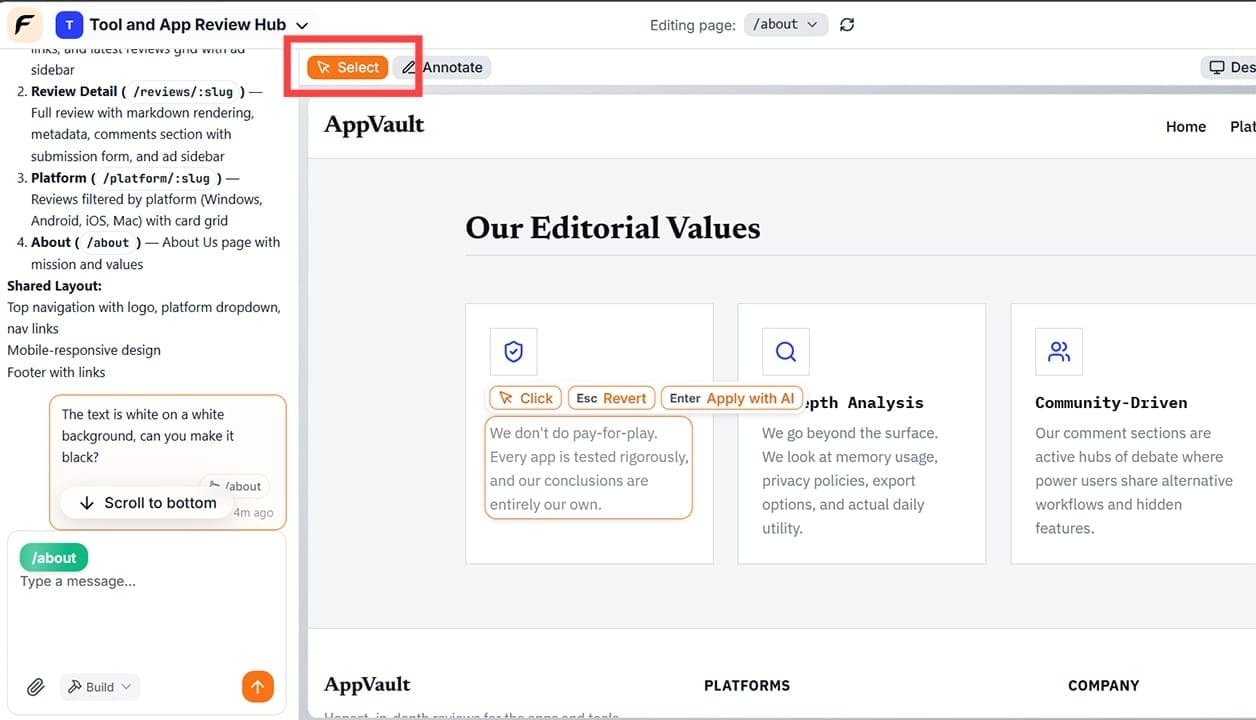
- The “Annotate” option takes a screenshot of the current page, where you can draw or make diagrams for the AI to follow for further implementation.
Throughout this process, the AI will continuously “talk” to itself, creating checkpoints for each viable page and outlining possible issues to fix. If it runs into an issue where it can’t proceed without your input, you’ll be prompted to enter more information, or it will take a simpler approach where it creates the front-end environment and waits for more details to flesh it out. This can be evidenced by the AI leaving a “to-do” list for itself that you can monitor, which is usually based on your initial input that wasn’t realized.
The AI is also generally fast, building out a few basic pages in just a few minutes. However, as you increase the complexity and integration inside the website and add customer-facing features, this slows down. In most cases, the app should deliver a prototype within a few hours of back-and-forth communication and adding documentation.
What Floot AI Brings to the Table
One of the main draws of Floot AI is that it incorporates what most builders need to provide via an external platform:
- With a subscription, the tool gives you free hosting and a free custom domain so you can actually launch the website and monitor it within the platform.
- There’s an SEO and monitoring dashboard that you can use to modify the robots.txt file, add a sitemap, and create page descriptions for browser crawlers.
- The user management tool creates login and customer databases out of the box and allows you to store them within the platform.
- There’s a database viewer and editor that displays data visually, allowing you to make similar level of changes without SQL knowledge.
- Floot can also code payment processing and subscription services, but users should test these rigorously before publishing them.
- At higher subscription tiers ($100 per month and above), you can export the web app as a mobile app or build an app from scratch. This can be lucrative if you want a mobile app for CRM.
Pricing
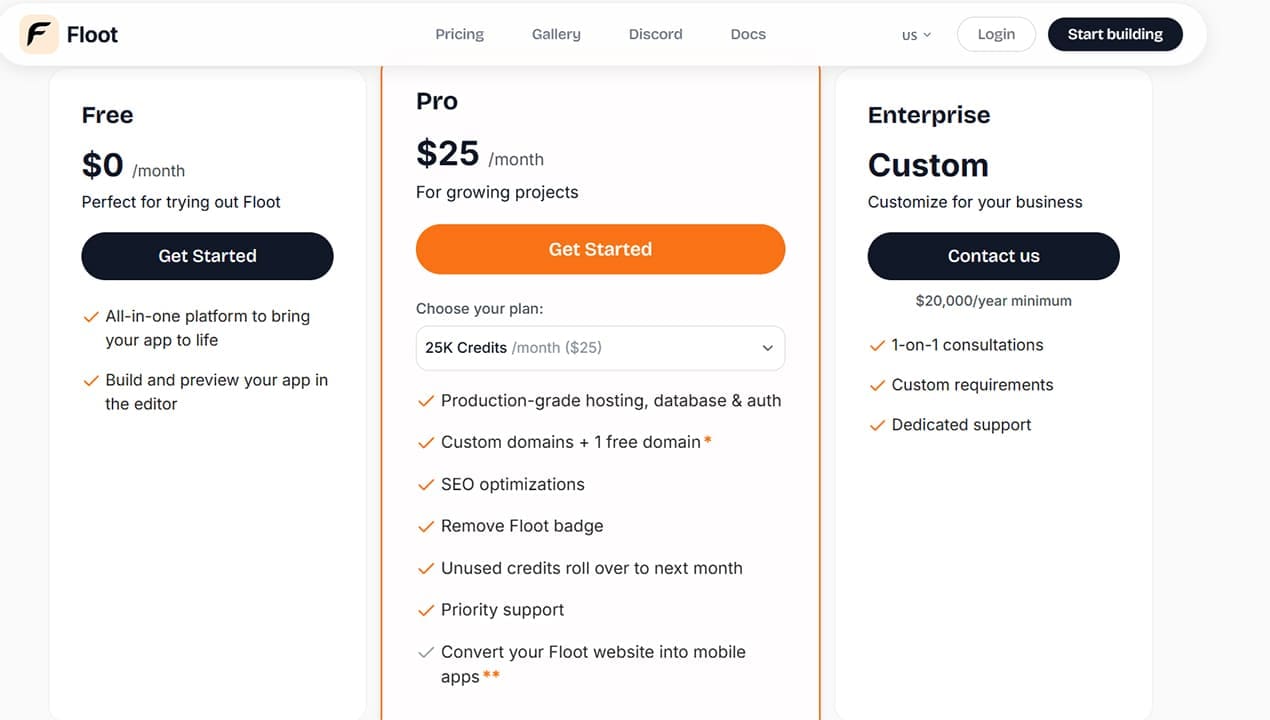
Floot AI offers a free subscription tier, which comes with a few hundred credits that allow you to test the waters and build a few pages to see the AI’s accuracy.
Beyond that, it uses a credit-based subscription model (for every 25,000 credits per month, you pay $25 more), and the one subscription comes with all features. This means that if you’re not careful with usage, you can end up needing a very expensive subscription. After that, you can lower the subscription price when you only need to maintain the website and still get the hosting benefits.
What Works and What Doesn’t
One of the main benefits of Floot AI is that it allows you to create easily-replicable websites with basic features and implement logins and customer-facing design effortlessly. For these, the AI is genuinely impressive, and the code it creates works.
However, that’s where the AI’s “expertise” ends. If you need any form of customization or higher-complexity design, the AI might not be able to make sense of it. You can try using customer support or the “Enterprise” subscription. The former involves incredibly long wait times, and support can only help you streamline prompts a bit. The latter can be prohibitively expensive (at $20,000 per year minimum).
Compared to similar vibecoding tools, Floot is also relatively newer and doesn’t have the backing of a large AI model (like Claude Code does, for example). This means the community and resource base are also comparatively smaller.
That said, considering the low barrier to entry, the tool can be a genuine help if what you need is relatively simple and emulates existing concepts with small changes.
Related Posts
 7 AI Apps That Help You Create SEO-Ready Content for Google
 Let Empromptu AI Build Your Ideas Into Apps
 Sintra AI Gives AI Employees to Help Run Business
 Can History Sleep AI Lectures Actually Help You Fall Asleep Faster?
 The Best Free AI Tools to Build a Website
 Are Vibe Coding Apps Any Good – Our Top Picks
 Connect Your Everyday Apps Through Concierge AI and Skyrocket Your Productivity
 AI That Tests Your Apps – Our Momentic AI Review

Disclaimer: Some pages on this site may include an affiliate link. This does not effect our editorial in any way.