You may be familiar with Otter.ai or Jamie, but we’re always on the lookout for the next big thing in AI meeting tools. Today, we’re looking at one that positions itself squarely in the transcription, note-taking, and workflow fields: HyNote AI, and exploring whether it’s right for your needs.
A Tool With Many Functions – Our HyNote AI Review
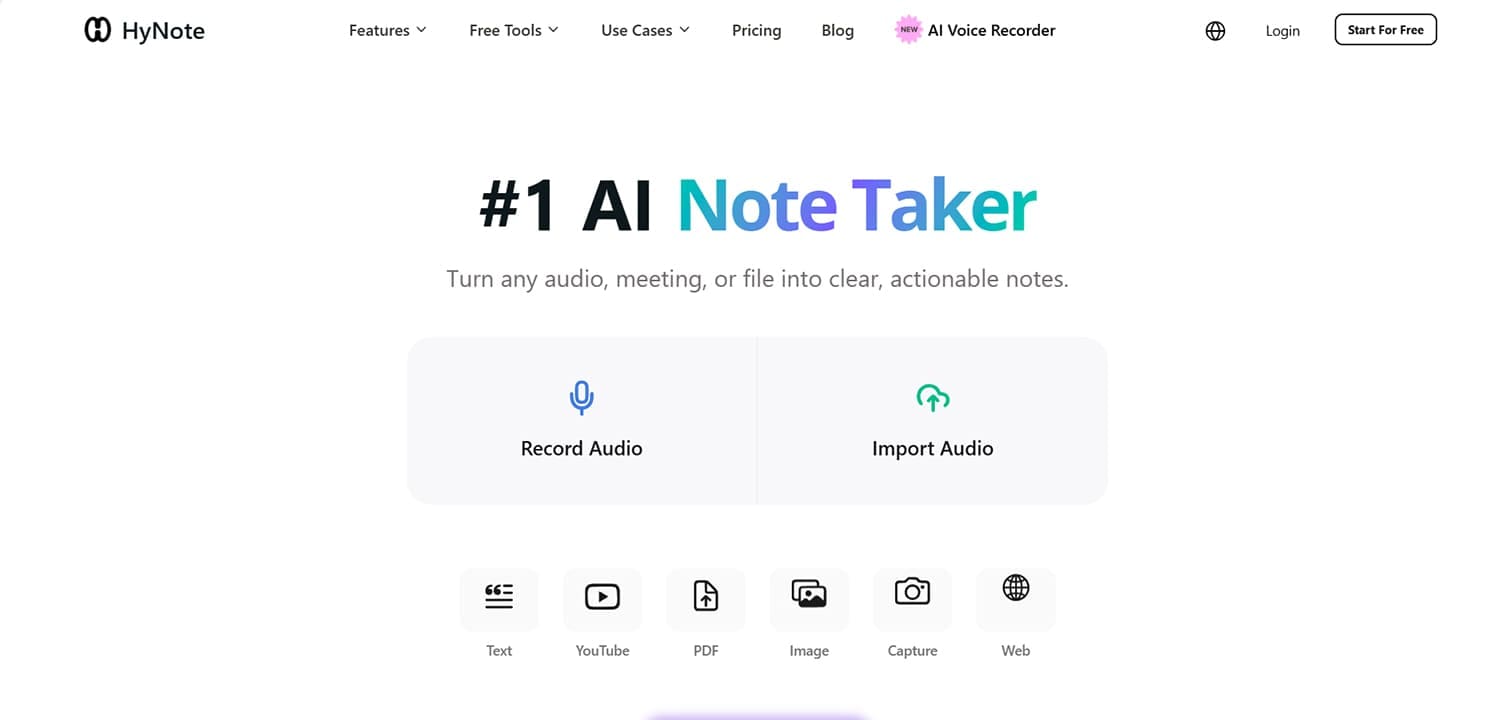
A lot is going on under the hood of HyNote AI, and a lot is promised. We’ve broken our deep dive into sections for easier reference:
Notes, Meetings, and a Whole Lot More
On the face of it, HyNote AI puts its note-taking and meeting functions front and center. Take a look at the feature tab, and there’s a lot more on offer too. Primarily, HyNote AI is a note-taking and organizing tool, with capturing capabilities. It records audio, transcribes media, and organizes uploads and links for several purposes, including:
- Templates – Uploads and transcripts can be used to create outlines, case studies, and more.
- Summarization – Files (of many formats) can be honed down to key ideas or points.
- Publishing – Turn notes into podcasts, social media posts, and more (currently in beta).
- Productivity – Plan events and keep to-do lists based on notes.
- Meetings – Take notes, keep minutes, plan follow-up emails, in real time (for certain tiers).
Different Platforms and Backed by Tech
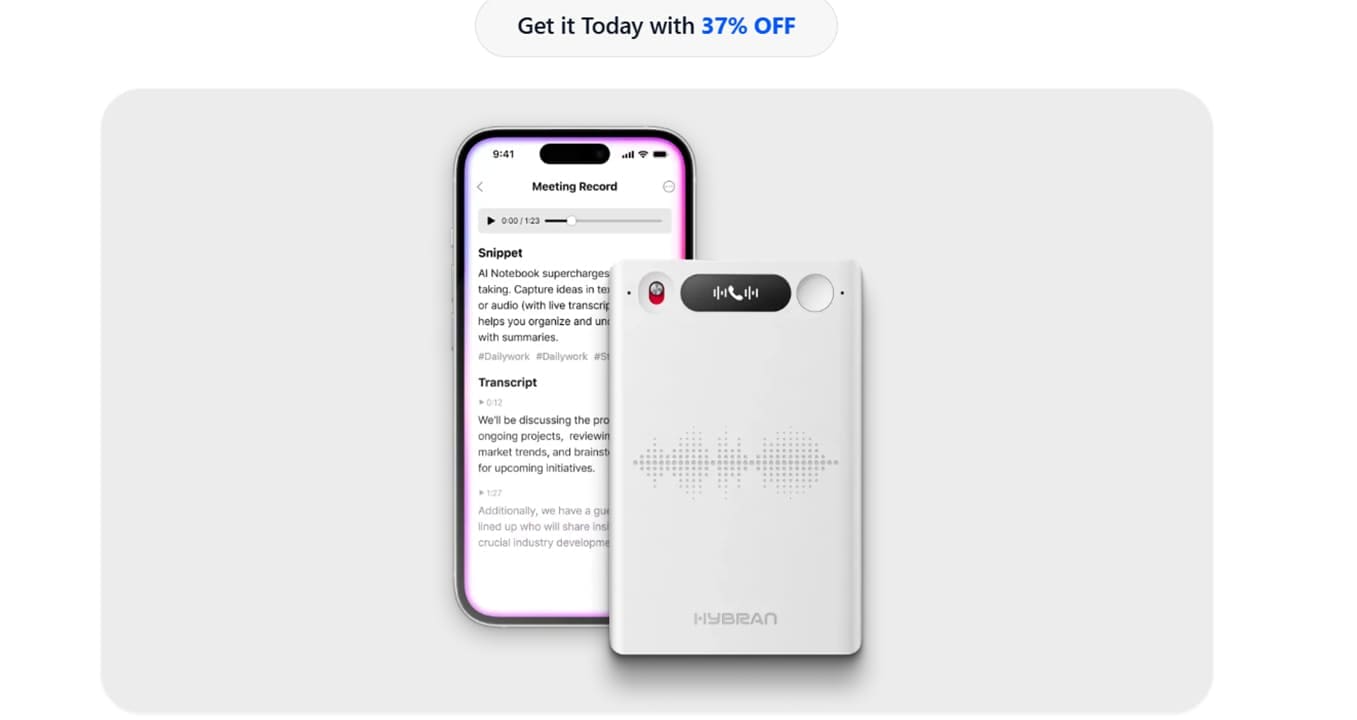
HyNote AI is clearly aiming for the big leagues. The tool has both a web version and an app to allow for cross-device capture and sharing of notes, but many users opt for the Chrome extension. Unlike other transcription tools, no bot is needed for meetings, just the tool itself, ensuring more privacy.
What’s more, HyNote AI has recently released its own AI voice recording tool that allows you to pair with your smart device and record wherever you are, letting AI sort out the transcription.
Bonuses for Users
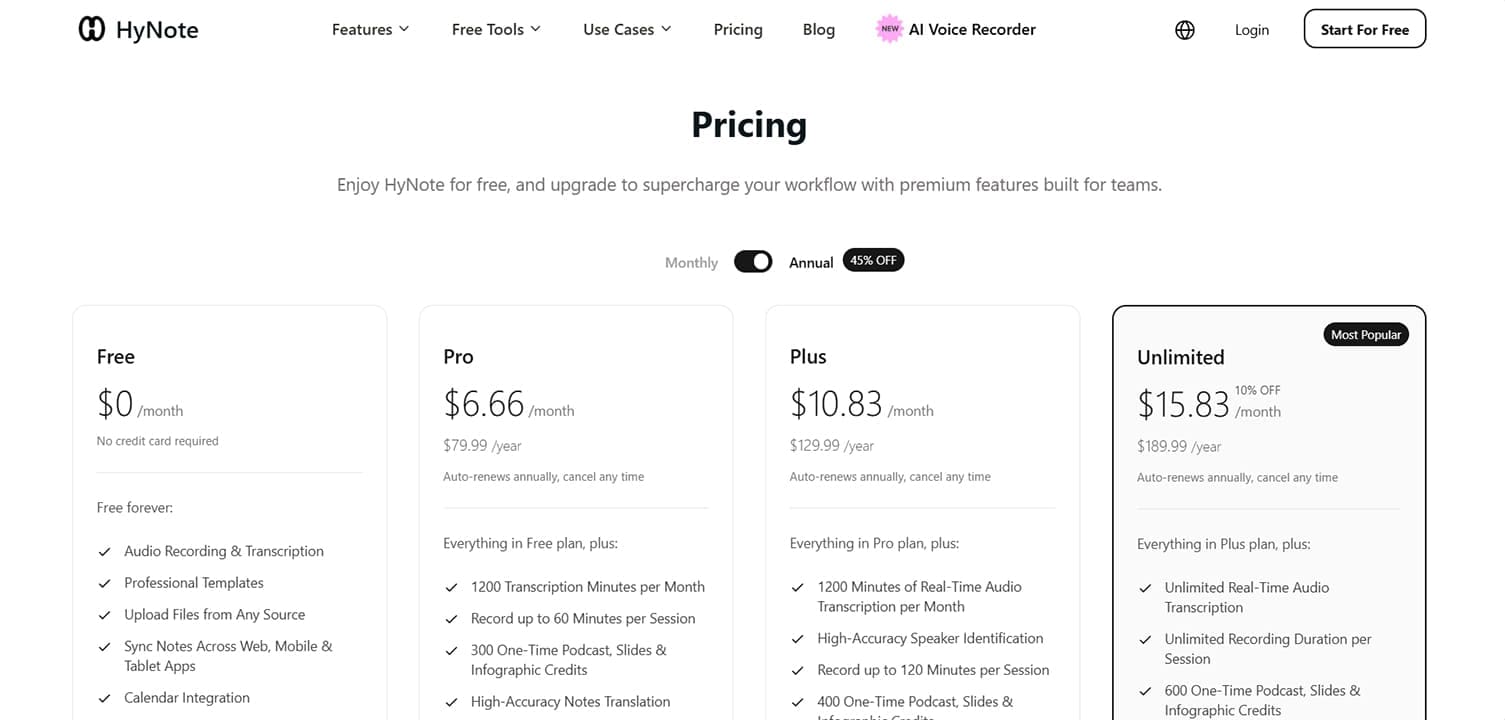
We’re going to address pricing now, because you do get a lot for free with this tool. Create an account, and you gain access to the free tier, with the ability to summarize different media, generate audio scripts, or even study flashcards.
Of course, more powerful tiers (Pro, Plus, and Unlimited) offer users better features, including transcription, translation (real-time on higher tiers), and more options to transfer notes across different file platforms like Notion and Slack.
There’s a lot to enjoy about the free tier, but if you are serious, it would be better to pay, be it monthly or annually, which can be disappointing to those looking to test the full capabilities of the software.
A Quick Look
Let’s take a quick look at HyNote AI in action:
Step 1. With your account created, you’ll be taken to your new Home Page.
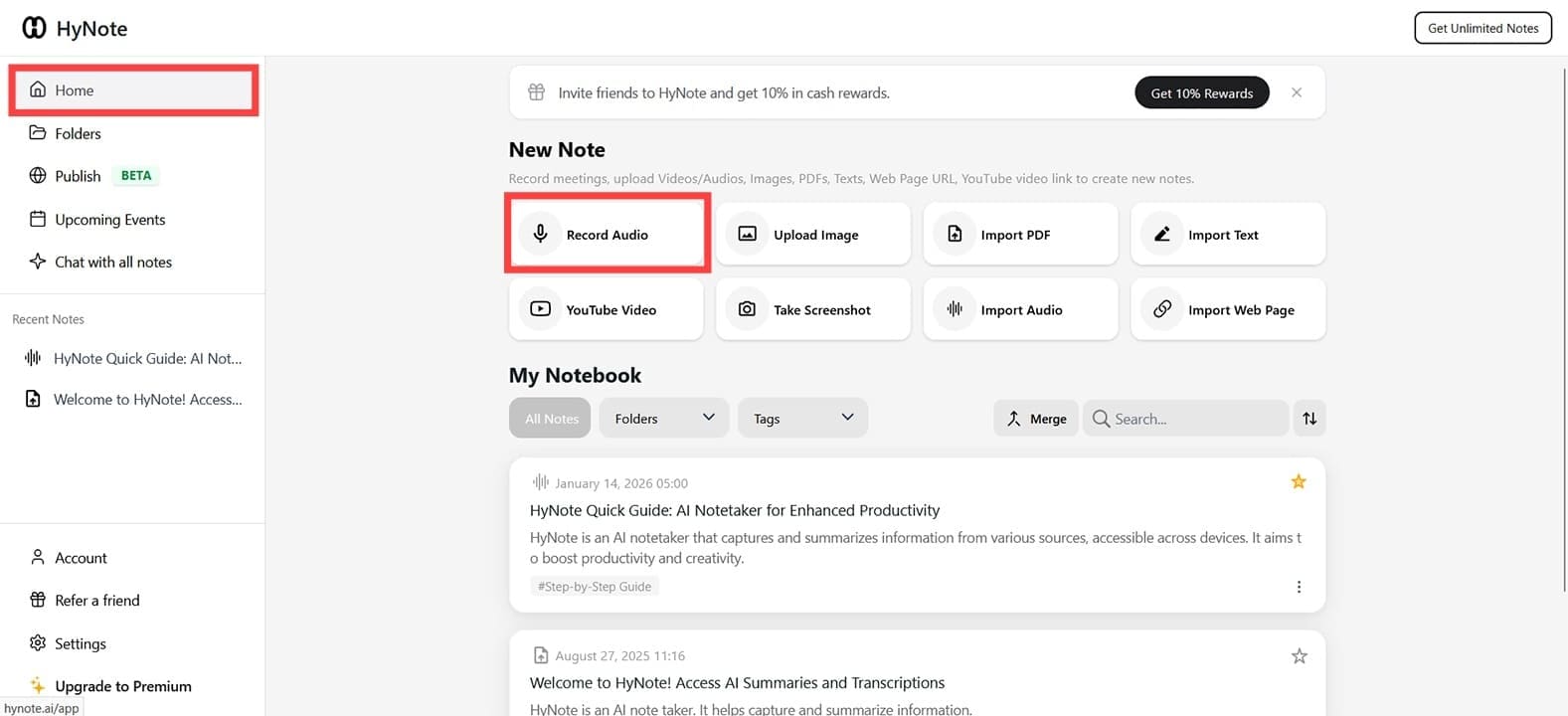
Step 2. Adding notes is key to the whole HyNote AI experience. Choose your method of adding a note, including “Record Audio.”

Step 3. Once you’ve recorded, your clip will upload, and the AI will transcribe it.

Step 4. A “Snippet” will offer actionable suggestions based on the transcript, and a list of buttons below provides handy shortcuts.
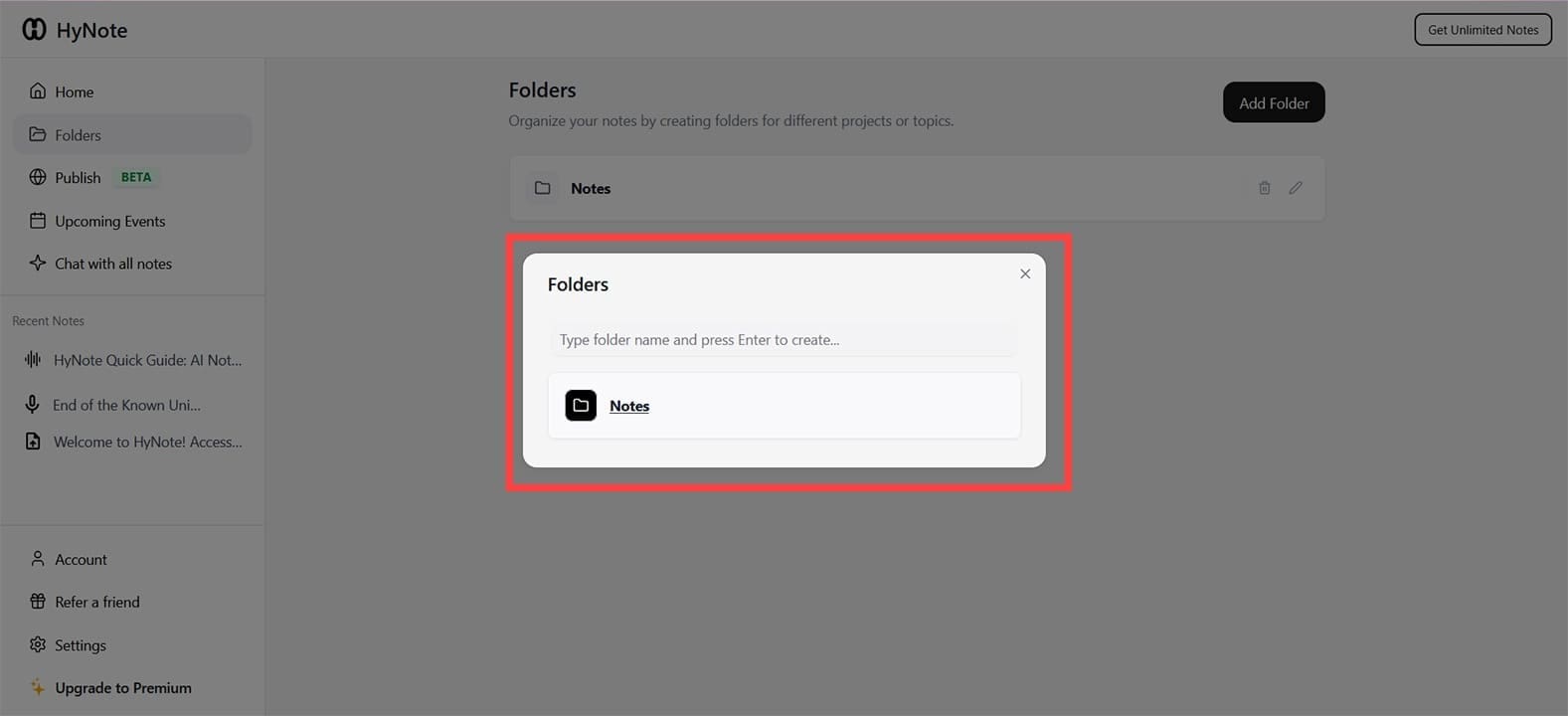
Step 5. You can also rename and move notes to special folders that you can create to keep things organized.
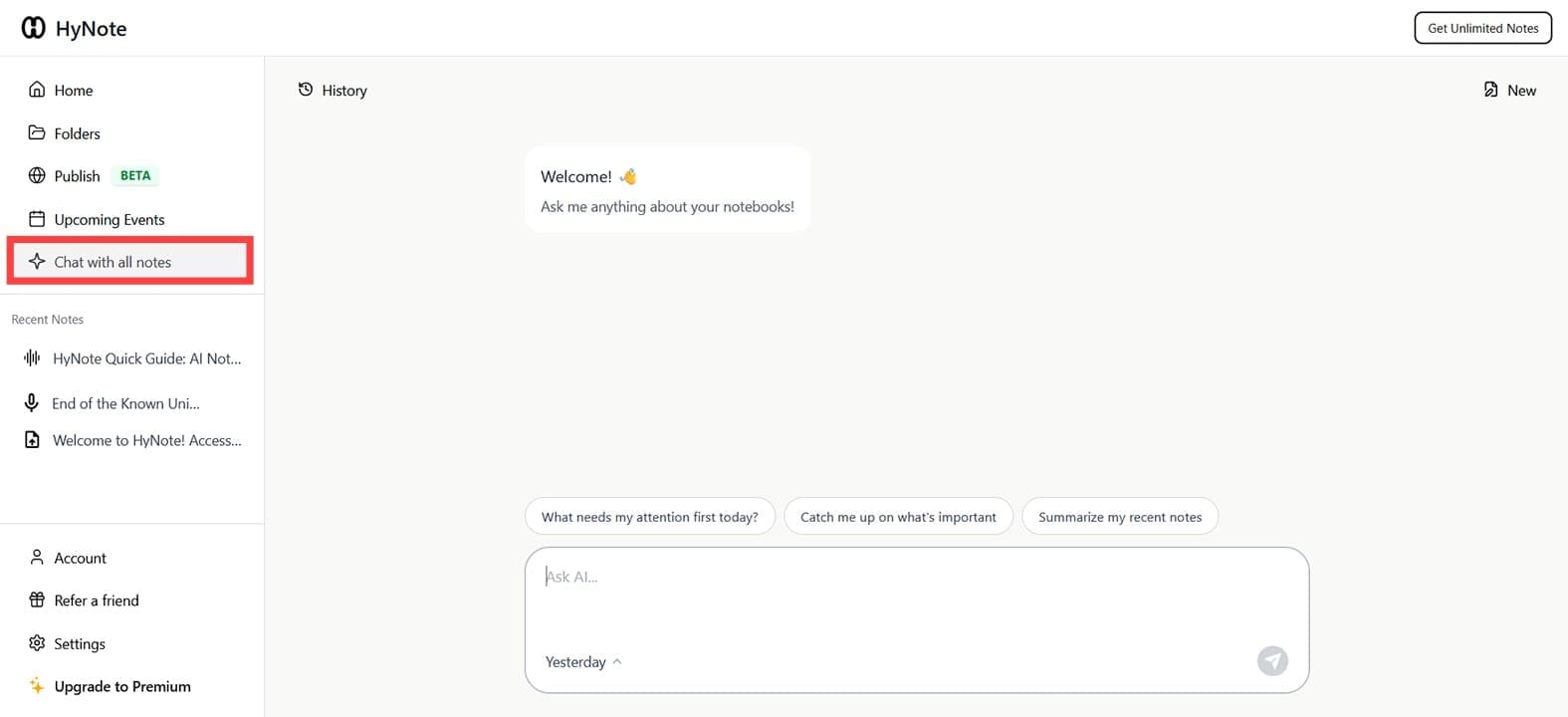
Step 6. The “Chat with all notes” feature allows you to use natural text input to inquire about notes and files you have stored, ideal for easy access and analysis.
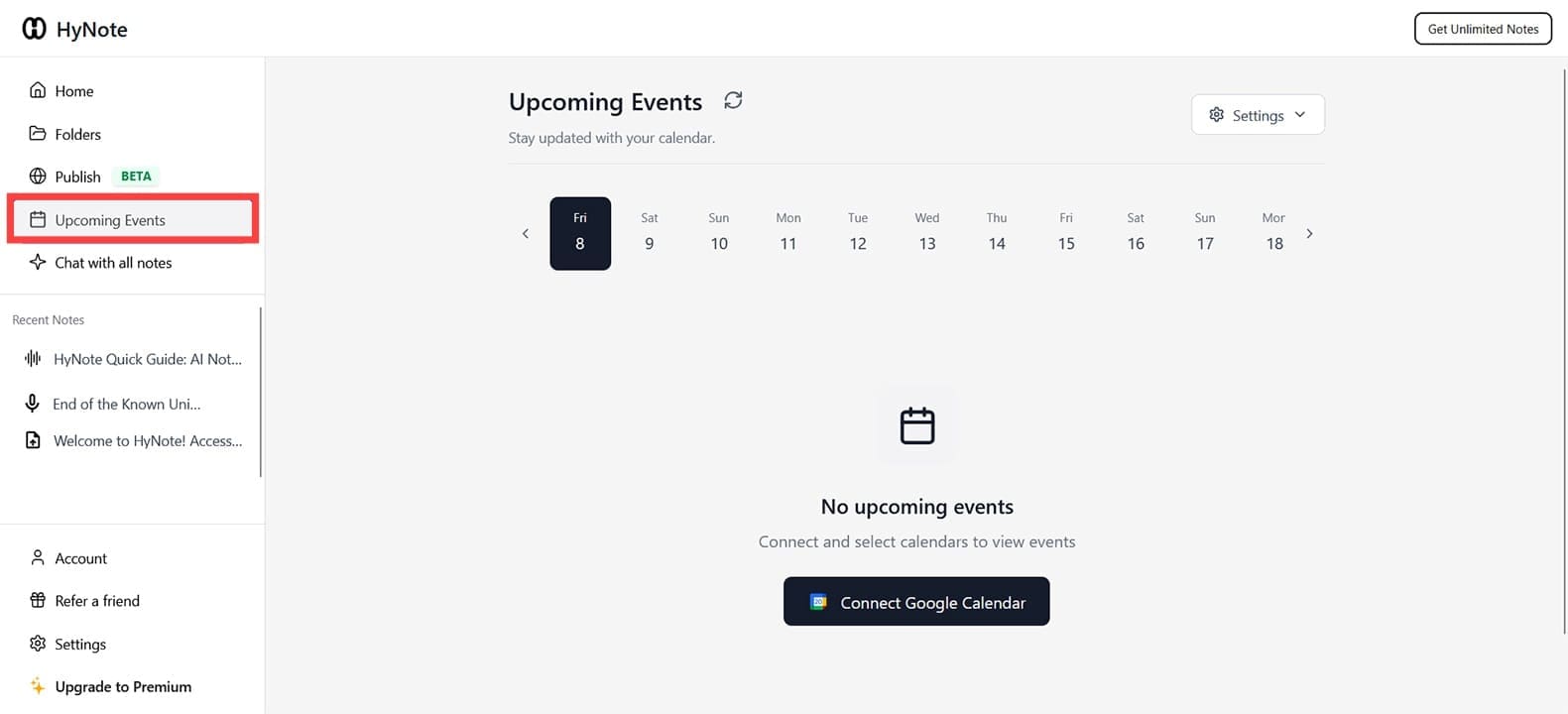
Step 7. Use “Upcoming Events” to stay organized and integrate with “Google Calendar.”
Related Posts
 Unlock the Power of Tactiq AI Note Taker for Your Meetings
 Can History Sleep AI Lectures Actually Help You Fall Asleep Faster?
 Spinach AI Review: Make Meetings and Note Taking a Breeze
 How to Use Discord for Meetings With Discord NotesBot
 DiscMeet AI Review: How to Get Instant Transcriptions From Discord Meetings
 How to Transcribe a WhatsApp Voice Note in Otter AI
 GPT Assistant – Is It the Next Clyde for Discord?
 NotebookLM AI Review: Taking Notes to the Next Level With AI

Disclaimer: Some pages on this site may include an affiliate link. This does not effect our editorial in any way.