If you’re tired of using the same old photo across all your social media platforms or want to maintain your privacy while building an online presence, you’ve probably already considered using an avatar. But creating a unique, professional-looking avatar that truly represents you can be challenging and expensive.
What if you could create stunning, personalized avatars that maintain your privacy while giving you complete creative control over your digital identity? That’s where a faceless avatar AI tool comes in.
What Are Faceless Avatar AI Tools?
Faceless avatar AI platforms use image generation to transform your photos into stylized avatars without revealing your actual face. These tools analyze your facial features and create artistic representations that capture your essence, such as face shape or broad facial marks, without revealing your identity.
Unlike traditional profile pictures, a faceless avatar for social media allows you to build a recognizable brand without revealing too much about yourself. Considering how AI image generation and editing has advanced over the past few years alone, every image of yourself on social media can be subject to unauthorized use. The fewer images of your face are online (especially available for random guests), the more control you have over your online presence.
The technology in faceless avatar generation works by training AI models on your uploaded photos to understand your unique features. Then, the AI generates a few variations in different artistic styles, from minimalist illustrations and cartoon characters to professional headshots with obscured faces.
How to Find and Use a Faceless Avatar AI Tools
Option 1: Faceless Avatar
The faceless-avatar.com platform is currently unavailable, but it’s one of the few options on the market that truly focuses on generating a faceless avatar. The tool is either going to get restored in the future or cloned with similar options and features, so you’re likely going to have a working generator anyway.
Using the tool is pretty simple.
Step 1. Visit faceless-avatar.com.
Step 2. Click on the “Get started” button, which will prompt you to enter an email to create or sync up an account.

Step 3. You’ll get a login code which you can use to get access to the platform.
Step 4. Upload an image of yourself into the editor and provide a short prompt on what you want to remove.
Technically, the free options the tool provides are limited in what they can achieve and may not get your exact likeness. Using the generator a few times over might get you better results. Otherwise, you may need to pay for premium features.
Option 2: ImagineMe.ai
ImagineMe.ai offers comprehensive avatar creation. However, the website doesn’t have a free suite at all, and even testing the app requires you to pay for credits. If you buy the first batch of credits, you get an additional free generation, so that’s something at least. In general, you need 10 credits (costing $2 if you buy in bulk) for each avatar since the tool needs to be trained on your exact face.
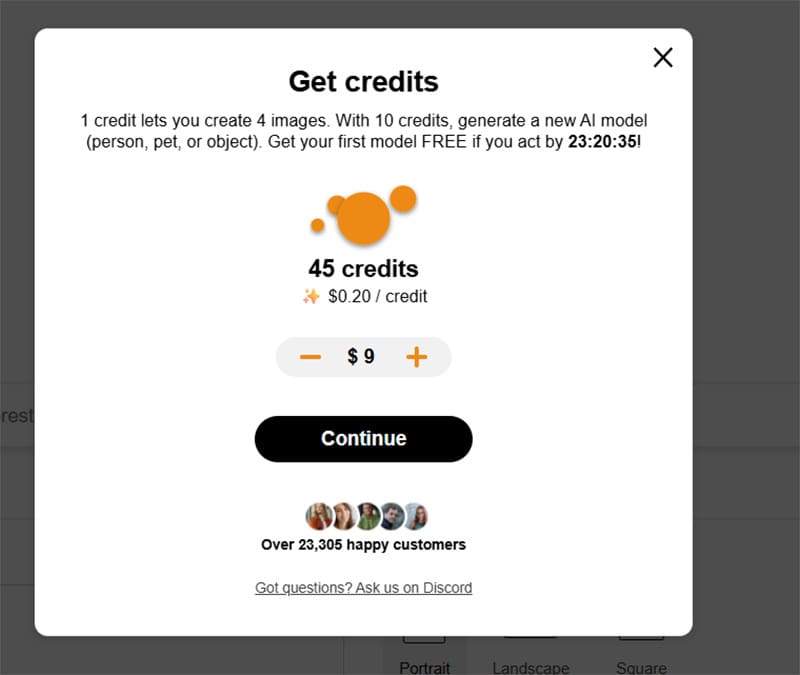
Step 1. Go to ImagineMe.ai.
Step 2. Click “Start Creating” to create your account.

Step 3. Create an account with your email and paste the code you sent in.
Step 4. Click on the “Create your own model” option and choose a style you prefer.
Step 5. Upload 10-20 varied pictures of yourself in good quality. The training process can take a while, depending on which style you chose.
Step 6. After your AI model finishes training, you can start using the app. Type a short prompt of what you’d like the avatar to look like and click “Imagine.” Alternatively, you can use “Additional settings” to force the AI to ignore some features (which is where the “faceless” aspect will be useful) and customize the scale of the image.
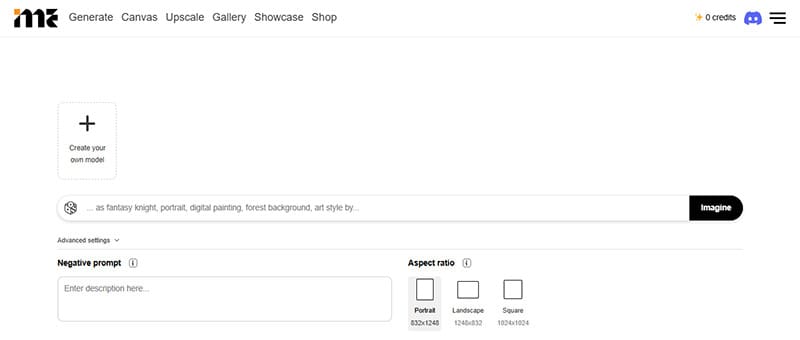
Use text prompts like “faceless avatar in business attire” or “silhouette portrait with colorful background” to generate your desired style.
Does It Work?
Ultimately, the quality of generated avatars can vary greatly. Some users reported that the AI tool will heavily prioritize Slavic and East Asian features over others, inserting them even if they shouldn’t exist. With the right set of training images, you’re more likely to get an accurate depiction of yourself (sans facial features of course). Using AI this way definitely seems like a stopgap when you want to prioritize efficiency over accuracy. Traditional image editing tools and a semi-professional editor will net you a better result, but will cost several times more.


Disclaimer: Some pages on this site may include an affiliate link. This does not effect our editorial in any way.