Upwork is a great platform where freelancers can find work. With over 700,000 active clients and more than 832,000 freelancers looking for work, competition is high.
The search function that people seeking work must use is quite limited. With only basic filtering and keywords, it can’t tell users which job posts prefer agencies over freelancers, what level of experience a role requires, or whether the budget is realistic.
This leaves many users wasting time applying for jobs they aren’t qualified for, or even worse, going for jobs that aren’t worth their time at all.
Pitch Pilot aims to fix this issue by analyzing job postings and extracting all of the hidden elements that the standard search can’t show.
Let’s dive in and see how it works. Read on for our Pitch Pilot review.
Creating Your Feed
First, you need to create your job feed. The system will take what you write and add AI magic into it, resulting in a tailored feed of suitable jobs.

Step 1. Using natural language, you need to describe exactly what you’re looking for in terms of roles.
Step 2. Once you’re happy with the description, simply click the “Generate Filters” button, and the system will create those for you.

Connecting Telegram
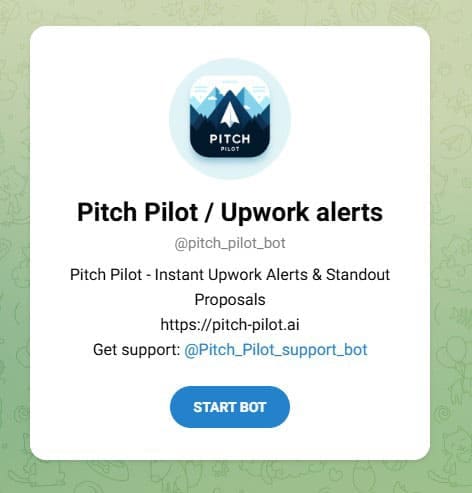
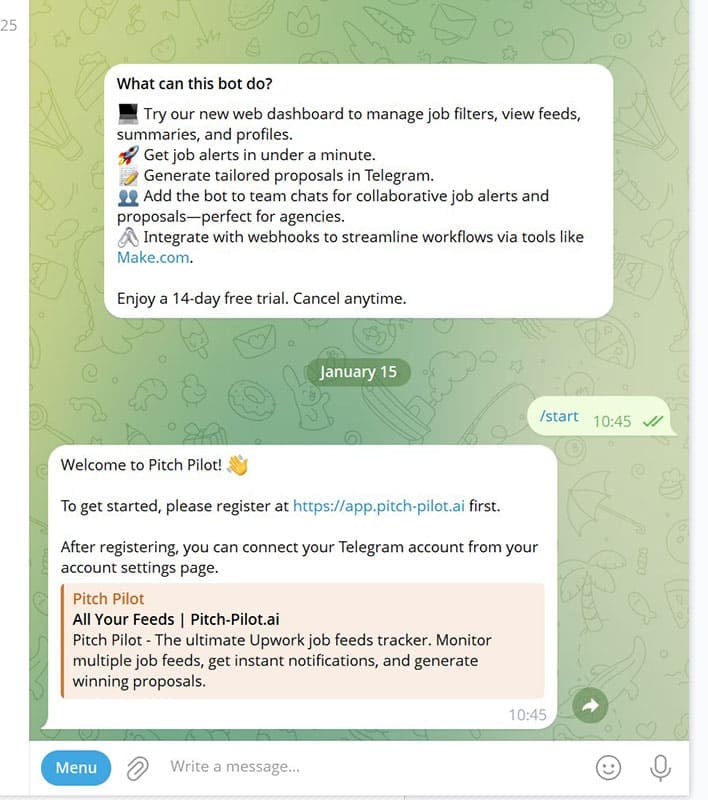
The next thing you need to do is connect the Pilot Pitch AI bot to your Telegram account, which allows you to manage your dashboard and filters, as well as push job alerts straight to you in Telegram.
It’s very straightforward; you just need to follow the onscreen instructions.

Adding Your Profile
Now that Telegram is integrated, the next thing you need to do is add your profile to Pitch Pilot. At this point, you are required to choose a subscription, but each comes with a 7-day free trial.


It’s as simple as adding your name and then typing the main body out. You can copy and paste your CV and then expand each point, highlighting your skills.
View Your Feed
Once you’ve completed these steps, you will be shown a custom feed of available jobs that are suited to your requirements.

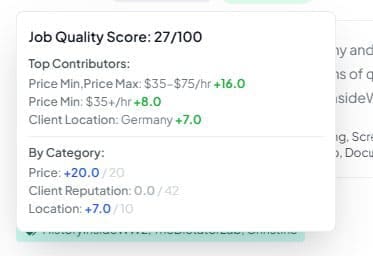
The number shown (out of 100) is the overall job quality score. Hovering the mouse over this will reveal details and metrics such as where the job sits in the scale of payment against what other clients are offering, the price of applying for the role, and the reputation of the client, which is based on feedback and whether they have a verified profile and payment method set up on the Upwork platform.
Generating Proposals
Once you’ve found a suitable job you’d like to apply for, you can generate your proposal.

You’ll see there’s an “AI Analysis” box underneath each job posting. Here, there’s a summary of what the bot has scraped and processed from Upwork.

Using Templates
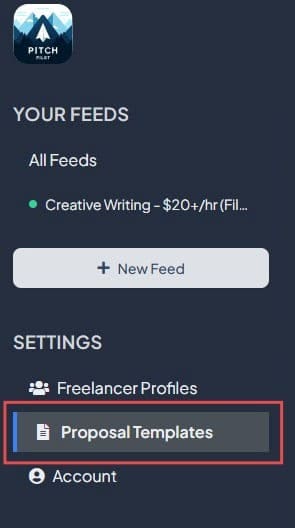
You can opt for Pitch Pilot’s built-in templates or create your own and use them. To create a new template, you simply click on the “Proposal Templates” icon located within the settings shown on the left-hand side.
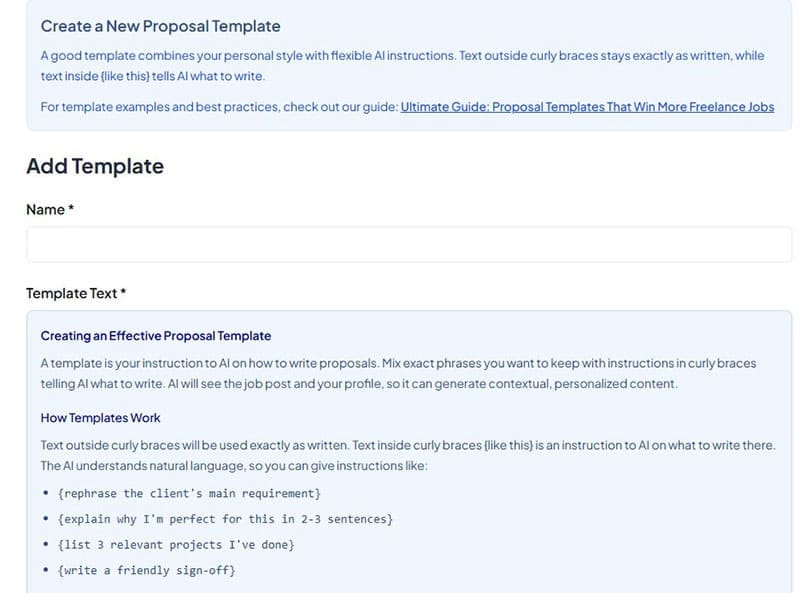
There are plenty of good tips and instructions to help guide you in creating a good template. The system works by taking the text you input, mixed with AI instructions that you can adapt and modify to your needs.
Anything inside the curly braces instructs the AI, while everything else is your personalized input. It’s similar to several email automation platforms that use AI to shape the text to be relevant to the recipient, adding the name and repeating phrases used by the potential client to customize each proposal, making it personalized.
Should You Use Pitch Pilot AI for Upwork Proposals?
So, should you use Pitch Pilot AI to help navigate Upwork and land you better jobs?
It’s certainly true that Upwork’s search function is limited. Pitch Pilot does a good job of digging deeper, returning more in-depth results, and tailoring your job feed to something a lot more useful.
The insights, like overall job score, are a welcome addition, as is the ability to use AI to generate your proposals.
Pitch Pilot AI shows strong potential for delivering quality results, and its affordable monthly cost makes it well worth experimenting with over time.
Related Posts
 How to Use Pitch Pilot to Find a New Job on Telegram
 How to Automate Applying for Jobs and Get More Interviews With JobGPT
 Get ChatGPT, Claude, and Midjourney on Telegram With Unlim AI
 Using PowerTelegram to Get Immediate AI Assistance on Telegram
 Ways to Use Microsoft Copilot on Telegram
 How to Integrate Dialogflow to Telegram
 Is The Librarian the Best WhatsApp AI Assistant?
 DiscMeet AI Review: How to Get Instant Transcriptions From Discord Meetings

Disclaimer: Some pages on this site may include an affiliate link. This does not effect our editorial in any way.