With literally billions of attempted cyber-attacks occurring daily, it’s never been more important for users to safeguard their online accounts. Passwords are often the primary line of defense, but many people struggle with making strong and unique passwords, remembering them, and updating them on a regular basis to keep their data safe.
This password app aims to help with all of those issues, and this The Password App review looks at what it is and how it works.
The Password App Review – An Overview of the App
The Password App uses AI for password management. It works with your password manager to identify old, weak, compromised, or repeated passwords and then update them on your behalf, saving users hours of effort. It’s only available for macOS, for now, but it works with almost all major password managers, like NordPass, Enpass, Keeper, 1Password, and Bitwarden.
How to Automate Password Management with AI
Without an app like this, the onus is on the user to keep track of their passwords and manually update them over time. The Password App, however, has the power to take over that process for you, automatically updating your credentials and saving the new ones on your device, with minimal setup required. Here’s how it works:
Step 1. Download the application to your macOS device and install it.

Step 2. Export your passwords as a CSV file from your password manager and upload that file to The Password App.

Step 3. Let the AI do the hard work of scanning your passwords and updating them automatically.
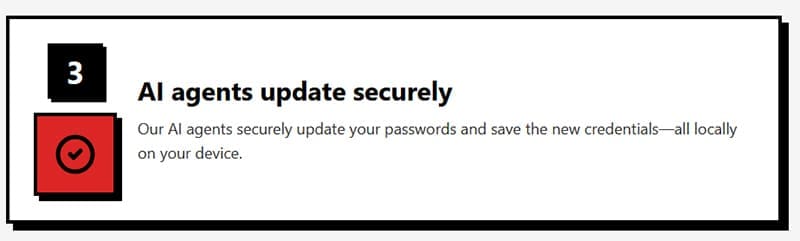
This process is highly secure, thanks to The Password App’s hybrid security architecture. This involves all of your password data being stored exclusively on your device, not sent off to any servers or cloud environments. The AI only sees screenshots of relevant information needed to update any weak or old passwords, and once those passwords have been changed, all references are immediately wiped.
Pros and Cons of AI for Password Management
Pros of The Password App include:
- Very easy to work with
- Highly secure architecture
- Can save you hours of time
- Can increase your online security and prevent data loss
Some of the cons of this app include:
- Only available for Macs, at the moment
- Requires a password manager
Pricing
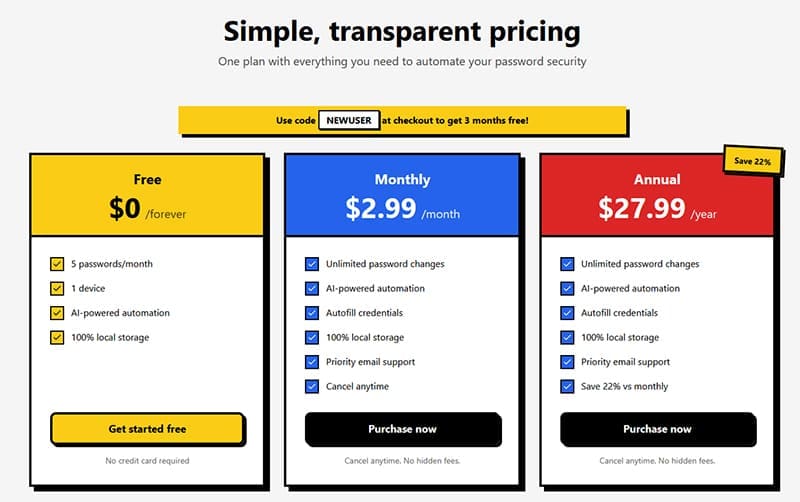
The Password App is available in both free and premium formats. Free users can enjoy protection for up to five of their accounts on a single device. But if you want to experience the full benefits of The Password App, you’ll need to opt for a monthly or annual subscription, both of which offer unlimited password changes and additional features, like priority support and autofill.





Disclaimer: Some pages on this site may include an affiliate link. This does not effect our editorial in any way.