When you’re running a company, managing money seems like a never-ending task, with chasing down invoices and unpaid projects likely taking up a lot more time and energy (and ultimately, money) that can be better spent elsewhere. You can either hire a dedicated accountant or financial manager, or have JustPaid AI offload most of that work to a automated financial assistant that automates the process. Here’s how to use JustPaid AI for billing and scaling your business.
Getting Started With JustPaid AI
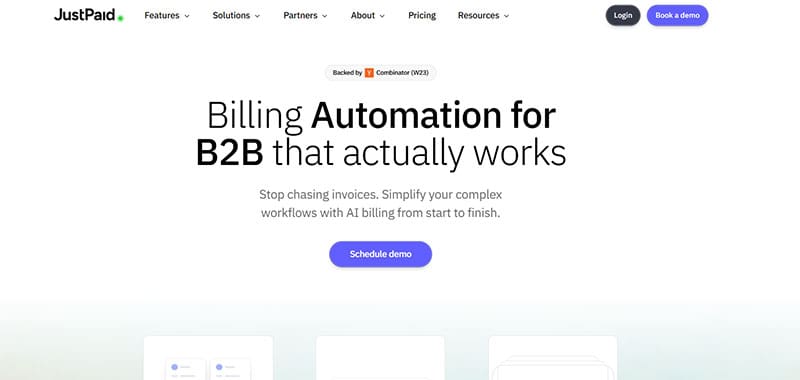
Unlike traditional AI tools where you’re free to create an account and check out the features at your leisure, JustPaid AI works with your money and thus needs a lot more to be processed before you can get started.
Step 1. Go to the JustPaid AI demo page and book a slot when you’d like someone from their tech and sales teams to walk you through downloading and setting up the app.
Step 2. Follow the instructions from the demo and integrate your accounting, CRM, and Stripe profiles, as well as your banking information. JustPaid AI will then have complete records of company financial transactions and invoices.
Step 3. Customize your profile and add more integrations as needed.
While this might sound complicated, the live demo is doing a lot of the legwork here, providing valuable information on how the platform actually works and how much you’ll be expected to pay for it over time.
How to Use JustPaid AI for Billing
The tool is meant to streamline your billing, particularly getting paid on the invoices you send out. It does so through a few different methods:
- Automated accounts receivables and collections systems connect your mail to the information presented in invoices so the system can send timely check-ins and reminders on unpaid projects.
- Invoice and contract generation from templates, using the company’s existing billing information and previous contracts as the base plus industry standard templating.
- Smart invoicing to pull invoicing terms from contracts and collections history.
- Revenue dashboard for a quick overview of your finances, upcoming payments, as well as a thorough report on your account balances.
- Machine learning for payment behavior allows the AI to adapt to the user’s history, particularly in terms of templates, deadlines, and predicting discrepancies in monthly income or payments.
Furthermore, since it integrates with your CRM and accounting software, as well as the bank account, the JustPaid AI platform becomes centralized and can manipulate all other software when needed. This can reduce downtime and ensure you have the most up-to-date information for audits and analytics.
Pricing and Who Is It For?

At base, the software has a 14-day trial after the initial demo call and setup. After that, you’ll be put in one of four “brackets” based on the company’s revenue.
Notably, if you don’t want to add more integrations and have less than $1 million in yearly revenue, JustPaid AI can be completely free.
However, the price can easily skyrocket after that, costing you at least $12,000 per year for a rapidly growing company. Notably, this is “per business entity” rather than “per user,” so it can result in lower costs for large corporations.
As such, the tool works best for software or management startups that want to offload some of their accounting busywork and don’t yet have the cashflow to go into the higher payment tiers.
Related Posts
 Education Is Easier With Mexty AI
 Should You Let AI Make Your Phone Calls—And Which Options Are Best?
 How to Spot Competitor Changes With Let Me Know When AI Tool
 Do AI Humanizers Work?
 4 Ways to Use Flowpoint AI to Improve Your Website Marketing Campaign
 Best Discord Moderation Bots
 Best AI Tools for Excel
 Is ScalerX the ChatGPT for Telegram It Claims to Be?
 Best Sora Watermark Remover

Disclaimer: Some pages on this site may include an affiliate link. This does not effect our editorial in any way.