Most teams don’t really have a knowledge problem so much as a “where did we put that?” problem. The answer to almost any question already exists somewhere; it’s just buried across Slack, Google Drive, Notion, a CRM, and three different spreadsheets nobody can find. Needle AI’s entire premise is that it can pool all that information into one searchable layer and let you simply ask for it.
But does it actually make finding your data easier, or is it just another connector you’ll forget to check? Read on for our full Needle AI review.
How Does Needle AI Work?
At its core, Needle AI is a knowledge-threading platform. You connect your data sources, it indexes everything, and then you query across it all in plain language.
The platform runs entirely in the browser, requires no installation, and serves both technical and non-technical users. It provides developers with documentation, API keys, and workflow tools, while giving everyone else an interface to manage connections and collections without writing code.
Getting started is straightforward:
Step 1. Create an account, then go to “Collections.”
Step 2. Create a new collection, name it however you want, then go to the “Connectors” tab.
Step 3. Add the repositories where you keep or receive files (like Slack, Drive, or Gmail) or directly send the files from your PC.
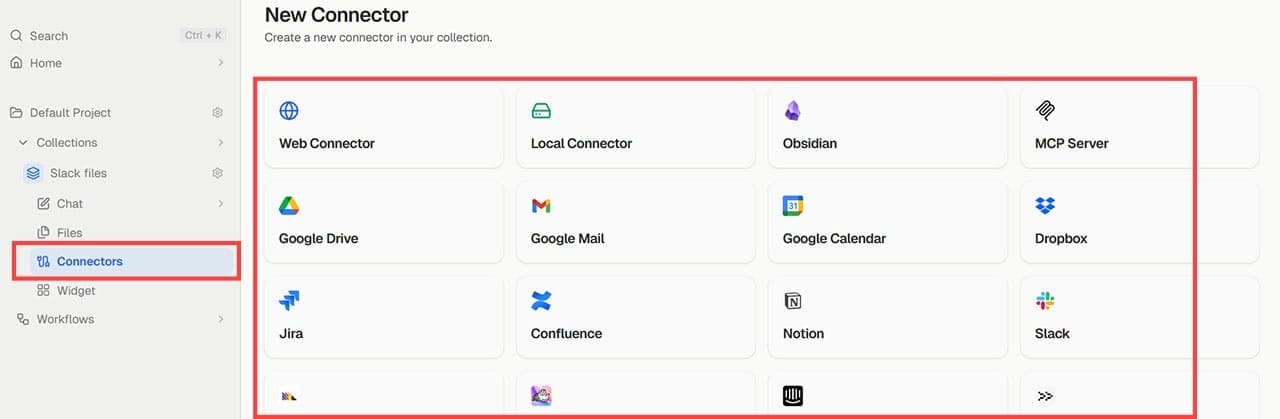
Step 4. Needle AI will index the documents.
Step 5. Go to “Chat” on the left to ask questions about the files.

Alternatively, you can create project or file access automations that help you comb through data. The tool uses a similar “vibe automation” system that creates connectors and automated triggers.
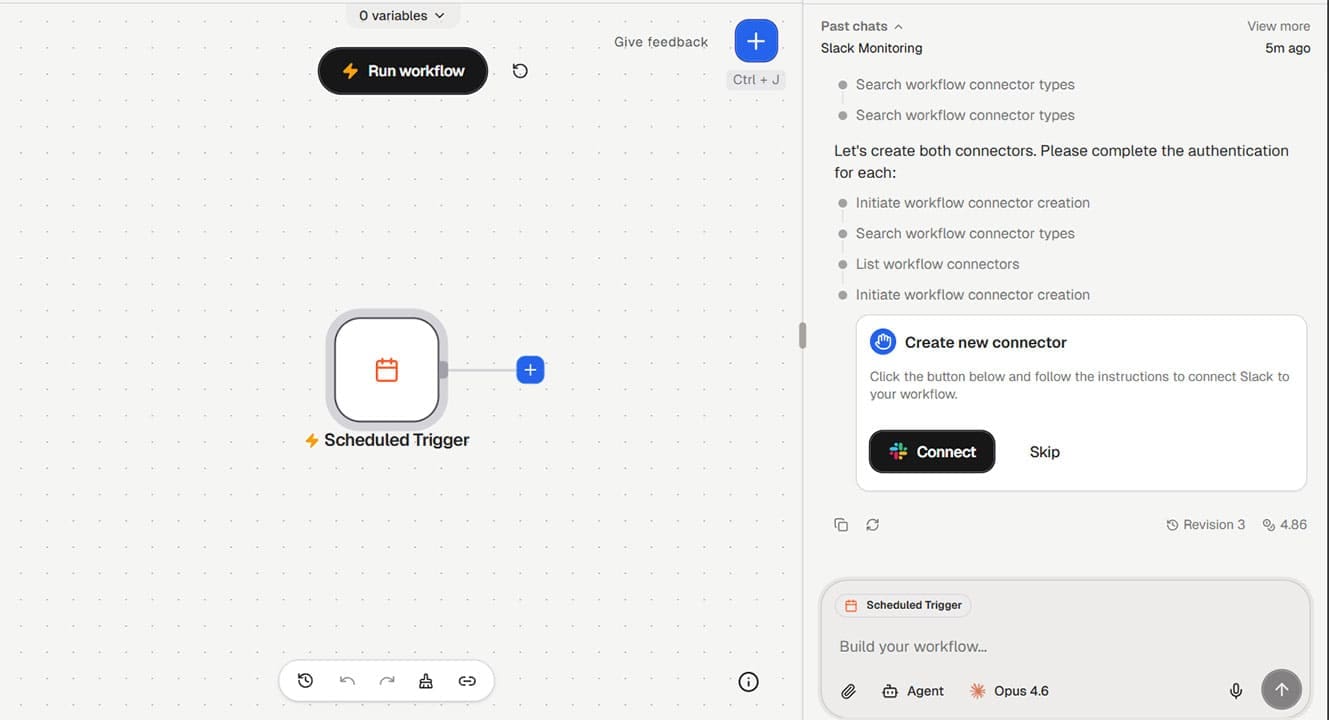
Main Features
Needle’s value comes from bundling two key features of document management: search and automation.
The tool handles PDFs, spreadsheets, charts, and images via OCR. Notably, since it can connect to most other apps that allow file sharing, it can pull files directly from them and create automations that work on those apps.
The collection option allows you to tag and separate files based on their use case and intent, allowing you greater control over data. Then, the chatbot can be limited to only files from a specific collection, which can help you get correct or up-to-date information.
Lastly, the “plain English” support means that the tool works similarly to other vibe-coding tools, and you don’t need any real coding knowledge (but it helps if you have experience).
Additional Features
Around that core, Needle AI layers in the features that turn it from a read-only search box into something that actually does work for you:
- A Slack bot lets your team ask questions directly in channels and answers with links back to the source documents, which quietly kills a lot of internal back-and-forth.
- Chat actions let you send emails, create tickets, or update CRM records straight from a conversation.
- An AI tools library, plus query tuning and optimization, can analyze database queries and suggest improvements like index recommendations, which is handy for technical teams.
- Temperature and model controls let advanced users dial agent behavior between more creative and more precise responses.
- API access lets developers fold Needle’s capabilities into their own apps and workflows.
Pricing
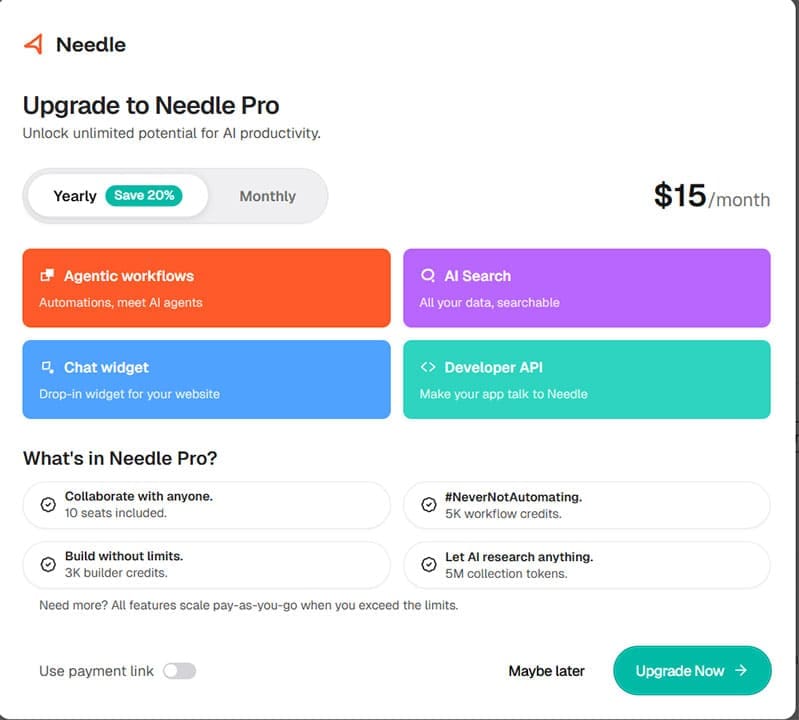
Needle runs on three tiers, and the free one is the headliner. The Free plan includes unlimited collections and connectors, 1,000 workflow credits, 1 million collection tokens, and five seats. That’s genuinely enough for a small team to use properly rather than just kick the tires.
The Pro plan costs $19 per month (or $15 paid annually) and raises you to 10 seats with a much larger pool of workflow credits and collection tokens. The Enterprise plan is custom-quoted and unlocks unlimited credits, tokens, and seats, plus dedicated deployment and priority support, but its price will depend on the size of the team, and the option doesn’t even exist for small companies.
For context, Zapier’s free tier caps you at 100 tasks a month and paid plans start around $20/month, with team-focused apps costing around $70 per month.
What Works and What Doesn’t
Needle AI’s biggest win is the combination of knowledge search and document handling. Pair that with a free tier you can reasonably stretch out with and broad connector support, and it’s an easy tool to recommend trying.
Where it falls short is depth. The automation side isn’t as powerful as dedicated platforms like Zapier or Make once you need complex, multi-step workflows with conditional branching and proper error handling, and vibe automation in particular tends to struggle there.
Related Posts
 How to Speed Up Your Excel Data Analysis With Claude AI
 AI Synthesis Explained: From Data to Actionable Insight
 Spinach AI Review: Make Meetings and Note Taking a Breeze
 Human Expertise Meets AI: Our Tendem AI Review
 KaraVideo AI Review: Give Your Words and Photos Life
 Is This a Good Voice Tool? Our FineVoice AI Review
 Sellinger AI Review: An Autonomous Growth Engine for LinkedIn
 Kin AI App Review: A Private AI Assistant You Can Actually Trust?
 Is Avatalks Worth It? Full AI Language‑Learning App Review

Disclaimer: Some pages on this site may include an affiliate link. This does not effect our editorial in any way.