AI creates seemingly endless possibilities when it comes to voicework. You might want to clone your voice and automate it, or have words you’ve written come to life via a smooth narrating voice. You might even want to lip sync words to a still photo. There are plenty of options to choose from for all of these, but FineVoice AI does them all.
Is this multi-purpose tool worth the hype? Let’s find out.
Our FineVoice AI Review
We’ve broken up this review into segments for easy reference. Let’s get started:
An Arsenal at Your Disposal
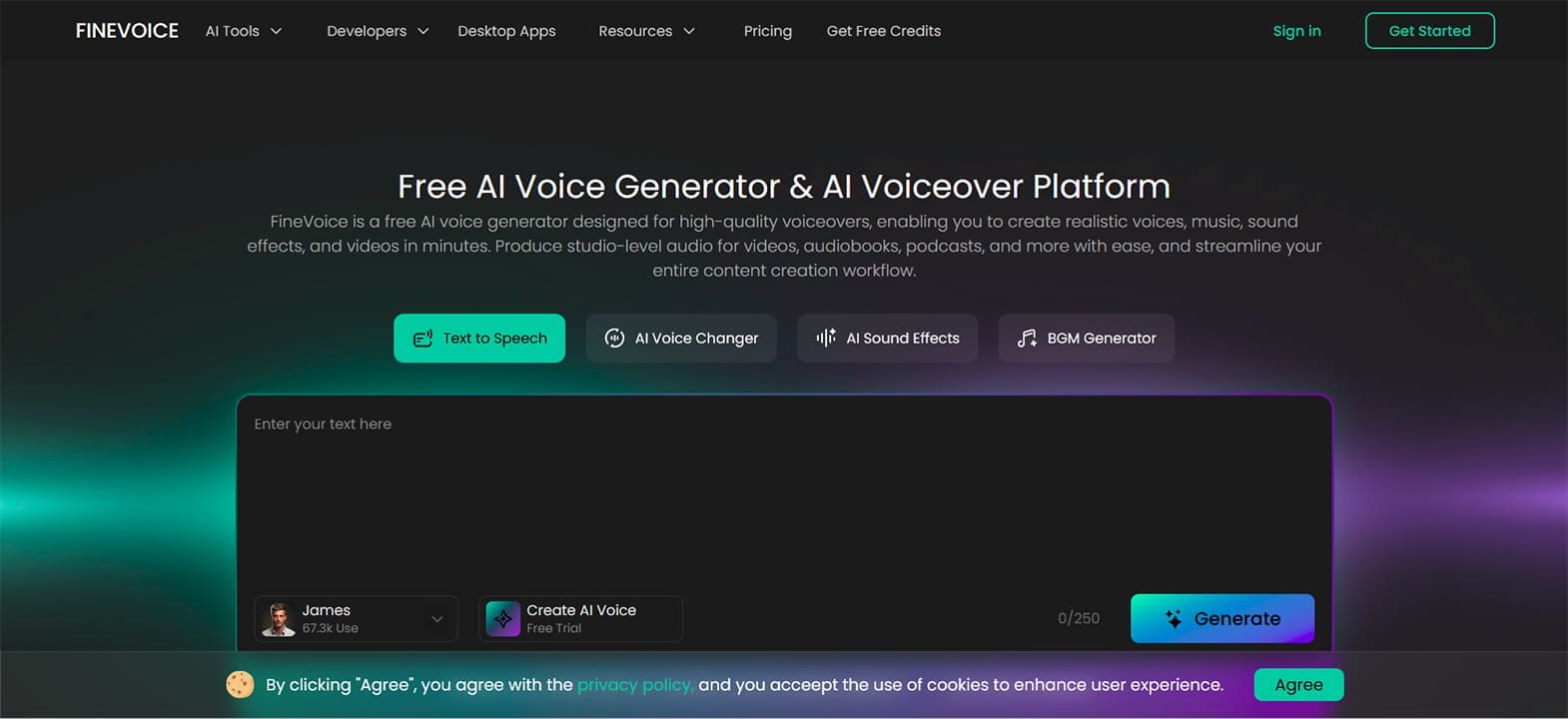
Some AI tools offer a limited selection of features and focus on depth instead. Others offer a toolbox with limited customization, but lots of functions. FineVoice AI is the latter. When you arrive on the landing page, you’re greeted with a wealth of possibilities, including:
- An AI voice changer to give your voice a different filter: everything from a different gender to an anime character
- Text-to-speech, which allows your dialogue to come to life (over 1500 ‘actors’ to choose from)
- Clone your own voice and have it narrate anything you want
- The ability to add lip syncing to videos and photos, though this does get into the uncanny valley
- A tool to clean up your voice, enhance it, and remove background noise
- A sound effect generator that operates by text input for specificity
- Audio to text to help with some basic transcription
- Translate a voice into over 150 languages
As you can see, this is quite a lot. FineVoice AI functions through text input and preset options. In some instances, sliders can help you change everything from pitch to speed, while dropdown lists provide voice actors and language options.
Jack of All Trades, Master of None
While there are many tools, they do lack refinement in some areas. Although it’s been improved, the AI (FineVoice 3.0) still struggles a bit with detecting nuance in text instructions and might shout when you need a whisper. Regional dialects of a language (of which there are many) can sometimes sound weird with inflections.
Still, if you’re not looking for perfection, these form a perfectly serviceable tool, which can narrate podcasts for content creators, be automated and integrated for developers, and used in videos for marketers.
The Limits of Freedom
FineVoice AI allows all users free rein of the site, but it quickly becomes apparent that many options (and whole features) are hidden behind paywalls. What’s more, to get the full benefit of the tool, you’ll need to download the desktop client, not to mention create a user account. The best features are capped. Speaking of which, let’s talk price.
What Does It All Cost?
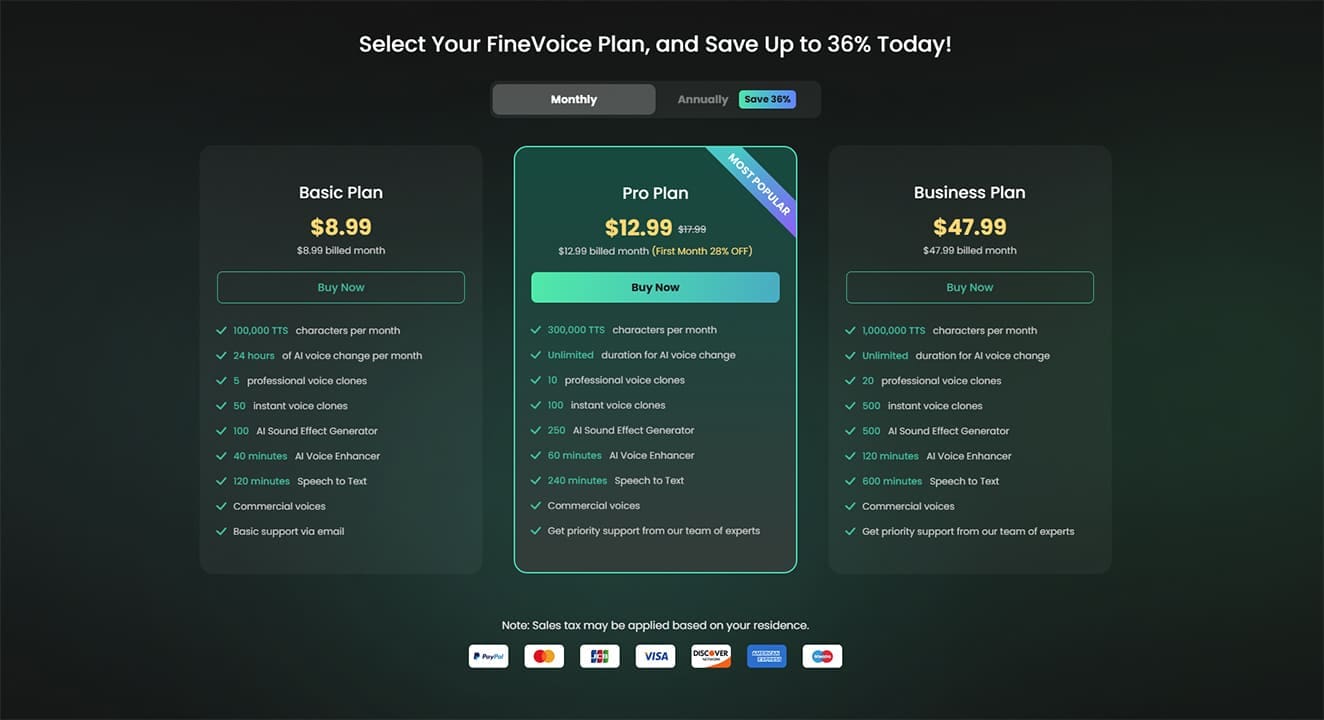
There’s a lot you can get out of FineVoice AI, which makes it frustrating that you only receive five credits to start, which run out fast. This is the “free trial” of the tool, and anything after falls under paying for a subscription. Of course, you can earn “coins” by referring friends.
Use of the tool costs $8.99, $12.99, and $47.99 for Basic, Pro, and Enterprise plans, respectively. You pay for access, with a certain number of text-to-speech characters or a number of voice clones. The higher tiers grant better access and more of it.
Related Posts
 How to Spot Competitor Changes With Let Me Know When AI Tool
 Engage AI – Explaining the New AI Tool for LinkedIn Comments
 The Importance of a Privacy Oriented GPT Tool and How HiddenGPT Helps You Stay Safe
 Best AI Voice Changers for Discord
 How to Transcribe a WhatsApp Voice Note in Otter AI
 Control Almost All PC Apps With Your Voice Through VoiceType AI
 AI That Tests Your Apps – Our Momentic AI Review
 How Criticly AI Transforms Your Insights – Full Review
 The Privacy-First Meeting Assistant: Our Meetily AI Review

Disclaimer: Some pages on this site may include an affiliate link. This does not effect our editorial in any way.