
From productivity tools and AI agents to chatbots, you can now use AI apps to handle many aspects of your work. But what about browsing itself? While many browsers have AI-generated answers pop up first, few focus on combining the two options for a more complete experience. To find out if it’s worth it, we offer this Norton Neo review so you can determine if it’s an AI-native browser worth taking a shot at.
What Is Norton Neo and Getting Started?
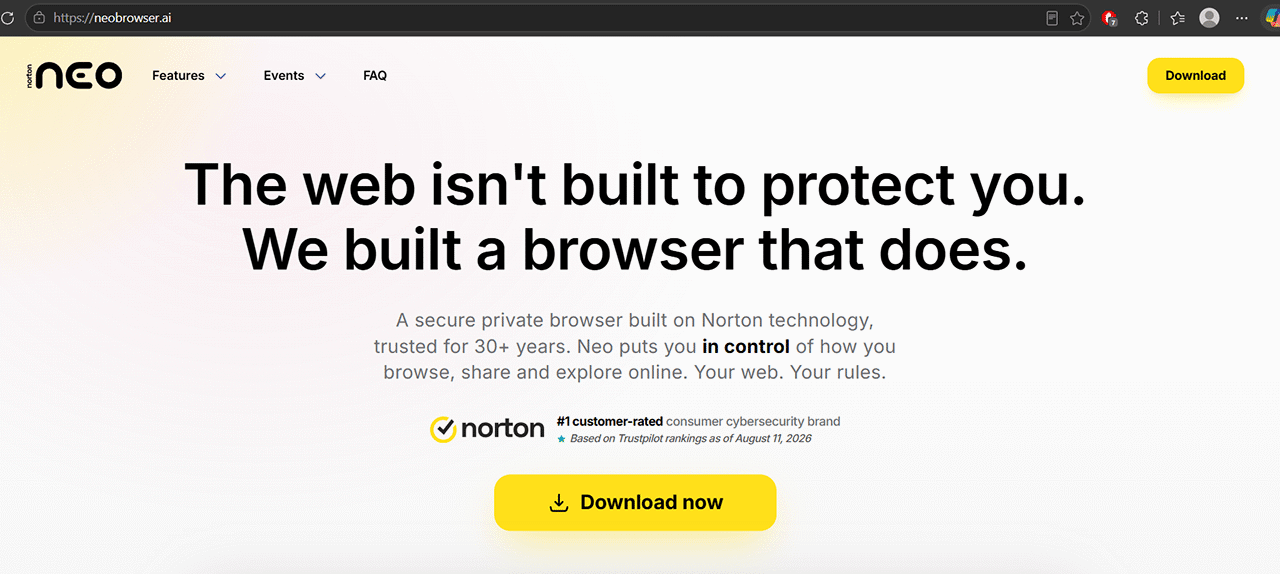
Right off the bat, the Norton Neo browser has a similar premise to any other internet browser, while also giving you the option to import your data, bookmarks, and browsing history from your existing browser. It also uses Google by default, which makes it a bit more convenient if you’ve used Chrome but don’t want fully AI-generated answers at the start.
Norton Neo is also a Chromium-based AI-native browser, which gives it the potential to support extensions designed for Chromium-based browsers, including Chrome and Edge. It should also work with Google accounts similarly to how Edge and Chrome do already.
When you open a new tab, you’ll get a relatively bare-bones “Workspace,” which combines the home page of a traditional browser and a chatbot while avoiding the “News” sections that Edge has and doesn’t allow you to remove.
For some reason, the tool by default has racing news and alerts, but you can close it entirely and change the categories to include your actual interests.

Because it combines AI chatbots and traditional search, you can input keywords to search or directly ask the AI to search for or generate answers. For example, searching for “Alphr” gives you our website among the first results, but if you type in “What is Alphr?” it will immediately give you an option to switch to answering.
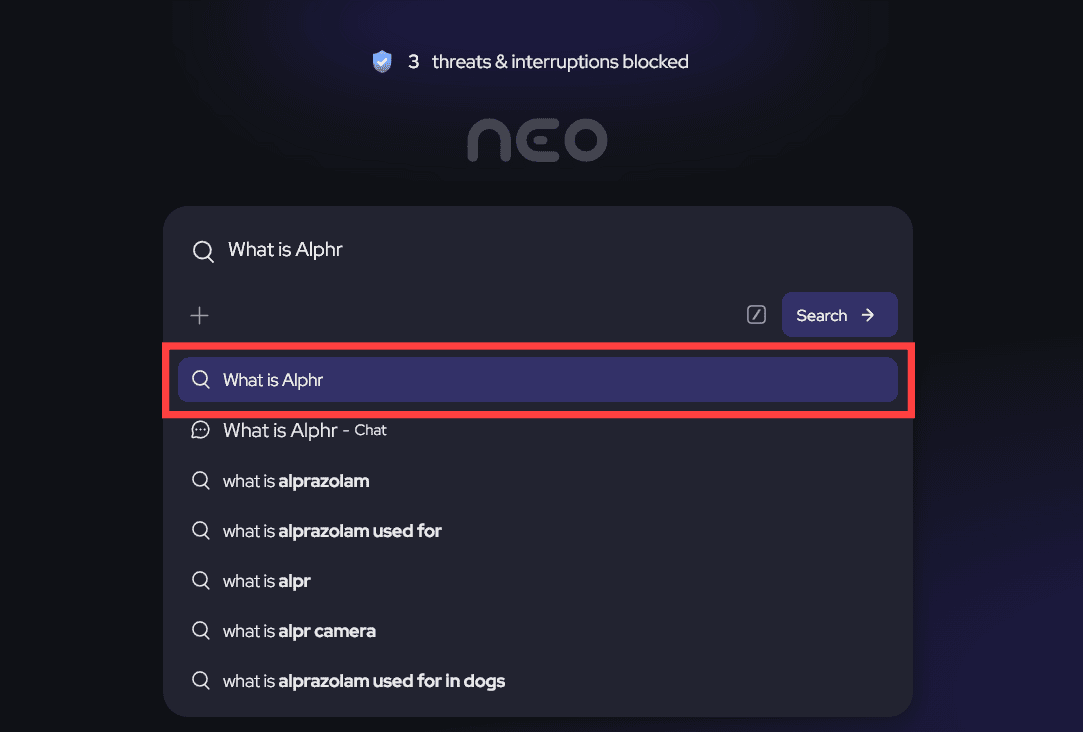
The AI itself can also fetch real-time data, so it should be accurate for news and recent events.
Norton Neo Review: Features
Other than the home tab, there are a few main features that the browser takes seriously, and that might set it apart from others.
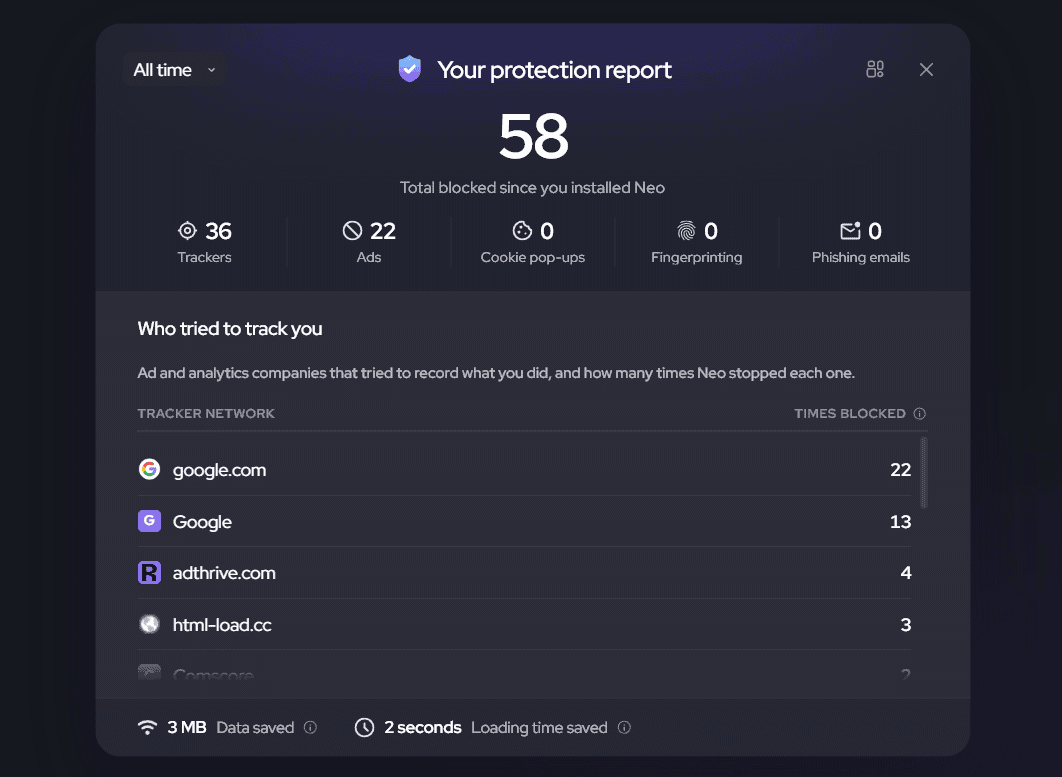
The first is security, as the Norton Neo browser automatically displays trackers that it blocked and where they came from. You can review these from the home page.
Secondly, the browser is particularly useful for larger research tasks because of how it manages tabs. It can order tabs either horizontally or vertically, depending on how you like them, but it also extracts the context of the tabs you have.
This then allows the AI to color-sort tabs and show that context in automatically created groups, something which can take a while if you’re using traditional Chrome, Edge, or Firefox.
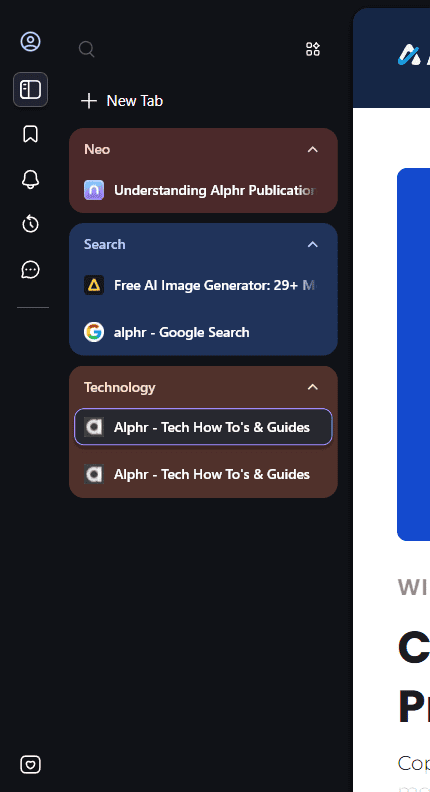
In some cases, the AI will reorder the tabs if they have a similar context, but it might also occasionally mis-tag a tab. Either way, the setting is completely optional, but it does allow you to quickly sort through tabs when needed.
Third, the browser comes with an innovative “Peek” feature when it comes upon a link. With Peek, you can open a small pop-up preview of the linked page without leaving the current tab or opening another one.

The pop-up can then be further navigated or expanded into its own tab if needed.

Additionally, you can directly ask the AI to summarize the contents of a page behind the link through the “Summarize” option. Both show up once you hover over a link and then over the “Neo” icon.
As for the summary, it pops up in a sidebar (like Copilot in Edge), but it does sometimes miss on the first try and needs to be regenerated.

Arguably, the biggest upside here is that the AI is always there. You don’t have to switch to a new tab if you need to generate an answer or open ChatGPT if you need drafting assistance. The browser also allows you to use its generative tools in many text boxes, while its AI assistant is just a click away in the right sidebar.
Norton Neo Browser: Potential Downsides
One of the main issues with this AI-native browser is that you never quite know what AI model it’s using. Norton doesn’t publicly note it, and its performance is only cursorily similar to Gemini or ChatGPT.
Additionally, like most AIs, it can hallucinate. But since the AI is built-in here, its hallucinations can propagate through how it organizes or overviews content, which does mean you may have to actively work against it at times.
Norton Neo also doesn’t support logins for some work accounts, which means that it might only be usable as a private browser. This might not be much of a downside, given how new the browser is and how established Chrome and Edge are for their safety.
Norton Neo Review Verdict: Should You Switch?
Due to this being just an internet browser, it’s fairly easy to personally test. Since the tool is free, you can download it from neobrowser.ai and see if it works for what you usually do when you research or browse.
Related Posts
 Is Avatalks Worth It? Full AI Language‑Learning App Review
 Apple iPhone 18 Pro: What’s New and Is It Worth the Upgrade?
 Is Apple Intelligence Worth It?
 Is Purple Leaf AI Worth It for Your AEO/GEO and SEO Game?
 Is Browserbase AI Worth It? An Honest Look at Web Automation for AI Agents
 Is Wakeman AI Worth It for Contractors?
 Discord Is Promoting the New Comet Browser by Perplexity AI – Is It Any Good?
 Kin AI App Review: A Private AI Assistant You Can Actually Trust?
 Needle AI Review: Is It Really the Easiest Way to Find Your Data?

Disclaimer: Some pages on this site may include an affiliate link. This does not effect our editorial in any way.