Smartphones have become harder to live without and, in many cases, harder to repair. A cracked screen, weak battery, damaged charging port, or faulty camera can interrupt work, communication, payments, navigation, and everyday routines. At the same time, replacing an otherwise usable phone simply because one component has failed is not always the most sensible choice.
Phone repair in 2026 is no longer just about replacing a screen with a screwdriver and a spare part. Modern devices combine adhesives, thin flex cables, sensitive batteries, advanced displays, biometric hardware, and tightly packed circuit boards. Understanding the problem before attempting a repair is therefore more important than ever.
Diagnose Before You Disassemble
The first step in any repair should be diagnosis rather than opening the device.
A phone that suddenly drains its battery may have an aging battery, but it might also have an app running heavily in the background. A phone that refuses to charge could have a damaged port, although a faulty cable, adapter, debris, or software issue may produce similar symptoms.
Start with the least invasive checks. Restart the phone, install pending software updates, test another compatible charging cable and power adapter, check storage space, and look for obvious physical damage.
Opening the phone before confirming that the problem is hardware-related can create a second problem while leaving the original one unresolved.
Screens and Batteries Remain Common Repair Areas
Displays are among the most exposed parts of a smartphone. A minor crack may leave the phone usable, while more serious damage can affect touch response, image quality, brightness, or the entire display.
Screen replacement has also become more complicated because many modern panels are strongly bonded to the frame. Flexible OLED displays and foldable devices can require even greater care.
Battery aging is another common reason phones begin to feel unreliable. Reduced runtime, unexpected shutdowns, or obvious battery deterioration may point toward replacement. A swollen, punctured, leaking, or abnormally hot battery, however, should not be treated as an ordinary DIY job.
Lithium-ion batteries can become hazardous when physically damaged. If there is visible swelling or deformation, stop using the device and seek appropriate professional assistance.
Modern Repair Depends on the Right Equipment
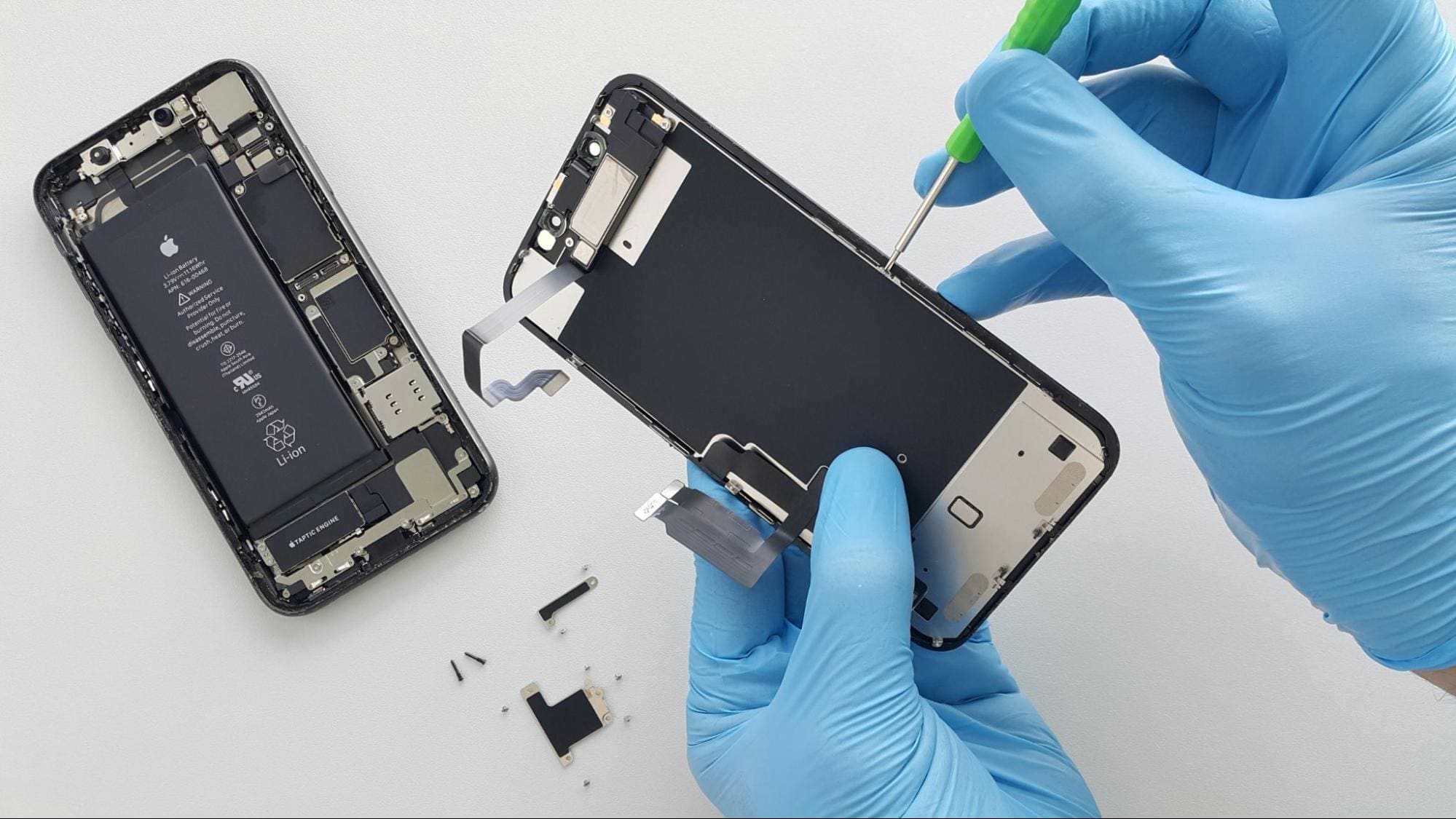
Trying to open a modern smartphone with general household tools is one of the easiest ways to create additional damage.
Different phones may require precision screwdriver bits, plastic opening picks, suction tools, tweezers, ESD-safe equipment, controlled heating equipment, magnetic screw organizers, or diagnostic instruments.
Having appropriate cell phone repair tools does not automatically make a difficult repair simple, but it helps reduce problems such as stripped screws, damaged housings, torn flex cables, and uncontrolled force during disassembly.
The correct tool should always be matched to the specific repair and phone model rather than selected simply because it looks similar to something used in an online video.
Replacement Parts Need Just as Much Attention
A repair can only work as well as the part being installed.
Screens, batteries, charging assemblies, cameras, speakers, and other components vary between models that may look almost identical externally. Even phones from the same product family can use different connectors or assemblies.
Before buying a replacement part, confirm the exact model number and any relevant regional or hardware variation. For screens, compare display technology and intended compatibility rather than looking only at size.
Quality matters as well. An inexpensive replacement screen may technically function but differ in brightness, color reproduction, touch response, or durability. A repair should restore useful operation rather than simply make the phone turn on again.
Know Which Repairs Belong at Home

Not every phone problem has the same level of difficulty.
Cleaning external debris, troubleshooting software, changing a screen protector, checking charging equipment, or replacing certain accessible components can be realistic for a careful user.
Motherboard faults, microsoldering, severe liquid damage, damaged connectors, complex foldable displays, or battery problems involving swelling are different. These jobs may require specialized equipment and experience.
A good DIY decision is not based on whether a repair video exists. It depends on whether you understand the procedure, have the correct equipment, can obtain a compatible part, and can complete each step without improvising.
Protect Your Data Before Starting
Before opening a phone, create a current backup of important photos, contacts, authentication information, documents, and other valuable data.
Many repairs do not affect storage directly, but accidents can happen. A disconnected component, damaged board, failed replacement part, or reassembly problem can leave the device temporarily inaccessible.
It is also sensible to check any warranty, insurance, manufacturer service program, or repair coverage before beginning. Repair terms differ between manufacturers and regions, so do not assume that a DIY repair is automatically the cheapest option.
Water Resistance Deserves Special Attention
Modern phones often use seals and adhesives to improve resistance to dust and moisture.
Opening the enclosure disturbs those seals. Applying new adhesive during reassembly can help close the device properly, but users should not automatically assume that the original factory-rated water resistance has been fully restored.
This matters for anyone who regularly uses a phone outdoors, around water, or in demanding environments.
Test More Than the Repaired Component
A repair is not finished simply because the phone powers on.
Before final sealing, check the functions that could have been affected during disassembly. Depending on the repair, this may include the display, touchscreen, charging, cameras, microphone, speakers, buttons, wireless connectivity, vibration, and biometric features.
Testing before applying final adhesive can save considerable time if a connector needs to be reseated.
Repair Can Extend a Phone’s Useful Life

One of the most useful changes in the repair conversation is the growing recognition that a device does not necessarily need replacing when one component fails.
Keeping a functional phone in service longer can reduce unnecessary spending and prevent usable hardware from being discarded prematurely. Repair will not make sense for every damaged device, particularly when several expensive components have failed, but it deserves to be considered before replacement.
Conclusion
Cell phone repair in 2026 combines better access to information and equipment with increasingly sophisticated smartphone construction. That makes careful diagnosis more important, not less.
Start by identifying the real fault, research the exact model, obtain compatible parts, prepare the correct equipment, and understand the risks before opening the device. Simple problems can sometimes be handled successfully at home, while complex electrical, battery, and motherboard faults are better left to experienced technicians. Knowing the difference is one of the most valuable repair skills a phone owner can develop.
Related Posts
 Best AI Personal Finance Assistants You Should Try
 The Best AI Website Builders to Try
 Best AI Character Generators for Creators
 Are Vibe Coding Apps Any Good – Our Top Picks
 Best Budget Apps for iPhone
 5 Best Apps for Identifying Plants for iPhone
 Best AI Presentation Generators in 2026: Tested on PDFs, Reports and Spreadsheets
 Best AI Resume Builders
 How to Repair Corrupted Video Files for Free?

Disclaimer: Some pages on this site may include an affiliate link. This does not effect our editorial in any way.