A lot of us find out we are broke the hard way: a declined card, a scramble before rent is due, or a how did I spend that much on takeout moment. The apps below fix that by doing the math for you and telling you, in plain terms, what is actually safe to spend. Whether you are streamlining your personal finances or optimizing technical workflows like configuring how to set up socks5 proxy in Windows, managing digital tools efficiently keeps your life organized.
We checked the App Store, pricing pages, and recent user reviews to land on five apps worth downloading. They are not interchangeable: one is built for tight spending control, another for net worth, another for envelope budgeting, one for automating savings, and one for credit health. Here is what each does best, what it costs, and who it is for.
Why These 5 Budgeting Apps Made the Cut
We judged each app on how it feels to use on an iPhone, how deep the features go, how reliably it connects to real bank accounts, pricing transparency, and App Store reputation. Everything here is currently maintained, runs smoothly on iOS, and does something the others do not.
| App | Best For | Starting Price | iOS Rating |
| PocketGuard | Best Overall | $6.25/mo (billed yearly) | 4.6★ |
| Empower | Net Worth & Investment Tracking | Free | 4.8★ |
| Goodbudget | The Envelope Method | Free (paid tier available) | 4.6★ |
| Qapital | Automated Savings Goals | $3/mo | 4.8★ |
| Credit Karma | Free Credit Monitoring | Free | 4.8★ |
#1. PocketGuard – Best Overall
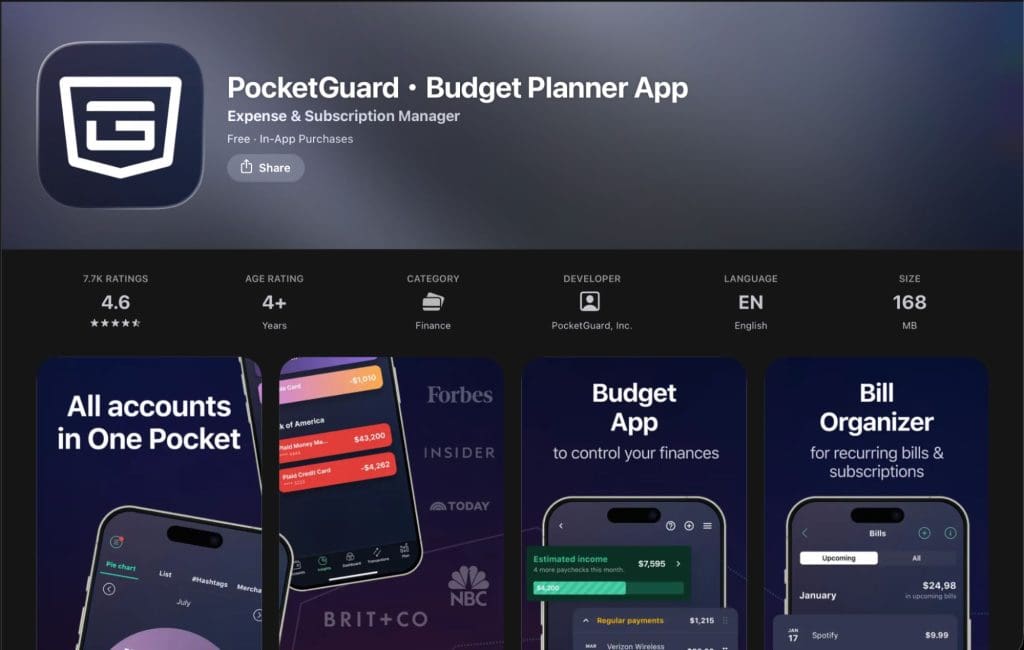
PocketGuard is the app we would hand to almost anyone looking for something comprehensive that does not feel like a chore. It goes beyond logging expenses, offering automatic tracking, customizable budgets, and guidance that looks ahead instead of just summarizing what already happened.
Key features
- Leftover: a real-time, safe-to-spend number calculated after your bills, budgeted spending, and financial goals. It updates the moment a transaction hits.
- Spending Pace: looks at roughly six months of spending history and forecasts the next four weeks against your budget, flagging whether you are On Pace, Under Pace, or Over Pace.
- Flexible budgeting styles: use Leftover for strict zero-based budgeting, or category limits and Pace for an envelope-style approach.
- Additional tools: net worth tracking, a debt payoff planner (avalanche and snowball), recurring bill tracking, and subscription cancellation.
- Apple ecosystem integration: Apple Wallet and FinanceKit integration, a genuinely iOS-native touch most competitors lack.
Pricing
PocketGuard Plus runs $12.99/month, $74.99/year (about $6.25/month), or $149.99 as a one-time lifetime purchase. Every plan starts with a 7-day free trial.
Worth knowing
PocketGuard does not stop at showing where your money went, as it tells you whether your current pace is sustainable before the month is over so a warning shows up while you can still act on it. Bills, subscriptions, savings, and debt payoff are all handled in the same app, which is probably why it keeps showing up at the top of best budgeting app lists from Forbes and NerdWallet. For users exploring other productivity and financial tools, examining whether Shortcut AI is your new best friend in Excel can also help streamline your daily spreadsheet data.
(Download: PocketGuard for iPhone on the App Store)
#2. Empower – Best for Net Worth and Investment Tracking
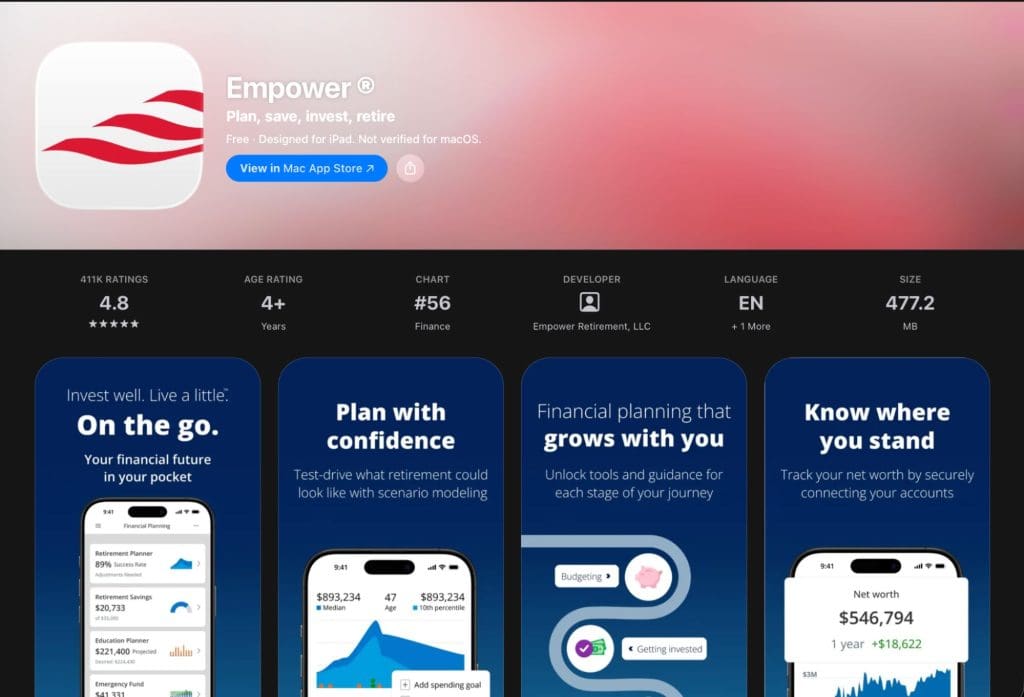
Empower (formerly Personal Capital) is the go-to for iPhone users who care more about the big picture, such as net worth, investments, and retirement, than daily category budgeting.
Key features
- Automatic tracking: net worth tracking across checking, savings, credit cards, loans, investment accounts (401(k), IRA), and mortgages, all in one real-time dashboard.
- Investment Checkup: a tool that analyzes your portfolio’s asset allocation and risk level against your goals.
- Fee analyzer: flags what you are really paying in investment and retirement account fees.
- Retirement planner: a built-in calculator that models your trajectory based on real account data.
Pricing
The Empower Personal Dashboard app is free. Empower also offers optional, separately priced wealth management services, but the tracking app itself carries no subscription cost.
Worth knowing
Empower is best for anyone whose finances span more than a checking account, including investors, people juggling retirement accounts, or anyone who wants a real-time net worth number on their home screen. It is less built for granular category budgeting, so pairing it with a dedicated budgeting app is common.
#3. Goodbudget – Best for the Envelope Method

Goodbudget brings the classic cash-envelope system to iPhone in digital form, making it the clearest choice for anyone who budgets by giving every dollar a specific envelope to live in.
Key features
- Digital envelope budgeting: assign income to virtual envelopes for groceries, rent, entertainment, and more, then spend only what is in each one.
- Family sharing: shared budgets across up to five devices, so couples or families can track the same envelopes in real time.
- Flexible envelopes: support for both regular and annual envelopes, useful for irregular expenses like insurance or holiday spending.
- Visual reports: spending-by-envelope breakdowns to see where the money actually goes each month.
Pricing
The Free tier includes 10 regular and 10 annual envelopes, ad-free, forever. The paid subscription unlocks unlimited envelopes and accounts, automatic bank sync, five-device sharing, seven years of history, and email support.
Worth knowing
Goodbudget is best for people who want the discipline of cash-envelope budgeting without carrying cash. Since it does not require bank syncing on the free tier, it is also a strong fit for anyone who prefers manual entry and tighter control over what gets tracked. When looking to expand your digital organization across other content platforms, checking out how tools like Postiz AI help you organize your social media in one place can complement your administrative routines.
#4. Qapital – Best for Automated Savings Goals
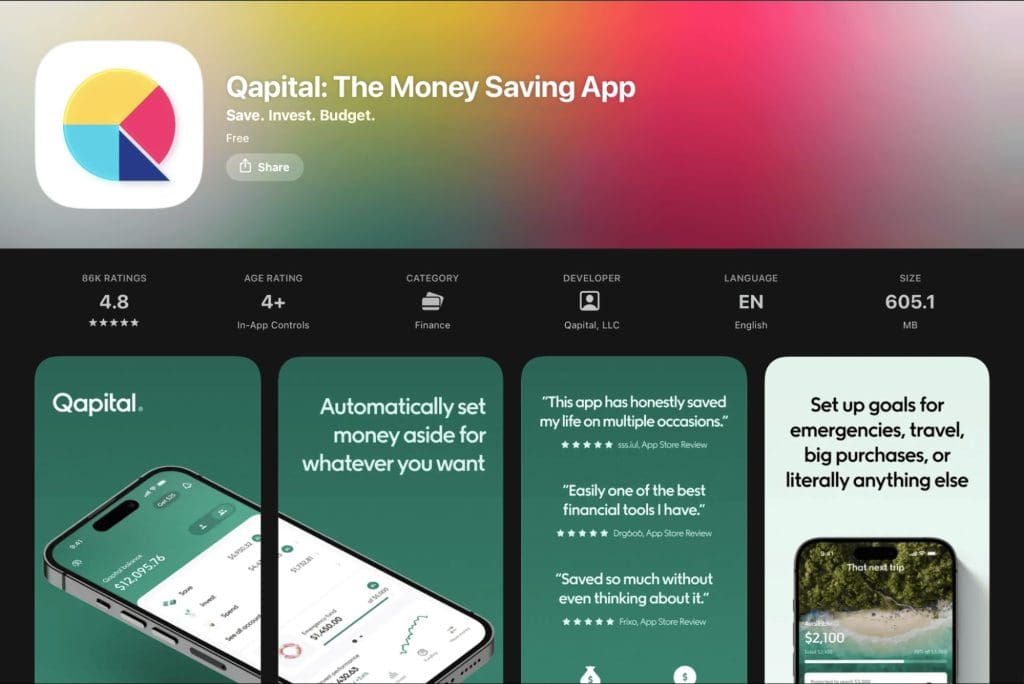
Qapital is built around one idea: saving should not require willpower. Set up a few triggers tied to things you already do, and the app moves money for you in the background, functioning more like a savings engine than a traditional budgeting app.
Key features
- Customizable savings Rules: trigger automatic transfers based on real-life activity, such as rounding up purchases, saving after completing a habit, or moving money on a schedule.
- Savings goals: unlimited, personalized savings goals, ranging from a small purchase to a major trip or emergency fund.
- Payday Divvy: automatically splits an incoming paycheck across spending, saving, and investing.
- Card and investing options: a Qapital Visa debit card and investing options on the higher tier, letting saved money grow with a risk-based investment plan.
Pricing
Qapital Basic is $3/month and covers unlimited savings goals and Rules. Qapital Complete is $6/month and adds the debit card, investing, and Payday Divvy. Both include a 30-day free trial.
Worth knowing
Qapital is best for people who have tried manual budgeting and found it does not stick. By automating the saving step entirely, it removes the willpower requirement and lets your everyday habits quietly build a savings balance. For creative professionals balancing visual asset generation and financial tracking, comparing tools like whether GenArt can really beat Midjourney at AI art helps evaluate your broader software stack.
#5. Credit Karma – Best for Free Credit Monitoring
Credit Karma does not budget your money, but your credit score affects almost every financial decision you make, and this is still the easiest way to keep tabs on it for free.
Key features
- Credit reports: free credit scores and full credit reports from major credit bureaus, updated regularly.
- Fraud alerts: real-time alerts when something changes on your report, useful for catching fraud or identity theft early.
- Personalized insights: explanations detailing exactly which factors are helping or hurting your score.
- Approval Odds: estimates your chances before you apply for a credit card or loan.
Pricing
Credit Karma is completely free, with no paid tier or subscription required.
Worth knowing
Credit Karma is best used alongside a dedicated budgeting app. Its strength is credit visibility, not spending control, but catching report changes early makes it a natural companion to any of the apps above, especially if you are working toward a big purchase like a home or car.
What to Look for in a Budgeting App for iPhone
Not every budgeting app fits every person, so it helps to know what to weigh before downloading one:
- Bank connectivity: look for apps that support secure aggregators like Plaid or Finicity and cover your specific bank without frequent sync errors.
- Budgeting philosophy: zero-based, envelope, and 50/30/20 methods approach money differently, so pick an app that matches how you think about spending.
- Forward-looking insight: apps that only show what you already spent are less useful than ones that forecast where you are headed, like a spending-pace indicator.
- iOS integration: Apple Wallet compatibility, widgets, and FinanceKit access make day-to-day use smoother on iPhone.
- Transparent pricing: favor apps with clear tiers and free trials over ones that bury costs.
- Security and privacy: bank-level encryption, read-only account access, and a no-data-selling policy should be non-negotiable.
The Bottom Line
If you only download one app from this list, make it PocketGuard. It is simple enough to open once a day and still deep enough to handle net worth, debt payoff, and bills, with Leftover and Spending Pace doing the forward-looking work most competitors skip.
The other four are not consolation prizes, though. Empower is hard to beat for a free, real-time net worth view. Goodbudget does envelope budgeting properly, without carrying cash. Qapital handles saving for people who will not do it manually. And Credit Karma keeps your credit visible for free, no matter which budgeting app you use alongside it.
Related Posts
 Are Vibe Coding Apps Any Good – Our Top Picks
 Best AI Personal Finance Assistants You Should Try
 The Best AI Website Builders to Try
 Can Floot AI Help You Build Web Apps Quickly and Easily?
 3 Cool Apps You Can Use to Create Minecraft Avatars With AI
 7 AI Apps That Help You Create SEO-Ready Content for Google
 Connect Your Everyday Apps Through Concierge AI and Skyrocket Your Productivity
 Control Almost All PC Apps With Your Voice Through VoiceType AI
 AppDeploy Review: Deploy Real Apps Directly From ChatGPT or Claude

Disclaimer: Some pages on this site may include an affiliate link. This does not effect our editorial in any way.