You might imagine that the desktop email client is almost completely dead in 2016, but you’d be wrong. Whether you’re frustrated by Gmail, enraged by Outlook.com, or just plain sick of Windows 10’s execrably bad in-built mail app, there are several great desktop email clients available for free.
Why should you consider moving to a desktop email client?
There are lots of reasons why people prefer desktop mail clients. One major difference is that you can synchronise your email while you’re within reach of a Wi-Fi network or an Ethernet cable, and then read, sort through and reply to your emails offline. If you’ve got a long-distance commute, or have limited access to the internet, then this is something of a boon.
Those of us with multiple email accounts have another good reason to move to a desktop client: if you want to keep a personal or work email account entirely separate to make it easier to manage, then using a separate mail client can make life much easier. There’s no worrying whether you’ve replied to an email from the wrong email address by mistake, and no need to clutter your personal webmail with business emails.
There are other benefits, too, depending on which desktop client you choose. Some include the ability to use digital signing and encryption (such as the open-source GnuPg standard) to keep your email correspondence safe and secure. Others, meanwhile, make it easy to keep your emails backed up – something that is still something of a pain on webmail clients such as Gmail – so that your business, or even just your everyday correspondence, doesn’t disappear in the event of data loss.
Which free desktop email client should I download?
It really depends what you’re looking for, but this list should cover all the possible bases – whether you’re after a highly customisable Outlook clone (eM Client), an email-wrangling powerhouse (Thunderbird) or an ultra-minimalist take on the modern desktop email client (Nylas N1), you’ll find something here that fits the bill. Click the menu below to check out the first of the three.
Continues on page 2: eM Client – The Outlook replacement
eM Client

Compatible with Windows 10, 8, 7 and XP
eM Client might not be the most memorable of names, but it’s not messing about when it comes to email. Head over to the website, and eM Client describes itself as the “best email client for Windows”. Bold words.
“eM Client describes itself as the ‘best email client for Windows’. Bold words.”
It packs in a veritable smorgasbord of features. In addition to supporting all the standard email protocols, you get plenty of useful features such as advanced email rules management, built-in translation and support for chat via most of the more common services, as well as usable calendar and contacts management. The inclusion of AirSync support will be a big plus point for those using Outlook or Hotmail accounts, too.
The automatic backup feature is welcome, too, and provides the ability to enable daily backups – something that may be popular with the super-paranoid users out there.
If you’re expecting it to look pretty, however, you may be disappointed. The interface doesn’t look anywhere near as slick and refined as rivals such Nylas N1, or even Thunderbird for that matter, and there are some minor issues with scaling on high-DPI screens – text sizing was a bit clunky on high-DPI laptop screens, and resizing cursors were impossibly tiny and fiddly. Still, it is highly customisable, so those looking for flexibility will be very happy indeed. This is an email client that is more about function than deliciously pixel-perfect form.
If you want an Outlook replacement or substitute that’s ready for the demands of running a business email account, however, then eM Client’s plentiful features, simple interface and menu-based layout will hit the spot.
Continues on page 3: Mozilla Thunderbird – The community-built email client
Mozilla Thunderbird
Compatible with Windows 10, 8, 7, Vista and XP; OS X 10.6 and newer; various Linux builds
A perennial favourite for desktop email client fans, the open-source Thunderbird has gone from strength to strength since Mozilla abandoned it and left it solely in the hands of the community. New features, improvements and tweaks are now entirely in the hands of volunteers – and so far it’s working out swimmingly.
“Thunderbird is a familiar-feeling alternative that is being constantly improved with community feedback.”
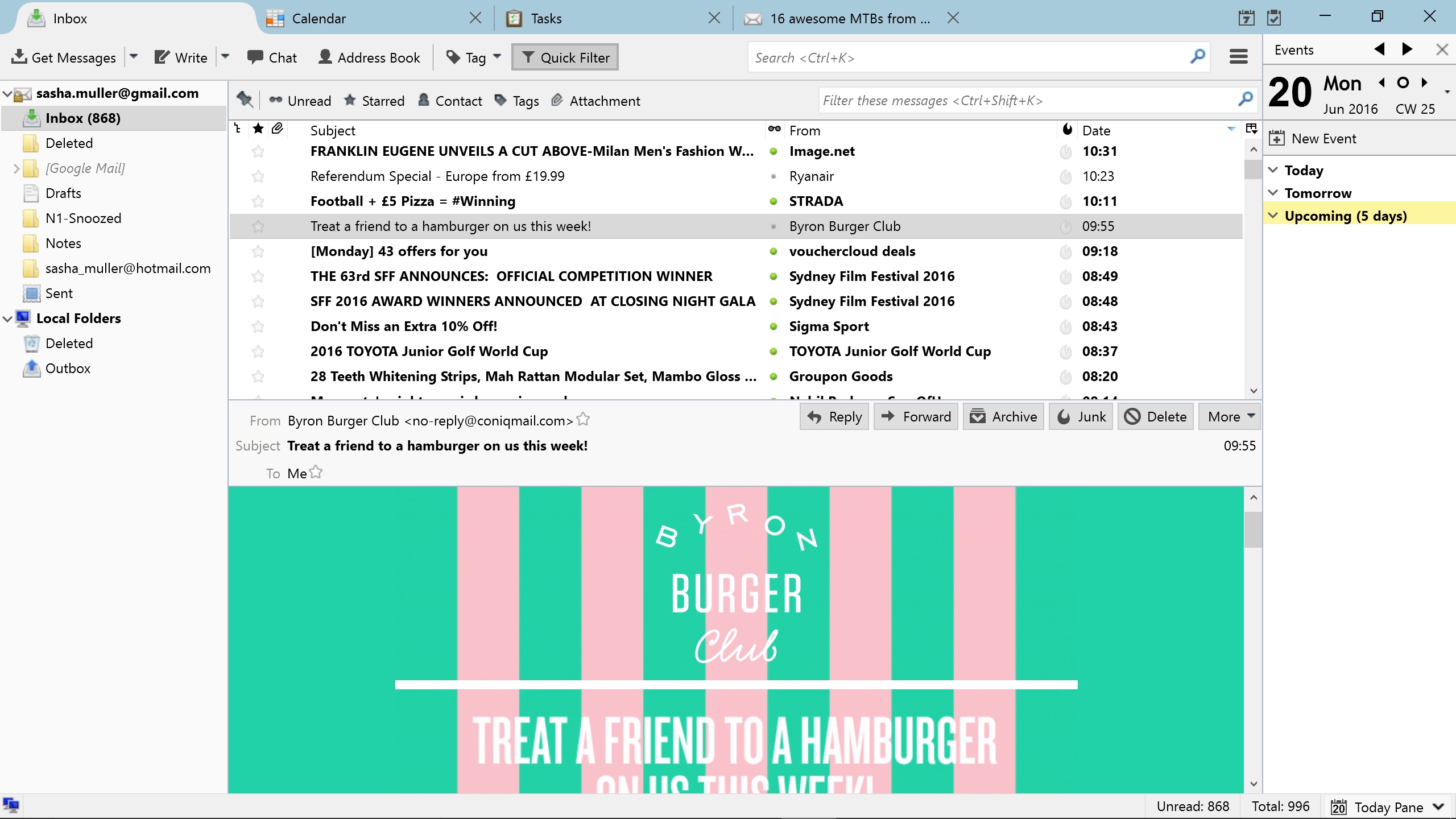
With the Mozilla Firefox engine beavering away behind the scenes, it’s no surprise to find that Thunderbird’s design makes heavy use of tabbed windows. Open it up and you’ll be faced with a familiar arrangement, with your inboxes, messages and message contents all spread across separate panes, but double-click an email (or indeed your Calendar or Tasks list) and it pings directly into a tab – just like on a web browser.
Compared to the other two clients here, this makes Thunderbird much better at juggling multiple messages, and the arrangement will be familiar to anyone who’s ever used a web browser. It’s possible to have multiple emails, chat conversations and calendar entries all open at once, and bounce between them with a click.
Getting your mail accounts up and running is straightforward – you don’t need to have your various IMAP, SMTP or SSL details to hand. Just type in your email address and password and Thunderbird will handle the rest. Another nice touch is the personalised email address feature, where you can set up a customised email address without leaving the application.
If you’re not keen on eM Client, but still want a fully featured and superbly flexible email client, then Thunderbird is a familiar-feeling alternative that is being constantly improved with community feedback. If you just want an application that makes email simple, without skimping on useful features, it’s a great choice.
Continues on page 4: Nylas N1 – The future of desktop email?
Nylas N1
Compatible with Windows 10, 8, 7, Vista and XP; OS X 10.6; and Debian Linux
Nylas N1 is the new kid on the block, and as it’s open source and published to GitHub, you can rely on the fact that it won’t be bought out and subsequently abandoned. In fact, take a quick look at N1’s page on the GitHub website and you can see that the project is constantly being tweaked and updated.
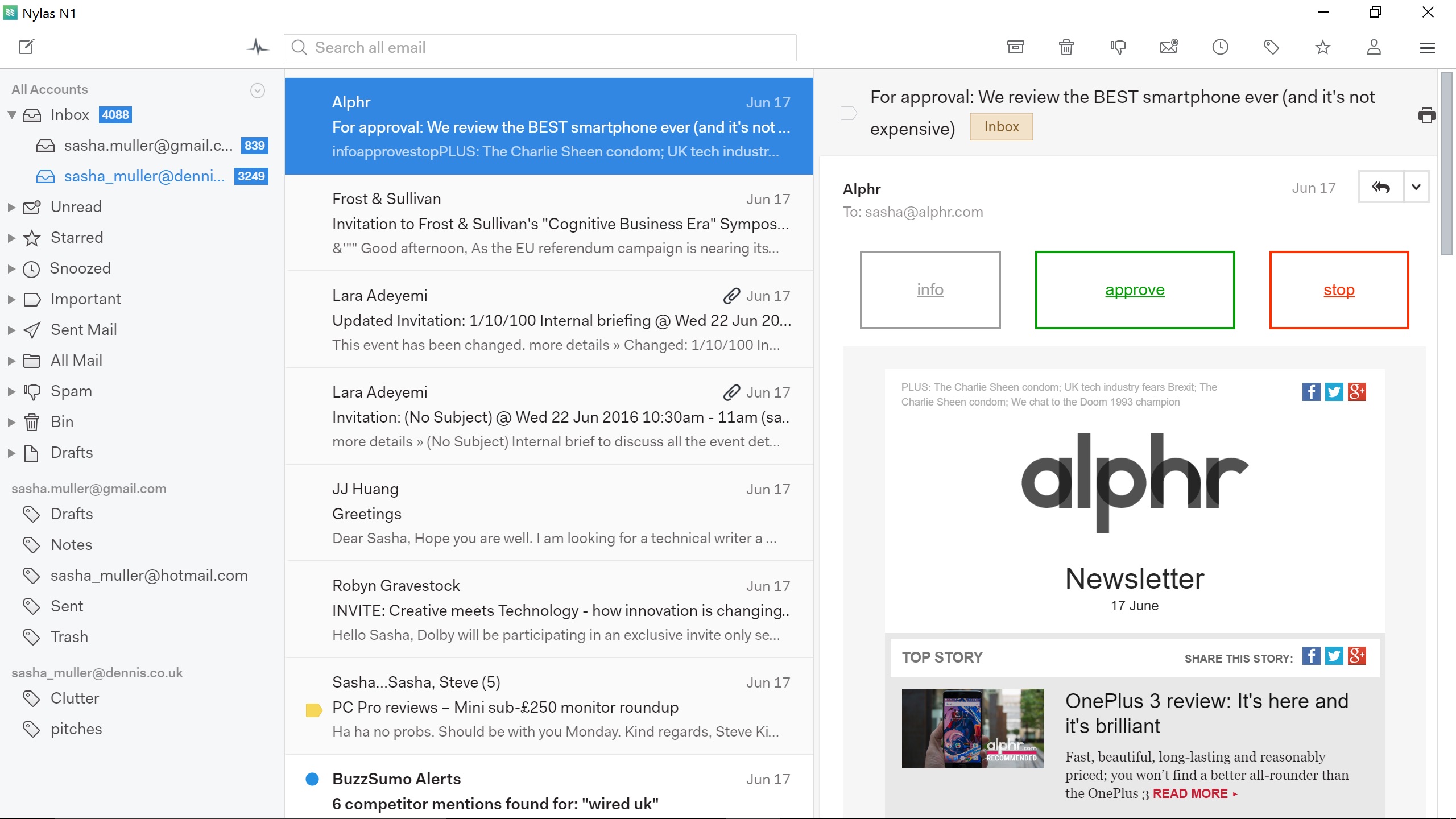
If there was an award for best-looking email client then Nylas N1 would have it sewn up: its interface is simple, easy to understand and genuinely elegant. It’s more than just a pretty face, however. If you’ve become accustomed to the keyboard shortcuts used by Apple Mail, Gmail, Inbox by Gmail or Outlook, then you can use your preferred layout in Nylas N1. A nice touch.
“Nylas N1 is a simple, effective email client, but it’s designed to be expandable via plugins.”
At its default, Nylas N1 is a simple, effective email client, but it’s designed to be expandable via an ever-expanding selection of open-source plugins. Or, if you’re that way inclined, you can design your own in JavaScript.
For instance, Nylas N1 doesn’t have PGP encryption enabled by default, but thanks to its plugin-based design, that’s easily fixed. Simply add the encryption plugin to your installation and you can start sending top-secret information to any contact who’s provided you with a PGP public key.
It is a little different to most desktop email clients, however, as it syncs email via Nylas’ cloud. This means that you can’t back up your email history like you can on other clients, but as Nylas does all the heavy lifting in the cloud, it does mean that it’s very, very fast.
Email syncs super-quickly as a result (and you can still reply offline), and there is a whole heap of cool features. It’s possible to track when – or indeed if – your emails are opened, schedule emails to be sent at a specific time with just a couple of clicks, send out calendar invitations or propose meeting times, and all without leaving the composer window.
Nylas N1 won’t be for everyone, but if you’re looking to dump Windows 10 Mail for something sleeker, faster and vastly more powerful, this may be just what you’ve been looking for.

Disclaimer: Some pages on this site may include an affiliate link. This does not effect our editorial in any way.