At a time when there is a lot of misinformation and imitation online, brands, businesses, and individuals need ways to prove themselves and establish credibility with their audiences. One way to do that is via the Meta Verified program, which helps both brands and influential individuals prove their identities on Meta-owned platforms, like Instagram, Facebook, and WhatsApp.
What Does Meta Verified in WhatsApp Mean?

Being Meta Verified in WhatsApp means that the user in question (usually a major brand or organization) has passed Meta’s verification process and is exactly who they say they are. All verified accounts have a special blue checkmark badge next to their names as a symbol of their credibility, so users can easily distinguish between authenticated accounts and others.
You have to pay for the Meta Verified program, with pricing starting at $14.99 per month. Applicants also need to meet a strict set of criteria, which we will outline below, and follow all necessary steps of the verification process. The program brings a range of benefits, though the value of those benefits can vary from person to person and brand to brand.
What Is the Process to Get Meta Verified in WhatsApp?
There is an extensive process that brands have to undergo before becoming Meta Verified in WhatsApp. Firstly, they need to meet certain requirements, which include:
- Having a phone number in a country where the Meta Verified program is active and available
- Having an active WhatsApp Business account
- Having two-step verification enabled for their account
- Complying with all terms of service for Meta Verified and WhatsApp Business accounts
- Being notable or well-known enough to warrant verification
During the verification process, the user will also need to provide supporting documents to demonstrate their identity and may be asked for additional evidence to show that their brand is well-known, such as links to blog posts or articles about the brand on other websites.
What Are the Perks That Come With Being Meta Verified in WhatsApp?

The advantages of being Meta Verified in WhatsApp include:
- The blue badge checkmark which helps your audience identify your authentic account
- Protection against imposters and imitators
- Premium levels of user support
- The ability to use your WhatsApp Business account across multiple devices and with multiple phone numbers
- Extended messaging limits for communicating with your audience
How to Spot Meta Verified Accounts on WhatsApp

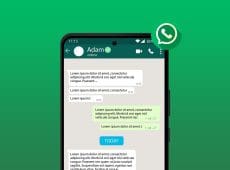
You can easily spot accounts that are Meta Verified in WhatsApp by looking for the distinctive blue badge next to the name. This appears in chat windows and on the contact card for the profile in question. Some users try to fool others by putting a checkmark emoji at the end of their names, but only Meta Verified accounts have the real blue badge.

Disclaimer: Some pages on this site may include an affiliate link. This does not effect our editorial in any way.