
One of the main drawbacks of no-code app builders is that they often output code. If you just want a simple app that is operated from within a controlled environment, even that can sound daunting. Whacka AI aims to eliminate that by delivering an app that is ready to use in minutes and focuses on looking good.
But how well does it code? Read our Whacka AI review to find out.
What Is Whacka AI and Getting Started
Whacka is a PWA (progressive web app) builder that creates small apps meant to support a local business or even just personal use. The platform creates apps that users can test out of the box by clicking through the provided UI instead of looking at the underlying code.
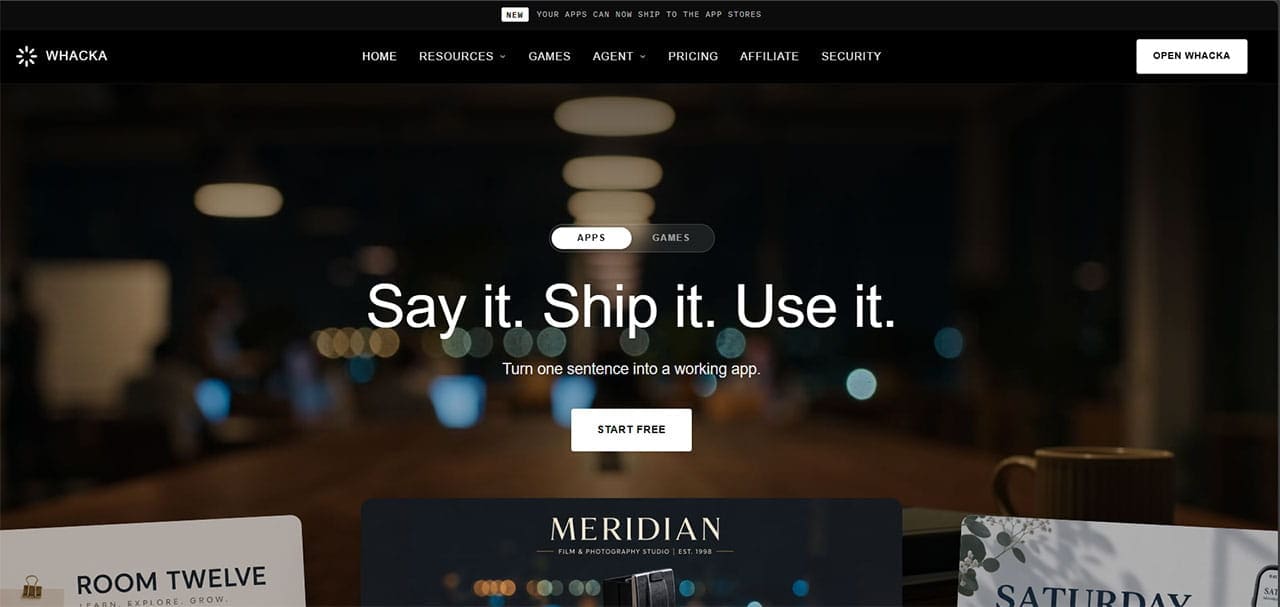
One of the main elements here is that Whacka doesn’t expose the underlying code during normal use. The entire underlying structure of the app is skipped and stored internally, which means you interact with the finished app through its interface and use the AI editor to make changes or troubleshoot problems.
When starting the app, you can choose to build a general-purpose app like a booking client or a simple CRM, or create a game. Either way, the agent will prompt you to enter a plain description, where any attachments, like concepts of the UI, can further refine the initial output. The client also accepts voice input.
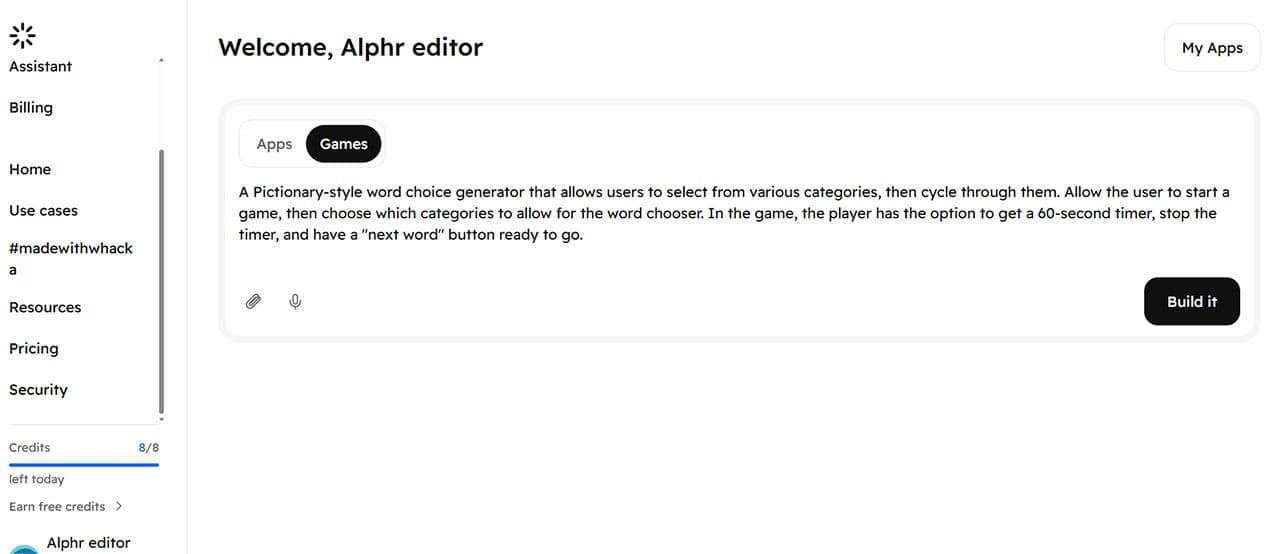
After the initial design phase, Whacka AI takes you straight to how the app will look. Usually, this will be the home page with a prominent display of the main capabilities that you asked for. This means that it’s important to provide as much detail in the original prompt as possible, which guides the AI’s design phase.

Then, the AI takes more cues if you prompt it to refine any parts of the UI or add more behind-the-scenes content, such as categories to choose from or clickable options.
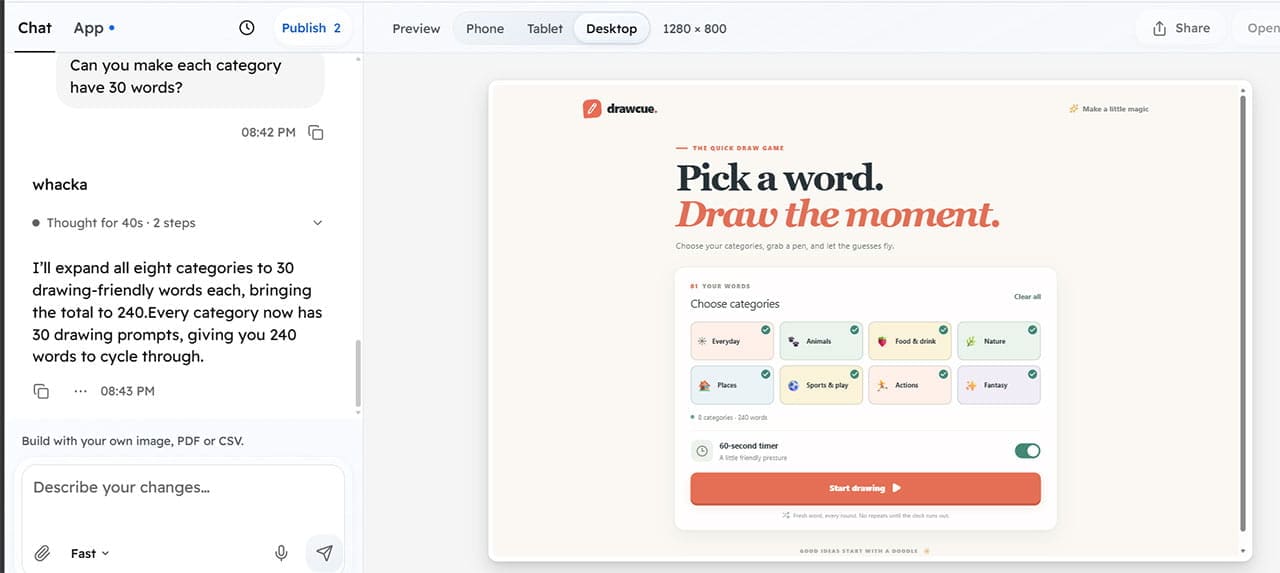
In general, the tool is pretty fast, taking a few minutes at most to implement simpler changes and increase its database. You can also overview the tool’s link, what data it uses, and how it handles user registration and information in the “App” page of the console. The app builder automatically scales the UI for mobile, tablets, and desktop modes since users will access it via a browser anyway.

Once you’ve done the preliminary build, you can click on “Publish” at the top to have the app go live. When you do that, the app stays on the platform for two weeks if you’re using a free account or a weekly subscription.
Whacka AI Review: What Works and What Doesn’t
The main benefit of Whacka is that the apps it builds are extremely user-friendly, approachable, and usually publishable out-of-the-box. That’s usually because the requirements for making the app are relatively low.
The app handles user logins and data well. It allows you to set up the admin (yourself) for the app and designate other users with permanent or temporary logins. This can be great if you want a simple booking manager that stores only the bare contact information without clogging up a database.
The platform also includes a basic payment-processing module that lets you accept payments via Stripe or PayPal.
The app’s storage system is where it falters a bit. Whacka pauses Free and Weekly apps after 14 days, while Starter and higher plans keep them online for the duration of the subscription. However, Whacka doesn’t delete paused apps: their data and versions remain available if you upgrade.
The AI is also good at building straightforward apps that require minimal input or are formulaic. It doesn’t work with dedicated software solutions that need to comb through user data and build anything other than simple connections or listings.
Whacka AI Pricing and Verdict
At base, you can technically use Whacka for free in perpetuity. However, the platform doesn’t keep apps permanently, so it will eventually delete anything you build. Therefore, the free account is only useful as a trial and brainstorming tool.
The platform also has a community-based component through social media hashtags where you promote the app you build and see how many users you can get. This feature can be hit or miss since local businesses that typically use these apps don’t usually need a global social media reach.
Pricing-wise, the subscription tiers that matter are Standard at $10 a month or Pro at $40 a month (both coming with a 20% discount for annual prepayments). The Standard plan lets you host the app on a private domain, while the Pro plan outputs it in a mobile-native format that you can publish on Google Play and the iOS App Store (though publishing results may vary).

Overall, this is a good tool if you need something simple for game night or a small tool to give to your customers before you build a properly hosted website with a dedicated CRM tool. After a bit of company growth, its capabilities stop matching the pricing.
Related Posts
 Let Empromptu AI Build Your Ideas Into Apps
 Can Floot AI Help You Build Web Apps Quickly and Easily?
 How Well Does Biela.dev AI Code Your Ideas?
 How To Test Mobile Apps Across Regions Without Getting Blocked Or Misled
 The Best Free AI Tools to Build a Website
 Can Fabricate AI Really Build a Full App From a Single Prompt?
 Using AI to Build Websites With SitesGPT.com
 What Does Meta Verified Mean in WhatsApp?
 Does Clipdrop AI Deliver Pro Capabilities for Image Creation and Editing?

Disclaimer: Some pages on this site may include an affiliate link. This does not effect our editorial in any way.