

It seems that there are countless AI image and video generators, but most focus on the bare essentials. With NightCafe AI, you get one of the most versatile AI art studios and video generation tools, and the platform has been built with gamification in mind. But does it make any good art? Find out more in this NightCafe AI review.
NightCafe AI Basics
NightCafe is a full-service platform meant to design AI art and videos purely for entertainment. The focus is on community engagement and using the AI images for mostly non-commercial purposes.
With that in mind, the app’s main draws are the plethora of AI models to use and a fairly generous free account system.
Using the app is deceptively simple:
Step 1. Make an account on NightCafe.
Step 2. Go to the “Create” page.
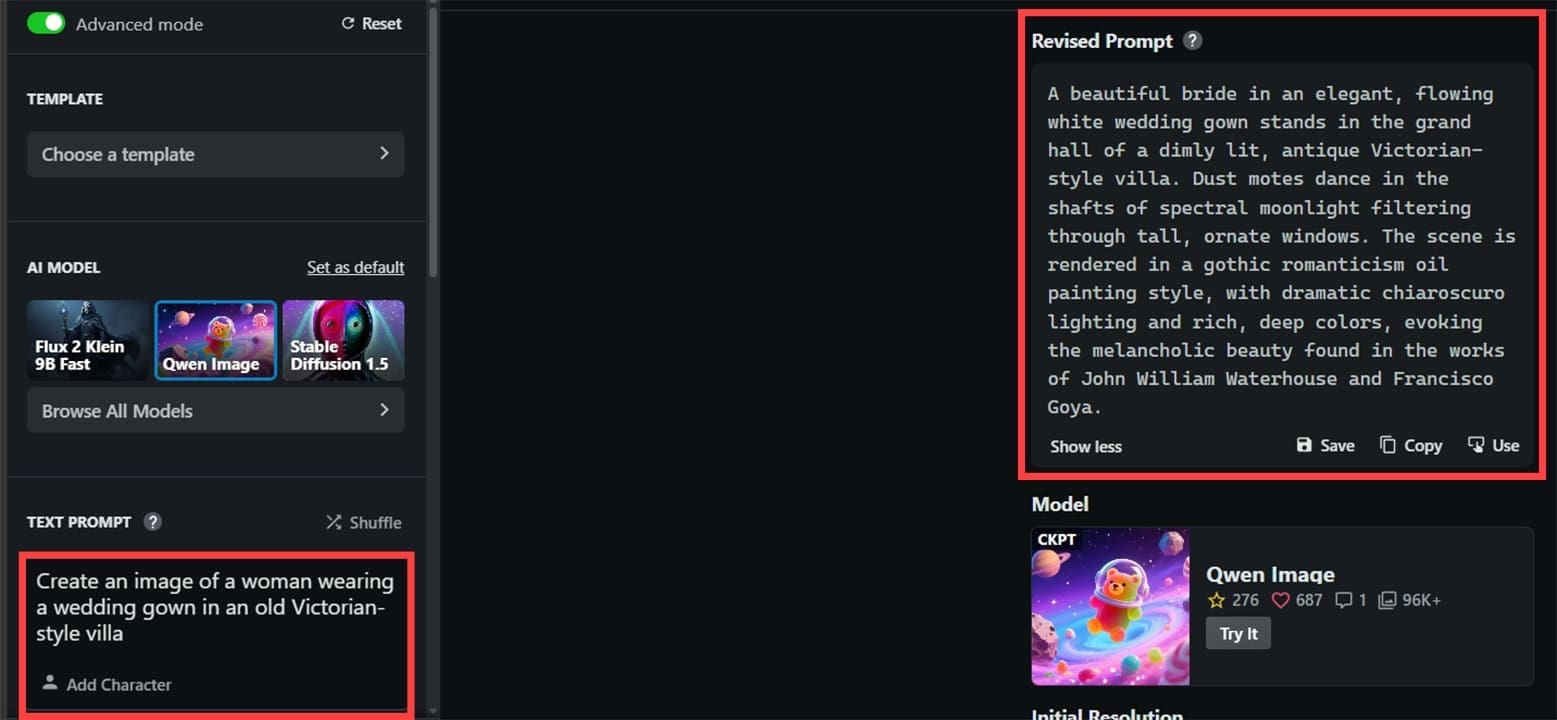
Step 3. Choose the model from the list of available options, then enter a brief description of the image you want.
Step 4. Click on “Create” and wait for the result. If you’re using a free account, this might take some time since free users are deprioritized compared to Premium subscribers.

That’s pretty much it. The tool allows you to choose the image resolution and how many images are generated at once.
Notably, the AI doesn’t actually take your prompt as-is. Instead, you get “Prompt magic,” which also uses AI to add details that it thinks you want (based on previous user creations). If you want to get the exact result you want from the outset, you need to be more specific in the prompt.
After generating, you can even edit images:
Step 1. Go to the “Creations” page in your profile, then choose an image.
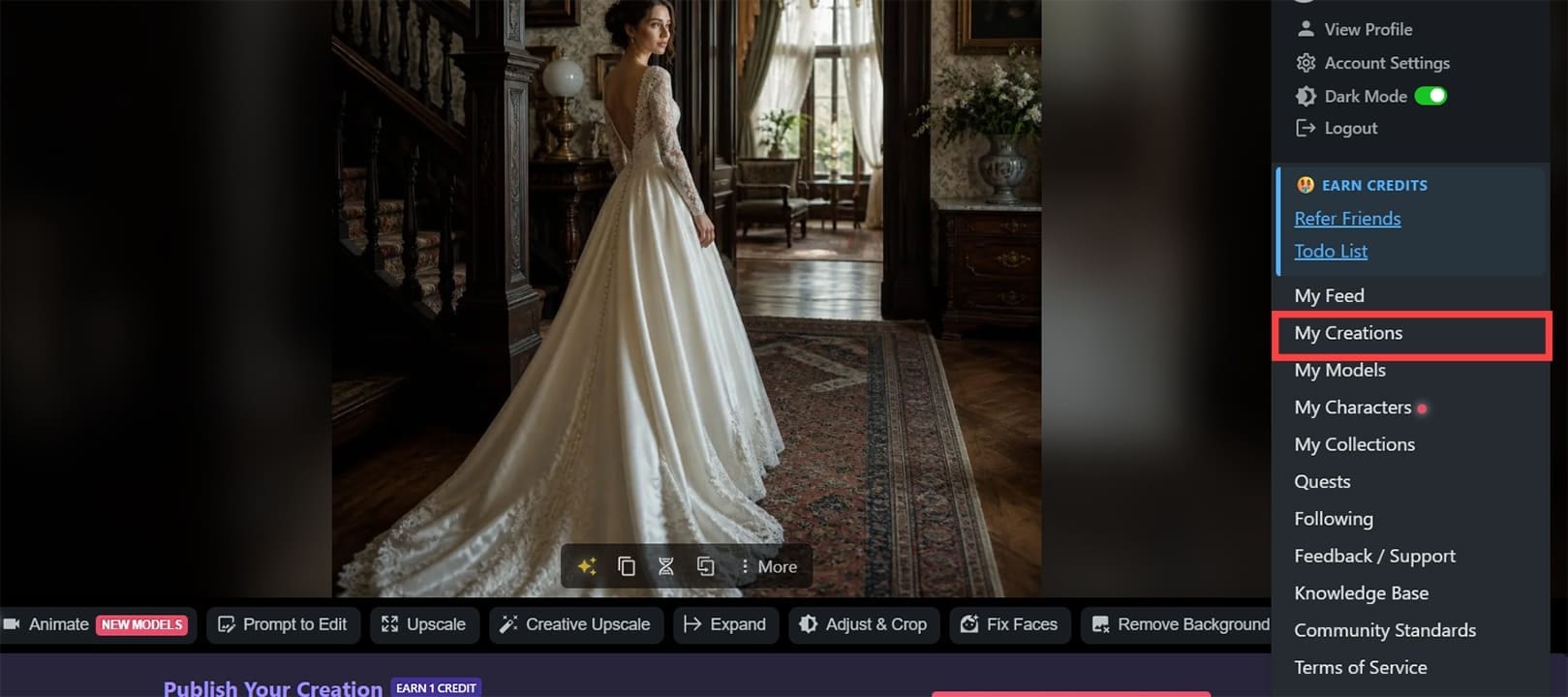
Step 2. You can use the “Prompt to Edit” mode to give text instructions to the AI on what you want to change. The AI will try to detect the features you want and edit them accordingly.
Step 3. You can remove the background using the appropriately named button or upscale the image to a higher resolution.
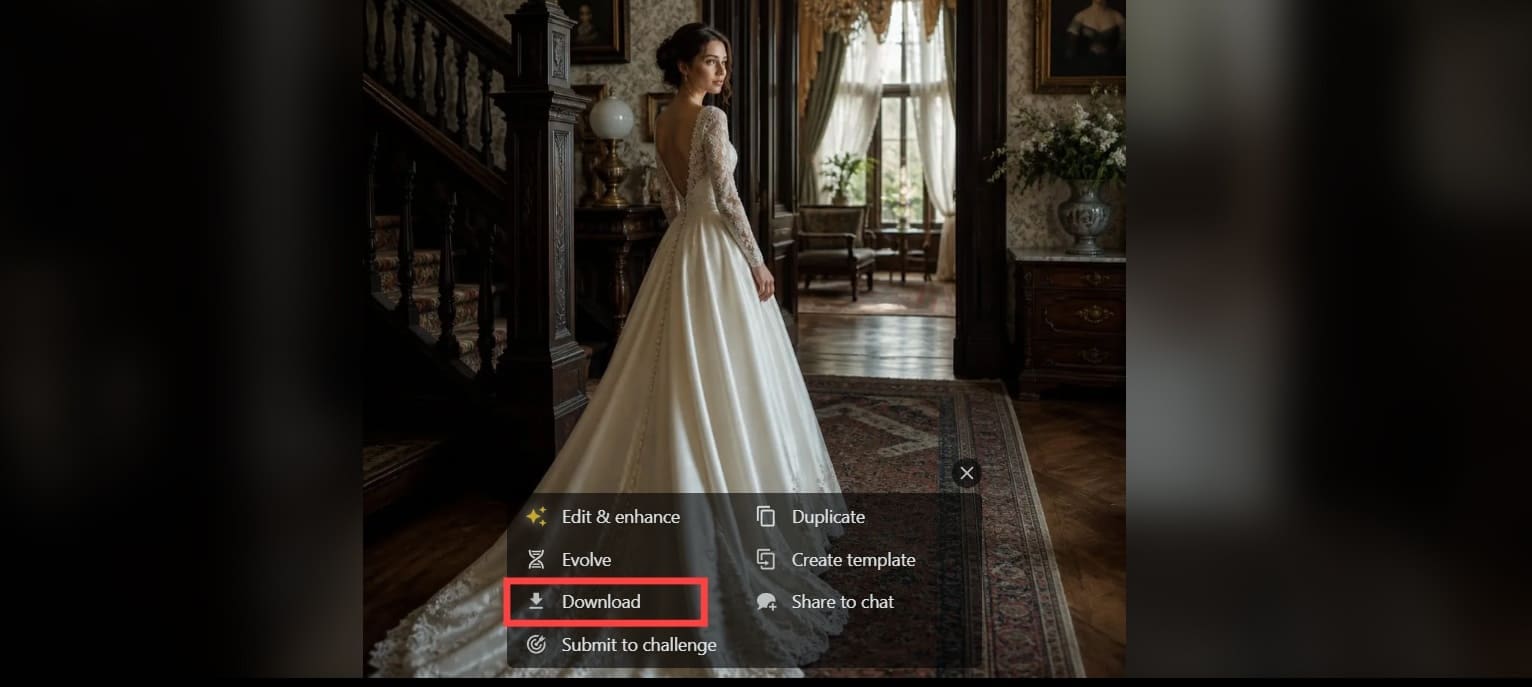
Step 4. To download an image, hover over it, click on “More,” then choose “Download.” Use the “More” inside the image rather than in the bottom toolbar.
How Does NightCafe AI Perform?
The platform has a lot of up-to-date AI models, including Stable Diffusion, Seedream, Nano Banana, and Flux 2. This allows you to get a good range of images from realistic designs of Flux.2 to the more cartoony options of Nano Banana to the “painting-like” results from Seedream.
As far as quality is concerned, you get pretty much the same results as if you’re using the models natively. The platform’s big advantage is that it collates them and streamlines the editor to the bare essentials to make it more approachable.
Added Features
One of the platform’s standout features is its focus on community interactions.
While NightCafe automatically defaults to public sharing, you can manually unpublish or hide your creations to keep them private. However, that means you won’t be part of the community voting rewards that give you free credits. The platform also maintains a forum-like messaging system for helping users streamline or improve their prompts or get real-time assistance.
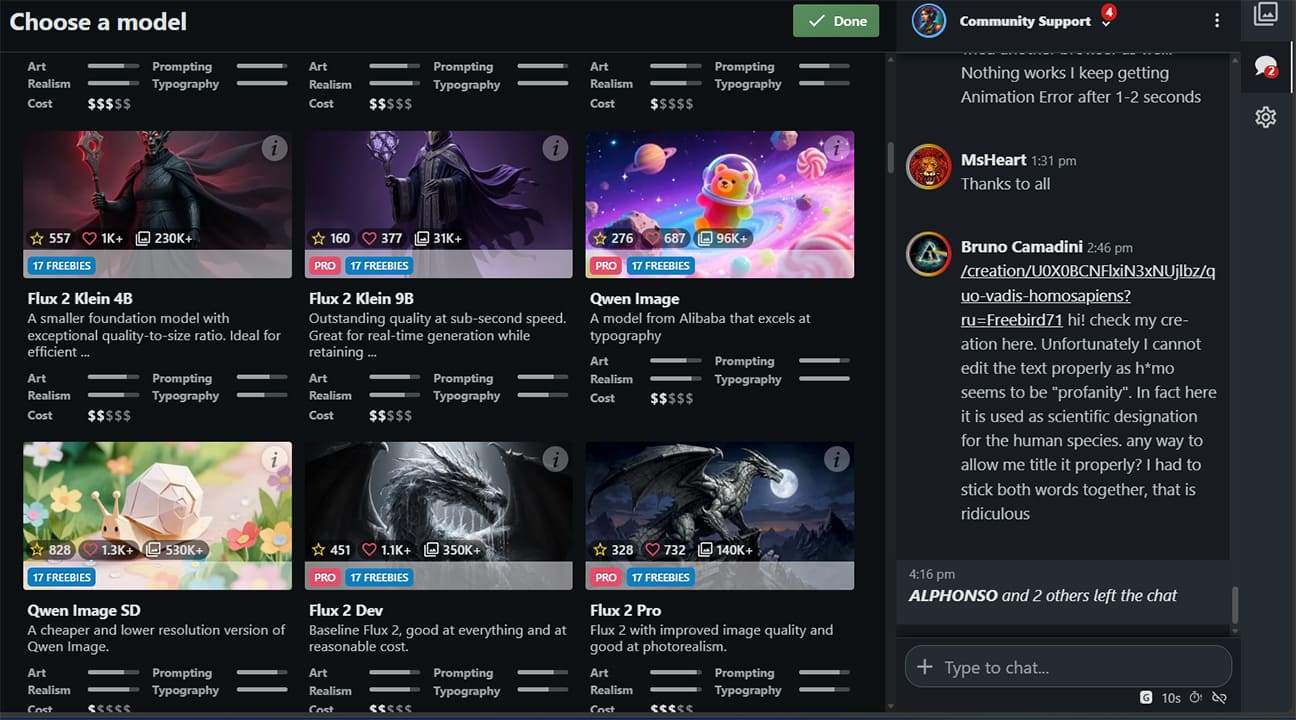
This focus on community also means that all of your images will be immediately visible, reducing privacy a bit and making the platform more like a social media platform.
Pricing
The second standout feature is arguably the pricing model.
Like many other AI apps, NightCafe AI uses a credit-based pricing system, which can be refilled via monthly subscriptions or direct one-off purchases. The rate here is generally good, and a big point is that most images only use up a single image credit for the first generation.
What’s notable here is the generous freebie system. When first signing up, you get five daily credits, and you can get six more simply by subscribing to the newsletter (which you can immediately unsubscribe from) and generating your first image.
Additionally, the first image you make in most models won’t even use up the credit, allowing you to essentially get a free edit for improving it.
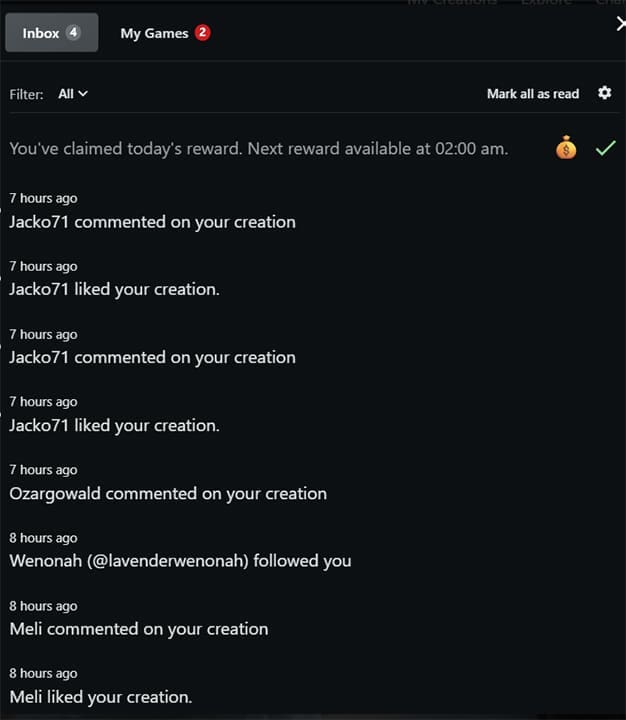
The platform also comes with notifications, rewards, and games that dole out free credits periodically.
AI Videos
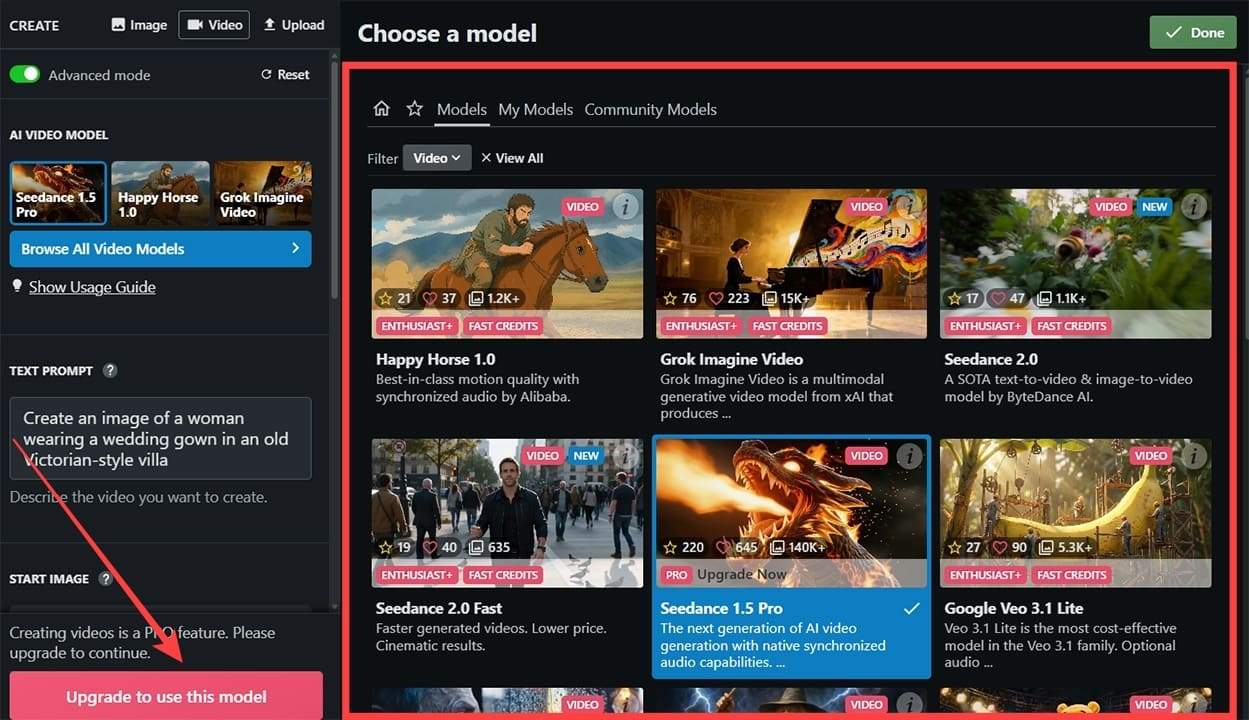
Apart from making images, NightCafe AI has a dedicated AI video creation option. It comes with Veo 3, Grok, and Seedance AI models, which form a strong foundation for videos.
Notably, AI videos are only available if you have a premium subscription, regardless of your credit balance.
Verdict
There are a few gripes with the system:
- If you use a free account, you’ll be put into a queue when you generate an image. Despite the fact that at some times of the day there aren’t that many users, this still results in a slight delay. If the platform becomes more popular (and expensive), it could lead to making free users wait a while for their images.
- The tool gives you the option not to publish the images (even if they are not searchable) on the platform for everyone to see. But you can miss out on some free credits and free advice.
- You may get a lot of emails and notifications since everyone can see and comment on your creations (and does, to make use of the gamification system for free credits).
Similarly, the platform also doesn’t have a monetization system for the pictures you create or options to export them in a lot of file types.
As such, it’s pretty clear that NightCafe AI caters toward a more casual audience where the AI images should be used for entertainment and generally non-commercial purposes.
But thanks to the generous freebie system, you can play around with the AI models and get solid images to try out the features before committing.
Related Posts
 When Digital Art Meets Skin – Designing Tattoos With InkDrop AI
 How to Turn Songs Into Viral Videos With Muze Art
 How to Use the Wirestock Discord Bot to Make Money With AI Art
 Get Free AI Art With GenTube
 You Can Use AI Watermark Remover to Get High-Quality Stock Photos Free
 Does Clipdrop AI Deliver Pro Capabilities for Image Creation and Editing?
 What Does Meta Verified Mean in WhatsApp?
 Create New Memories From Old Photos With NovaFlick AI

Disclaimer: Some pages on this site may include an affiliate link. This does not effect our editorial in any way.

