Developing is a tough enough job already without having to worry about small details like proper ticket formatting. However, tickets are a reality, if an unwelcome one. Having an AI tool to streamline things, then, is a huge advantage.
In this article, we’re looking at Ticketify, a ticket generator that streamlines and properly formats tickets from prompts. Join us in our Ticketify AI review as we take a closer look.
Our Ticketify AI Review

Let’s get straight into it and see what Ticketify is all about:
Jira Made Simple
The ease of using Ticketify is evident right from the landing page with a big box ready to receive your issue, bug, or report and turn it into a well-formatted Jira ticket. It doesn’t have to be that either; you can generate tickets that can be used with Jira, Linear, Trello, Asana, and other project management platforms. Let’s take a brief look at how it works:
Step 1. Enter your text into the box to be turned into a ticket. It helps to be as detailed and clear about things as possible.

Step 2. In the bottom-left of the panel below the box, choose the type of ticket you want generated, e.g., “Bug,” “Story,” “Epic,” or “Task.”
Step 3. The Settings button will allow you to change certain settings, such as the formality and urgency of the ticket.
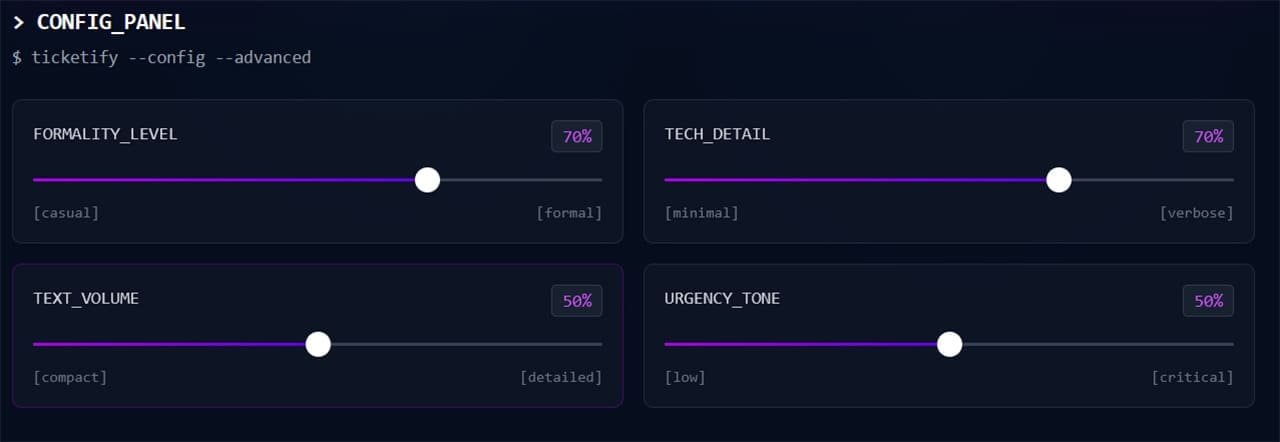
Step 4. Once satisfied, click the “Generate Ticket” button.
Step 5. The ticket will then be generated. Click the “Edit” button to manually change details.
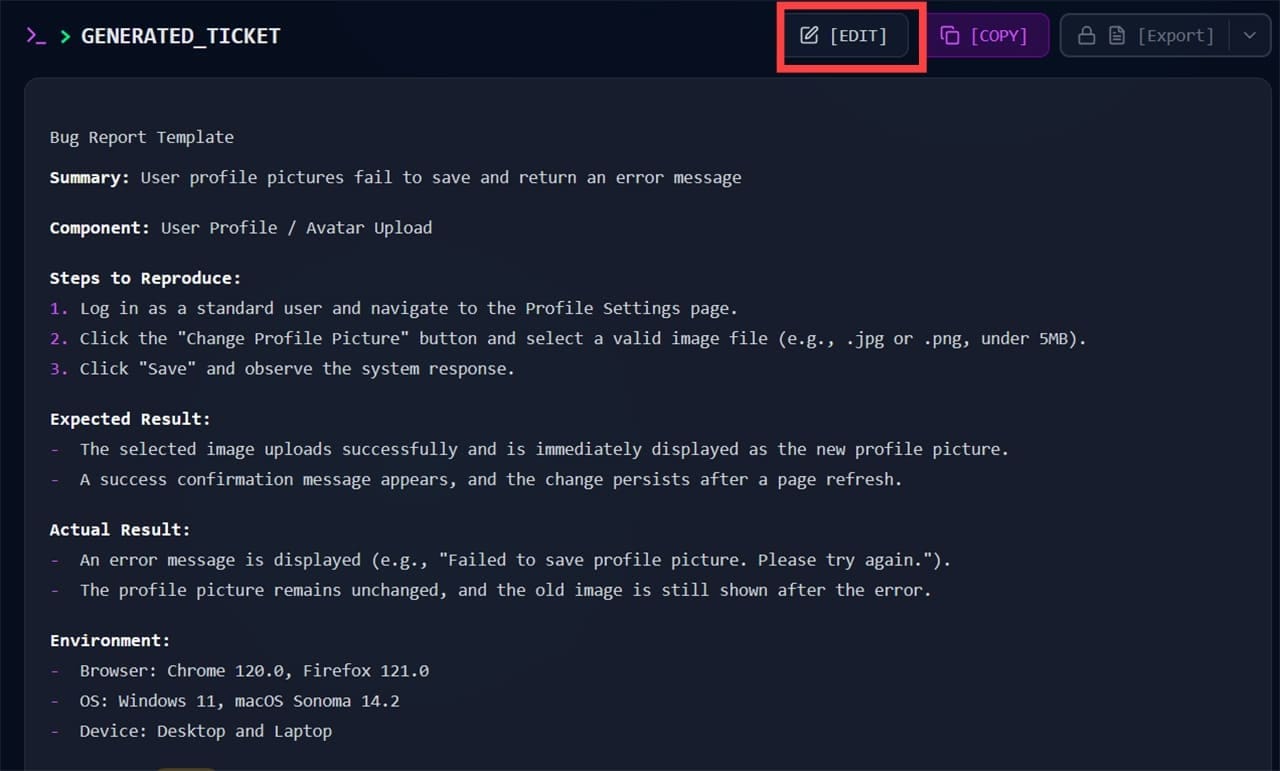
Step 6. You can click “Copy” to copy the details to your clipboard. The “Export” button, available to users who’ve created a profile, will allow you to export the ticket as a text file for use with your project.
If it sounds like a simple system, that’s because it’s designed to be.
Extra Features
The simplified ticket creation is the big seller, but let’s look at the other major features thrown into the mix:
- Multiple language support
- Customizable output settings, including formality, technical detail, text volume, and urgency
- Access to a dashboard and analytics
- Bulk conversion into tickets
That said, there are some areas where Ticketify is a bit fuzzy on the details, such as the LLMs it uses to get the job done. As always, there’s room for error with AI-powered conversion, so some human oversight is necessary for operational efficiency.
Who’s It for?
Ticketify doesn’t have the greatest freedom when it comes to customization, but the stability of a limited range of templates is perfect for those working on smaller projects with established platforms like Trello or Jira. Small teams that can benefit from API integration and role-based access control are ideal for this tool.
What Does It Cost?
Ticketify is great for those wanting to test the waters before diving in. Without a profile or payment, guests can create tickets easily, though exporting them in a desired format is another story. Ticketify currently describes its service as free, so there is no need to subscribe to a $26-per-month Pro plan.
There’s something for everyone with this pricing system.
Related Posts
 7 AI Apps That Help You Create SEO-Ready Content for Google
 Can AI Help You Land Your Dream Job? Our Look at JobScout AI
 Can Vertech Academy AI Help You Study Smarter?
 Sintra AI Gives AI Employees to Help Run Business
 Can History Sleep AI Lectures Actually Help You Fall Asleep Faster?
 Can Floot AI Help You Build Web Apps Quickly and Easily?
 Can ManageEngine OpManager Help You Monitor Your Team?
 Komiko AI Review: How to Create Your Own Manga and Anime With AI
 Does NightCafe AI Create Quality Art?

Disclaimer: Some pages on this site may include an affiliate link. This does not effect our editorial in any way.