In today’s digital world, staying focused during meetings while also taking detailed notes can be challenging. Voice-to-note AI transcription apps have been created to solve this problem by automatically turning spoken conversations into accurate written records.
Here are some of the best meeting AI transcription apps currently available.
Fireflies.ai
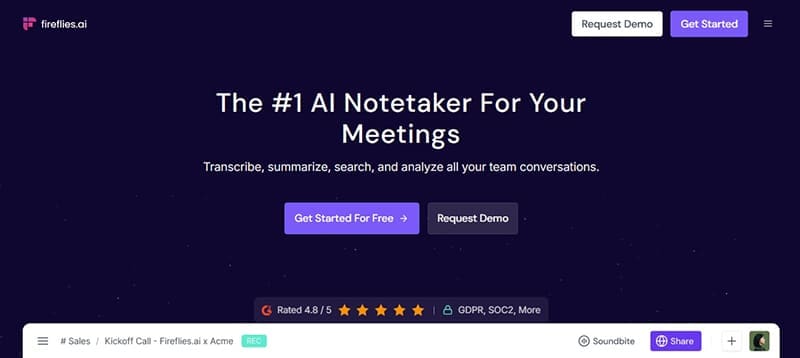
Best for: Full-featured meeting transcription and team collaboration.
Pricing:
- Free: 800 minutes storage, basic tools
- Pro: $10/month/user – unlimited transcription, auto-join, summaries
- Business: $19/month/user – team workspaces, CRM/project sync
- Enterprise: $39/month/user – admin tools, SSO, API access
Key Features:
Fireflies.ai can join and record your meetings through calendar syncing or a manual upload. Once it’s in the meeting, it transcribes the conversation, identifies speakers, and stores the transcript in a format that is easy to look through. It also creates summaries with keywords and action items, and it works with tools like Slack, Notion, and Salesforce.
Pros:
- Easy setup with calendar syncing
- Strong collaboration features
- Easy-to-understand transcripts
Cons:
- Limited transcription features on free plan
- Slight learning curve for new users
Otter.ai

Best for: Live transcription and organization of notes.
Pricing:
- Free: 300 mins/month, basic features
- Pro: $16.99/month – 1,200 mins/month, live notes
- Business: $30/month/user – team access, integrations
Key Features:
Otter.ai provides live transcription during meetings and generates real-time written notes. It connects to Zoom and other virtual platforms to join meetings and share notes instantly with team members. Members can edit transcripts and add highlights then organize them in shared folders so they’re accessible for everyone.
Pros:
- Accurate real-time transcription
- Useful for live class notes or lectures
- Easy sharing with teammates
Cons:
- Cost goes up quickly with business plans
- Fewer integrations than Fireflies.ai
MeetGeek

Best for: Actionable summaries and insights.
Pricing:
- Free: 5 meetings/month
- Pro: $15/month – unlimited meetings, AI summaries
- Business: $29/month/user – custom branding, priority support
Key Features:
MeetGeek records your meetings and uses AI to summarize the conversation into key points. It tags important topics and tracks metrics like talk time and engagement, making it suited for businesses and teams who want to focus on specific goals and insights. It also integrates with most major platforms like Zoom, Google Meet and Microsoft Teams.
Pros:
- Great for automated recaps
- Detailed talk-time analytics
- Includes emotion tracking
Cons:
- Not ideal for large teams
- Interface can feel a bit crowded
Scribbl

Best for: Simple transcription on Google Meet.
Pricing:
- Free: Unlimited meetings
- Pro: $9/month – better formatting, download options
Key Features:
Scribbl captures transcripts from Google Meet through a Chrome extension. It automatically saves and formats what’s said in meetings and the paid plan adds options to download or organize the notes more cleanly. It doesn’t require calendar access or separate accounts, which is useful for small teams or people who don’t enjoy using many technical tools.
Pros:
- Very easy to use
- Affordable
- No account setup needed
Cons:
- Only works with Google Meet
- No summaries or analytics
Which One Should You Choose?
All four tools do the basics; they record, transcribe and let you review, but the best one depends on what you need:
Fireflies.ai is the most well-rounded. It’s great for teams, with solid integration options and smart AI summaries.
Otter.ai stands out for real-time captioning, especially in classrooms or webinars.
MeetGeek is the one to pick if you want meeting highlights and detailed follow-ups.
Scribbl is good for quick, low-hassle notes but it doesn’t handle deeper features. For most teams who want both automation and organization, Fireflies.ai offers the strongest all-in-one solution at a competitive price. If you’re just starting or only need occasional transcriptions, Scribbl or Otter.ai might be enough. MeetGeek is aimed at users who need a targeted view of their meeting metrics.

Disclaimer: Some pages on this site may include an affiliate link. This does not effect our editorial in any way.