
While YouTube Shorts are a major source of user engagement (and are arguably easier to make and help your channel grow), longer YouTube videos are where the real potential is for earning as a creator. You’re competing against a swath of channels that could have similar topics or user bases. To make your channel stand out, you need to use cutting-edge trends, and that starts with what your audience sees before they click: the thumbnail.
But can AI help you make better thumbnails? Read our WThumb AI review and find out how this tool works.
What Is WThumb AI and Getting Started
WThumb is an AI thumbnail generator that can recreate the style and layout of existing thumbnails using a face you upload. It can also generate thumbnails from a text description.
The tool’s primary benefit is how easy it is to use when getting started:
Step 1. Create an account for WThumb and log in.
Step 2. Paste a YouTube video link or upload a thumbnail image as a reference.

Step 3. Select a Persona that you want to overlay instead of the original.
Step 4. Add more details in the textbox, such as changes to the thumbnail text or altering the color palette. You can also include additional images like screenshots, character models, or graphs to be spliced into the thumbnail. When doing so, use @ to refer to an image uploaded.

Step 5. Hit “Make” and wait for the AI to do its work.
That’s pretty much it. After the AI finishes its analysis and splicing, it will create one or two designs in the indicated resolution (16:9 is better since thumbnails are more standard for full-sized videos rather than shorts). You can also try to regenerate the result with the “Start over” button (left of “New thumbnail”).
As for the result on the first try, it’s actually solid.

The reference is used correctly, and the AI can create text that follows the broad style of the original title. It can even properly space and format the text so it doesn’t appear too large or small while keeping the emphasis on the same word as in the original (something you can change as needed).
WThumb AI Review: Other Features
Beyond simple thumbnail style copying, the tool has three other major options.
Free-form creation (simply called “Prompt”) takes only a text prompt and provided images to build a thumbnail, as well as an image of a face to use. This one is more dependent on how many details you provide to the AI, so you need to be mindful and list where exactly you want words to appear, in what font, and how the images are being edited with the reference photo in mind. It’s arguably the most difficult one to master, so it might take a few tries.
The Templates option gives you a selection of ready-made designs, both with and without faces, to help you create multiple thumbnails with a consistent look.
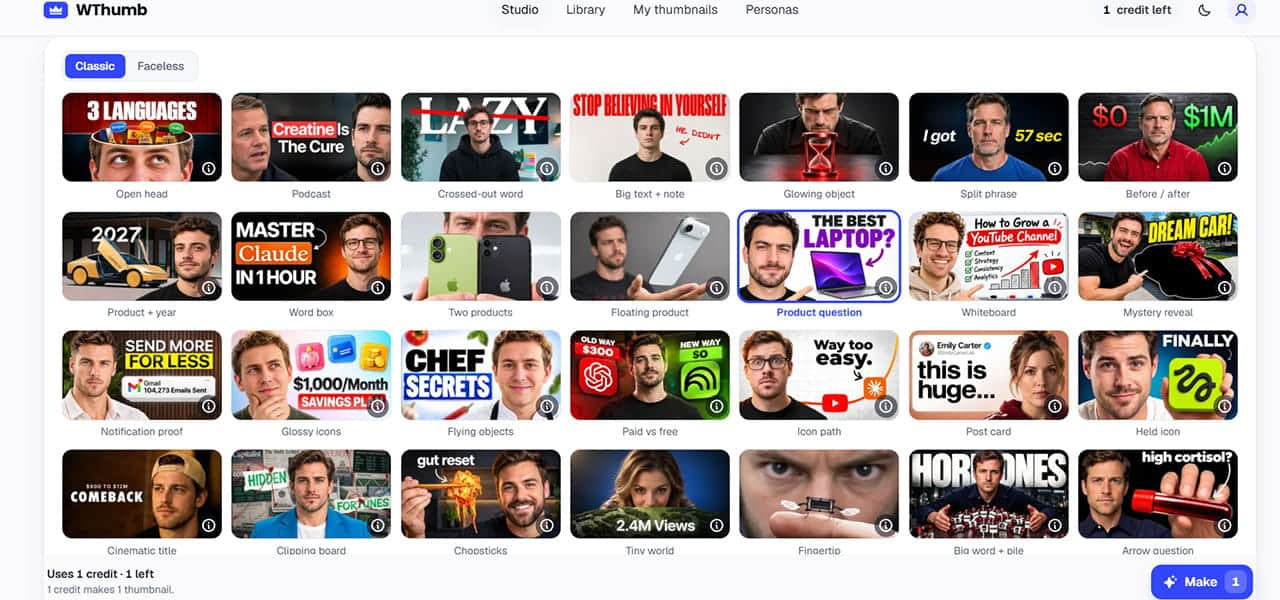

These work best if you keep the reference image tight and can clearly point to what to use for the prompt, but the AI often pulls stock images as options or generates them on the fly.
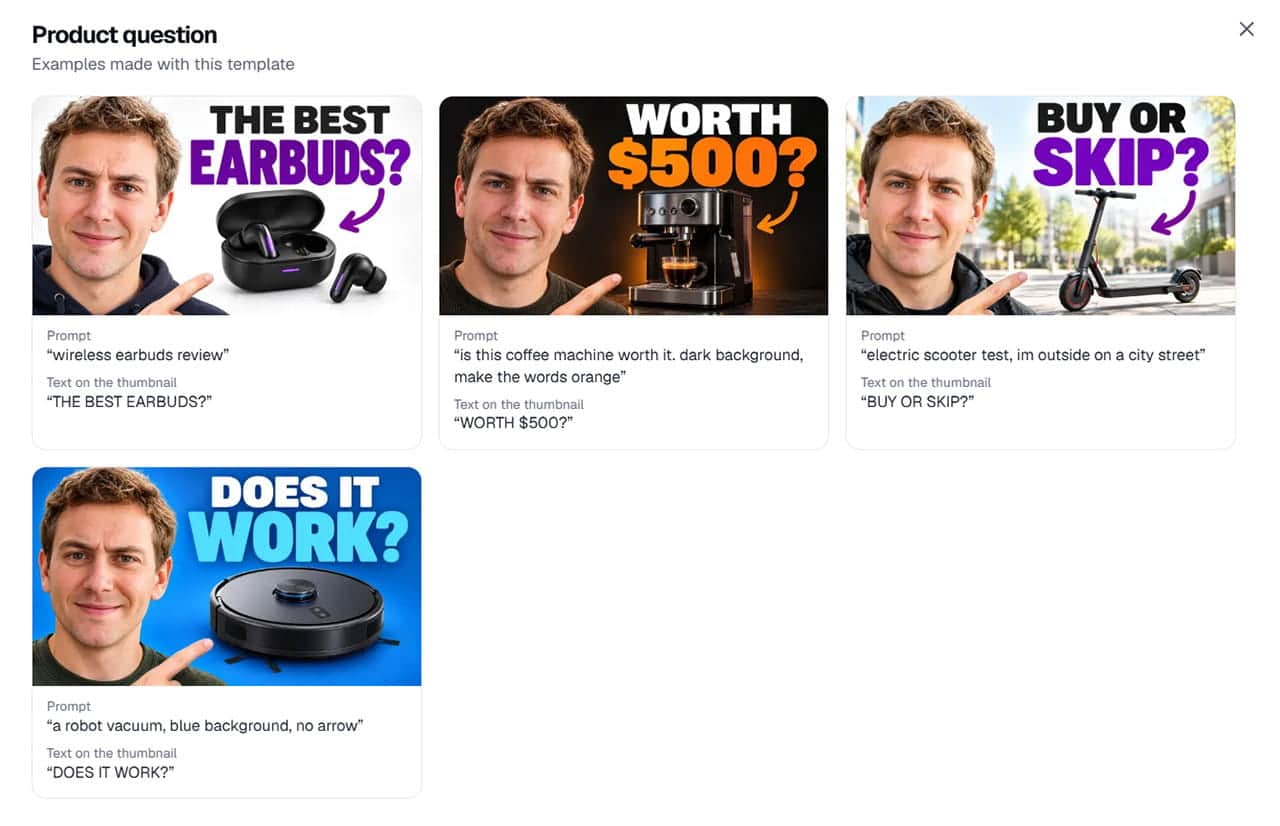
This is arguably where the AI is at its weakest, since it can’t actually pull image references to use in the template. The AI also can’t extract web information correctly, so it generates an image based on text entirely.
For example, when trying to fit Alphr’s logo on a thumbnail, there’s no way to ask for it here. The AI generated its own take, and the only option was to use an alternative generative tool, which defeats the purpose of the template.

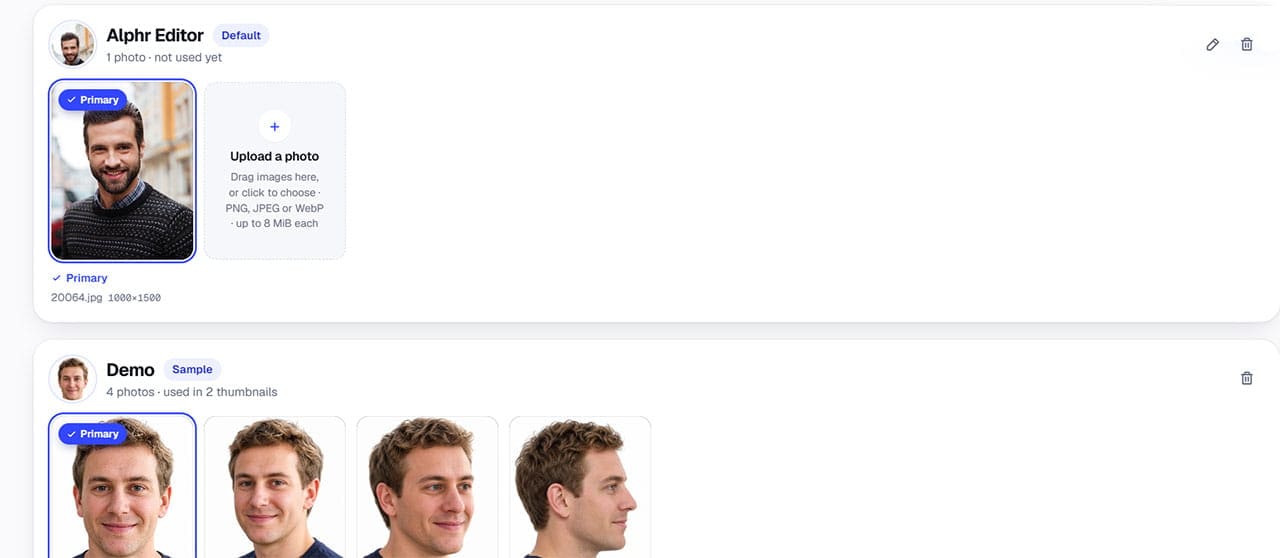
Finally, WThumb AI allows you to upload photos of your face to use as a “Persona.” You can do this multiple times if you need more reference. The pictures need to be of relatively high quality and cover multiple angles (the “demo” has a profile, portrait, and two semi-profiles from different sides).
When uploading, choose a primary photo for the Persona. This serves as its main reference image, although WThumb can draw on the other uploaded photos when generating a thumbnail.
As Persona features go, WThumb is relatively simple to use while producing reasonably accurate results. The AI doesn’t edit the face much, so make sure to upload a clear image that it can use verbatim, with changes around the edges or added details (like props or hands).
WThumb AI Review: Pricing and Verdict
At base, WThumb AI gives you an opportunity to upload one Persona and get two thumbnails. This should be a solid start to preview how well it splices your face onto a pre-made template or an existing thumbnail you want to replicate.
Beyond the free credits, paid subscriptions start at $12 per month for the Starter plan, which includes 40 thumbnail credits. This should be sufficient for creators publishing a few videos per week, even if they need to regenerate some thumbnails. The main difference between it and the other plans is the increase in the number of Personas (useful for collabs or teams) and the overall credit limit.

This should be enough to make it a strong contender in the AI thumbnail generator space. However, it works best on existing templates that don’t rely on exact likeness to specific products.
If the tool came with a template option that allowed image splicing input, it would probably be a slam dunk. As-is, it might take a bit too many tries before you get a usable result.
Still, given the relatively low cost of access, it’s a solid option if you’re trying to grow from just using Shorts to longer videos and need quick and easy thumbnails.
Related Posts
 Make Your Own YouTube Thumbnails With AI ThumbnailCreator
 How to Generate Reels for YouTube and Instagram With Makereels.ai
 CrazyFace AI – Good for Thumbnails or Just a Gimmick?
 How to Generate Text From Speech With AI
 How to Use Prompt Engine to Generate Better AI Prompts
 How to Use Flowova to Generate Flowcharts in Seconds
 Generate Your Own Music Videos With Musid AI
 How to Use DreamGen AI to Generate Stories
 How to Generate a WhatsApp AI Image

Disclaimer: Some pages on this site may include an affiliate link. This does not effect our editorial in any way.