Generative AI is getting better all the time, and you can now generate music videos with AI – including detailed scenes, custom lyrics, and perfect lip-synced audio – with ease, thanks to Musid AI. This AI music video-maker is generating a lot of buzz for its impressive results and intuitive interface. Keep reading through this Musid AI review to see how it works.
Overview of Musid AI
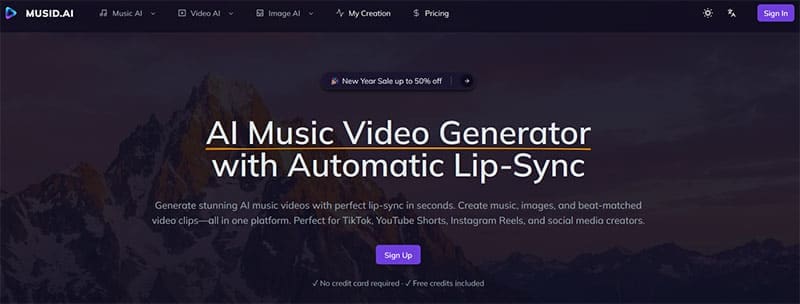
First, a quick introduction to this tool: Musid AI is an AI generated music video platform. It’s capable of making every element of a music video, from the lyrics to the music itself, the video content, and even an image you can use as a cover or thumbnail for your track, upon its completion. It also lets you upload your own audio, if you prefer, and then make a video to match it.
It’s free to try, though you will need to purchase a premium plan to make full, detailed videos, and it’s capable of automatic lip syncing, aligning your vocals with the character’s mouth movements in your created clips. It can also cleverly align beats and bass with camera cuts and visuals, producing clips that feel fresh, dynamic, and fully in tune with your music, every time.
How You Can Generate Music Videos With AI on Musid AI

Musid AI makes generating music videos remarkably simple. Here’s a look at how, exactly, the process works:
Step 1. Type into the Agent box what you want your video to look like. Note that you can also use the Music Generator, Video Generator, and Image Generator tools separately to make individual elements of your video, but the Agent tab is generally the easiest option.
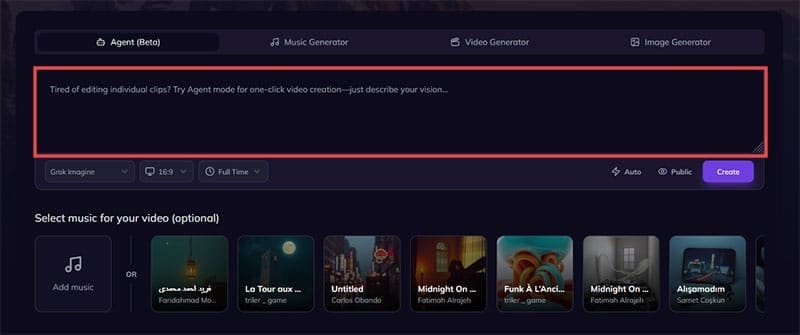
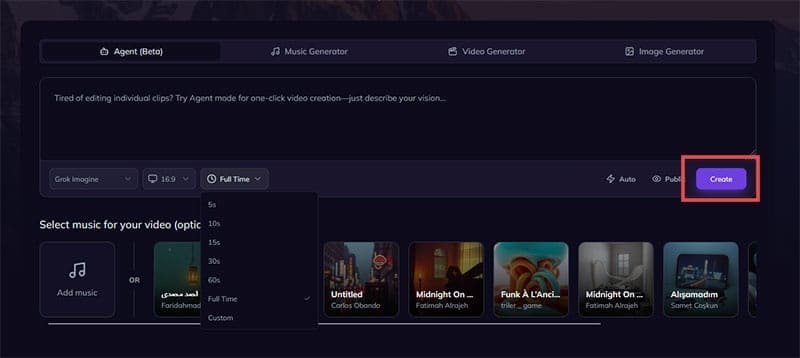
Step 2. Use the filters provided to customize your video. You can choose from different resolutions, lengths, and even different AI models to make your content.

Step 3. Add your music. You can click the “Add music” button to upload your own tracks – either AI-generated or music you recorded yourself – or use one of the many available pre-generated options.

Step 4. Click the “Create” button and wait while the AI makes your music video for you. Once it’s done, you can watch it, share it, save it, or modify it, as needed.
Musid AI Review – Pricing
While many AI generators make you pay to see what they can do, Musid AI offers a completely free plan for new users. This comes with 10 credits – enough to make a couple of custom music tracks and images. You won’t be able to make a full music video on the free plan, but you will, at least, be able to get a feel for what Musid AI is capable of.
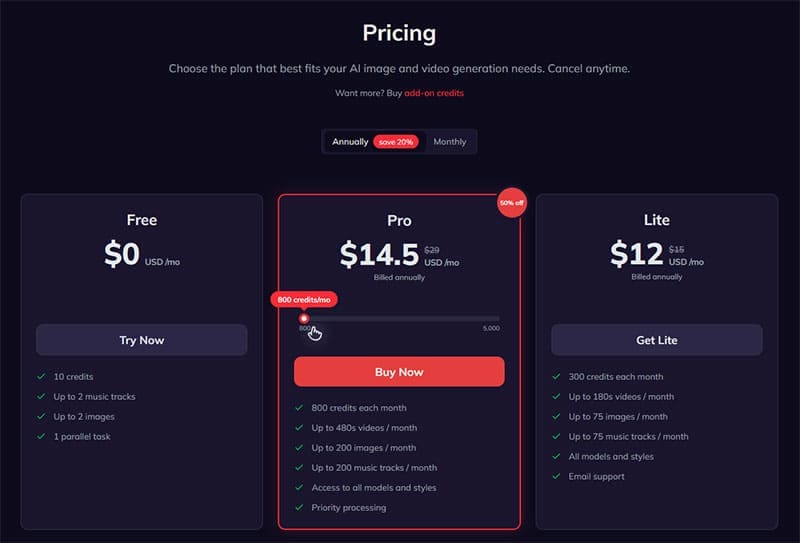
If you’re ready to see more, you can upgrade to one of the premium plans. The Lite plan provides 300 credits a month for just $12, or you can opt for the flexible Pro plan, which can provide varying numbers of credits from $14.50 per month. Simply move the slider to select how many credits you need and see your monthly rate.
Related Posts
 How to Generate Lip Sync Videos From Images
 How to Use Prompt Engine to Generate Better AI Prompts
 How to Use Flowova to Generate Flowcharts in Seconds
 How to Generate Instagram Posts Using AI – The 5 Best AI Tools
 How to Use DreamGen AI to Generate Stories
 How to Generate a WhatsApp AI Image
 How to Generate Text From Speech With AI
 How to Generate Reels for YouTube and Instagram With Makereels.ai

Disclaimer: Some pages on this site may include an affiliate link. This does not effect our editorial in any way.