

Sure, we’ve all asked an AI chatbot a thing or two, but what if we could get these agents talking to each other and team members at the same time? This form of collaboration is precisely what Bloome AI is designed for, making both interactions and back-and-forth feel natural and productive.
Join us for our Bloome AI review as we find out more.
AI and Human Collaboration – Our Bloome AI Review
Let’s take a look at Bloome AI and see what it offers and where it can fall short:
What Is Bloome AI?
Let’s start with the basics. Bloome AI is a group chat app that connects teams and AI agents all in one chat. These agents, powered by LLMs like Claude, DeepSeek, and ChatGPT, help argue, brainstorm, and plan as if they were members of a team. They can talk between themselves to reach a consensus or with members of your team.
It’s a tool essentially designed for those always in chat and looking to bounce ideas off each other.
What Are the Main Features?

Unlike AI tools that offer bolted-on bots, Bloome AI has a selection of agents that you can choose through its own marketplace: Explore. You can choose the agent best suited to your field, and if need be, even clone or customize an existing one.
The bots can interact with one another and team members, allowing them to cross-check ideas, challenge responses, and refine their work. They can be added and removed as needed.
Security is another impressive feature. Bloome says it offers GDPR-compatible handling, permission controls, encryption, and sandboxed execution for certain agent workloads.
Bloome’s privacy policy also says information and files provided to AI agents may be shared with the AI providers, so teams should review which agents they connect before submitting sensitive data.
As Bloome AI is a collaborative tool, all team members invited to the chat will have access to a single chat, including conversation history, ensuring access to recorded discussions.
Who Is It For?
As we mentioned above, any team that makes constant use of a work chat will find this tool useful, albeit with the caveat of having to move to a new platform.
Any team where discussion, collaboration, and arguments are a key part of the workday will find something to like, be that Marketing, Research, or Strategy.
Bloome is available on the web, Windows, macOS desktop, iOS, and Android. Claude Code is one external agent that can be connected to the platform, but it isn’t what powers Bloome itself.
Pricing
Here’s where Bloome AI drops the ball. While it’s free to set up and create your account, its usage is credit-based rather than subscription-based. Users top up credits as they use agents. Public product pages explain this model, but the website itself does not clearly spell out the system. This leaves it vulnerable to change and opaque pricing methods. It’s not a good look.
Using Bloome AI – A Quick Demo
Let’s take a quick look at getting started in Bloome:
Step 1. Create your account and verify it, and you’ll be taken through a list of setup questions.
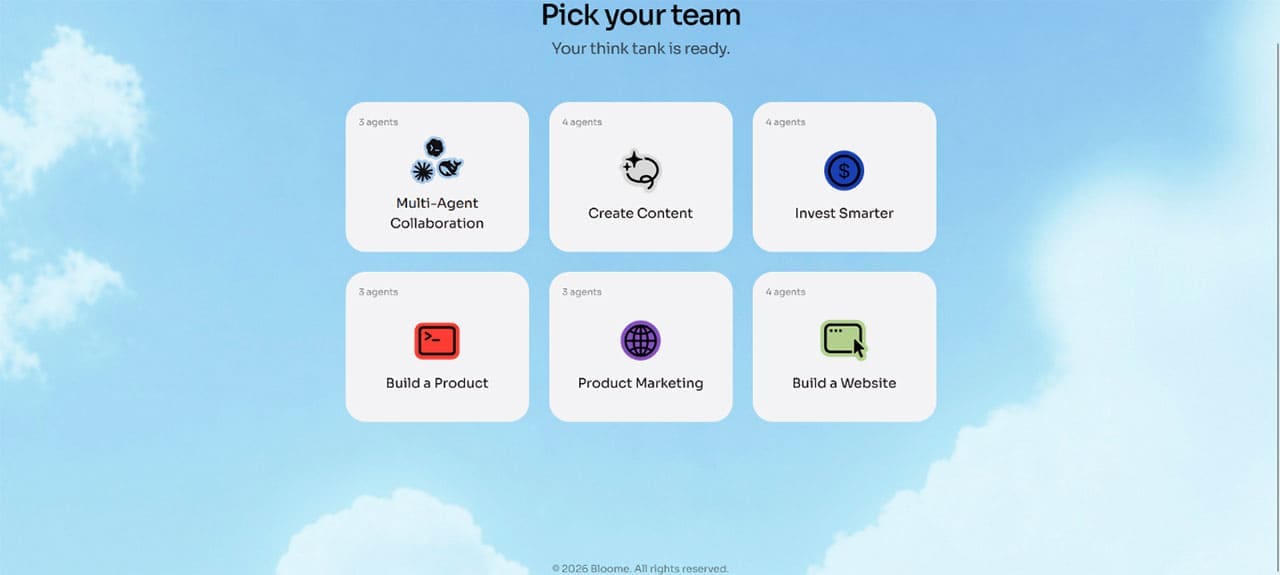
Step 2. After setting up a profile and purpose, you’ll be taken to the chat and your dashboard.
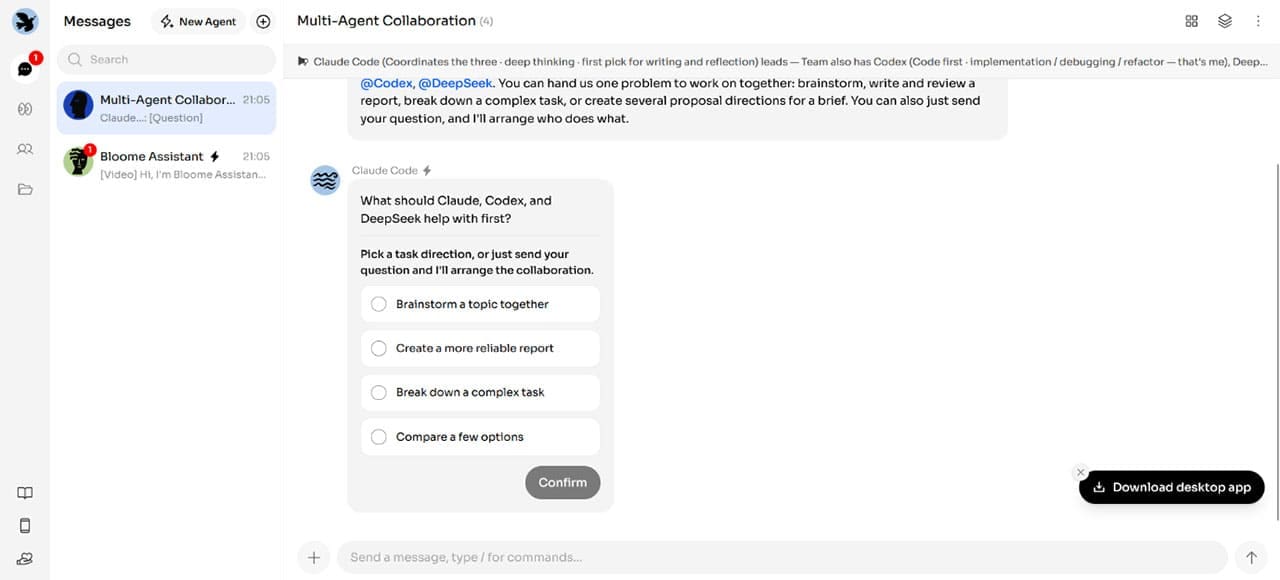
Step 3. A Bloome Assistant is included by default to help you out. Click “New Agent” to add more.
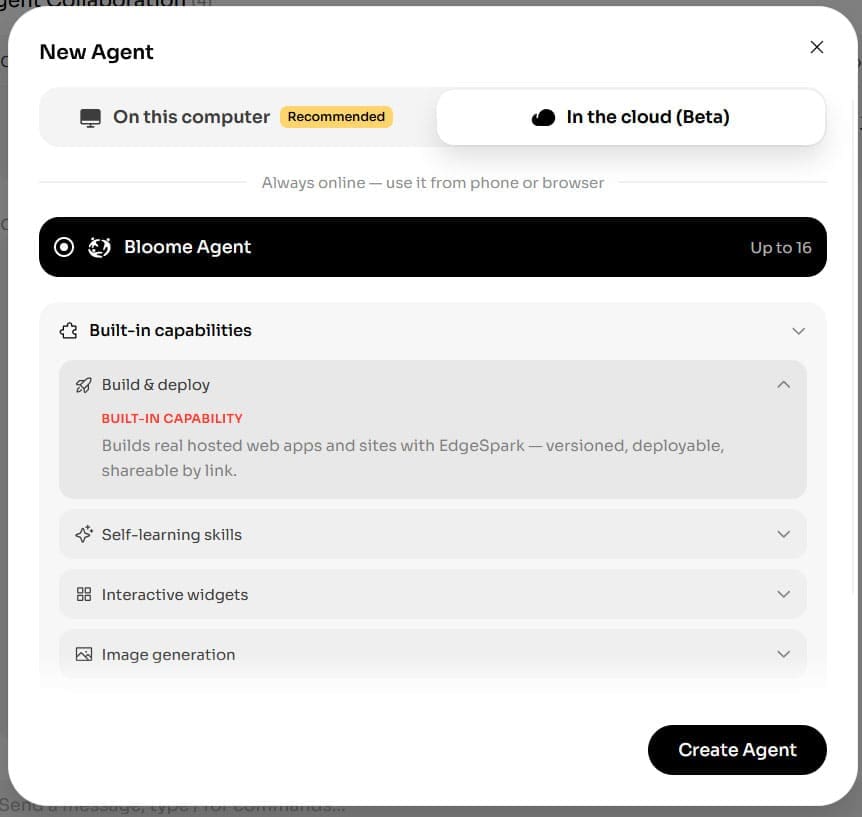
Step 4. You can choose up to 16 agents, either via the cloud or your PC.
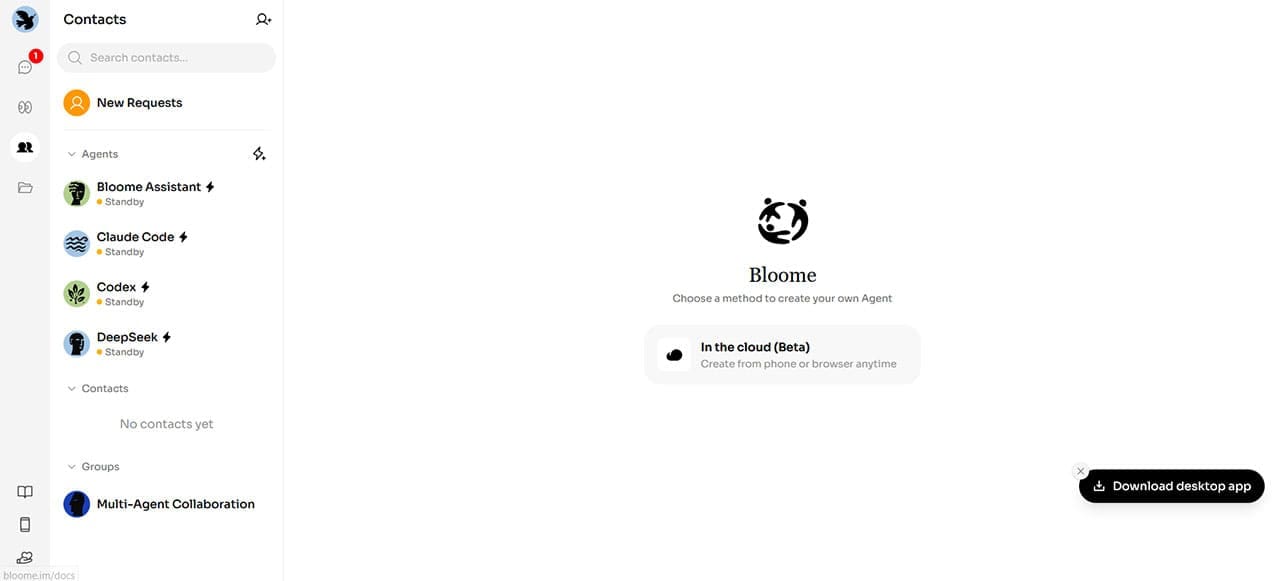
Step 5. The “Contacts” tab also allows you to add team members by email invite. AI agents are listed as contacts too, to enhance the collaborative team feel.
Related Posts
 How Good Is BotDojo AI at Developing AI Agents?
 Is Browserbase AI Worth It? An Honest Look at Web Automation for AI Agents
 6 Cool Things You Can Do Using Google Illuminate AI
 When Digital Art Meets Skin – Designing Tattoos With InkDrop AI
 Make Your Own YouTube Thumbnails With AI ThumbnailCreator
 How to Get Pro-Level Product Shoots With CostumePlayAI
 How to Use TGDesk for Group Monitoring on Telegram
 Bring Some Life to Your Content With MyLens AI
 Is This a Good Voice Tool? Our FineVoice AI Review

Disclaimer: Some pages on this site may include an affiliate link. This does not effect our editorial in any way.

