Every AI art app on the mobile stores eventually gets measured against Midjourney. GenArt AI Studio is a more literal case than most, as we will come back to later.
The app itself is straightforward: it provides text-to-image generation on your phone without requiring you to use Discord. Whether that is enough depends entirely on what you were hoping to get out of it, so read on for our GenArt AI review.
What Is GenArt AI Studio and How Does It Work?
GenArt AI Studio is a mobile text-to-image generator available on both Android and iOS. Unlike most mobile AI apps, it has no ability to add hairstyles or remove backgrounds. It only generates images from prompts, but it can also style an existing image.
The generation process typically takes a few minutes, although the exact speed can vary depending on your connection and the generation queue.
Step 1. Download the app and log in with your Gmail account or Apple ID. You’ll be granted some free credits.
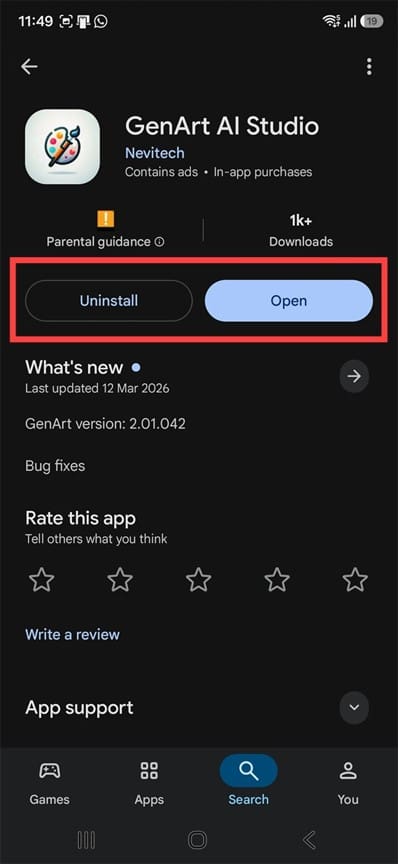
Step 2. Open the app and select the “Text to Image” feature.
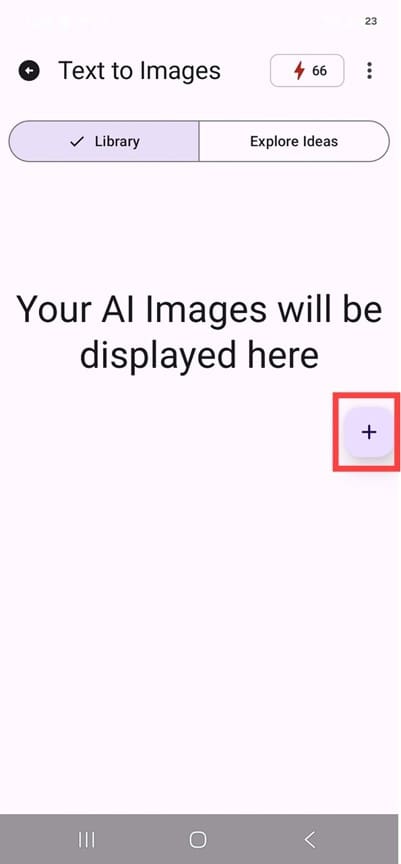
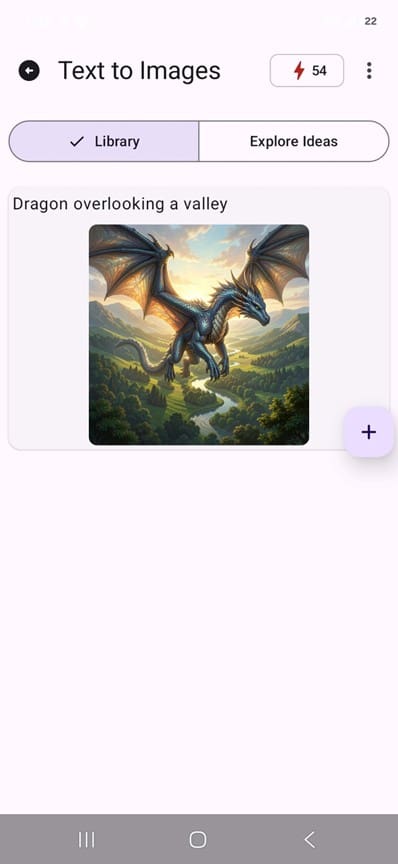
Step 3. Click on the small plus sign on the right to go to the prompt UI.
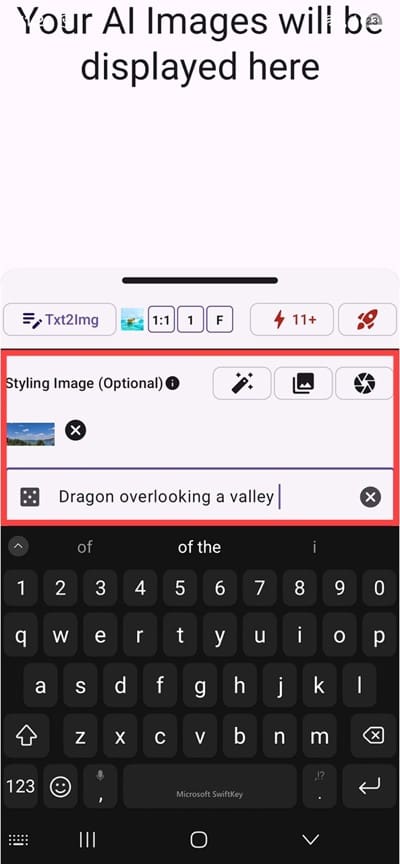
Step 4. Enter a prompt or choose an image from the gallery to restyle.
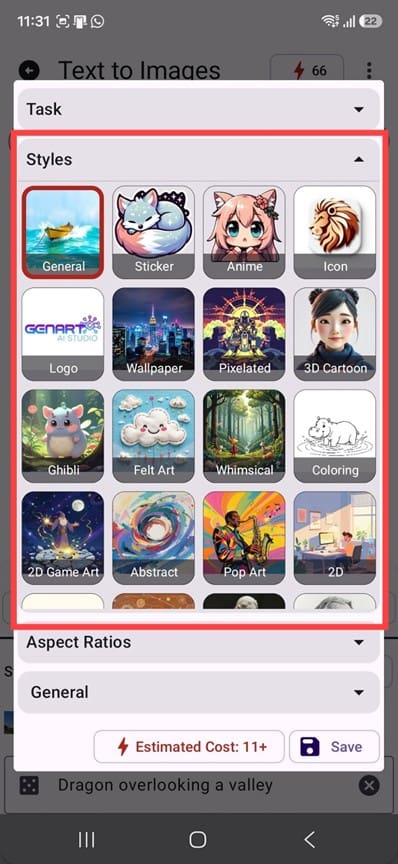
Step 5. Choose a style from the library. Styles are grouped into recognizable buckets such as photorealistic, cinematic, anime, fantasy, oil painting, and pixel art.
Step 6. Tap on the generate button (the rocket). You’ll need to go through an ad to confirm.
Step 7. Refine if the result missed the mark. In practice, refining means rewriting the prompt or swapping the style and generating again, which costs you another generation each time.
Main Features
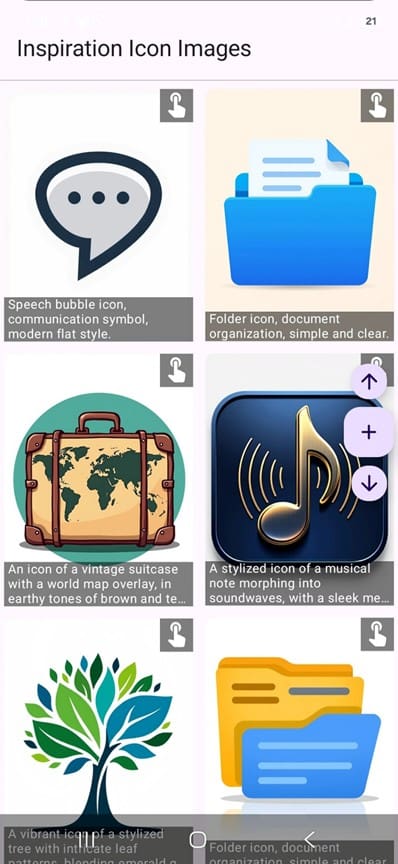
The feature list is short by design. You get a style library and a few solid options for generic image generation, including icons, logos, stickers, and a pixelated style.
The minimalistic UI is doing the app a lot of favors by being simple yet effective.
Apart from the text-to-image, most other features come with an “inspiration” library to show what types of prompts generate which kinds of results. This can help you ease into using the AI more effectively without wasting credits.
Why Is It Compared to Midjourney (And How It Compares)
The App Store description for GenArt AI Studio ends with a block of search keywords that seems to have not been cleaned up before submission. Alongside the expected terms sits an entry for Midjourney, followed by a bracketed instruction to the developer about using it if their technology is comparable or if they want to attract those users. A second bracketed note about a photo editor, conditional on the app actually having editing features, is still there too.
It’s a weird leftover but seemingly has no effect on the app itself.
In terms of actual image quality, most features perform fairly well when it comes to quality, fidelity, and lack of hallucinated geometry, biology, or anatomy. The “realistic” styles can drift into the uncanny valley and still look recognizably AI-generated, but the results were solid for a free app.
GenArt AI Studio: What Works and What Doesn’t
The main issue you might have here is a lack of granular control. Midjourney users can iterate through seeds, aspect ratios, image references, and version control. GenArt AI has none of these, so a result that comes back nearly right can’t be nudged. You have to use a different prompt and hope for the best.
Pricing is another of the app’s appealing features. The free plan can be maintained forever, provided you want to watch ads now and then, and it gives you a trickle of credits so you can generate an image every few days.
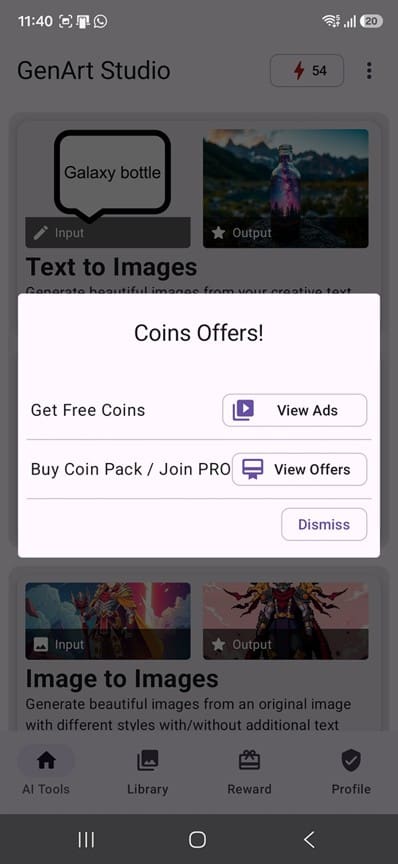
There’s also a PRO feature that gives you credits (called “coins” in the app) with a weekly, monthly, or annual option, or a one-time purchase of coins so you can avoid the ads for as long as you have a balance.
GenArt AI Studio Review Verdict
No, GenArt AI doesn’t beat Midjourney, but that’s not really the point. By itself, it’s a free, fast, phone-shaped way to turn a sentence into a picture in a minute.
Be warned, however, that the fact that the Midjourney keyword was left there and that the app has a small user base doesn’t point toward long-term viability. If you do decide to purchase coins, start out small until you see the app is still alive over the next few months.
Related Posts
 Get ChatGPT, Claude, and Midjourney on Telegram With Unlim AI
 How to Install and Use Midjourney AI on Your PC
 Is Deep Beat AI as Good as Writing Your Own Rap?
 When Digital Art Meets Skin – Designing Tattoos With InkDrop AI
 Does NightCafe AI Create Quality Art?
 How to Turn Songs Into Viral Videos With Muze Art
 How to Use the Wirestock Discord Bot to Make Money With AI Art
 Get Free AI Art With GenTube
 How to Automate Applying for Jobs and Get More Interviews With JobGPT

Disclaimer: Some pages on this site may include an affiliate link. This does not effect our editorial in any way.