Technology may have made life easier for modern professionals, but it can be quite complicated to manage data across multiple apps and platforms. Affint AI aims to simplify the situation by allowing users to unify their data in a single space, from which they can generate decks, documents, and sheets more quickly and easily than ever before.
Read through this Affint AI review to see exactly how it works.
An Introduction to Affint AI

Affint AI is marketed as an “AI Office Suite” that can improve productivity, increase revenue, and save users hours. Think of it as an AI-powered, automated version of Microsoft Office, combining the power of tools like Microsoft Word, Excel, and PowerPoint in a single platform and feeding them data from all of your favorite business apps.
Once you’ve integrated your apps and data, you can then use Affint AI’s AI-powered editors to generate presentations, documents, and spreadsheets on-demand. The idea is simple: by unifying everything into a single seamless workspace, teams can save themselves incredible amounts of time that they would usually spend switching from app to app or copying data from one to another.
Affint AI Key Features Review
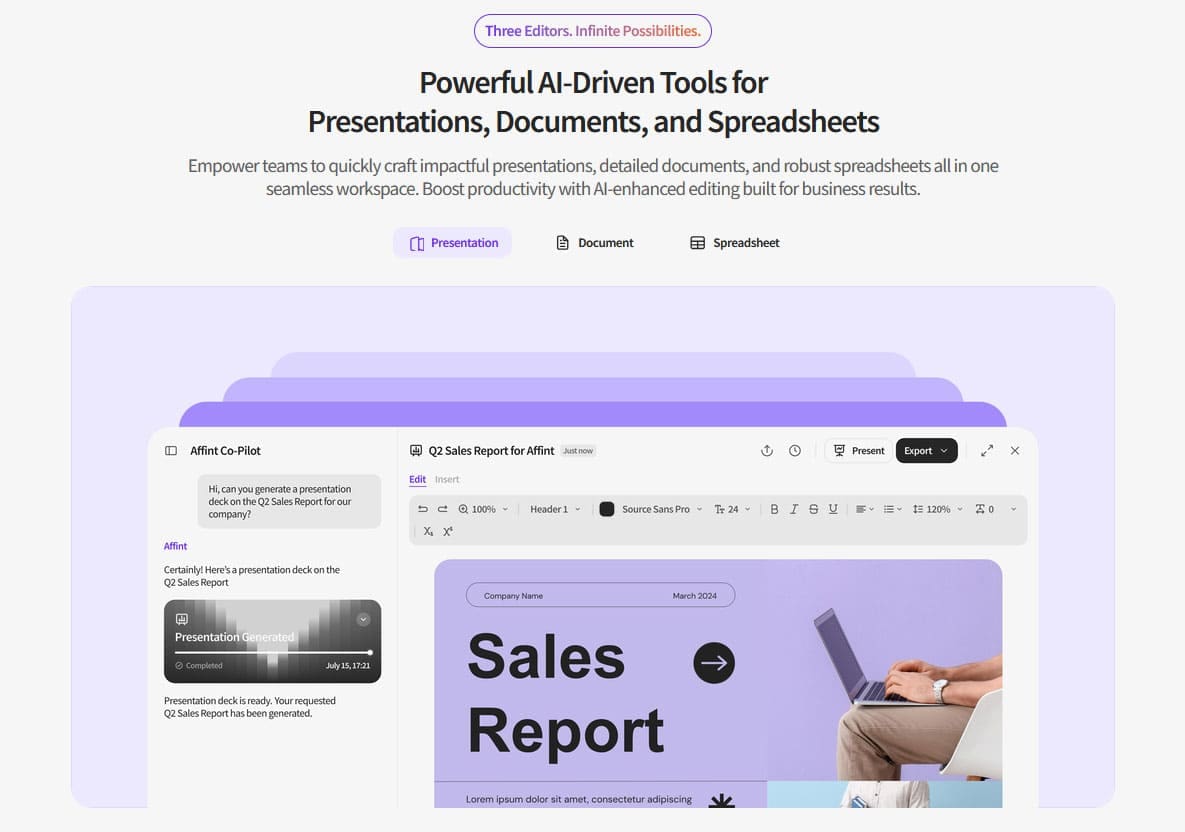
Some of the features that make Affint AI so popular include:
- Unified Workspace: Sync data from dozens of your most-used business applications, so Affint always has the full picture of your business activities.
- AI-Powered Content Creation: Generate spreadsheets, reports, documents, summaries, roadmaps, and more using the platform’s three distinct editors.
- Automated Workflows: Configure Affint AI to automatically schedule meetings, sum up financial reports, or share insights as new data enters the system.
- Branding: Automatically apply your brand’s logo, fonts, and color scheme across all of your generated content.
Affint AI Pricing
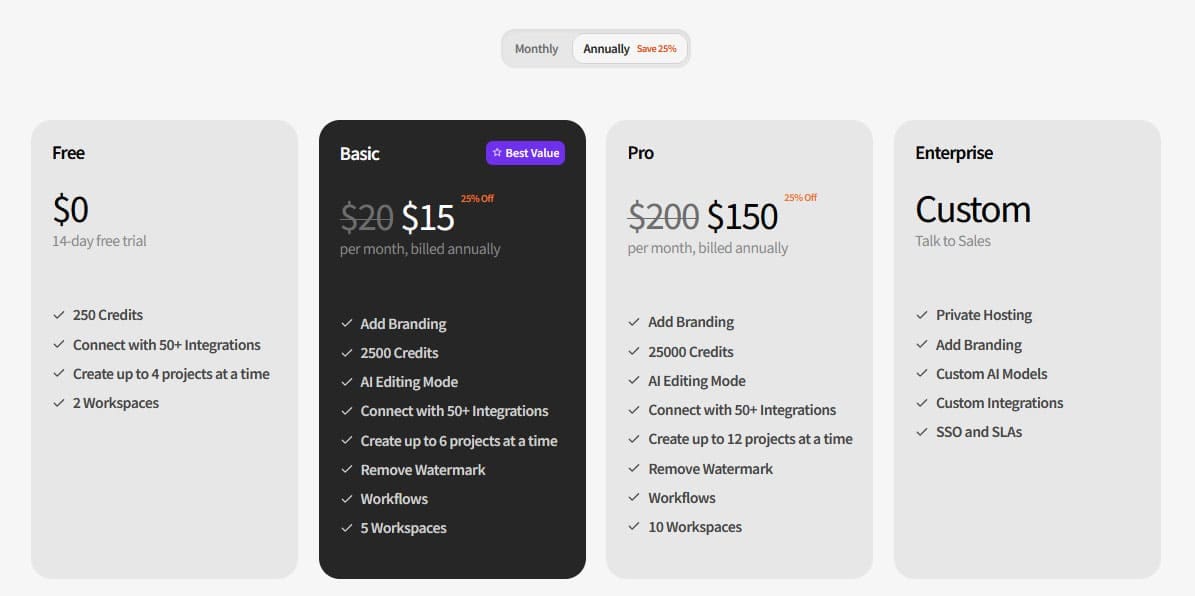
Affint offers four different plans for users to choose from:
- Free: Ideal for testing the waters, this plan supports up to 50 integrations. It provides you with 250 credits to experiment with Affint’s AI-powered features. Note, however, that any content you create will have an Affint AI watermark attached.
- Basic: For $15 per month (paid annually) or $20 per month (yearly), this plan introduces workflows, AI-powered editing, and removes the watermarks. It also gives you 2,500 credits to spend each month on AI-powered functions.
- Pro: This plan provides a whopping 25,000 credits for either $150 per month if you pay annually or $200 if you pay monthly. It also lets you work on more projects simultaneously and create up to 10 separate workspaces.
- Enterprise: Aimed at large businesses, the Enterprise plan has custom pricing to suit each client’s needs. It also offers private hosting, custom AI models, and custom integrations, along with other exclusive features.
The Affint AI Review Final Word
Overall, Affint AI feels like an evolution of conventional office software. By being able to integrate and synchronize with so many other apps, it can make life significantly easier for busy professionals. Its generative AI features can also help you save hours when it comes to drafting reports, preparing presentations, and understanding the data at your disposal.





Disclaimer: Some pages on this site may include an affiliate link. This does not effect our editorial in any way.