Trying a new haircut can be a process when you work with a real-life barber. You have to get the cut, style it, and hope the result works for you.
AI tools and image analyzers can speed up the virtual hairstyle try-on process. Here’s how one of those tools fares in our Face Shape Detector AI review.
Getting Started With the Face Shape AI Analyzer
One of the perks of the Face Shape Detector AI is that it’s extremely simple to use. You don’t even need to make an account, and the entire process is free.
Step 1. Go to the Face Shape Detector website.
Step 2. Use the “Upload image” option. There’s also a “Camera” option. Although the tool isn’t available as a dedicated app, you can access it through your phone’s browser and take a photo.
Step 3. Crop the image if necessary, or use it as-is. For the best results, make sure your face is clearly visible.
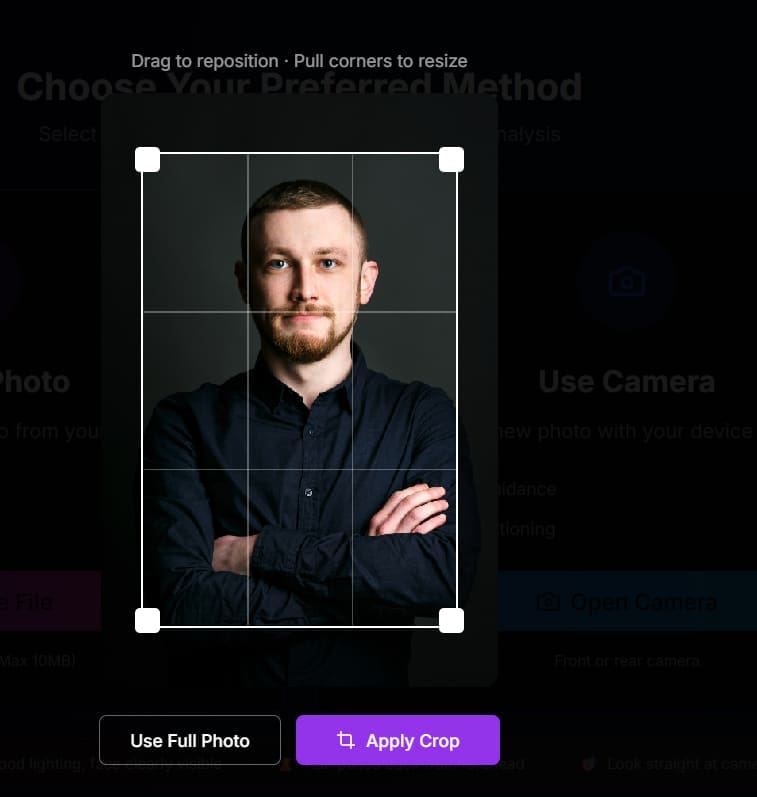
Step 4. Click on “Analyze” and wait for the results.
Step 5. The tool displays its face-shape assessment alongside measurements of the jawline, forehead, cheekbones, and overall face length.

Step 6. Occasionally, the tool will prompt to send you recommendations via email. This doesn’t seem to work.
Does It Work and Can You Use the AI Face Shape Detector Hairstyle Recommendations
Unfortunately, that’s pretty much it in terms of what the app can accomplish. If you scroll down from the main result, you’ll get a “Recommendations” section, which doesn’t look to have been coded to fit properly inside a traditional laptop screen.
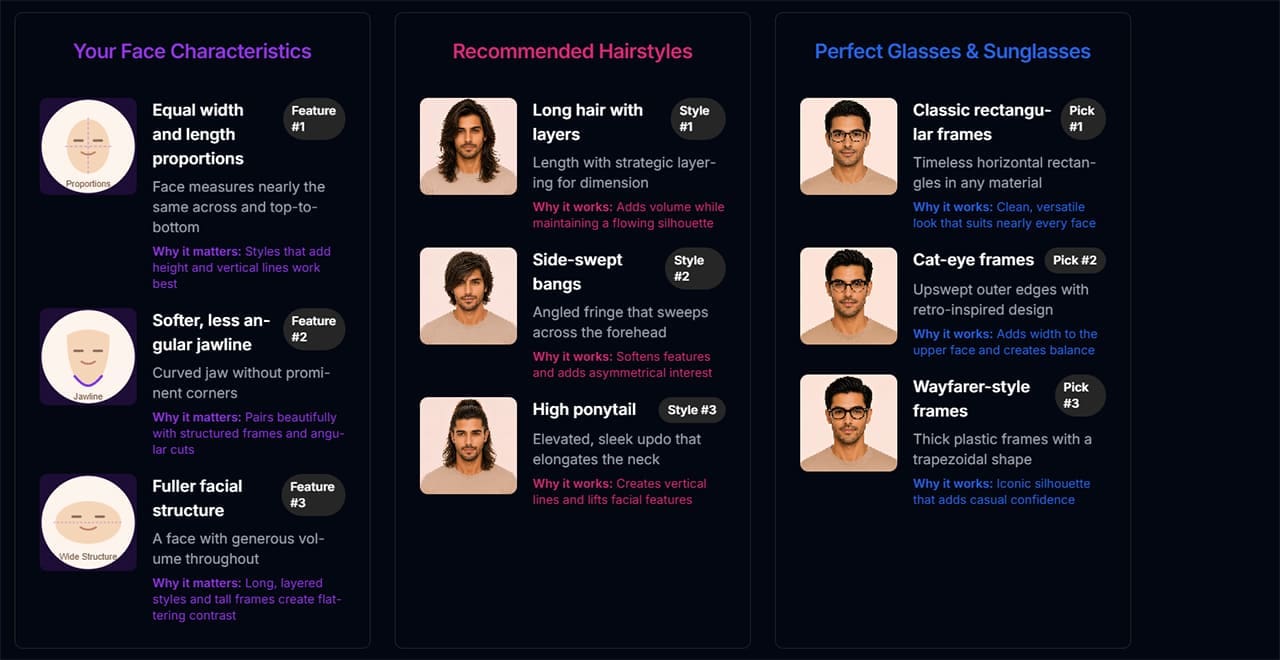
The tool displays its face-shape assessment alongside measurements of the jawline, forehead, cheekbones, and overall face length.
The tool also offers a limited hairstyle try-on feature, but it performed poorly in our tests.
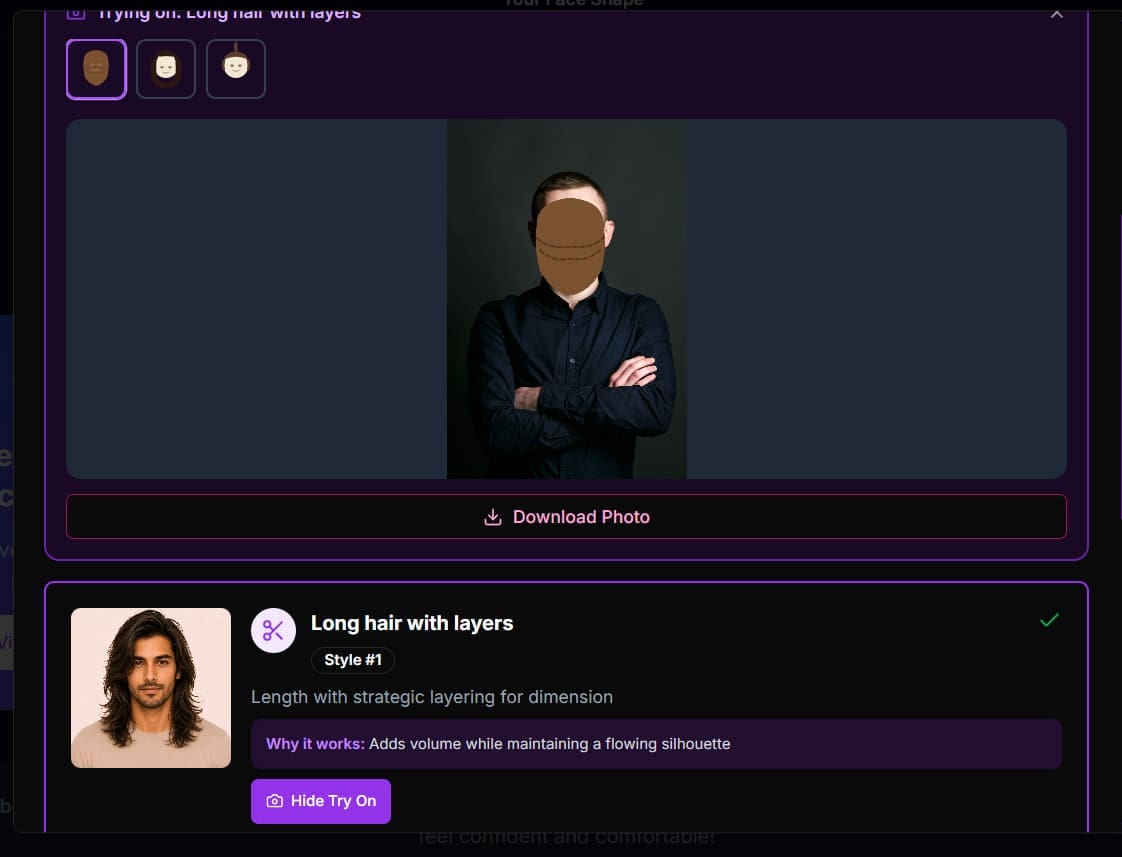
As you can see, the hairstyle try-on feature simply pastes a crude, paint-like image over the face rather than generating a realistic AI preview, even if the result might look unusual.
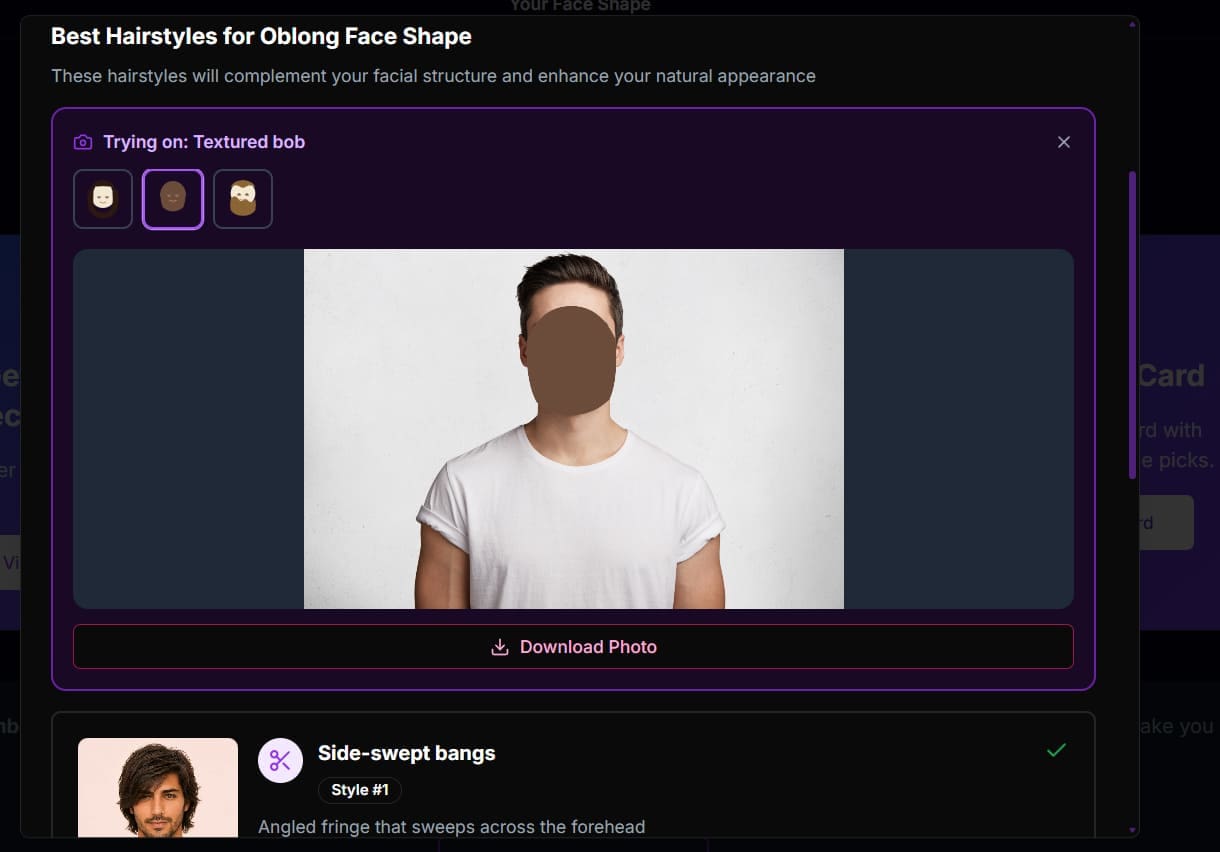
In most tests, the AI incorrectly determined where the face ends, resulting in the “hair” being put on the forehead.
Trying another hairstyle resulted in a brown smudge covering the face.
Face Shape Detector AI Review Verdict
On the plus side, the actual face shape detector works. It will accurately determine what your face is and tell you why in certain terms. You can then use the result as a starting point for researching hairstyles commonly recommended for that face shape.
In terms of in-tool recommendations, the automated recommender does have some samples of how the ideal haircut might look on a generated portrait. This is presumably taken from a sample library, and there’s no way to change it.
The main downside is that you can’t reliably use the tool to preview a hairstyle. The recommendations are simplistic, and the hairstyle and glasses try-on options did not produce convincing results in our tests.
In terms of usage, you get what you paid for with this app. Since you don’t have to pay anything, it’s a good preview, but that’s it.
Related Posts
 How to Increase Your Support Team’s Productivity with IllumiChat AI
 Get ChatGPT, Claude, and Midjourney on Telegram With Unlim AI
 Write and Research Your Content With WriterZen AI
 The AI Orchestration Platform for Security and IT teams – Our Look at Tines AI
 Librida AI Review: Turning Ideas Into Books – Does It Work
 From Image Generation to Ads: Our Look at Magic Studio
 Exploring Draw3D AI for 2D-to-3D Conversion
 How Well Does Manus AI Perform in Task Automation?
 Entropik AI Review: Can It Really Measure Interviewee and Consumer Feelings?

Disclaimer: Some pages on this site may include an affiliate link. This does not effect our editorial in any way.