
We’ve all been there. You have unformatted notes, an email thread, or ChatGPT output that needs tidying. You paste it into Word, and it looks worse than it did before.
Applying headings, lists, and spacing by hand is tedious and slow. That is exactly the problem Format Magic AI sets out to solve. Read on to find out the key details in our Format Magic AI review.
What Format Magic AI Does
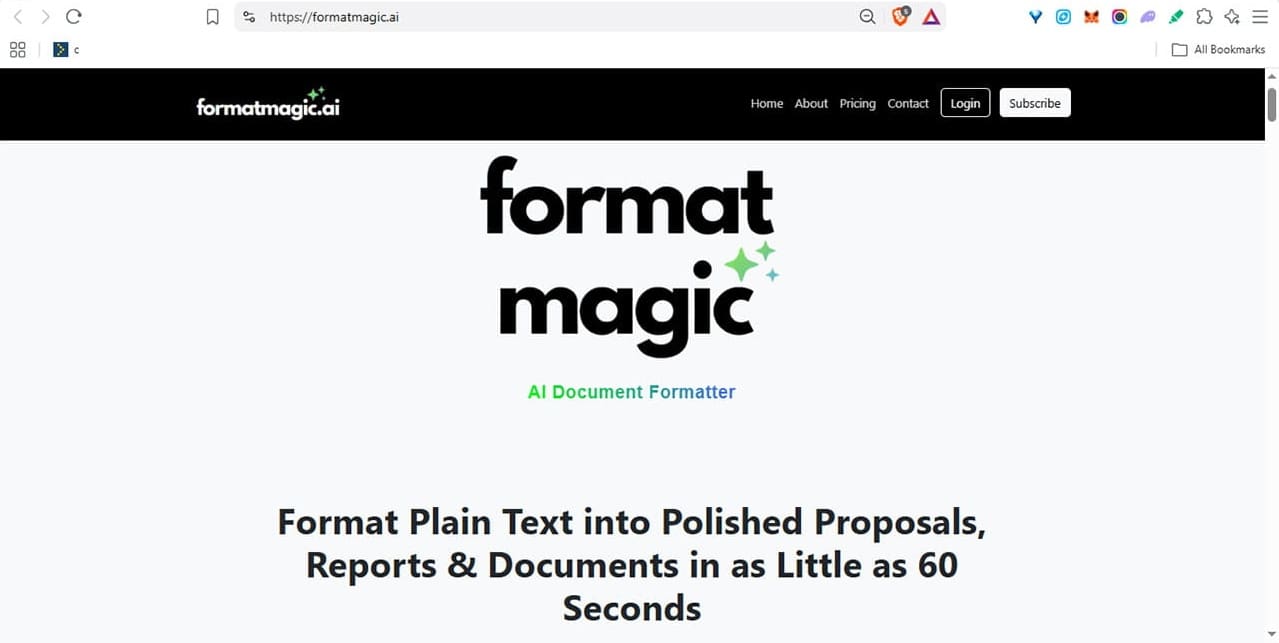
Format Magic AI promises to format plain, unstructured text into beautifully designed business proposals, client reports, consultant deliverables, and résumés. That could take hours to do manually. Format Magic AI delivers results in a matter of minutes.
Format Magic AI largely leaves your wording alone. Your typos survive; they just look better dressed. It does tidy as it goes, though, capitalising sentence starts, adding a comma, and turning bracketed detail into a lead-in sentence.
Workflows
There are three primary workflows available:
- Format plain text – Paste raw, unformatted text into the app’s editor, then apply a layout and receive a polished, print-ready Word document back in minutes.
- Format / reformat AI output – Paste in your raw output from ChatGPT or any other AI chatbot, and convert to a structured document including headings, lists, paragraphs and/or tables.
- Reformat text, Word or PDF documents – Upload an existing docx or PDF and apply a clean, professional template instantly.
For this review, we prepared a messy, unformatted text document to test just how well it works.
How to Format a Messy Document, Step by Step
Format Magic AI runs in the browser, on any device. There’s no need to download an app, and you don’t need an account to format documents on the free tier, although guest downloads are read-only and include a watermark.
Free vs Paid Tiers
There are four plans, from a free tier to Premium at $19.95 a month. Free covers 75,000 characters a month and 15,000 characters per document.
The free tier also watermarks every page and locks the Word file itself. The document downloads with editing protection switched on, so it opens read-only until you unlock it. Basic removes the watermark and unlocks Word editing. Meanwhile, Pro and Premium come with more customization options. Paid plans also let you perform full image extraction from Word and PDF files you upload (you only get five on the free plan).
Using the app is straightforward.
Choose a Template
The free tier only offers a few options — we used Studio — but they’re useful for basic use cases. Paid tiers let you customise templates, or upload your own.

Add Your Text
Paste the text you want formatted, or upload a Word, PDF, or text file. There are options to keep the source’s emphasis and heading styles, which you should set before you start.

When it’s done, you’ll see your raw text in the preview pane.

There are also several formatting options you can set before you start formatting.
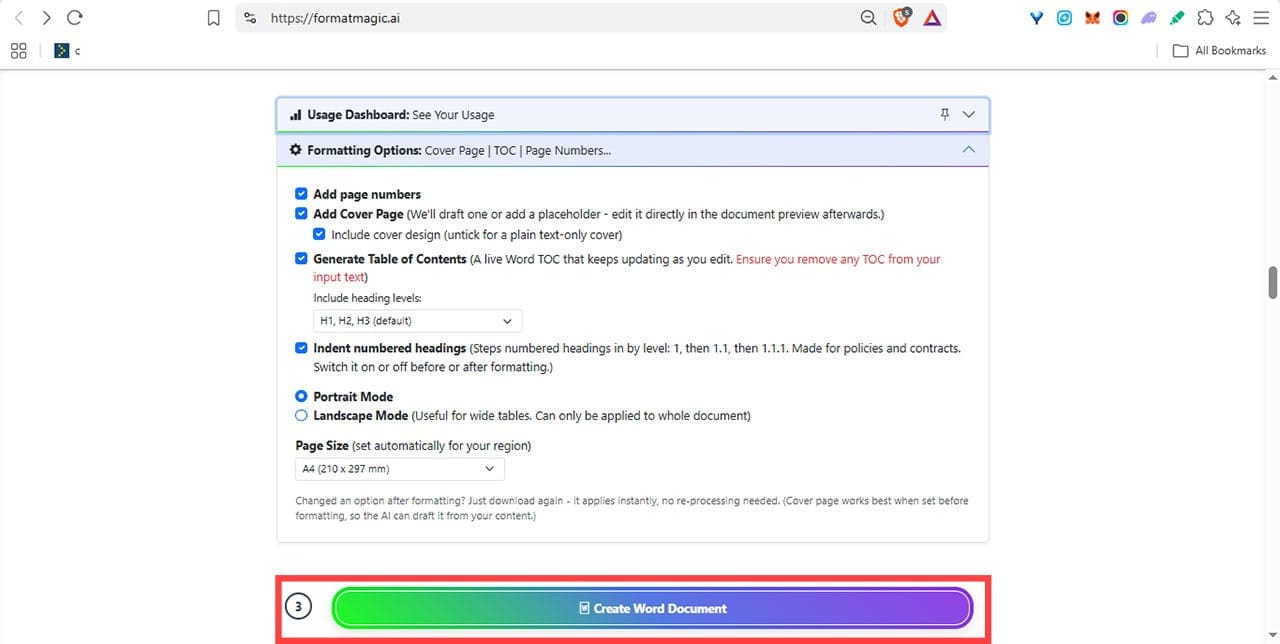
Create the Formatted Document
Click the “Create Word Document” button. You’ll see the progress update in real time.
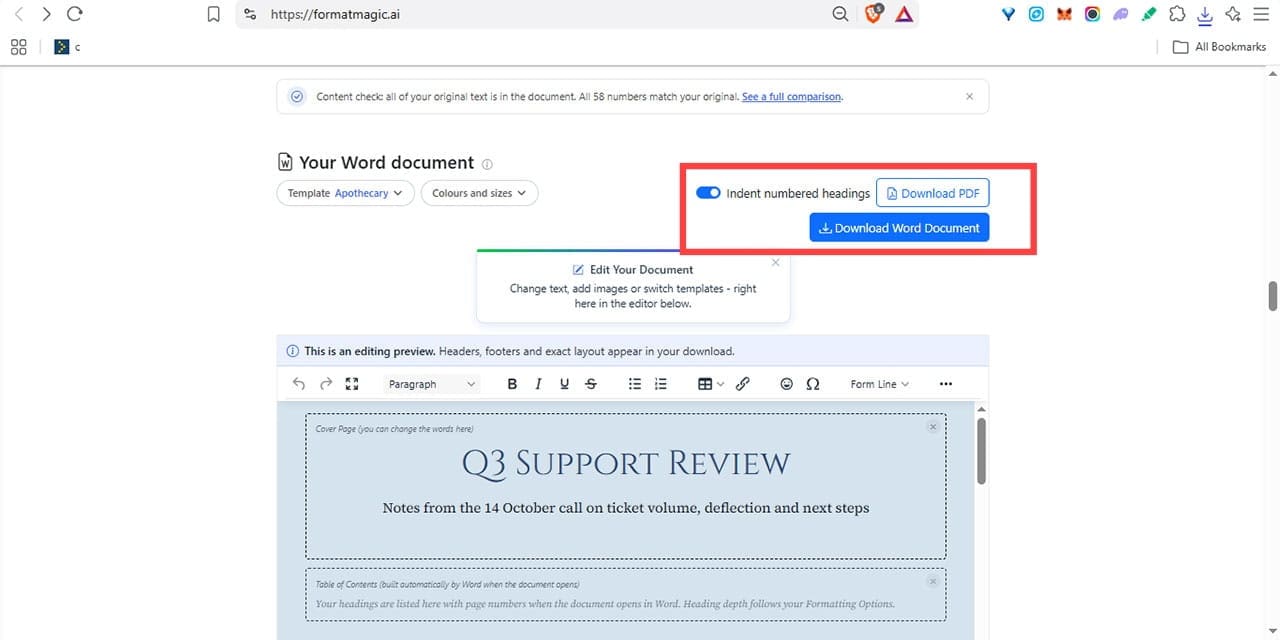
When it’s done, you’ll see the output document, along with options to edit it right there in the browser, and to download either Word or PDF versions.
How Well Does Format Magic AI Work?
The results of our test were impressive.
Format Magic AI added titles, headings, a table, and sorted messy text into bulleted and numbered lists. A raw text file became a professional-looking document in around 60 seconds, exactly as promised.

It did make small adjustments to the text, such as adding punctuation, moving brackets out of headings, and adding an explanatory word to two bullets so the list read consistently. But in truth, those changes were appreciated, falling under useful copy-editing rather than a change of content or voice. It also built the cover page and titles from the options selected before formatting.
The entire process was intuitive, uncomplicated, and fast, especially considering the quality of the output.
Related Posts
 From Image Generation to Ads: Our Look at Magic Studio
 Trickle Magic Canvas AI Review: Turn Prompts Into Apps and Web Pages
 Can ElevenLabs AI Bring Your Text to Life?
 How Good Is VibeVoice AI for Generating Text to Speech?
 How to Spot AI-Generated Text
 How to Generate Text From Speech With AI
 Reach a Global Audience With VideoDubber
 How to Keep Your Files Organized With an AI File Renamer
 How to Get Noticed (and Promoted) by AI Chatbots With ChatFeatured

Disclaimer: Some pages on this site may include an affiliate link. This does not effect our editorial in any way.