

Recording and editing a voiceover for a video, a course, or a client explainer can be slow, tedious – and expensive if you use a professional studio. AI voice cloning promises to take that pain away, especially when it’s free.
That is KikiVoice’s pitch: fast, high-quality cloning, bundled with extras like translation into 75-plus languages and controls for tone and emphasis. It runs in your browser and is free to use for now, although usage is subject to weekly credits and other limits.
But how good is it? In this KikiVoice AI review, we cloned a voice and tested all three models against a deliberately non-standard accent.
What KikiVoice Offers

The KikiVoice offers four voice clone AI services:
- Voice cloning (clone your own voice)
- Voice design (creating a custom voice from a prompt)
- Text-to-speech (hundreds of preset voices)
- AI Voice Changer (replace one voice with another)
This review covers voice cloning only.
How KikiVoice’s AI Voice Cloning Works
Using KikiVoice is quick and easy.
Step 1. Select Voice Cloning, then record a voice sample in the browser or upload a file. A sample length of 3-10 seconds is recommended; ours took seconds to upload.
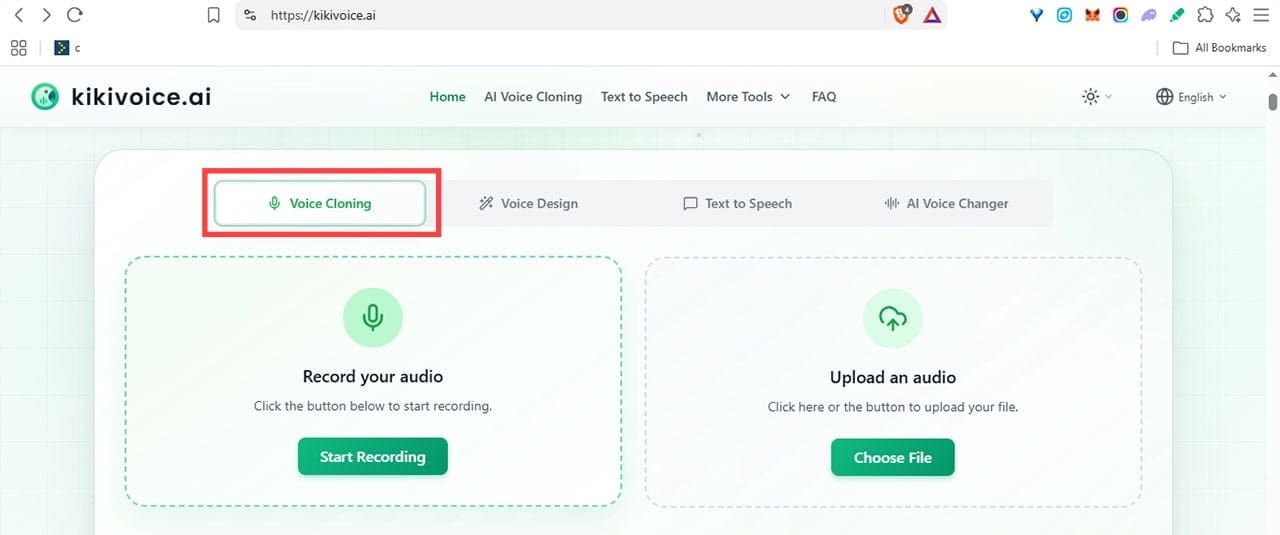
Step 2. Name and preview the sample, then click “Next Step.”

Step 3. Upload and processing take a moment, and then you are on the cloning screen.
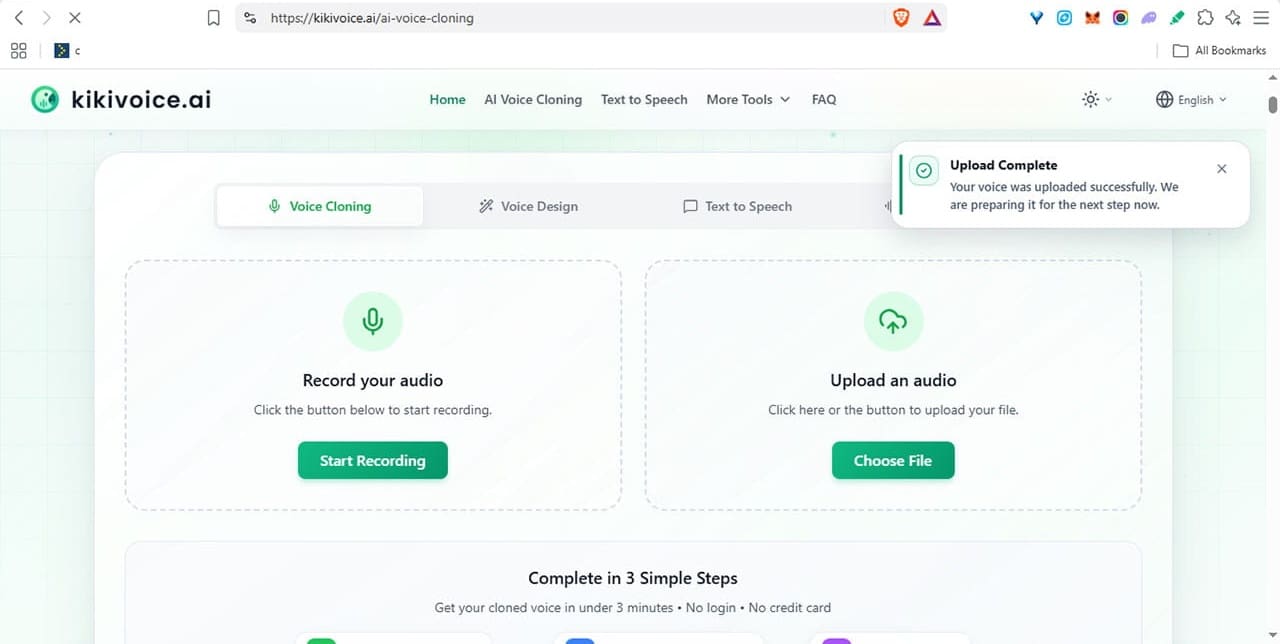
Step 4. On the main cloning screen, enter the text you want spoken and choose a model.
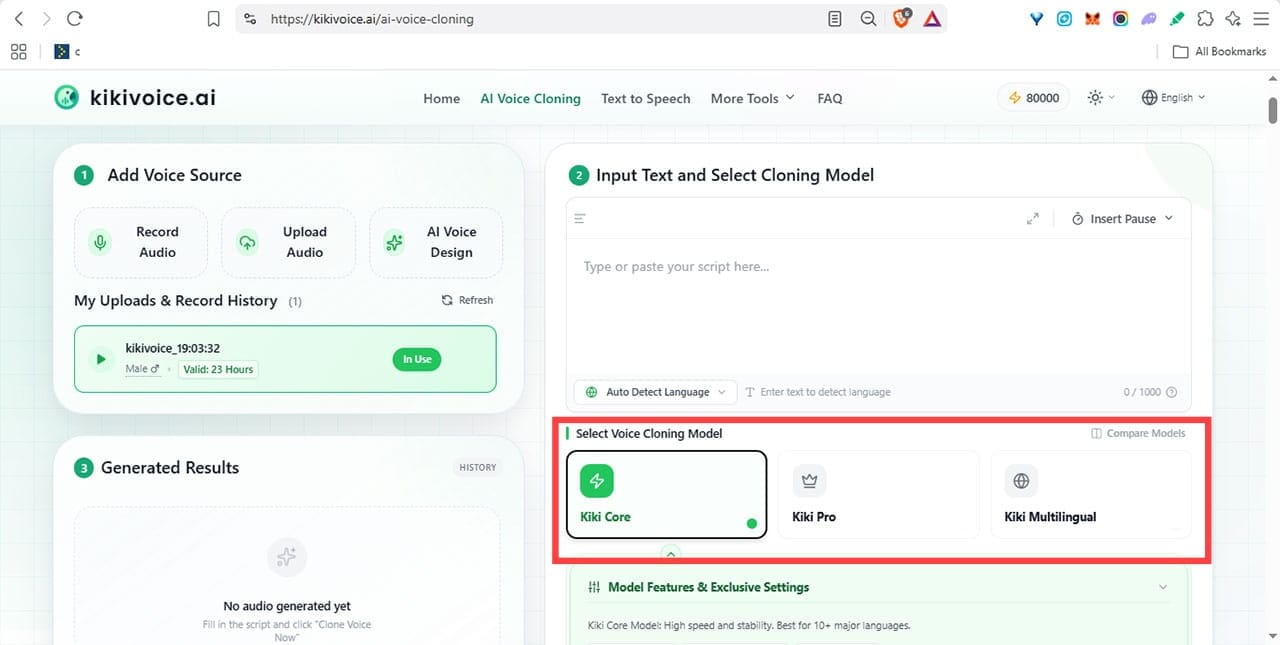
Three models are available:
- Kiki Core – The basic model, fast and stable across more than 10 major languages
- Kiki Pro – The most realistic, with adjustable emotion
- Kiki Multilingual – Natural cloning across more than 75 languages
There’s one real limitation: only small amounts of text can be rendered at a time. In our test, Core takes 1,000 characters, Pro 500, and Multilingual 3,000. So, longer scripts have to be done in batches.
Additional Settings
On Pro, the Emotion Control dropdown sets emotion, narrative style, and character. You also have accent support for American, Australian, British, and Canadian English.
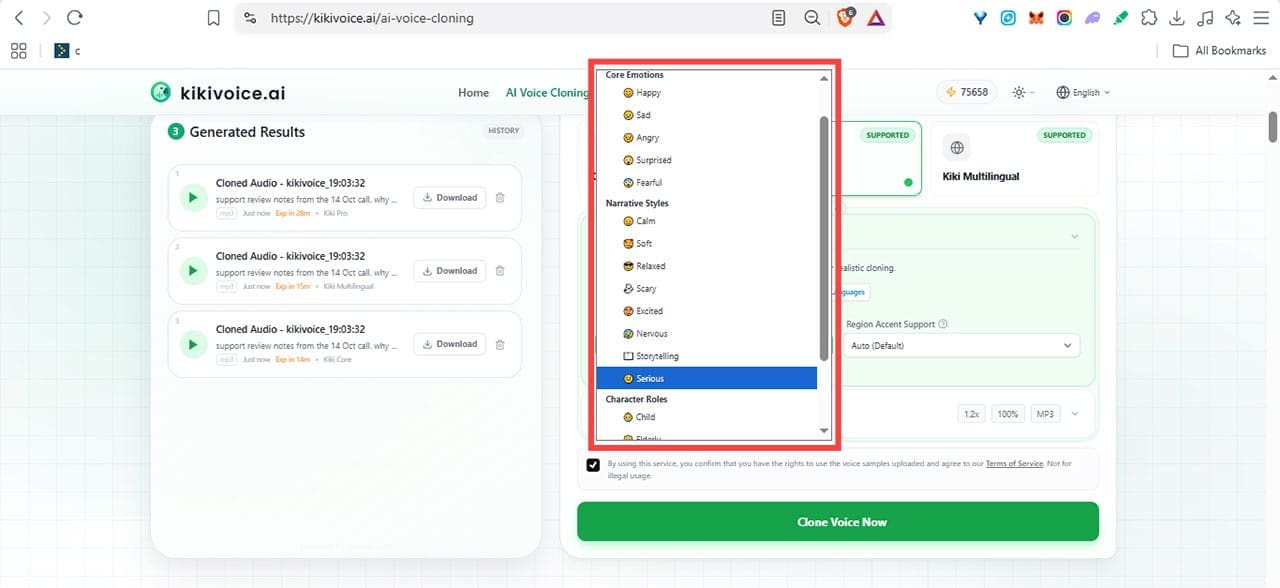
The Multilingual model allows setting a voice gender and finer regional accent control.

All models have adjustable settings for speed, volume, output format, and audio quality under More General Settings.

Select your required parameters, tick the disclaimer, and click “Clone Voice Now.”
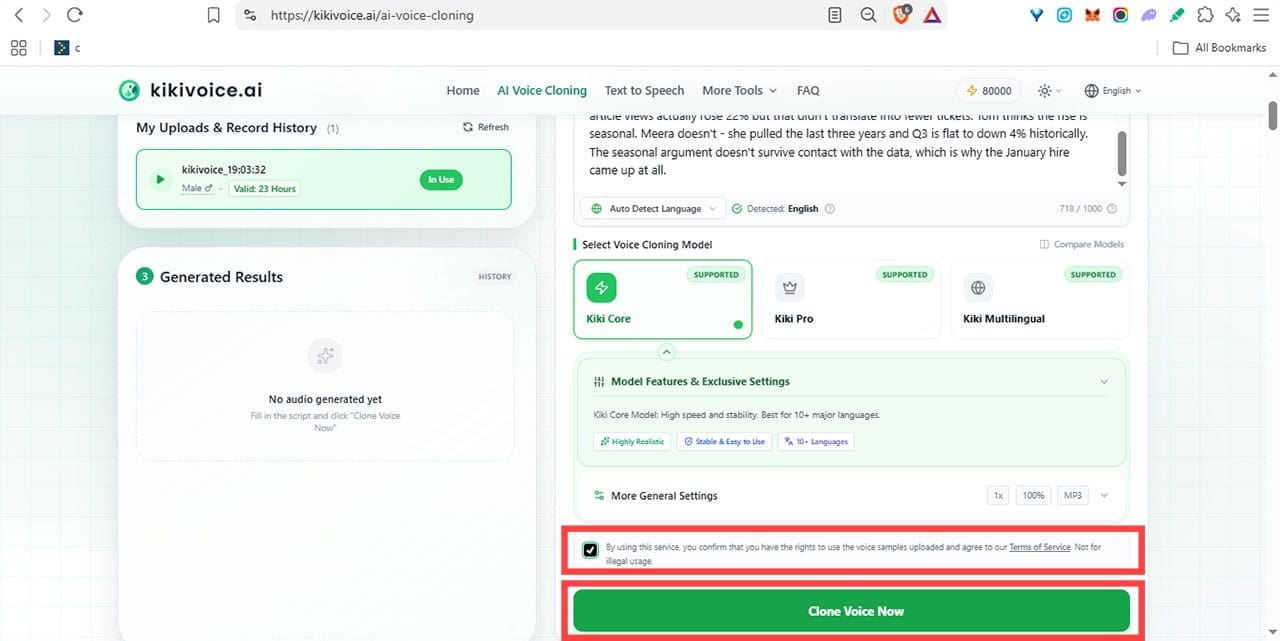
After a quick verification check, the render starts.

You can follow the progress in Generated Results if you’re quick. Each of our renders finishes in under two minutes.

Finished files land in Generated Results, where you can preview and download them without limitation for 24 hours.
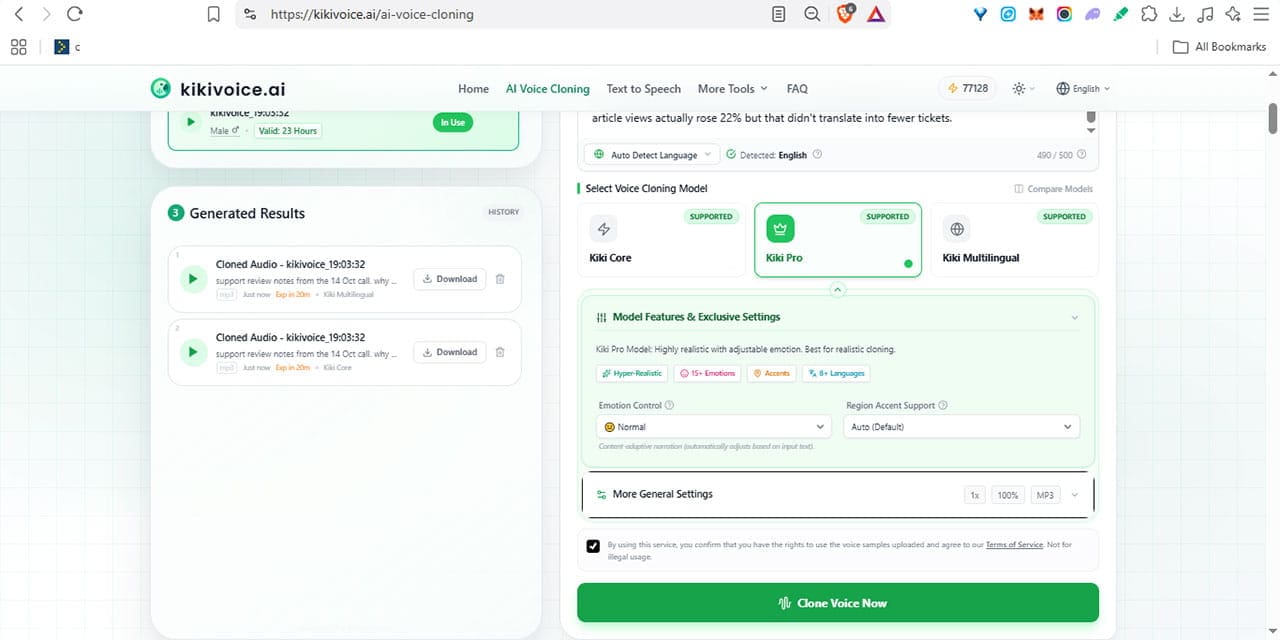
If you are not happy with the results, change the model and/or settings and render again.
KikiVoice AI Review: The Test Results
We tested all three models with a deliberately non-standard accent, varying the settings between runs.
The result?
All three got the voice essentially right and the accent wrong.
Voice Quality
The voice sounds very similar, and the pitch is almost identical: 116 Hz against 111 Hz in the original. In the Standard output mode, everything above 12 kHz was cut, leaving a duller sound, but the “Higher Quality” setting fixes it.
Accent Issues
Pro handled the accent best, particularly with a small speed boost to 1.2×, which brought the pacing close to natural.
Core left awkward, drawn-out gaps between words. The Multilingual model’s regional accent setting, selected to match the source accent, produced the worst result of all, reading the same script in little more than half the time Pro took.
Verdict
KikiVoice failed our accent test. But the cloning itself worked well enough that we will keep experimenting, with a standard accent and with the other tools on the site.
All three models are likely to fare significantly better on standard U.S. or British accents, since those are what they were most likely trained on.
Related Posts
 DiscMeet AI Review: How to Get Instant Transcriptions From Discord Meetings
 Is This a Good Voice Tool? Our FineVoice AI Review
 How to Transcribe a WhatsApp Voice Note in Otter AI
 Control Almost All PC Apps With Your Voice Through VoiceType AI
 Sellinger AI Review: An Autonomous Growth Engine for LinkedIn
 ForumScout AI Review: What Do People Think About Your Brand?
 Spinach AI Review: Make Meetings and Note Taking a Breeze
 Needle AI Review: Is It Really the Easiest Way to Find Your Data?
 Norton Neo Review: Is the First AI-Native Browser Worth Switching To?

Disclaimer: Some pages on this site may include an affiliate link. This does not effect our editorial in any way.

