Getting a book out of your head and into the world is never easy, especially if you don’t have a lot of writing experience. While you might want to use AI tools to help out here, most platforms are single-purpose, like a writing assistant, cover designer, grammar checker, or plot creator and refiner. Librida AI streamlines that to an all-in-one tool that should get you from idea to a finished manuscript at lightning speed. While sufficient for internal digital publishing, you’ll still need to manually export your assets to upload them to platforms like Amazon KDP. But does it work? Check this Librida AI review to find out.
How Does Librida Work?
Librida operates entirely within the browser, meaning there’s nothing to install. The workflow is designed around the idea that anyone, regardless of writing experience, should be able to produce a complete book from a simple prompt.
Starting with your first book is remarkably easy.
Step 1. Create an account on Librida and log into the main author workspace (You can’t do anything without an account). Go to the “Workspace” tab on the top toolbar.
Step 2. Enter your book title and make sure to select the genre and the tone of the book. The AI uses this to scaffold the structure and begin generating content.
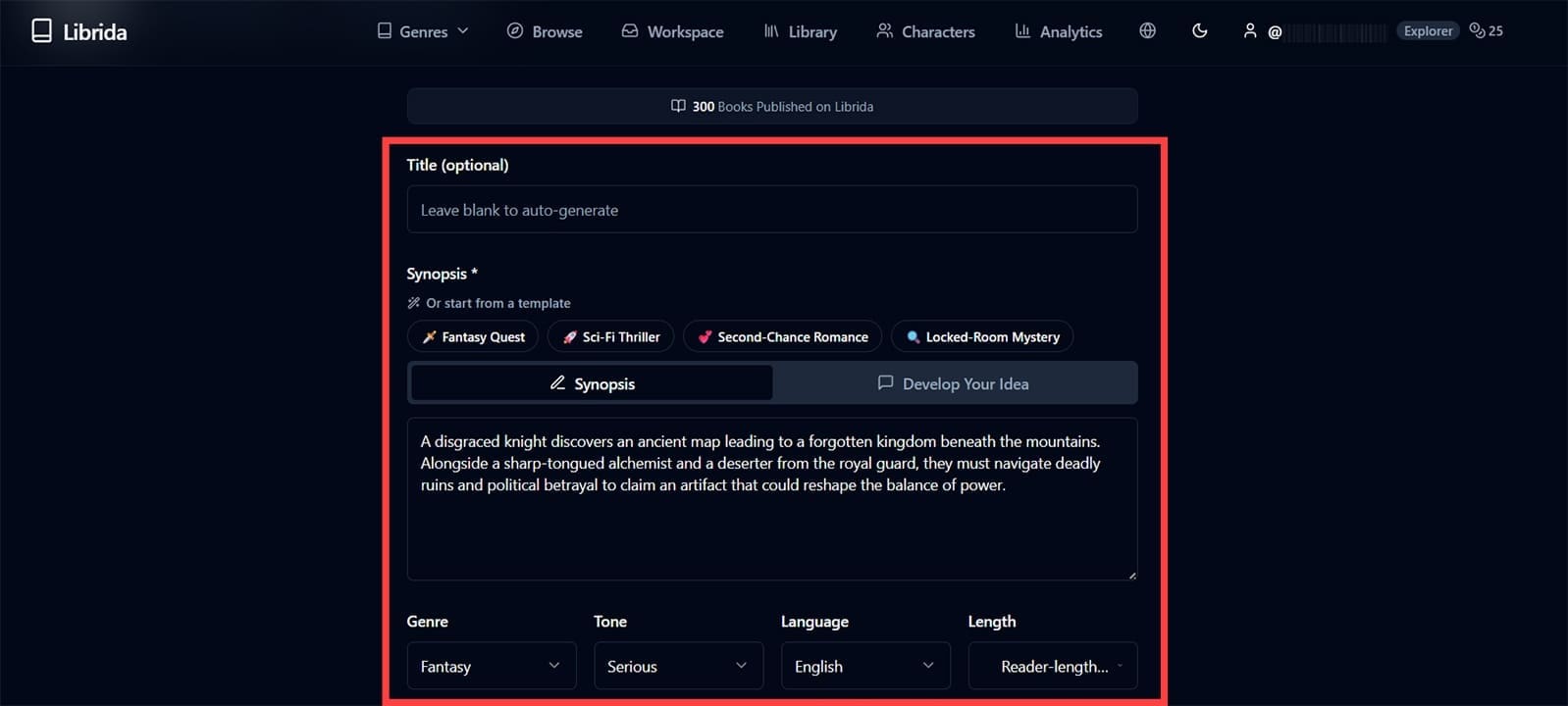
Step 3. Either use a synopsis or the chat tool to start creating the general plot outline.
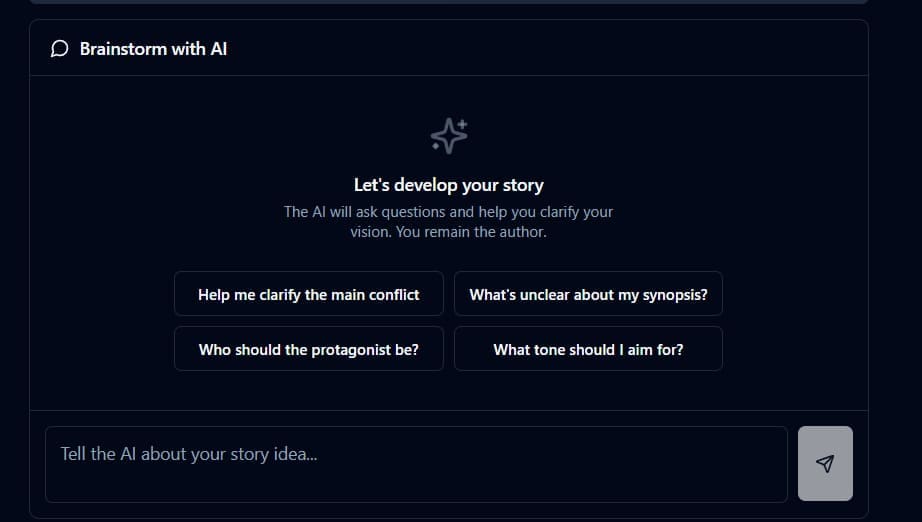
Step 4. Work through chapter revisions and AI-assisted elaboration using the built-in editing tools, which allow you to modify tone, detail level, and direction as you go.
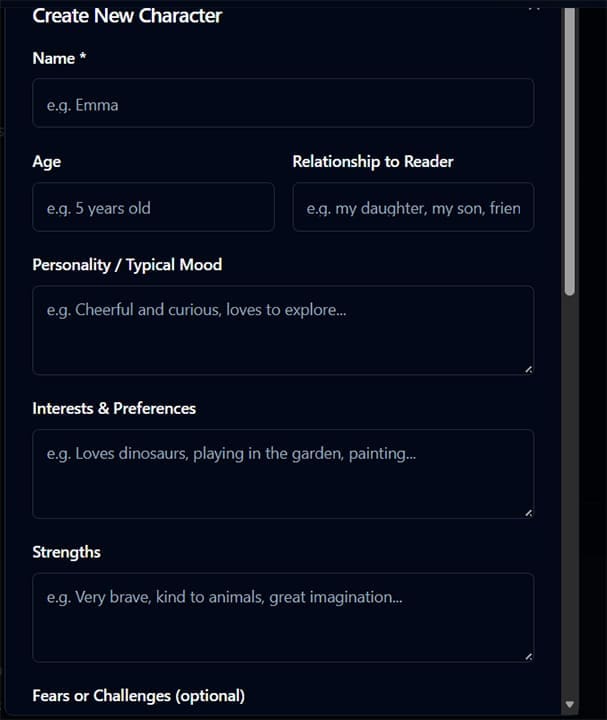
Alternatively, you can start by creating a character (in the “Characters” section), adding their details, and then “pinning” them to the book to be used as the base for the story. This helps with creating serials.
The tool will guide you through creating plot points, how they correspond to chapters, and then automatically make the actual book. You even get a free AI-generated cover (which you can “reroll”).
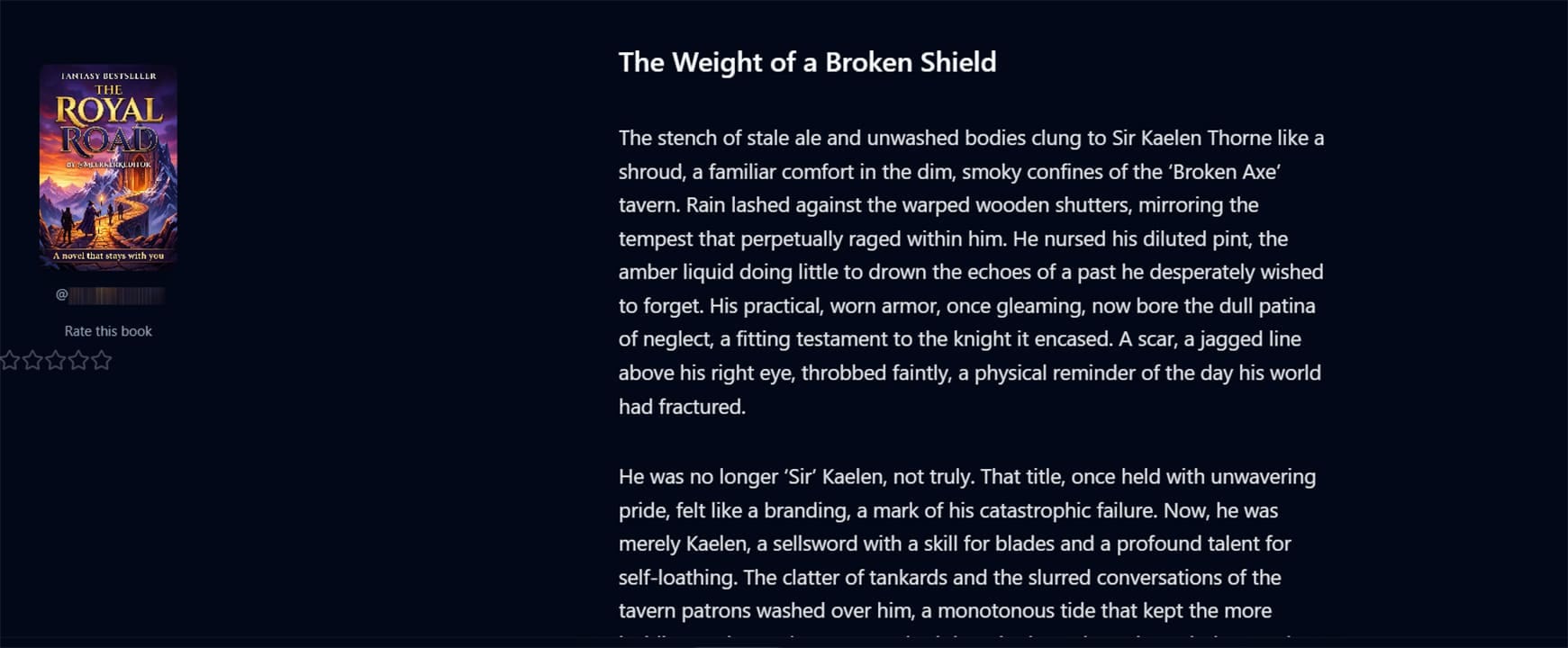
The process is notably streamlined. Unlike general-purpose writing tools that require significant prompting experience, Librida keeps the interface approachable, with the AI doing most of the heavy structural lifting.
Main Features
The core of Librida AI is its writing engine. All you do is provide a starting premise, and the platform shapes it into a structured manuscript. The workspace also supports AI-assisted elaboration, which means you can highlight a section and ask the AI to expand, refine, or redirect it. This makes the tool useful not just for first drafts but for fleshing out ideas that stall halfway through.
The AI performs well on genre fiction and non-fiction guides, where structural conventions give it clear rails to follow. For highly literary or unconventional writing, expect to use more manual editing.
Notably, when you first start, the AI will generate the opening chapter and prompt you to either edit it manually, have the AI polish the story with more generated options, or directly continue from where it left off.
Another important thing to keep in mind is that while the platform makes it seem like it generates the entire book, you need to manually go through the chapter selector to start the process.
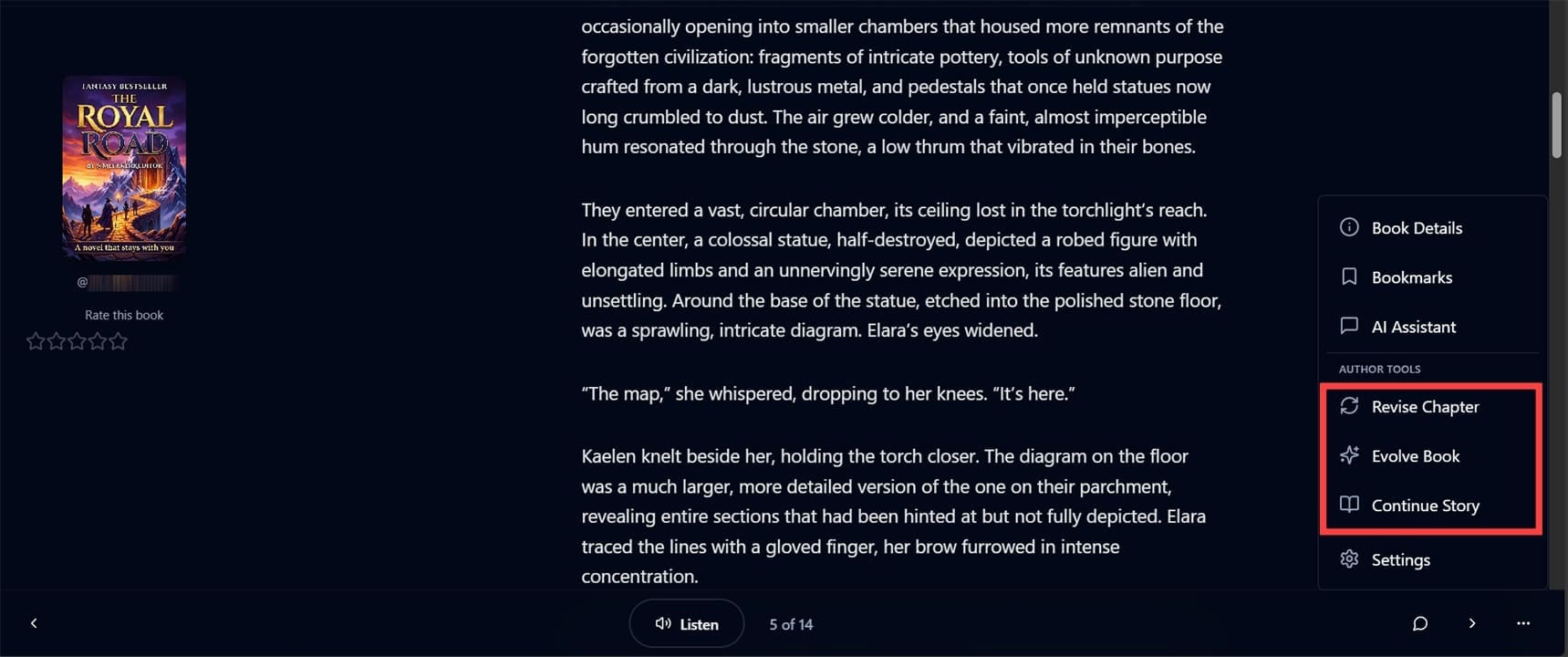
After that, you can use the “Revise Chapter” and “Evolve Book” options to refine the story. The AI checks for loose ends, determining the story progression for each chapter and providing suggestions for what you can do.
The “Continue Story” option allows you to generate sequels based on the same character and settings, adding onto the story with more points.
Additional Features
The core of the platform is how it adds all the features that you’d normally have to source separately:
- Each book gets a free AI-generated cover (and you can regenerate it once for free)
- You can immediately convert the book into an audiobook using the AI voices
- The platform allows you to publish “in-house” (meaning other Librida AI users can read and comment on it), or directly to Amazon through KDP.
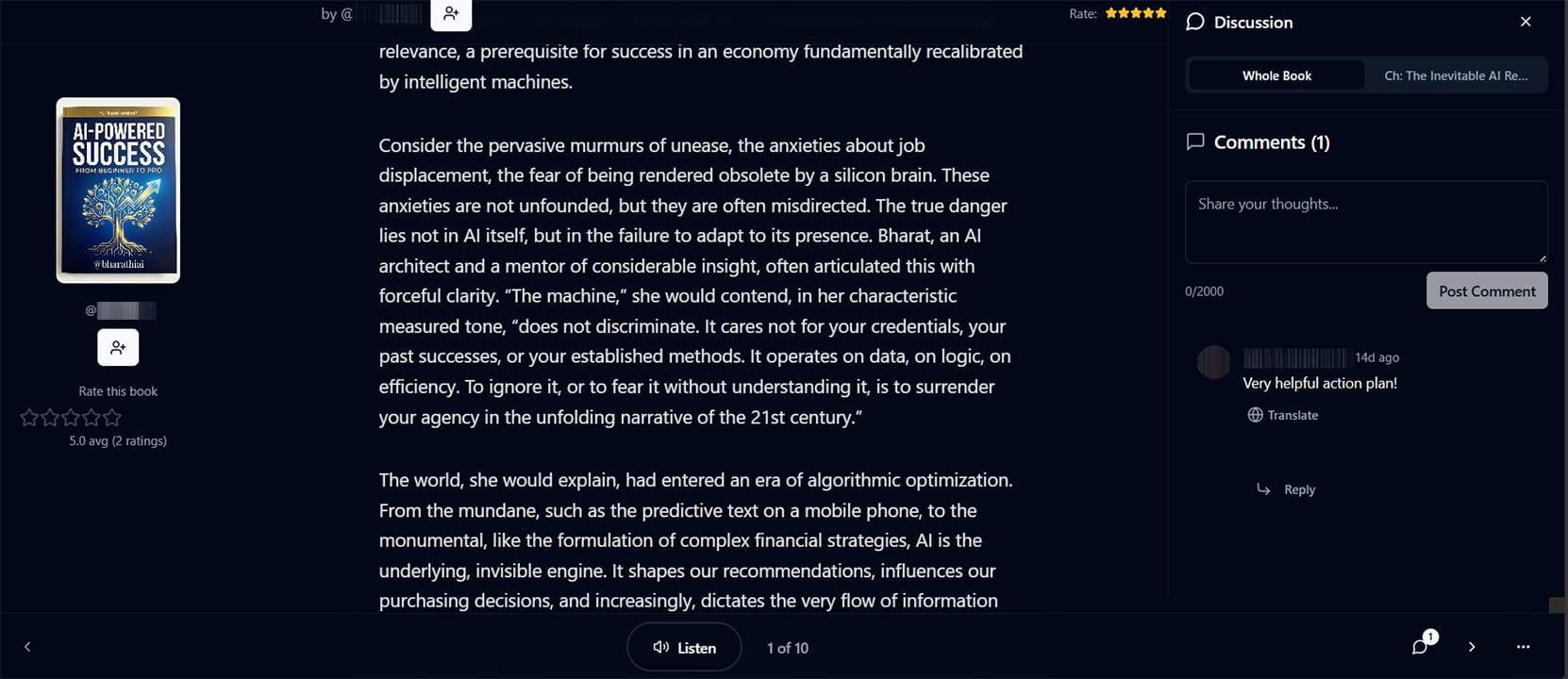
The community features here are what make the platform stand out. Users can discuss books and chapters, giving you feedback even before it’s officially published. This can be invaluable if you want to refine the book before making it a commercial effort.
Pricing
Librida AI’s pricing structure is not really in-depth, with the credit structure mainly devoted to narration and publishing options.
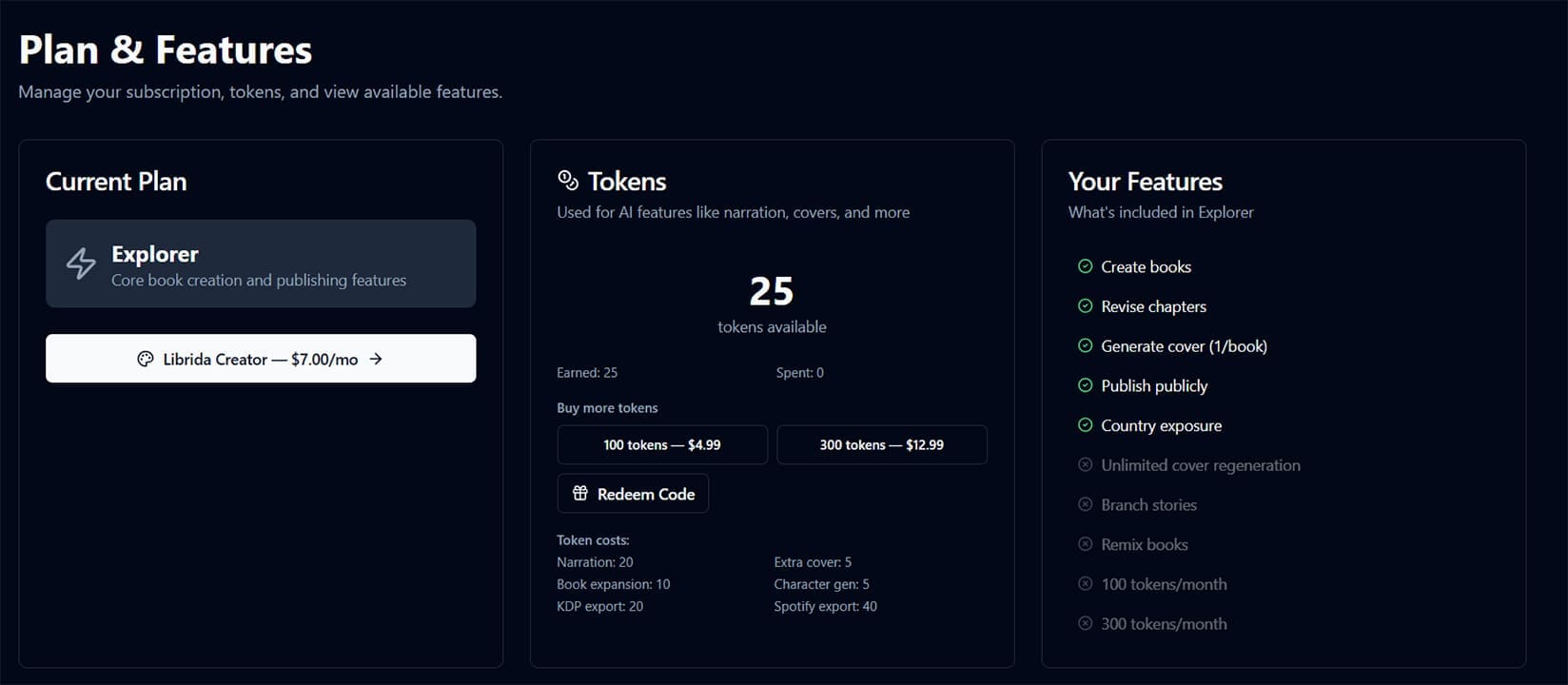
Notably, the AI doesn’t use any credits whatsoever when writing or revising, but it does when creating characters or expanding the book (which is never truly demarcated). This can be confusing when you want to modify existing chapters by continuing the story.
What Works and What Doesn’t
Librida AI’s main value is having writing, cover design, audiobook narration, and KDP export in one place, particularly for authors who don’t want to manage five separate subscriptions to publish a single book.
The AI writing quality itself is solid for genre-driven content and guided narratives, but the tool won’t replace a novelist’s creative instincts. It only works if you give it a good starting point. Trying to use fully AI-generated content usually results in nonsense.
The community approach also has a trade-off, as all books are visible on the platform, which reduces privacy for authors who want to test-publish without full public exposure. There’s no option to publish privately and selectively share.
Finally, the underlying AI model can feel less capable than the current generation of standalone large language models for pure prose quality. This means that its actual writing power is below that of ChatGPT, Claude, or Gemini. You can try to use the premium versions of those models, then port the content into Librida in order to actually make a book out of the synopses or characters.
Verdict
Librida AI makes a compelling case for authors who want a single platform to take a book from concept to published product. It’s best suited to indie authors, casual storytellers, or parents who want to make more personalized storybooks for their children.
But as with all AI tools, it’s not really meant for serious writers. The AI-generated content still needs to be combed through manually (and extensively at times), and the plotting options can feel lackluster for any actual commercial work.
That said, for the audience it’s designed for, Librida delivers on its core promise of making book publishing accessible. The free tier is the right place to start.
Related Posts
 Let Empromptu AI Build Your Ideas Into Apps
 Surveys That Work for You – Our Review of TheySaid AI
 Do AI Humanizers Work?
 Let JustPaid AI Make Your Billing Work Easier
 Does Clipdrop AI Deliver Pro Capabilities for Image Creation and Editing?
 Does NightCafe AI Create Quality Art?
 What Does Meta Verified Mean in WhatsApp?
 AI That Tests Your Apps – Our Momentic AI Review

Disclaimer: Some pages on this site may include an affiliate link. This does not effect our editorial in any way.