ChatGPT is useful, but not always limitless. You might be frustrated by the notice that you’ve reached your limit of messages and are wondering why. Much of this has to do with your usage tier, but there are a few other factors in play, too. In this article, we’ll look at ChatGPT generation limits and its causes.
What Drives ChatGPT Generation Limits
Let’s take a look at the major factors behind what limits your AI time with ChatGPT:
Your Tier
The primary cause behind hitting generation limits is the tier you’re subscribed to. Free Tier users suffer the most with limitations. At the time of writing, free users have limited access to GPT-5.5. Once they reach their usage cap, ChatGPT automatically switches to a mini version of the model until the limit resets.
OpenAI periodically updates its usage limits. At the time of writing, free users can send up to 10 GPT-5.5 messages every 5 hours before being switched to a mini model. Some say the limit is 30 messages, after which you’ll either be switched to a lower model or limited. Advanced features, like image generation and document analysis, are even more restricted. ChatGPT image generation rate limits may vary based on current demand and account status. The Free Tier resets its limits every five hours.
Go and Plus are the next tiers up, and these are limited to 160 GPT-5.5 messages every three hours before the auto downgrade to the Mini version. Business and Pro, on the other hand, are virtually unlimited, but still subject to fair use. The higher tiers can also perform more advanced functions, including changing their models.
Another aspect to consider is the context window. Higher tiers have bigger context windows, meaning more memory and better reasoning over time. Free users will also have a tougher time here.
Company Costs
OpenAI is a business after all, and generating responses costs money. If free messaging is proving too much of a drain on resources, you’re going to get limited sooner rather than later. This is one reason OpenAI supplements its free tier with adverts in some regions.
Abuse Prevention
Another reason ChatGPT might limit your generation is to prevent abuse of the system. This includes malicious activities that drain resources and could harm others, including:
- Using GPT for scraping
- Spamming others
- Content farming
- DoS attacks
If you’re getting limited, ensure you aren’t doing any of these or anything suspicious.
Server Usage
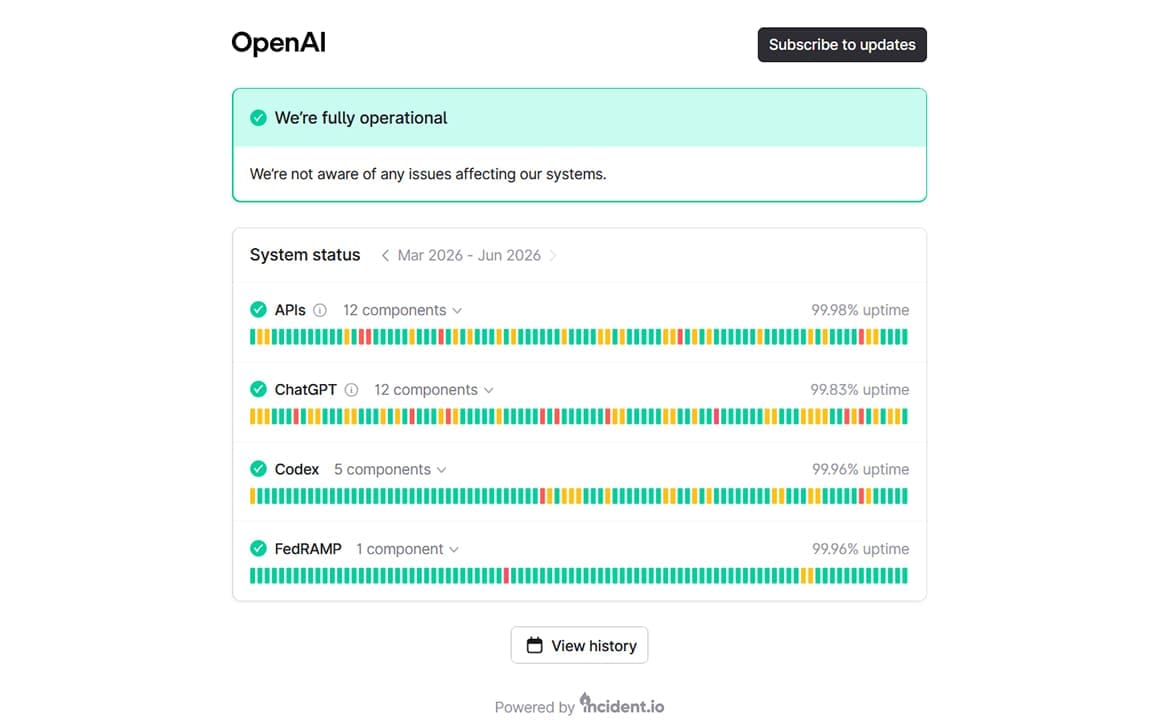
Tiers are an understandable limitation. But what happens when you’re restricted before hitting your limit? Server usage and load are also factors to consider. To prevent things from crashing and keep OpenAI’s services open to as many users as possible, ChatGPT might limit your generation during peak hours, more so for lower tiers.
There might also be a server outage causing your latency woes. In this case, you can check the status by visiting this site.
Cache Issues
Sometimes, you might be limited in your generation not by ChatGPT, but by your browser or app itself. You can clear ChatGPT’s cache on whatever browser you’re using. All offer a way to clear a particular site’s stored data.
You can also repair your desktop app to see if this resolves the issue:
Step 1. Open Settings (Win + I) and click “Apps.”
Step 2. Click “Installed Apps.”
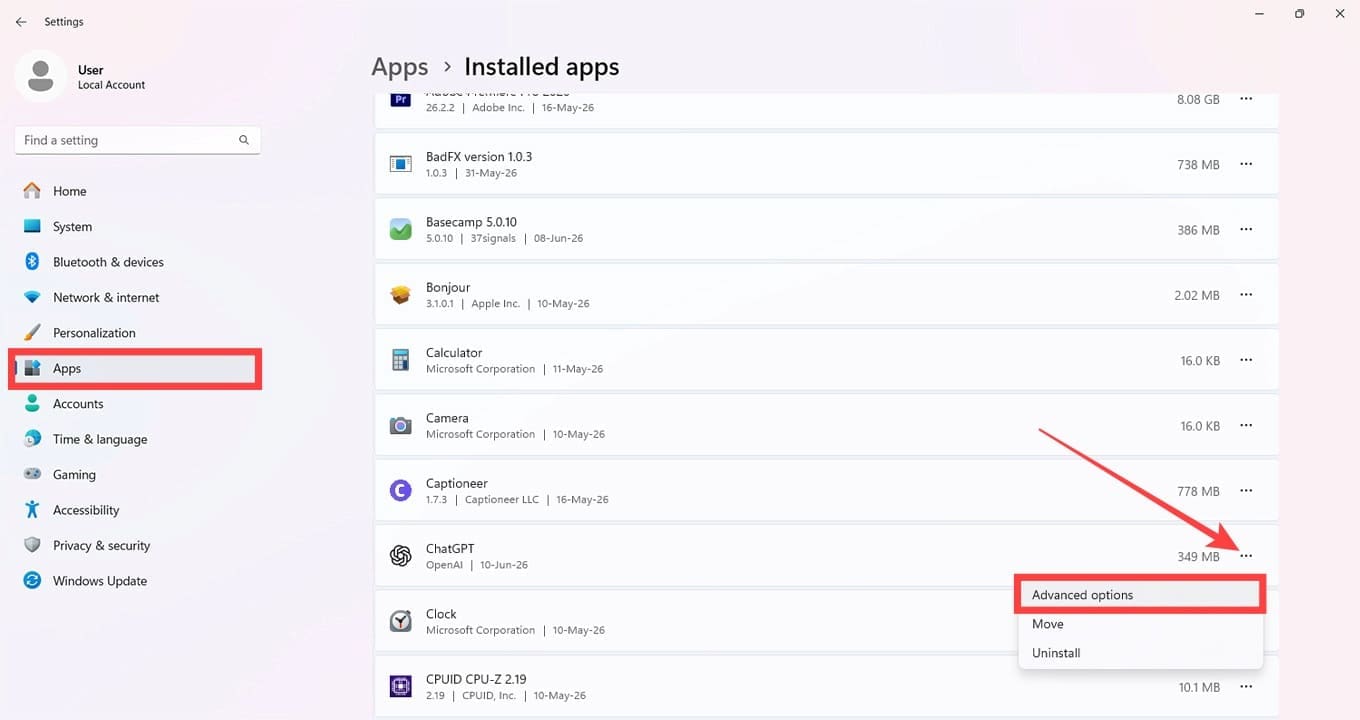
Step 3. Scroll down to “ChatGPT” and click the three dots next to it. Choose “Advanced options” from the menu.
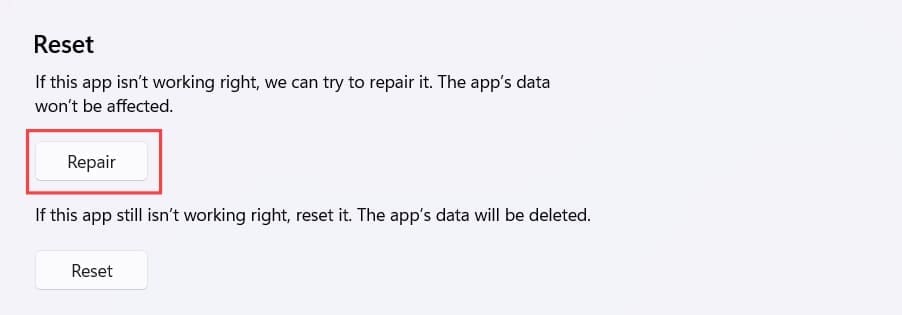
Step 4. Scroll down to the “Reset” subsection and click “Repair.”
Related Posts
 Why Am I Having Trouble With DALL-E Image Generation?
 Understanding Prompt Hacking: The New AI Vulnerability
 How to Use ChatGPT as a Search Engine and Should You Do It?
 What to Do When ChatGPT Is Stuck Generating Images
 How to Integrate ChatGPT into WhatsApp
 ChatGPT Not Working in Telegram – 7 Fixes
 ChatGPT vs. Gemini vs. Claude – How Do They Compare?
 DeepSeek vs. ChatGPT vs. Claude – Or None of Them?
 Get ChatGPT, Claude, and Midjourney on Telegram With Unlim AI

Disclaimer: Some pages on this site may include an affiliate link. This does not effect our editorial in any way.