Devices Tutorials & How-Tos

What Apps Come with the iPad
Posted by Evan Gower on August 8, 2019

What Apps Come with the iPad?

How to Install Windows 10 Alongside Ubuntu Most PC users have gotten used to the latest Microsoft release and they are using it as their main OS. However, Ubuntu is more resource-friendly and it is completely free. That being said, Ubuntu still can’t do many of the things that Windows can, like run popular video games. This is why it is becoming common practice to have a dual-boot system that has both Ubuntu for more technical purposes and Windows 10 installed. Here’s how to install Windows 10 alongside Ubuntu. Ubuntu Benefits Before completely disregarding Ubuntu and just using Windows 10, you should consider the benefits that the former brings to the table. For one, unlike Windows, Ubuntu is completely customizable. You can personalize virtually every element of your UI/UX, which is amazing compared to the personalization options you get with Windows 10. Ubuntu also runs without installing, meaning that it’s completely bootable from a pen drive. Yes, this means that you can carry around your entire OS in your pocket and run it on any computer, wherever you need it. Ubuntu is more secure, too. It might not be fully immune to security issues, but it is a safer environment than Windows 10. It is also a common developer’s tool, which is not something that Windows 10 was intended for. Windows 10 on Ubuntu If you have Windows 10 installed on your PC, installing Ubuntu is a straightforward process. Ubuntu is commonly installed “on top” of Windows 10, as it’s a simpler platform that can even function on multiple computers through a pen drive. Installing Windows 10 after Ubuntu, however, is a tad tricky and not recommended. However, when push comes to shove, sometimes this needs to be done. Preparing a Partition If you want to install Windows 10 in Ubuntu, make sure that the intended partition for the Windows OS is the Primary NTFS partition. You need to create this on Ubuntu, specifically for Windows installation purposes. To create the partition, use the gParted or Disk Utility command-line tools. If you already have a logical/extended partition, you’ll need to delete it and create a new Primary Partition. Keep in mind that all data in the existing partition will be erased. Installing Windows 10 Use the bootable DVD/USB stick to start the Windows installation process. First, you’ll need to provide the Windows Activation Key to authenticate your installation. After this, choose Custom Installation, because the automatic option may create issues. Make sure that you select the NTFS Primary Partition that you’ve created earlier as your Windows 10 installation partition. Keep in mind that after the successful Windows 10 installation, GRUB will be replaced by the Windows bootloader, meaning that you won’t see the GRUB menu when booting your computer. Fortunately, this is easy to solve by installing GRUB for Ubuntu again. Installing GRUB for Ubuntu In order to install and fix GRUB, a LiveCD or LiveUSB of Ubuntu is a must. This means that you’re going to have to get an independent version of Ubuntu. Having a pen drive is ideal here, as you can use it easily. Once Live Ubuntu has been loaded, open the Terminal and use the following commands to start boot-repair to fix GRUB for Ubuntu: sudo add-apt-repository ppa:yannubuntu/boot-repair && sudo apt-get update sudo apt-get install -y boot-repair && boot-repair After the installation is done, boot-repair will launch automatically. Select the recommended repair option when repairing the GRUB. Once everything is done, reboot your computer and you’ll see the GRUB menu, where you choose which OS you want to run. Windows 10 and Ubuntu Windows 10 and Ubuntu are a perfect pair. Every bit of technical work, such as development, is better performed in Ubuntu. The majority of everyday computer activities, such as gaming, watching movies and TV shows, and browsing is best left to Windows 10. Remember that it is not recommended that you install Windows 10 after Ubuntu, but it can be done. Do you use dual-boot? Do you use a pen drive for your Ubuntu? What are your thoughts on installing Windows 10 alongside Ubuntu? Share your thoughts in the comment section.
Posted by Evan Gower on August 8, 2019

How to Install Windows 10 Alongside Ubuntu

google photos vs amazon photos
Posted by Evan Gower on August 6, 2019

Google Photos vs. Amazon Photos

Posted by Brad on August 6, 2019

How To Watch Netflix In 1080p In Chrome Or Firefox

How to Delete a Full Directory Including Files in Linux
Posted by Evan Gower on August 2, 2019

How to Delete a Full Directory Including Files in Linux

Why Is Battery Icon Grayed out in Windows 10
Posted by Evan Gower on July 31, 2019

Why Is the Battery Icon Grayed Out in

how to automatically bcc yourself in outlook
Posted by Evan Gower on July 30, 2019

How to Automatically BCC an Email Address in Outlook

Posted by Matthew on July 27, 2019

How to Increase the Resolution of an Existing Image With Paint.NET

Posted by William Sattelberg on July 26, 2019

How To Unlock an Amazon Fire TV Stick

apple books download location
Posted by Jim Tanous on July 25, 2019

Where Are Apple Books Downloads Stored in macOS?

Posted by Matthew on July 25, 2019

How to Record Macros in

Windows Search Magnifying Glass Detective
Posted by Jim Tanous on July 24, 2019

How to Solve Windows Search Issues with an Index Rebuild

How to Make 32 Bit Apps Work on 64 Bit Windows
Posted by Evan Gower on July 20, 2019

How To Make 32-Bit Apps Work on 64-Bit Windows

Chromebook Won’t Boot
Posted by Anna Middleton on July 18, 2019

Chromebook Won’t Boot – What To Do

Posted by Gregory on July 18, 2019

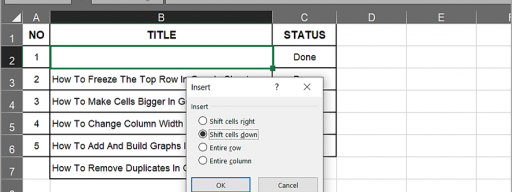
How To Move Cells Down in Excel

windows 10 action center icon taskbar
Posted by Jim Tanous on July 17, 2019

How to Hide the Action Center Taskbar Icon in

Posted by Jim Tanous on July 17, 2019

How to Clean Up and Tame Quick Access in

chrome new look vs old
Posted by Jim Tanous on July 17, 2019

How to Switch Back to the Old Chrome Design

windows 10 start menu run command
Posted by Jim Tanous on July 16, 2019

How to Add the Run Command to the Windows 10 Start Menu

How to Start or Stop Windows Firewall from the Command Line
Posted by Anna Middleton on July 16, 2019

How To Start or Stop Windows Firewall from the Command Line

windows 10 file explorer icon
Posted by Jim Tanous on July 16, 2019

How to Configure Windows 10 File Explorer to Open with This PC View

how to layer images in powerpoint
Posted by Anna Middleton on July 15, 2019

How To Layer Images in PowerPoint

Chromebook Won’t Charge
Posted by Evan Gower on July 14, 2019

Chromebook Won’t Charge – How To Fix

Posted by Jamie on July 12, 2019

How To Find Routes in Strava

Posted by Jamie on July 10, 2019

Minecraft keeps crashing with Java Not Responding Errors – What To Do

Line Chat App How to Get Free Coins
Posted by Anna Middleton on July 8, 2019

How To Get Free Coins in the Line Chat App

MAME CHD Files
Posted by Evan Gower on July 7, 2019

MAME CHD Files

MacBook Pro Keeps Shutting Down
Posted by Evan Gower on July 7, 2019

MacBook Pro Keeps Shutting Down – What To Do

Posted by Jamie on July 5, 2019

How To Use the Apple Magic Trackpad on a Windows PC

Posted by Jamie on July 4, 2019

How To Add Friends To a Ride in Strava

How to Change the Modified Date of a Folder
Posted by Evan Gower on June 30, 2019

How To Change the Modified Date of a Folder

Line Chat App - How to Kick or Boot Somebody from a Group
Posted by Evan Gower on June 27, 2019

How To Kick or Boot Somebody from a Group in the Line Chat App

how to add lyrics to MP3
Posted by Anna Middleton on June 24, 2019

How To Add Music to iPod without iTunes

Audacity Record Computer Audio Mac
Posted by Anna Middleton on June 20, 2019

How To Record Computer Audio on your Mac with Audacity

how to minimize a window to tray in windows 10
Posted by Evan Gower on June 20, 2019

How To Minimize a Window to Tray in

How to BitLocker without TPM
Posted by Evan Gower on June 20, 2019

How To Use BitLocker Without TPM

How to Check what Laptop Generation You Own
Posted by Evan Gower on June 20, 2019

How To Check What Laptop Generation You Own

Posted by Jamie on June 19, 2019

What Does the Moon Icon on the iPhone Mean?

Posted by Jamie on June 17, 2019

What is the TikTok Creator Program? Should you Join?

How to Turn on or off Closed Captioning on Fios
Posted by Evan Gower on June 14, 2019

How To Turn Closed Captioning On/Off on Fios

Posted by Gregory on June 13, 2019

How To Take the Location Off a Facebook Post

Posted by Jamie on June 12, 2019

How To Mount an MDF File in Windows

How to VR Without Headset
Posted by Evan Gower on June 12, 2019

How To VR Without a Headset

Britbox vs Acorn
Posted by Evan Gower on June 10, 2019

Britbox vs Acorn – Which is Better?

How to Split Screen on Remote Desktop
Posted by Evan Gower on June 7, 2019
How To Split Screen on Remote Desktop

Line chat app how to change group name
Posted by Evan Gower on June 7, 2019
How To Change a Group Name in the Line Chat App

Posted by Jamie on June 7, 2019

How To Download Videos from Google Photos to your Phone

Posted by Jamie on June 7, 2019

Here’s Why your iPhone Icons are Shaking

Volume VS Partition
Posted by Jessie Richardson on June 6, 2019
Volume vs. Partition – What’s the Difference?

Posted by Evan Gower on June 6, 2019

Does Snapchat Log You Out Automatically? Or Is This a Bad Sign?