Most people who need video content aren’t short on things to say, as there’s already likely plenty of content they’ve made that just needs to be repurposed into another format. Lumen5 is built around exactly that need. All you need to do is paste in your text or link your work, and its AI assembles a storyboard, complete with matched visuals, music, and captions. All of this takes a fraction of the time a manual edit would take. But does the result actually look engaging or just automated? Here’s how Lumen5 works in this Lumen5 AI review.
How Does Lumen5 AI Work?
Lumen5 AI is an entirely browser-based AI video generation tool. At its core, it’s a text-to-video engine: you provide written content, and the AI reads it, pulls out the key points, and matches each one with relevant stock footage or images to build a scene-by-scene storyboard automatically.
Creating a video takes just a few steps:
Step 1. Sign up on Lumen5’s website using your email or a supported sign-in provider, and you’re taken straight to the dashboard. Go to “Repurpose Content” if you have something that’s already usable.
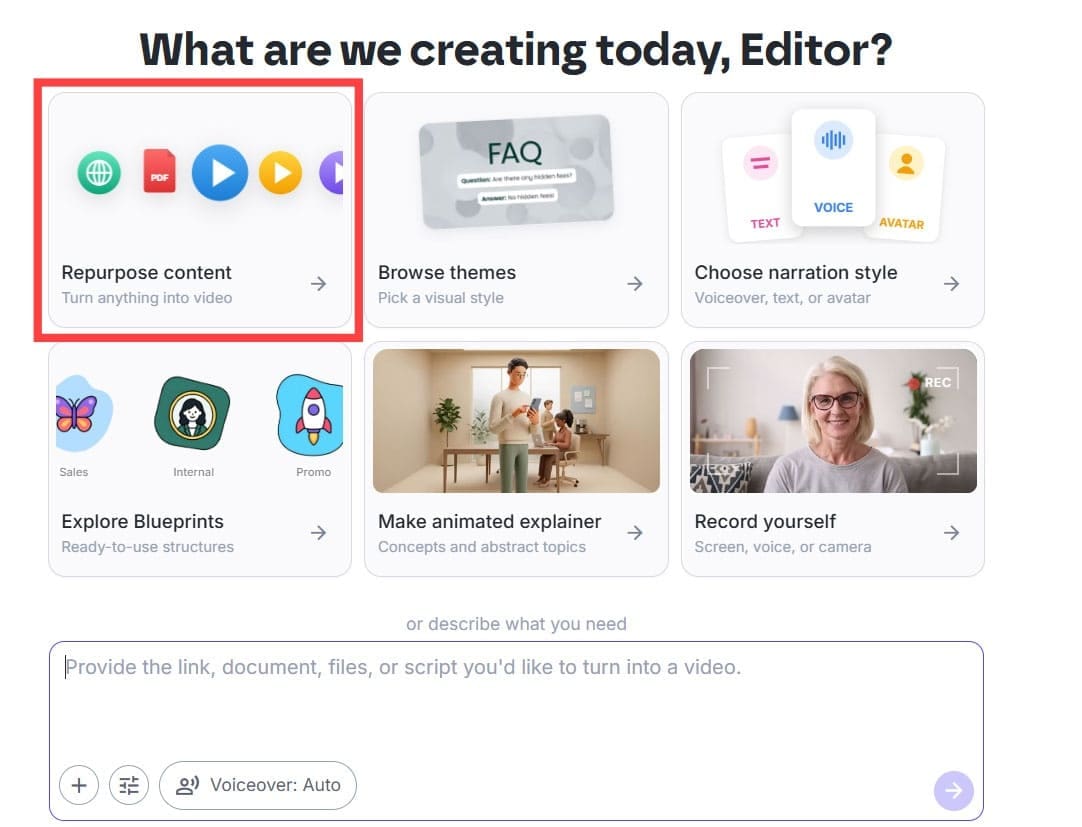
Step 2. Choose a starting point, whether you want to paste in text directly, import a blog post by URL, or start from a blank template.
Step 3. Let the AI build your storyboard. It automatically selects scenes, stock visuals, and pacing based on your text.
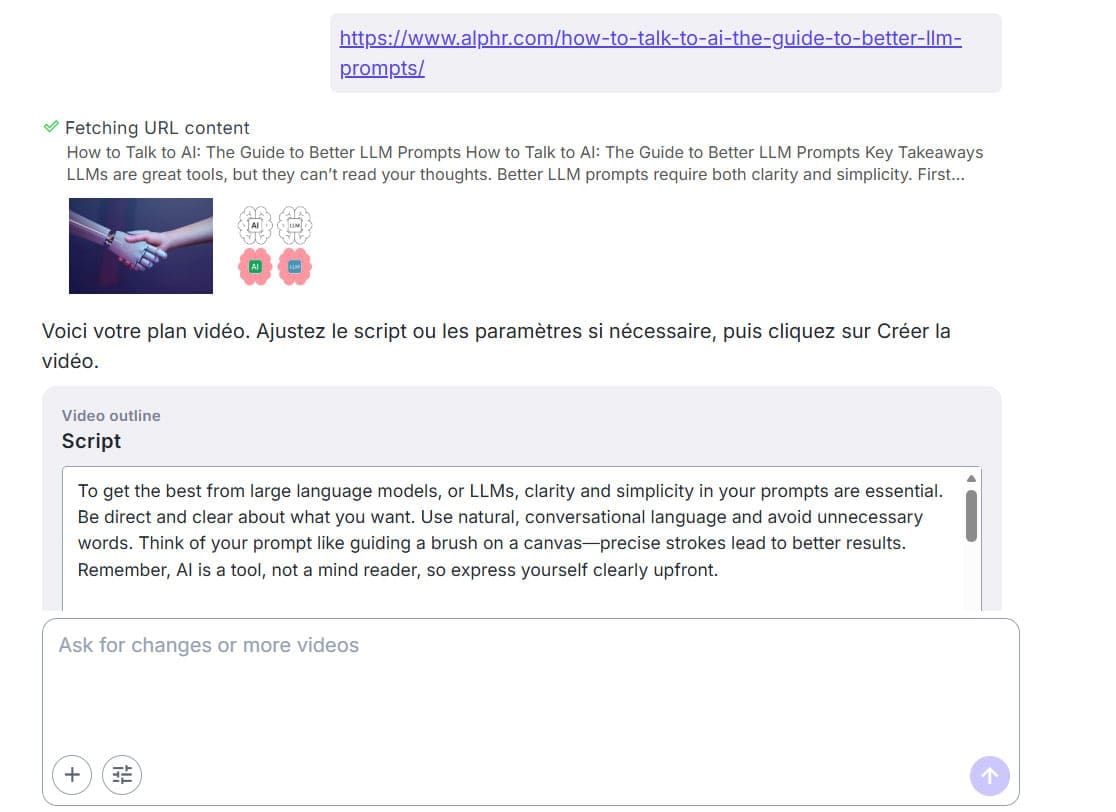
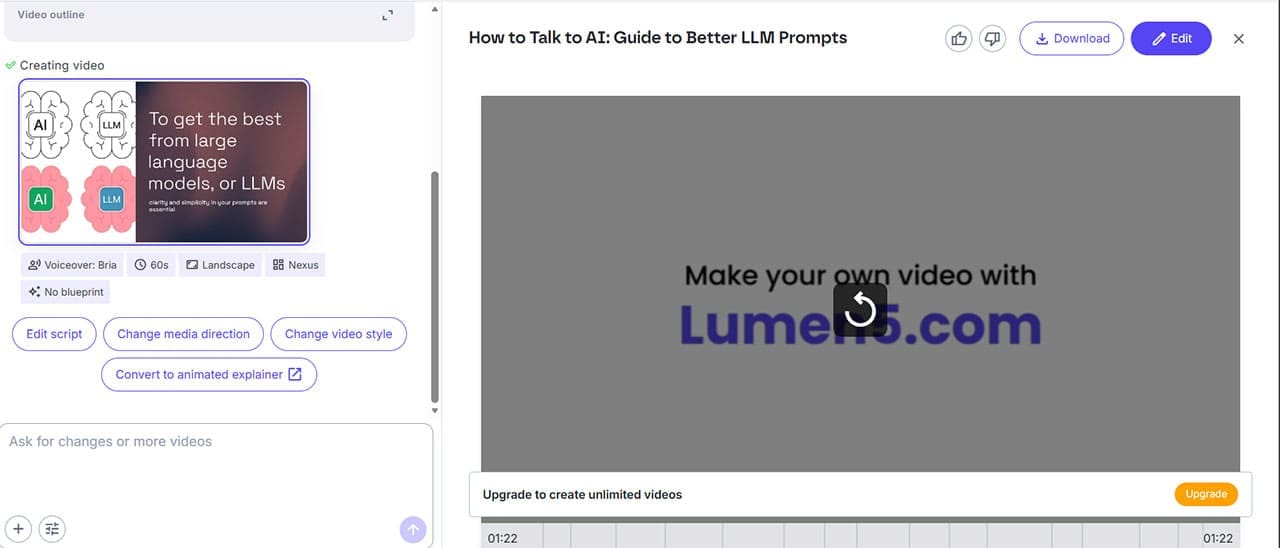
Step 4. Choose the general “template” of the video, then click on “Create.”
Step 5. Review the captions and the voiceover if needed. For the free version, the tool is limited to only a few minutes of video.
Step 6. Add a voiceover, using either Lumen5’s AI narration (which you can choose) or your own recorded audio.
Step 7. Preview the finished video, make any final adjustments, and export it as an MP4 or share it directly to social platforms.
The AI performs better the cleaner and more structured your source text is. It will create clearer paragraphs from bullet points than a wall of unstructured writing. A short social clip can realistically go from blank page to finished export in under 15 minutes, while a longer piece of repurposed content might take 30–45 minutes with customization included.
Main Features
Lumen5’s core strength is how it can sequence scenes to match the tone and subject of your writing. While it does have some stock clips, the overall theme and subject will usually match what’s on the screen. This goes double if the provided content actually has some images, where it will use imagery that is similar in nature to it.
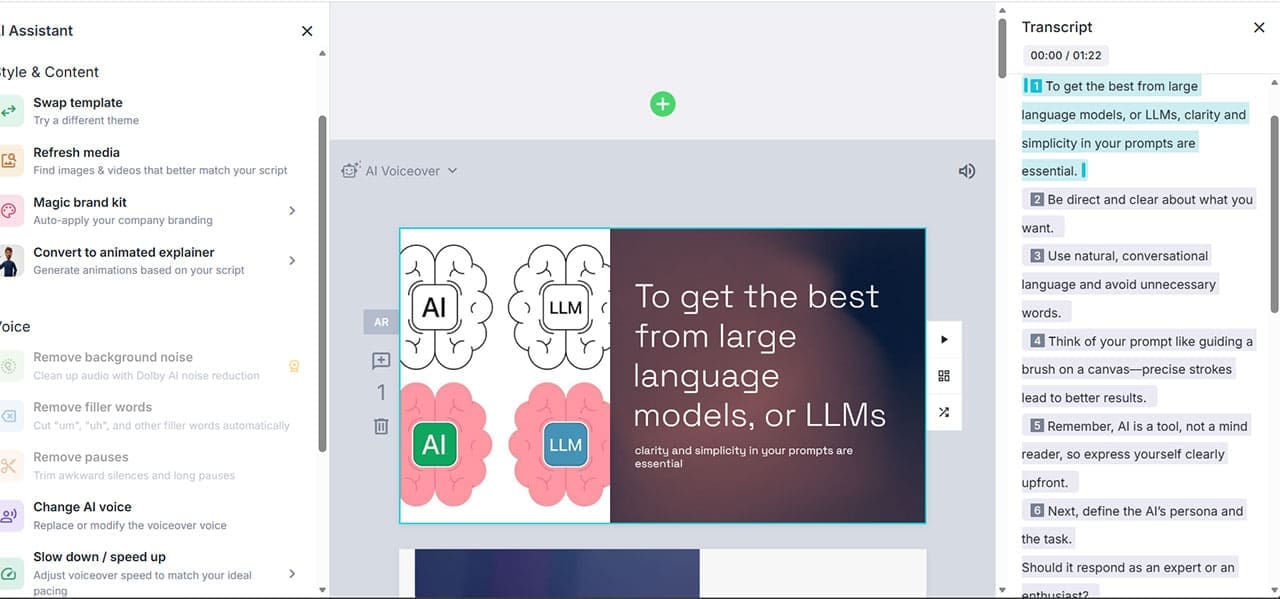
Once the AI has built the initial draft, the drag-and-drop editor gives you full control to rearrange scenes, replace clips, and adjust timing without needing any prior video editing experience. It also allows you to edit the transcript a bit better.
The tool has a generous stock media library with millions of clips, images, and audio tracks on the higher-tier plans, all of them being searchable directly inside the editor. Then, if you have a content creation suite, the Brand Kits feature lets you save your logo, colors, fonts, and watermark and apply them to any video in one click.
Additional Features
- AI voiceover: Converts your script into narration with a choice of voices and tones. The voice is clear and readable for explainer or corporate content, though it doesn’t really have the warmth of a human voice actor.
- Automatic captions: Generated from your script and fully editable, with customizable font, color, position, and timing.
- Custom uploads: You can upload your own footage, images, and logos rather than relying entirely on stock media, which helps your videos feel less generic.
- Exports: Videos export as MP4 in multiple aspect ratios, including 16:9 for YouTube, 1:1 for feed posts, and 9:16 for Stories and Reels.
- Team collaboration: Available on higher-tier plans, letting multiple users work within shared workspaces, though real-time simultaneous editing isn’t supported.
Pricing
At the base, the tool has a fairly generous free suite, but limitations on export quality, branding, and available features, and makes use of a much smaller stock library. Beyond that, there are a few subscription tiers:
- Basic – $29/month ($19/month billed annually): unlimited videos, up to 10 minutes of video length, 20 minutes of AI voiceover, basic media and templates, removes the watermark.
- Starter – $79/month ($59/month billed annually): 1080p resolution, access to 50M+ stock media, custom fonts and colors.
- Professional – $199/month ($149/month billed annually): access to 500M+ stock media, custom watermarks and brand kits, multiple saved templates.
What Works and What Doesn’t
Lumen5’s strongest feature is speed, turning existing written content into on-brand video without any editing background, in a fraction of the time a manual edit would take.
Where it falls short is creative depth and flexibility. There’s no advanced timeline, layered effects, or color grading for anyone who needs a more cinematic result. Additionally, unlike some newer AI video tools, Lumen5 needs you to bring your own script or text. It won’t generate a lengthy video from a single-sentence prompt. Stock footage quality can also feel a little dated in places, and the preview for the script can be a bit misleading in terms of length (as it cuts off content frequently).
Related Posts
 How to Get Summaries of YouTube Videos Using AI and Save Time
 Generate Your Own Music Videos With Musid AI
 How to Turn Songs Into Viral Videos With Muze Art
 How to Generate Lip Sync Videos From Images
 Create Stunning Presentations With HyperPresent AI
 How to Create Seamless Illustrations With Illustro
 Create New Memories From Old Photos With NovaFlick AI
 Create PowerPoint Presentations Effortlessly With Gamma AI
 Does NightCafe AI Create Quality Art?

Disclaimer: Some pages on this site may include an affiliate link. This does not effect our editorial in any way.